I Burned 40% of My Max 20x Week Overnight. Here’s How I Fixed My Claude Code Cloud Setup.
Last week I published Can Sonnet 5.5 Really Build a Full Game From One Prompt? I Tested It. — one prompt, about five hours, a playable kart racer waiting in the morning. Zero messages from me while it ran.
It worked so well that I kept going.
I ran the same style of prompt on five more games:
- Nachtfrost — zombie first-person shooter
- Meridian — flight simulator
- Metropolis 2000 — city builder
- Stormwing — jet fighter
- Metro Bus Simulator — bus driving simulator
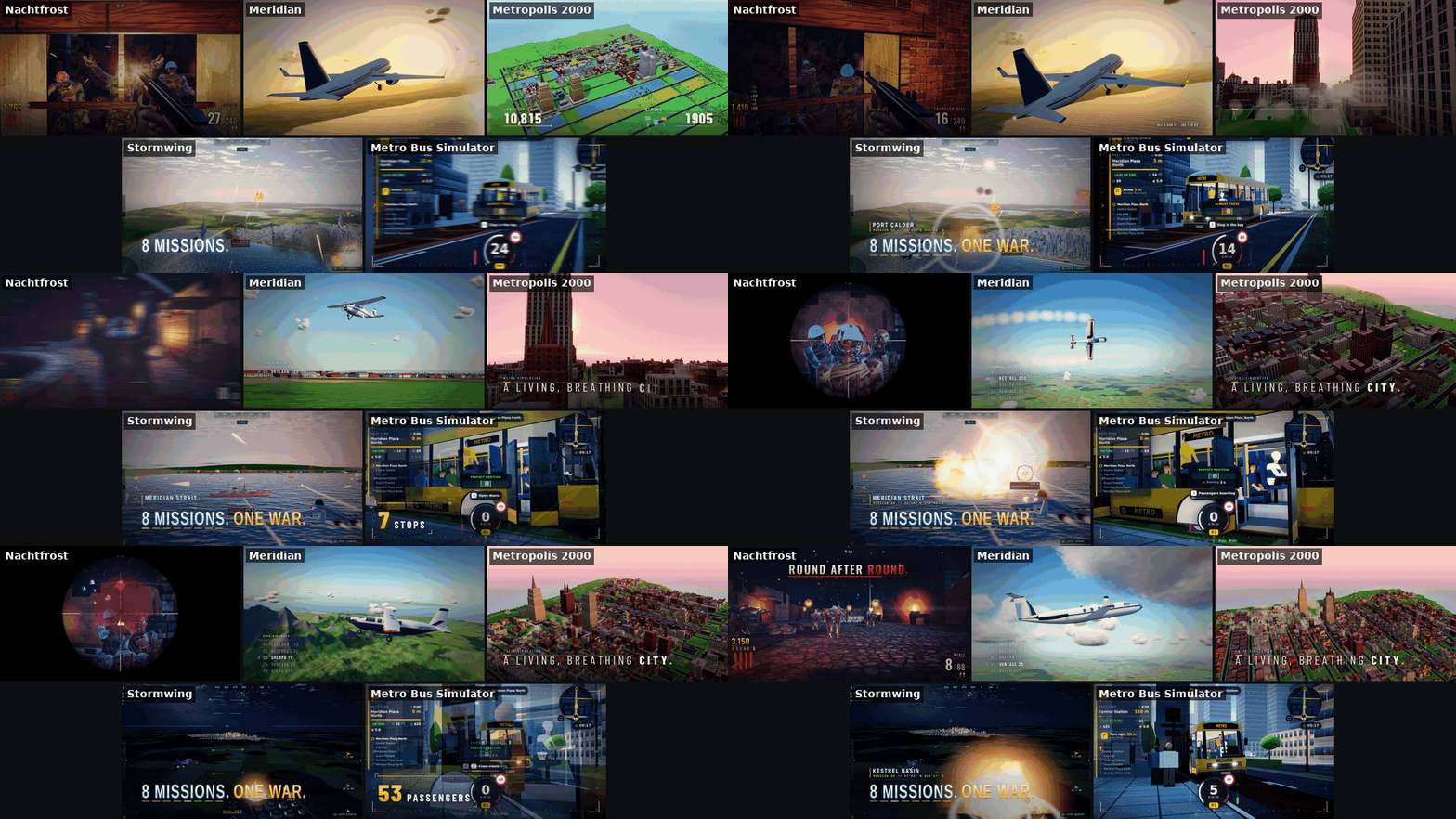
Playable links for all five are at the end of this post.
I’ve been busy… well, actually it was Sonnet 5.5 and Anthropic’s cloud that were busy. My job was to submit the prompt and wait for the results. Some games took a few hours. Some took days. While they built in the background, I was focusing on other work.
Then came the morning I’d rather forget.
When I went to sleep, my weekly bar was sitting at about 38%. Three cloud runs were building in the background.
The first thing I did that morning was grab my phone to see which games had finished. None had. What I saw instead was my weekly bar — sitting at around 80%. More than 40% of my weekly Claude Code usage, eaten overnight.
Oh sh*t…
The remaining 20% was gone before lunch. Two days into the week, with four still to go before my scheduled reset, the whole thing was empty. (I’m fairly sure everyone on a Pro or Max plan has had this exact morning at least once.)
I used the free reset Anthropic handed out with the Opus 5.5 launch to get my week back. Then I changed four things so it wouldn’t happen again.
This post walks through all four. Fair warning — I have no clean before-and-after numbers. These are the changes I made after the burn.
.
.
.
What Actually Ate the Week
The three overnight runs each had different setups — mixed combinations of settings that, looking back, I hadn’t thought through carefully enough. Two things stood out.
First, none of them had an auto-compact window set.
Sonnet 5.5 runs with a 1M context window, and every turn sends the entire conversation back to the model. In my runs, cloud sessions seemed to pile up context faster than the same prompt on my own machine. Going past 200k was easy, and without a cap, a session could be hauling 400-500k of context on every single turn.
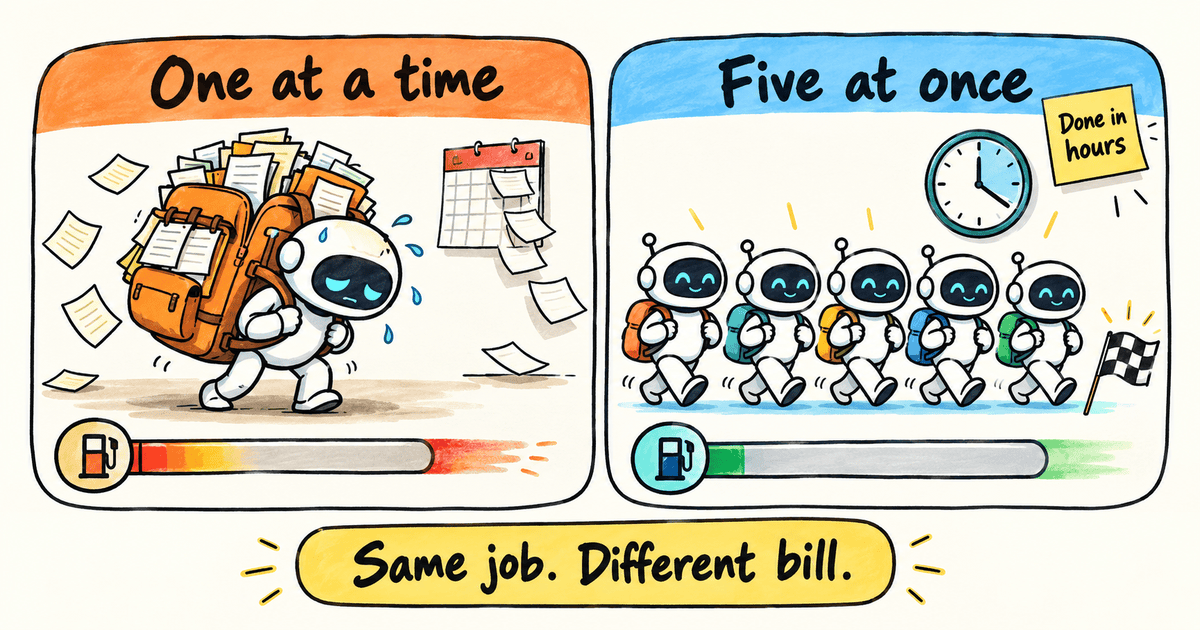
Think of it like a backpack that gets heavier with every step.
You carry the whole thing on every trip — and each trip costs based on the weight. With several sub-agents working at once, each carrying its own growing backpack, the total adds up fast.
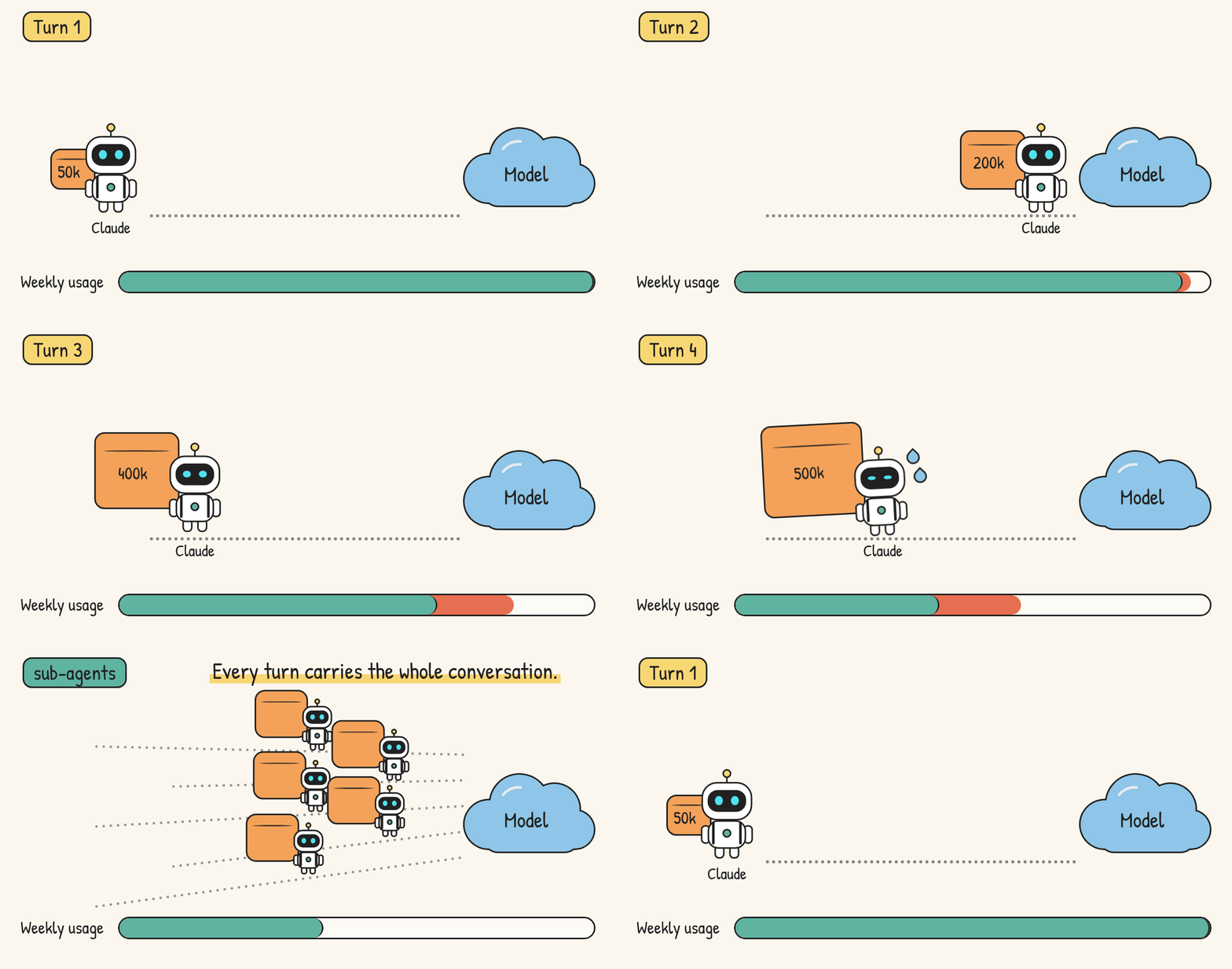
Second, at least one of the runs was building with a single sub-agent at a time — and dragging on for days while the context kept growing. Combined with the missing auto-compact cap, that slow run was part of what drained the week.
So, how do we solve this?
.
.
.
Fix #1: Make /autocompact the First Thing You Type
The first thing I do to keep Claude Code usage in check in a cloud session is one command, typed before my prompt.
After picking the cloud environment and the repo, before I send anything else, I type:
/autocompact 400k
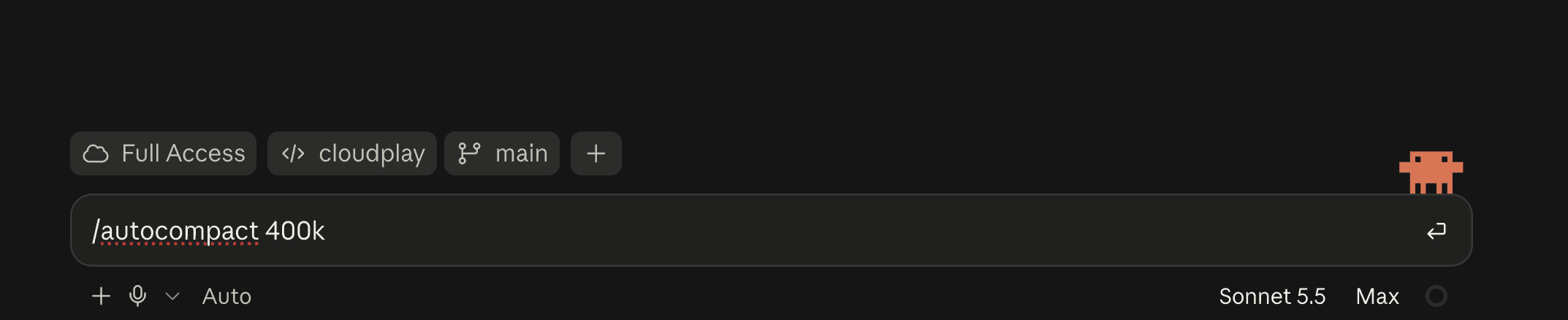
That’s how I start every cloud session now.
The command caps how big the conversation can grow before Claude Code compacts it automatically — in this case, 400k tokens. The setting is saved per model, and the confirmation reply names the model it applied to: “Auto-compact window for Sonnet 5.5 set to 400k tokens.”
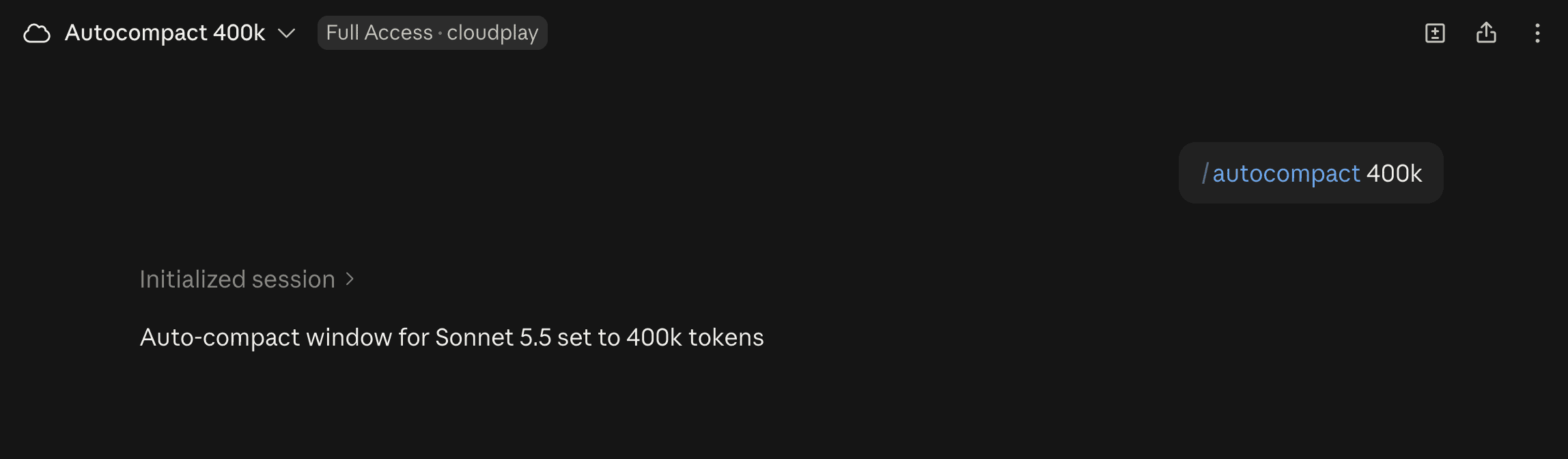
To verify it took, open the Context window popover — the ring next to “Sonnet 5.5 · Max” — and check the denominator. It should read 400k instead of the default 1M.
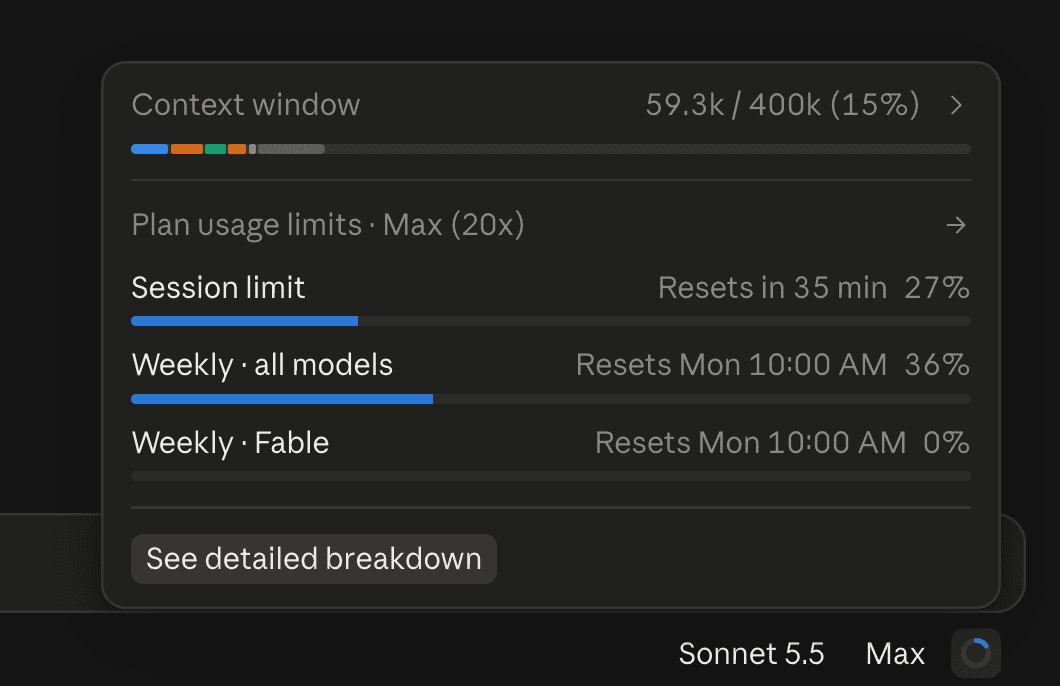
Only after I see that 400k denominator do I paste my actual prompt.
The number. I use 400k.
In my observation, anything between 275k and 400k works well at Max effort. Going below 275k leaves the model too little room to think.
| Setting | Nathan’s take |
|---|---|
| 400k | What I use |
| 275k-400k | Good band for Max effort (my observation) |
| Below 275k | Avoid — too little thinking room |
“Wait, didn’t you tell us never to auto-compact?”
Yes. I’ve said before to compact manually, at a clean stopping point, with a handoff doc written first. That advice still stands for interactive sessions on my own machine — where I’m watching the conversation and can pick the right moment.
Here’s the thing — an unattended cloud run has nobody at the wheel.
In the cloud, I let auto-compact fire at a ceiling I chose, and I use hooks to make sure every commit carries a handoff doc. Same habit, automated.
Now, I know what you’re thinking… won’t compacting mid-session make Claude forget important things?
That’s what the next fix is for.
.
.
.
Fix #2: Save Points Before Every Boss Fight
I learned this the hard way as a kid: skip the save before a boss, lose, and you’re replaying the whole level.
Long cloud sessions carry the same risk — a compaction squeezes the conversation down, and details about what the agent already built can get lost.
Every time Claude reaches a checkpoint — a feature done, a fix verified, a decision made — it commits. Before every commit, it writes a handoff doc with the progress so far. After a compaction, Claude reads the latest handoff and picks up where it left off.
The handoff is the save point.
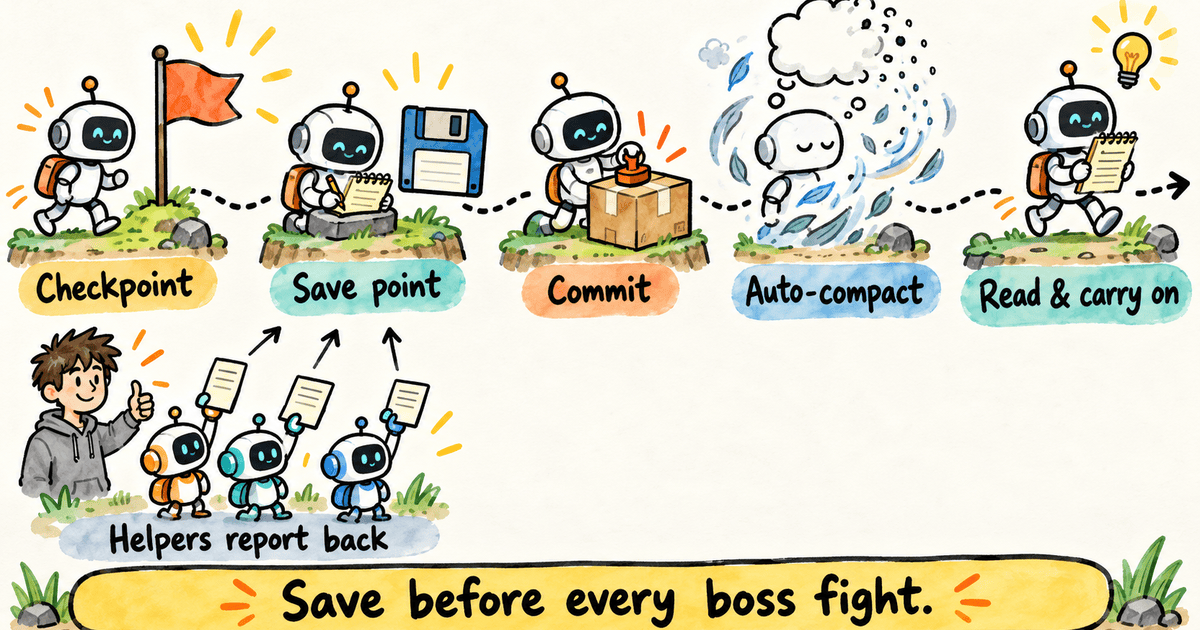
Only the main session commits. Sub-agents report their work back, because a handoff needs the full picture of the session.
Setting this up takes three pieces.
Step 1: Tell Claude the Rules
First, add this block to your project’s CLAUDE.md:
## Handoffs

- Commit at each **checkpoint** without asking: a unit of work (feature, fix,
  decision) that is done and verified, or the point before switching to an
  unrelated task. The handoff each commit carries is what survives autocompact.
- Before every commit, run the `handoff-doc` skill to write a new handoff in
  `docs/handoffs/` (`YYYYMMDD_NN_slug.md`, next `NN` for the day), and include
  it in that commit.
- Only the main session commits. Subagents report their changes back instead,
  since a handoff needs the full session context.
- After an autocompact, read the latest handoff in `docs/handoffs/` before
  continuing. Read earlier ones too if the latest leaves gaps.
Instructions alone aren’t always enough.
A long unattended run can drift away from a written rule, especially after a compaction. So I back the rules with two hooks that fire every time.
Step 2: The Two Hooks
The bookmark runs right after a compaction.
It finds the newest handoff and tells Claude to read it before continuing. If there are no handoffs yet, it does nothing.
#!/bin/bash
# SessionStart hook (matcher: compact): after a compaction, point Claude at the
# latest handoff doc so it reloads the current project state.

set -uo pipefail

PROJECT_DIR="${CLAUDE_PROJECT_DIR:-$(cd "$(dirname "${BASH_SOURCE[0]}")/../.." && pwd)}"

latest=$(ls -1 "${PROJECT_DIR}"/docs/handoffs/*.md 2>/dev/null | sort | tail -n 1)
[ -z "$latest" ] && exit 0

echo "Context was just compacted. Read the latest handoff before continuing: ${latest#"${PROJECT_DIR}"/}"
echo "Earlier handoffs are in docs/handoffs/ if you need more history."
The gate runs before every command, but it only cares about commits. It refuses a commit in three cases:
- A sub-agent tries to commit — told to report its changes back so the main session can write the handoff and commit.
- The main session commits with no new handoff — told to run the handoff-doc skill, stage the new handoff, and commit again.
- A new handoff exists but isn’t staged — told to add it in the same commit.
Here are the key lines:
deny() {
  jq -n --arg r "$1" '{hookSpecificOutput: {
    hookEventName: "PreToolUse", permissionDecision: "deny", permissionDecisionReason: $r}}'
  exit 0
}

grep -Eq '(^|[;&|(]|\s)git(\s+-[cC]\s+\S+)*\s+commit(\s|$)' <<<"$cmd" || exit 0

if [ -n "$(jq -r '.agent_id // empty' <<<"$input")" ]; then
  deny "Subagents don't commit. Report your changes back; the main session writes the handoff and commits."
fi

# ...

deny "No new handoff in docs/handoffs/. Run the handoff-doc skill to write the next YYYYMMDD_NN_slug.md, stage it with this change, then commit again."
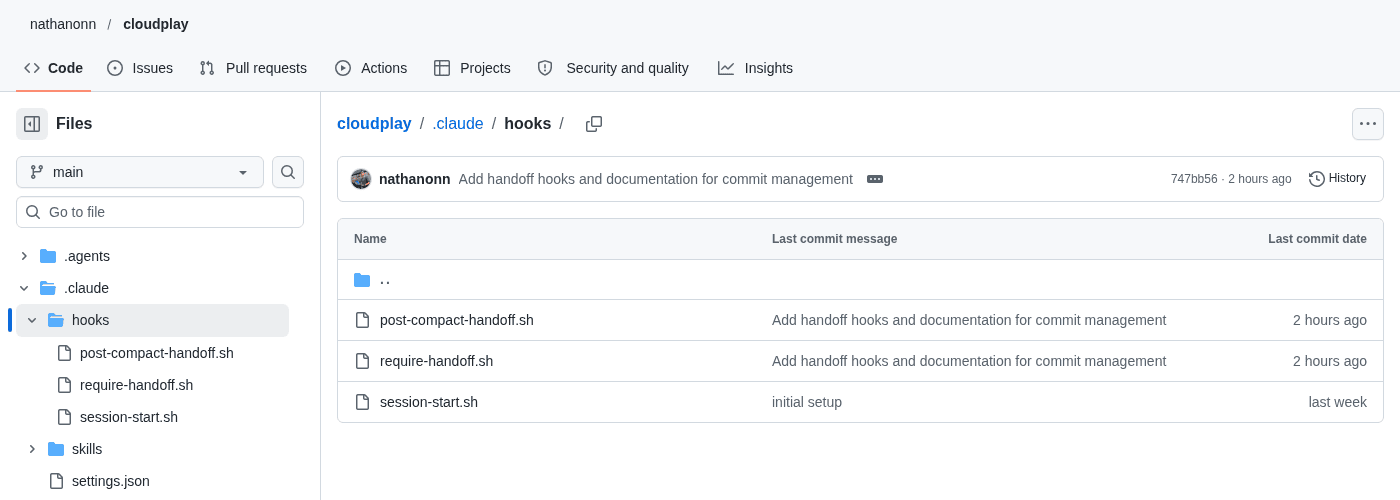
The full 55-line file is at require-handoff.sh on GitHub. It needs jq.
Step 3: Wire Them Up
The project settings file ties the hooks to the right events:
{
  "hooks": {
    "SessionStart": [
      {
        "hooks": [
          {
            "type": "command",
            "command": "\"$CLAUDE_PROJECT_DIR\"/.claude/hooks/session-start.sh"
          }
        ]
      },
      {
        "matcher": "compact",
        "hooks": [
          {
            "type": "command",
            "command": "\"$CLAUDE_PROJECT_DIR\"/.claude/hooks/post-compact-handoff.sh"
          }
        ]
      }
    ],
    "PreToolUse": [
      {
        "matcher": "Bash",
        "hooks": [
          {
            "type": "command",
            "command": "\"$CLAUDE_PROJECT_DIR\"/.claude/hooks/require-handoff.sh"
          }
        ]
      }
    ]
  }
}
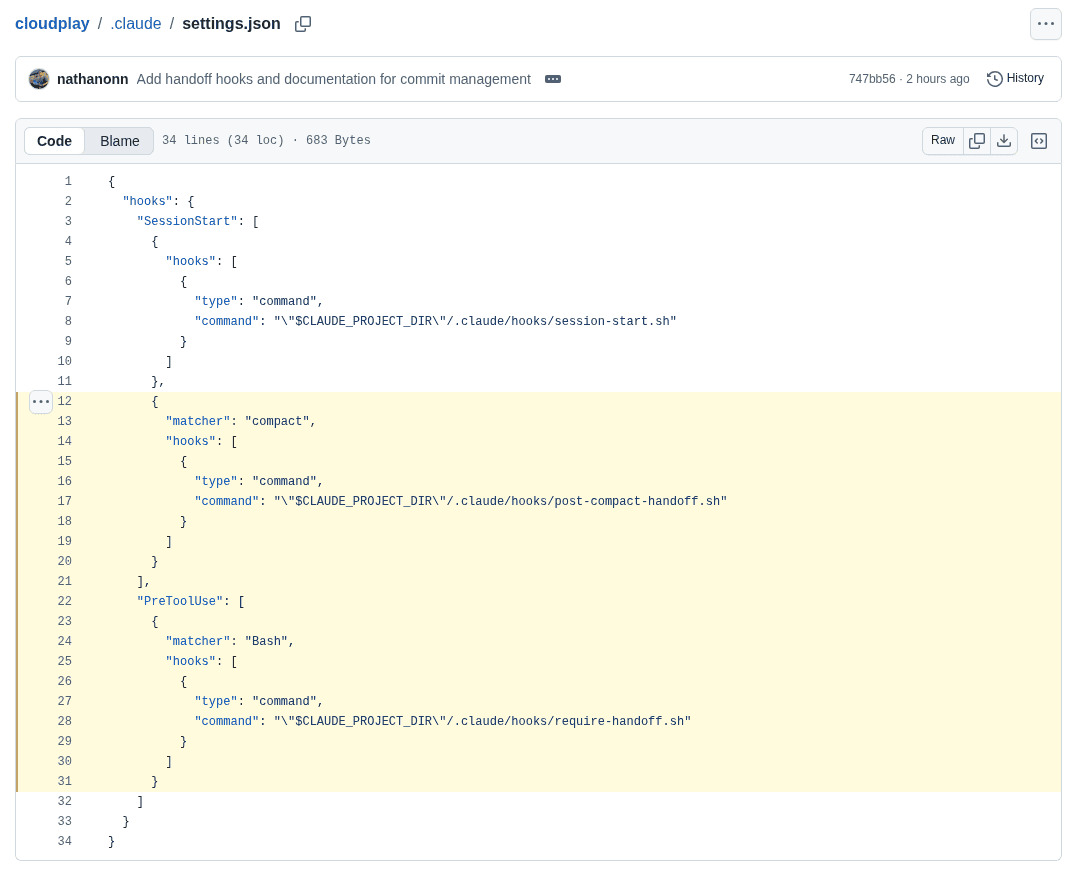
Two entries are new here:
- The second
SessionStartentry (with thecompactmatcher) is the bookmark — it fires after a compaction and points Claude to the latest handoff. - The
PreToolUseentry (with theBashmatcher) is the gate — it checks every command for a commit and enforces the handoff rules.
The first SessionStart entry is last week’s tool setup.
Everything is already in the cloudplay repo. Use the repo as-is, or copy the instructions block, the two hooks, and the wiring into your own project.
Worth knowing: if you’re not using cloudplay, you’ll also need the handoff-doc skill. Stop Losing Work When You Compact Claude Code (The Handoff-Doc Skill) covers how it works.
/plugin marketplace add nathanonn/agent-skills, then/plugin install handoff-doc@nathanonn-agent-skills- Or:
npx skills add nathanonn/agent-skills --skill handoff-doc
.
.
.
Fix #3: Run Five Sub-Agents at Once
This one surprised me.
The prompt I used asked for five sub-agents because it came from the Reddit post I built on last week. Logic would suggest that fewer agents should use less.
Honestly, I expected the one-agent run to be the frugal one. Then I watched it crawl along for days.
In my runs, it cost more.
The five-at-once session finished in a few hours. Together with the missing auto-compact cap, that slow run was part of what drained the week.
I have no statistics or proof for this. It’s purely my read after several cloud runs with Sonnet 5.5. Take it with a pinch of salt.
Why I think the long run costs more. I’m on Max 20x with Sonnet 5.5 — a combination where the five-hour session limit is meant to be much harder to hit. In practice, the weekly bar is the one that matters to me.
My theory comes down to two compounding costs.
The longer a cloud session runs, the more the context grows — and every turn carries that full context to the model. (Remember the backpack from the last section.) On top of that, the main orchestrating agent has to keep checking on the sub-agent’s progress for the entire run, and each check-in hauls that growing context along with it.
Think of the orchestrator as a supervisor paid by the hour to check on the work. With one worker, the supervisor is checking in for days. With five, the job is done by the afternoon.
Shorter runs mean fewer of those expensive trips. That’s why I switched to parallel agents.
Here’s the revised prompt I use now:
I need you to launch five sonnet 5.5 sub-agents and help me build a triple A quality game that is a clone of "__game_name__". What I want you to do is I want you to launch these sub-agents, build the game without asking me any questions at all, and use ThreeJS to build the game.

You will coordinate the work of the five sub-agents, ensuring that they are all aligned and working towards the same goal. You will also need to manage the integration of their work, ensuring that all components of the game are compatible and function together seamlessly.

You can use "playwright-cli" to verify your own work.

You may use "firecrawl" if you need to do any research about the game.

The game should be frontend only for now. All the persistent data will be stored in local storage.

Make sure the game is playable with mobile phone as well.

Please create tasks for this first, and then assign sub agent to each task. You may run up to 5 sub agents at a time.

Publish the game to Claude Artifact as you build, so that I can see your work.

And once you're done, report back to me.
What changed from last week’s prompt:
- Coordination paragraph — the main session owns integration and ensures components work together, which fits Fix #2’s rule that only the main session commits.
- Mobile line — the game should be playable on a phone.
- “Up to 5 sub agents at a time” — explicitly allowing parallel work.
- Publish as you build — so I can see progress without opening the session.
.
.
.
Fix #4: Which Effort Level? (My Opinion)
This one is pure opinion, so treat it accordingly.
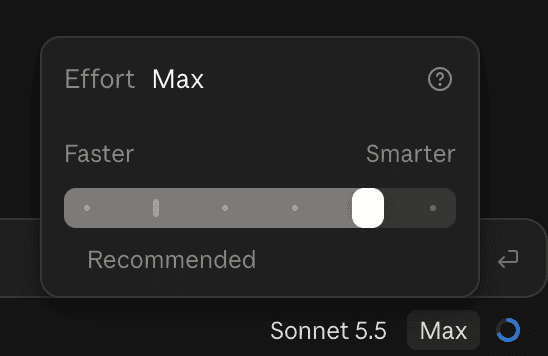
I mostly run Max. I’ve also tried xhigh and high with Sonnet 5.5. The results came out much the same, and I didn’t see a meaningful difference in usage between the three.
My reasoning for sticking with Max: the prompts I use are open-ended — “here’s the goal, go figure it out.” Most of the deciding is left to Claude, and higher effort gives it more room to think before it starts working.
The risk is overthinking and overbuilding (you know, like Opus 4.1, Sonnet 5 and Opus 5 used to). Honestly, for an overnight game build, I don’t mind if Claude overthinks, as long as the result is good.
| Effort | Results (my runs) | Usage (my runs) |
|---|---|---|
| high | Similar | Similar |
| xhigh | Similar | Similar |
| max | Similar — my default | Similar |
Feel free to agree or disagree with this one. In fact, this whole post is based on feeling and vibes… so yeah.
.
.
.
What I’m Doing Now (and What I Still Don’t Know)
Four changes, each one copy-pasteable:
- Type
/autocompact 400kbefore the prompt - Commit at save points with a handoff, enforced by two hooks
- Run five sub-agents in parallel
- Pick an effort level and stop worrying about it
Here’s what I’ll be honest about.
These changes are new, and I don’t have numbers yet from a full week on the new setup. I’m making no savings claim. I’ll report back when I do.
Last week I said anything I can describe clearly enough can run while I sleep, on a machine bigger than mine. That’s still true — and now it has a budget.
👉 These four changes are how I run long cloud sessions now without watching my Claude Code usage vanish. Grab cloudplay, run a cloud session with these changes, and reply with what your usage looked like. If you’ve found your own tricks for keeping the weekly bar under control, I’d love to hear them.
Play them yourself. All five games are browser-based and work on mobile.
- Nachtfrost — Zombie first-person shooter
- Meridian — Flight simulator
- Metropolis 2000 — City builder
- Stormwing — Jet fighter
- Metro Bus Simulator — Bus driving simulator

Leave a Comment