When WordPress Plugins Don’t Have a REST API, Build One (Temporarily)
After Claude Code Can Talk to WordPress Now. Here’s What That Changes., I had the kind of momentum that makes you forget walls exist. Pages, templates, CSS — the entire site had deployed from one terminal prompt through the REST API.
That pipeline covers everything WordPress ships out of the box.
So I pointed it at something harder.
A team showcase with Advanced Custom Fields — a custom post type where each member gets a job title, a bio, social links, a photo, and a department.
ACF is one of those plugins that most serious WordPress sites depend on. It gives you real labels, tabs, and validation in the editor so the client can fill in fields without guessing what goes where.
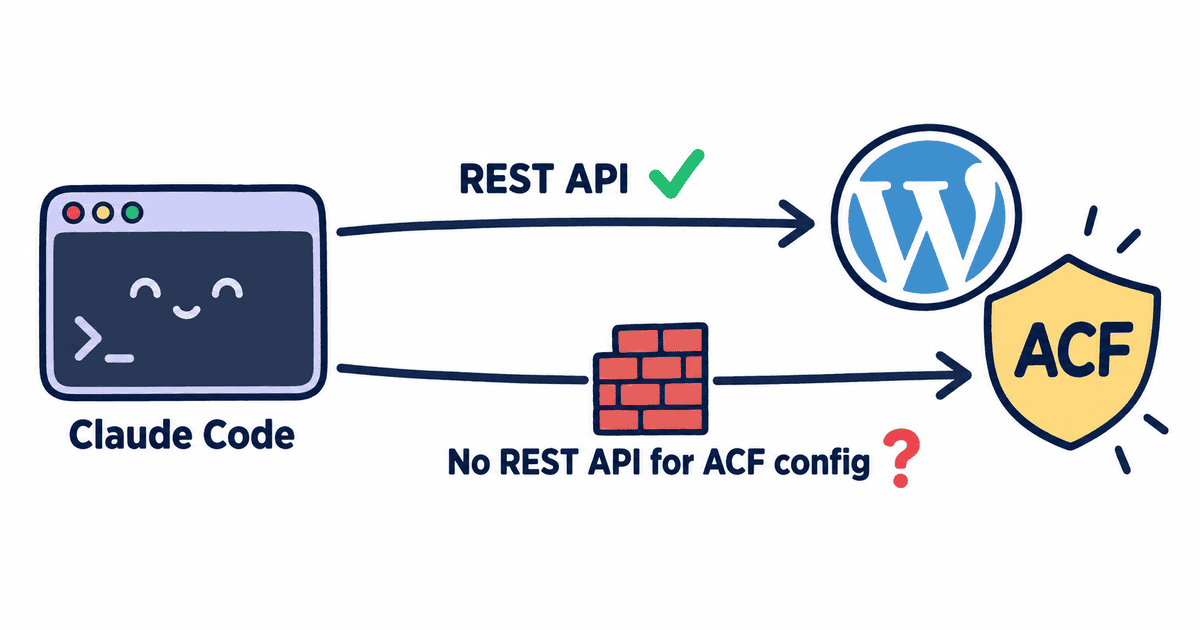
And that’s where the momentum stopped.
ACF keeps its configuration locked behind admin screens. No REST endpoints for its internal objects. The only way in is built for humans clicking through a browser.
ACF does support the WordPress Abilities API — but using it requires setting up an MCP adapter alongside your site. I’ve covered that approach in Building WordPress Abilities API Extensions for Third-Party Plugins (SEO Edition) and I Built an AI-Powered Internal Links Plugin Using WordPress 6.9’s Abilities API and Claude Code. That works, but most plugins haven’t adopted the Abilities API yet.
What about a pattern that works for any plugin, right now, with zero extra servers?
.
.
.
The Bridge Pattern
Here’s the thing — the Code Snippets plugin has its own REST API. Claude Code already speaks HTTP. That single fact unlocks the whole approach.
Think of it as building a door in a wall.
The door exists just long enough to carry the furniture through. Once everything is inside, you remove the door. The room is fully furnished, and the wall looks like it was never touched.
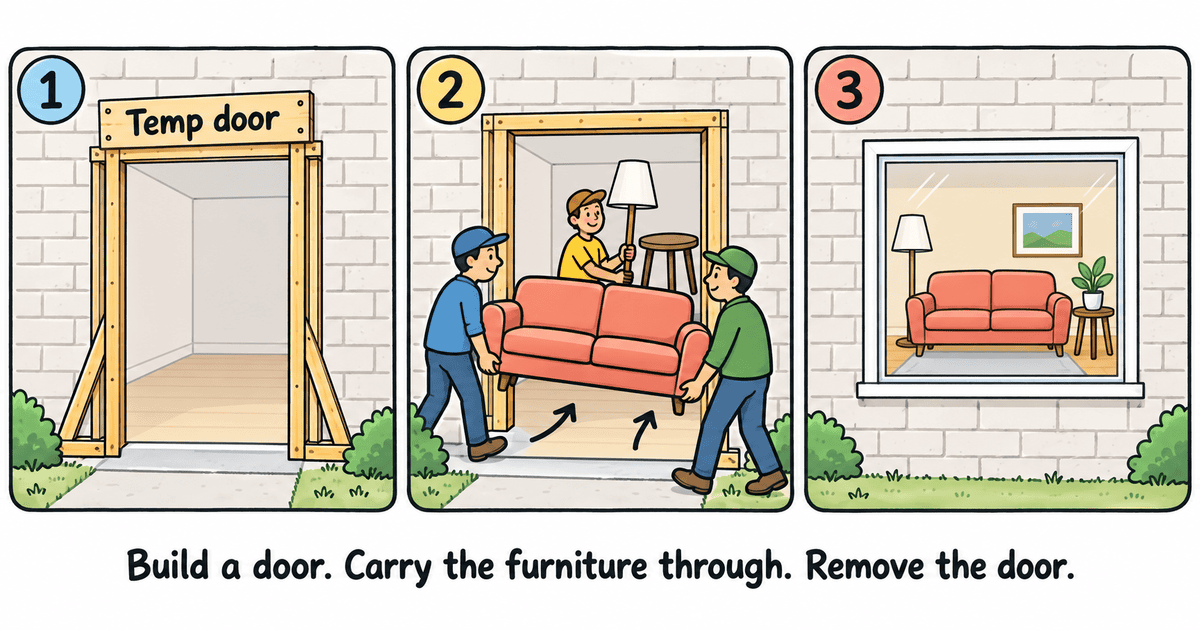
Claude pushes a temporary snippet that configures ACF from inside, calls it, then removes it. The resulting post type and fields show up in ACF’s admin screens as fully editable — indistinguishable from something built by hand.
A developer opens the field group and finds real labels, tabs, and settings they can modify. (If you’ve ever spent twenty minutes clicking through ACF’s admin screens to set up a field group — naming each field, picking types, dragging them into tabs — you know the feeling of wishing you could just describe what you want and have it appear.)
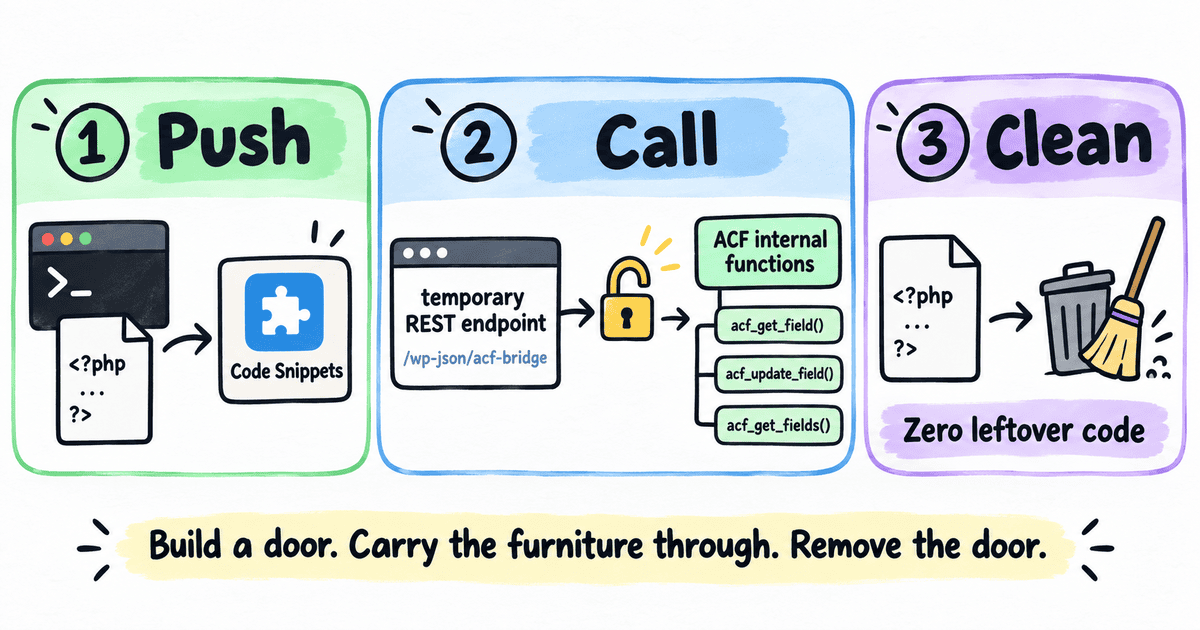
That’s the Claude Code ACF REST API bridge — a temporary connection between two systems that don’t natively talk to each other, powered by a plugin that most WordPress developers already have installed.
.
.
.
The Prompt
The prompt is shorter than you’d expect.
Site URL, masked credentials, and three tasks:
- Install and activate Code Snippets
- Install and activate ACF
- Set up a team showcase custom post type using ACF
One line at the bottom tells Claude to use the ask-first skill if it needs clarification before proceeding.
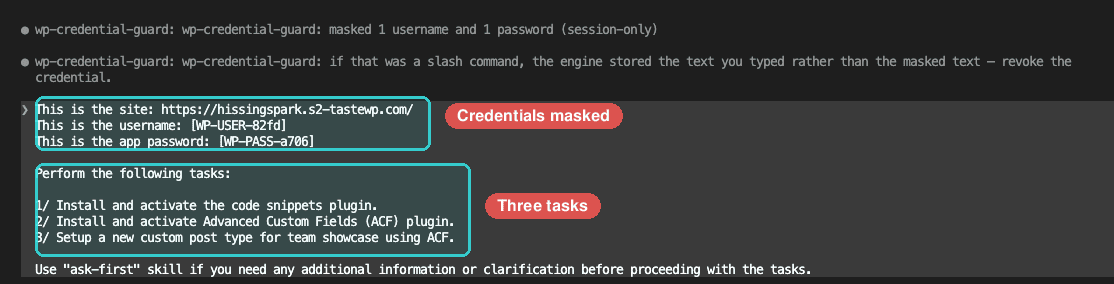
That’s the whole ask.
About those credentials: The username and password appear as placeholders —
[WP-USER-82fd]and[WP-PASS-a706]— session-scoped stand-ins that replace the real values before they reach the transcript. That’s the credential guard from Your AI Agent Can See Your Passwords. Here’s How to Fix That. The AI works with a placeholder the entire session. The transcript stays clean.
Notice what the prompt leaves out.
Nothing about how the gap between WordPress and ACF gets bridged — no implementation plan, no intermediate steps. The prompt describes the desired outcome.
The skills figure out the rest.
.
.
.
Before It Builds, It Asks
Before Claude touches the site, it loads the ask-first skill and launches a structured requirements-gathering session.
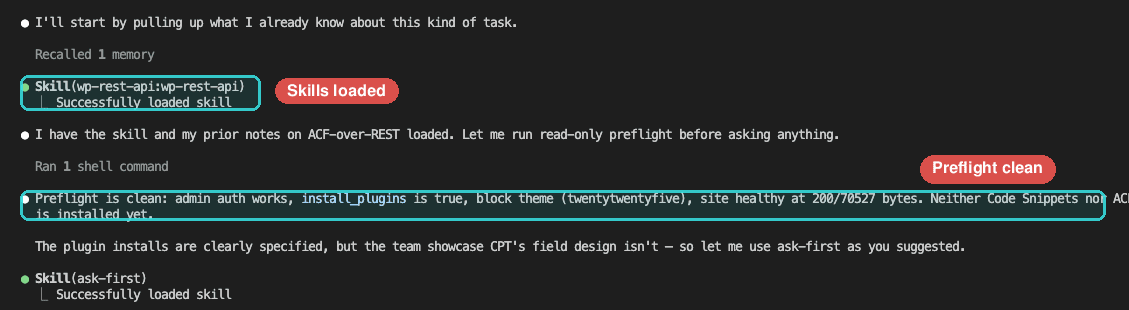
Four questions, each with recommended defaults and room to customize.
The most interesting question is about fields — a multi-select checklist of what each team member should carry:
- Core set (Recommended) — Job Title, Bio, Photo, Email, and Display Order for manual sorting
- Social links — LinkedIn, X/Twitter, and Website URL
- Phone + location — Phone number and Location/Office
- Pull quote / fun fact — A short text area for personality
A freeform option lets you type in anything the presets don’t cover.
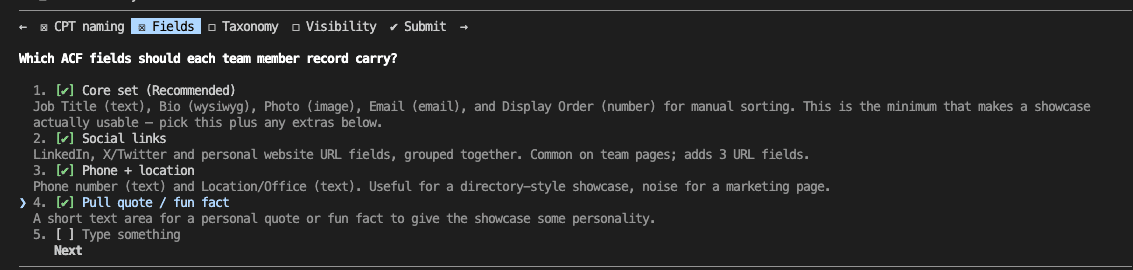
The other three covered CPT naming, taxonomy, and visibility. All four answers appear together on a review screen before anything executes — one last chance to change your mind.
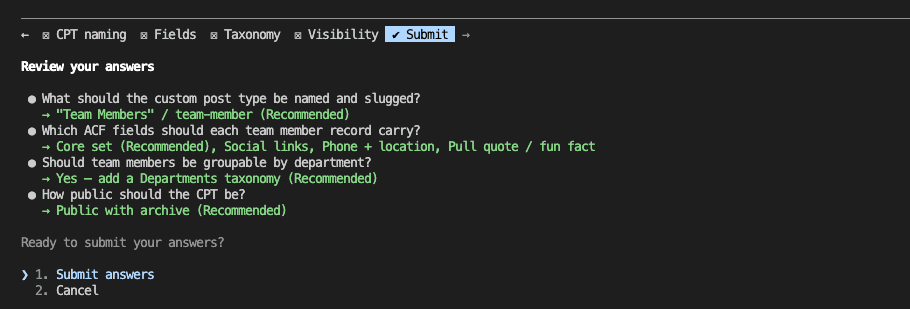
By the time I hit Submit, Claude had gathered a complete specification — post type slug, eleven fields organized across four tabs, a hierarchical taxonomy, public visibility with an archive. Every detail confirmed before a single call touched the site.
(If you’ve ever built a custom post type and realized three fields in that you forgot to plan the tab structure, this is the step that prevents that.)
The ask-first skill is available in the agent skills marketplace:
/plugin marketplace add nathanonn/agent-skills
/plugin install ask-first@nathanonn-agent-skills
Repository: github.com/nathanonn/agent-skills
.
.
.
Watch It Work
Let me show you what happens after you hit Submit.
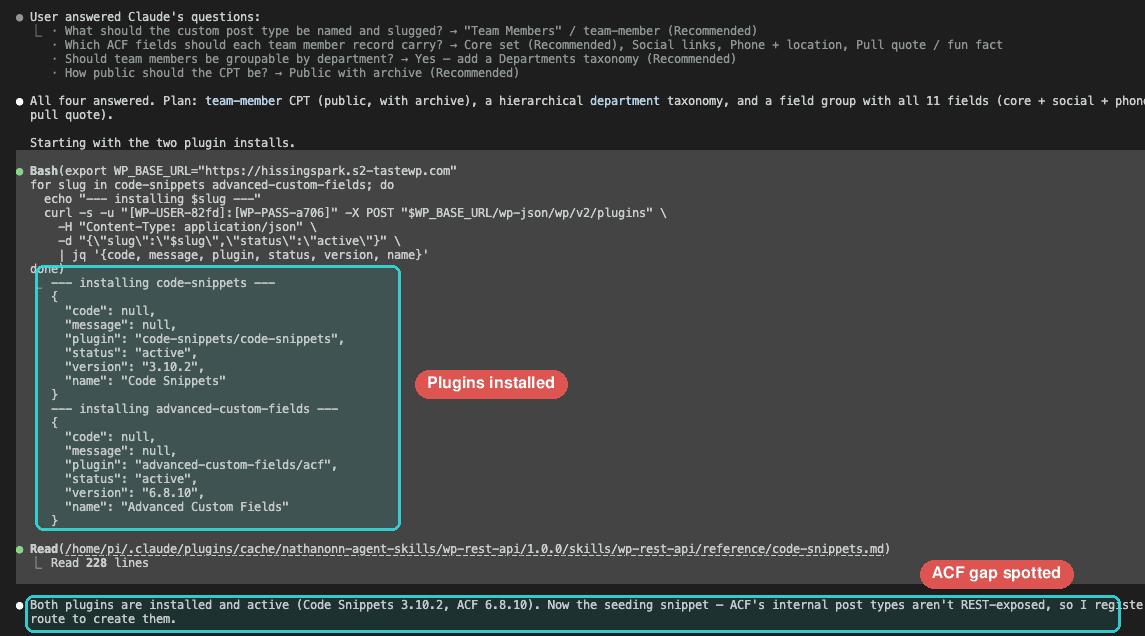
Install. Both plugins go up through the WordPress REST API — Code Snippets and ACF, installed and activated in seconds. Claude reads the reference documentation and immediately spots the gap: ACF’s internal post types have no REST endpoints. The bridge pattern forms on its own — no hint in the prompt.
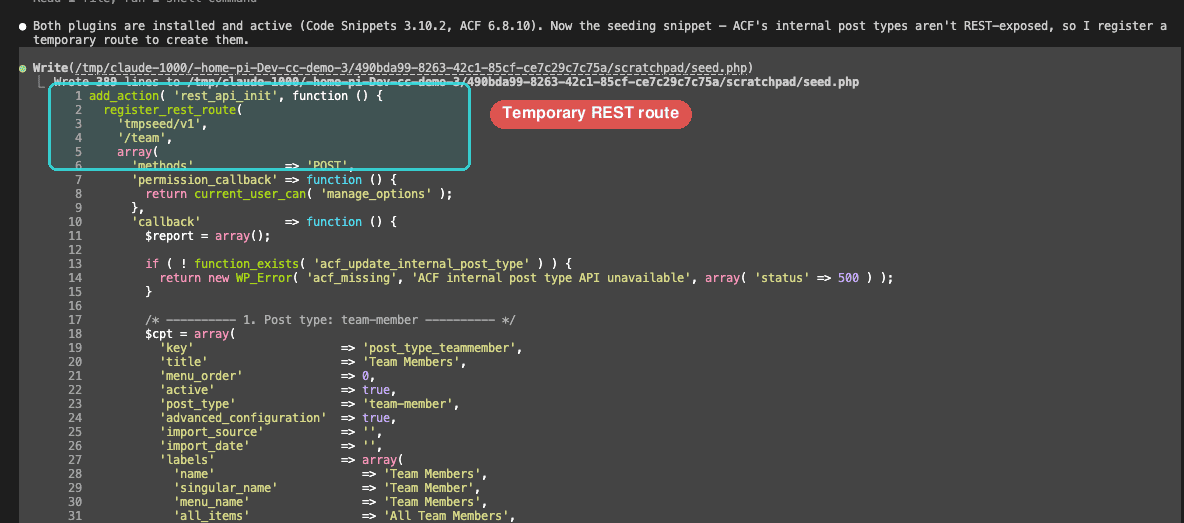
Bridge. Claude writes a temporary snippet that registers a one-shot REST endpoint, pushes it to the site, and activates it. One call to that endpoint creates all three ACF objects — the custom post type, the taxonomy, and the field group with eleven fields across four tabs.
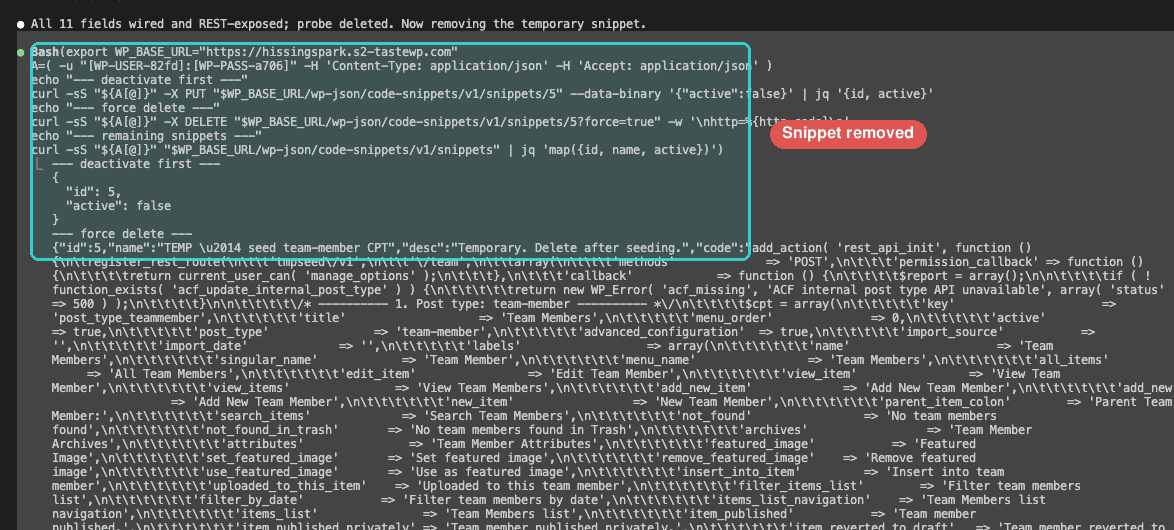
Clean up. Claude verifies the results through WordPress’s own REST responses — confirming the post type, taxonomy, and all eleven fields are wired and accessible. Then it deactivates the snippet and deletes it. The temporary route disappears from the site.
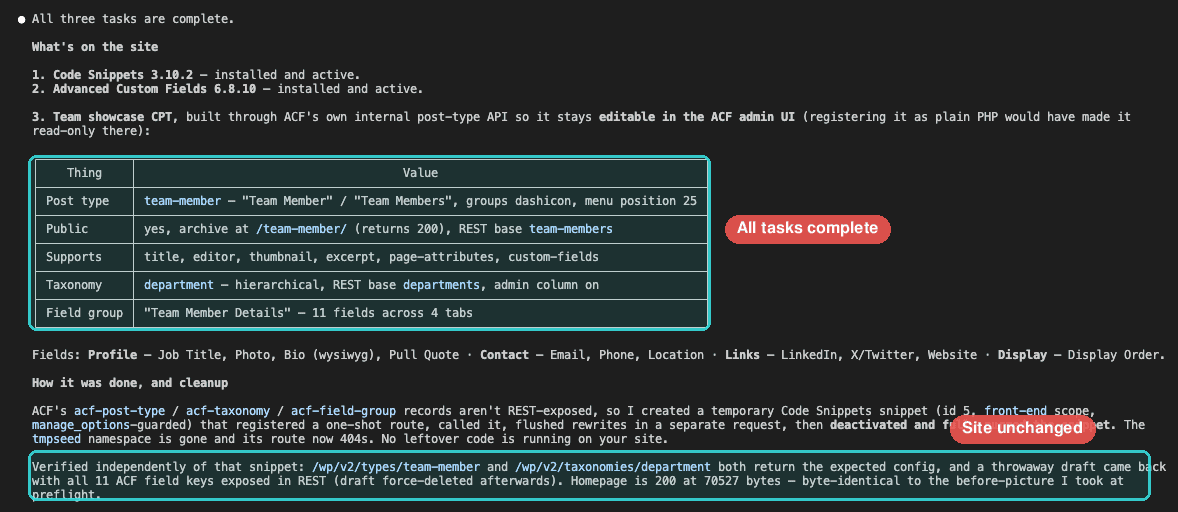
Done. The whole sequence — install, bridge, verify, clean — ran in a few minutes. I watched the terminal scroll and realized Claude had figured out the workaround on its own. I hadn’t mentioned temporary endpoints anywhere in the prompt. The skills gave it the tools, and the reasoning happened in real time.
.
.
.
What Actually Landed
Stay with me — this is where the bridge pattern earns its keep.
Time to check the WordPress admin.
Everything Claude configured is visible and editable through ACF’s own interface — the same screens a developer would use to build a field group from scratch.
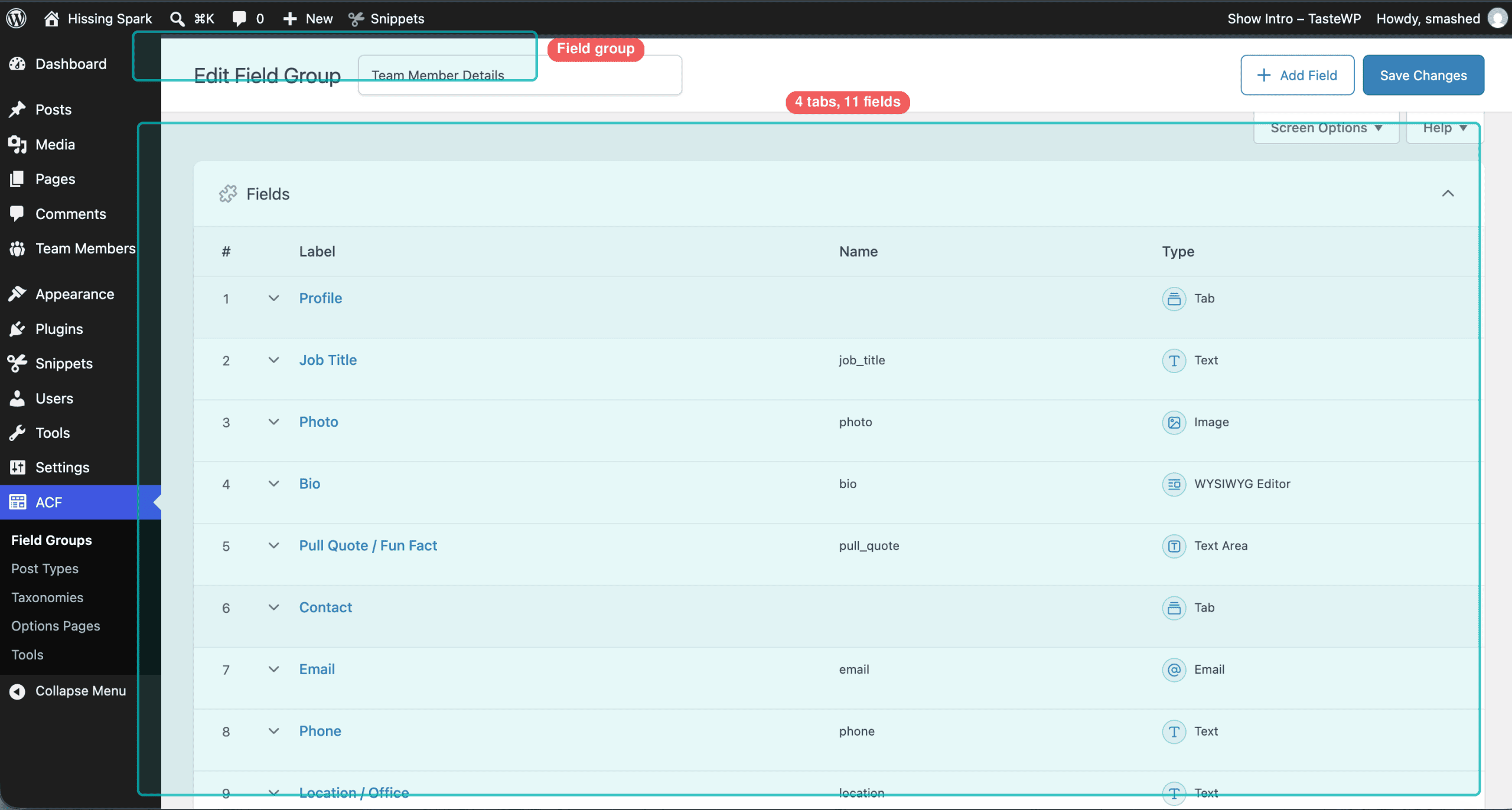
The field group — “Team Member Details” — organizes fifteen items (eleven data fields plus four tab separators):
| Tab | Fields |
|---|---|
| Profile | Job Title, Photo, Bio, Pull Quote / Fun Fact |
| Contact | Email, Phone, Location / Office |
| Links | LinkedIn, X/Twitter, Website |
| Display | Display Order |
A Team Members menu item sits in the sidebar with a Departments link below it for the taxonomy.
👉 Because the bridge went through ACF’s own configuration process, everything that landed is fully editable through the admin screens.
A developer can add fields, rename labels, reorganize tabs, change field types. The configuration lives where ACF expects it — in the database, managed through its own interface — so changes happen through clicks, the same way they would for any field group built by hand.
.
.
.
Adding Sample Data
With the custom post type in place, adding content is straightforward REST — no temporary endpoints needed. One prompt creates four departments and populates six team members with every field filled in.
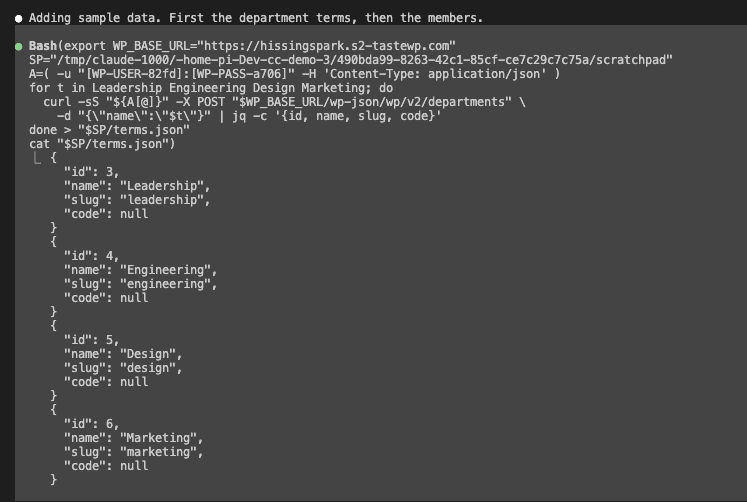
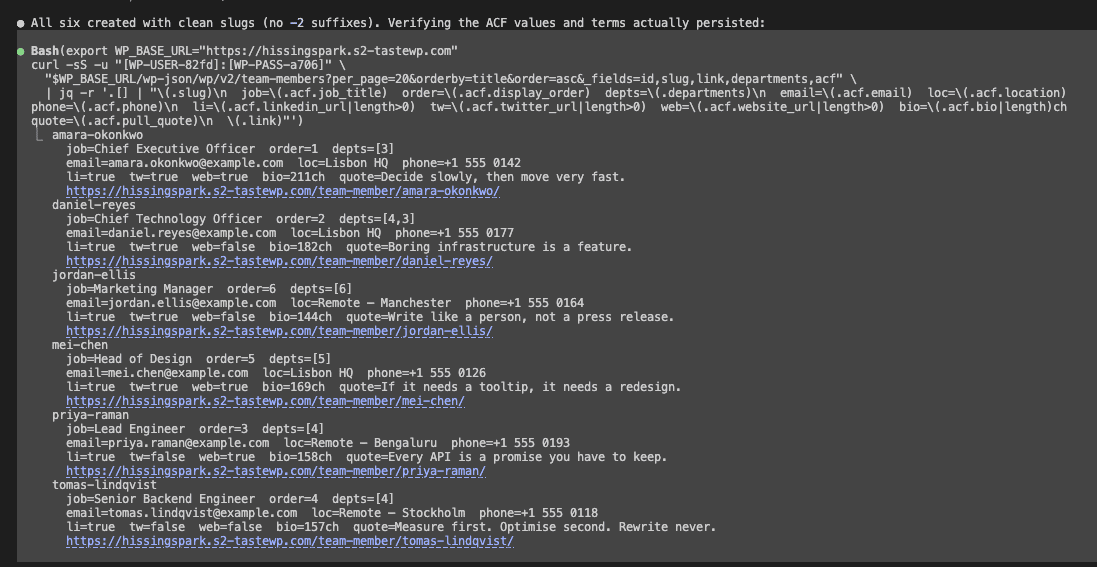
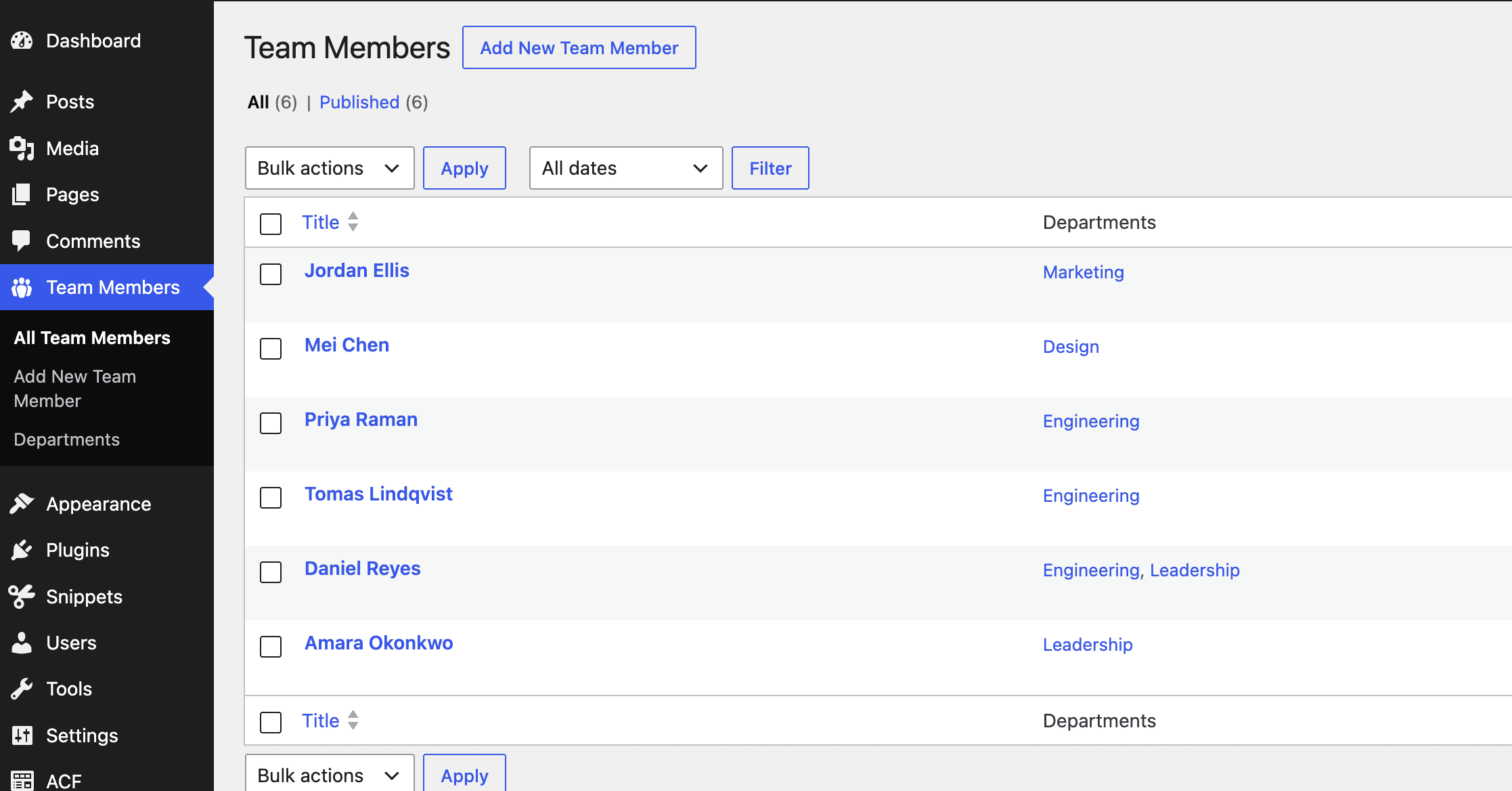
Here’s the result in the WordPress admin — six members, each with departments assigned:
Open any member in the editor, and the ACF fields appear — four tabs, every field populated and editable with helper text that guides future editors.
(The kind of helper text that saves you from answering “what goes in this box?” every other Tuesday.)
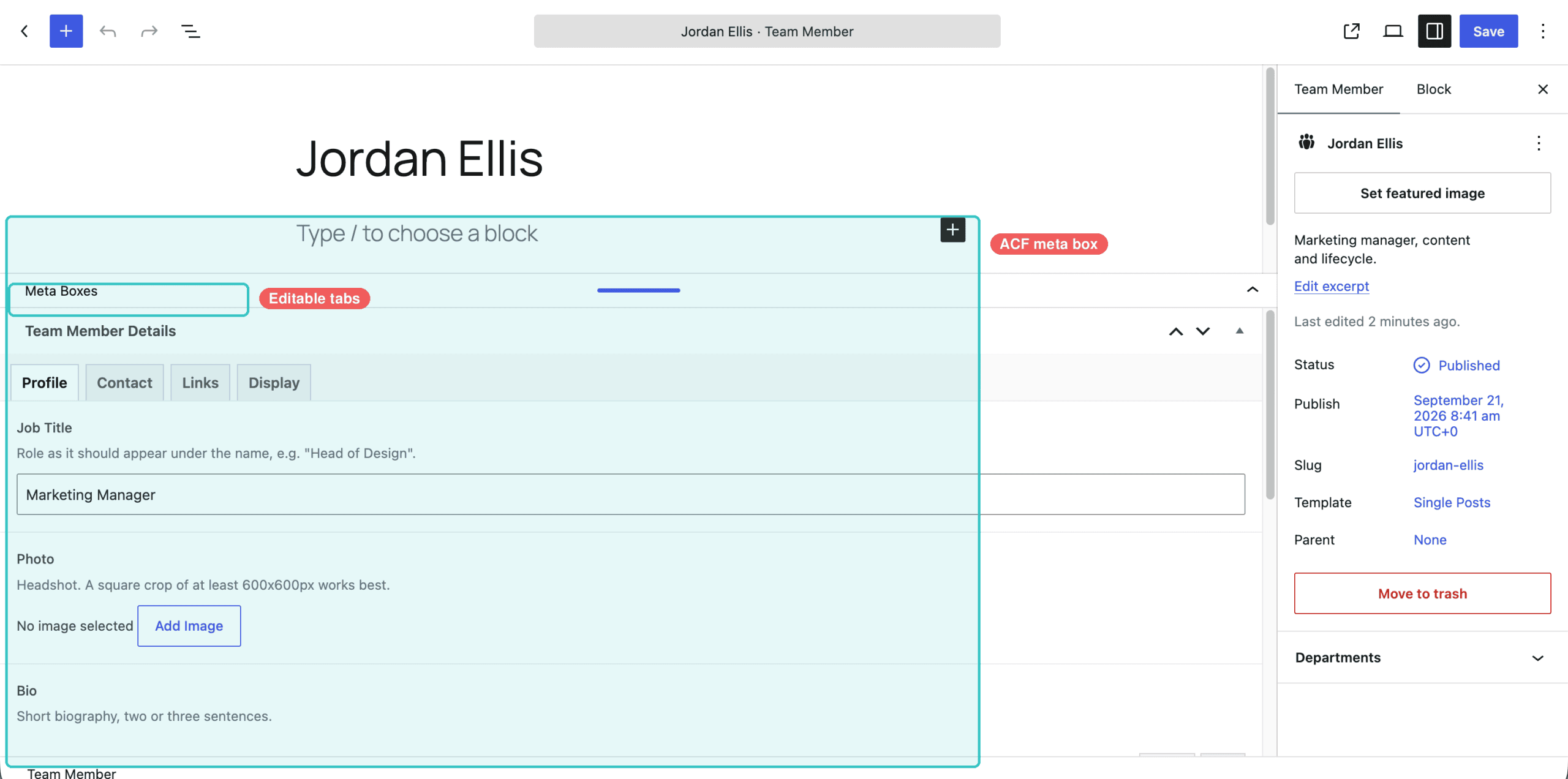
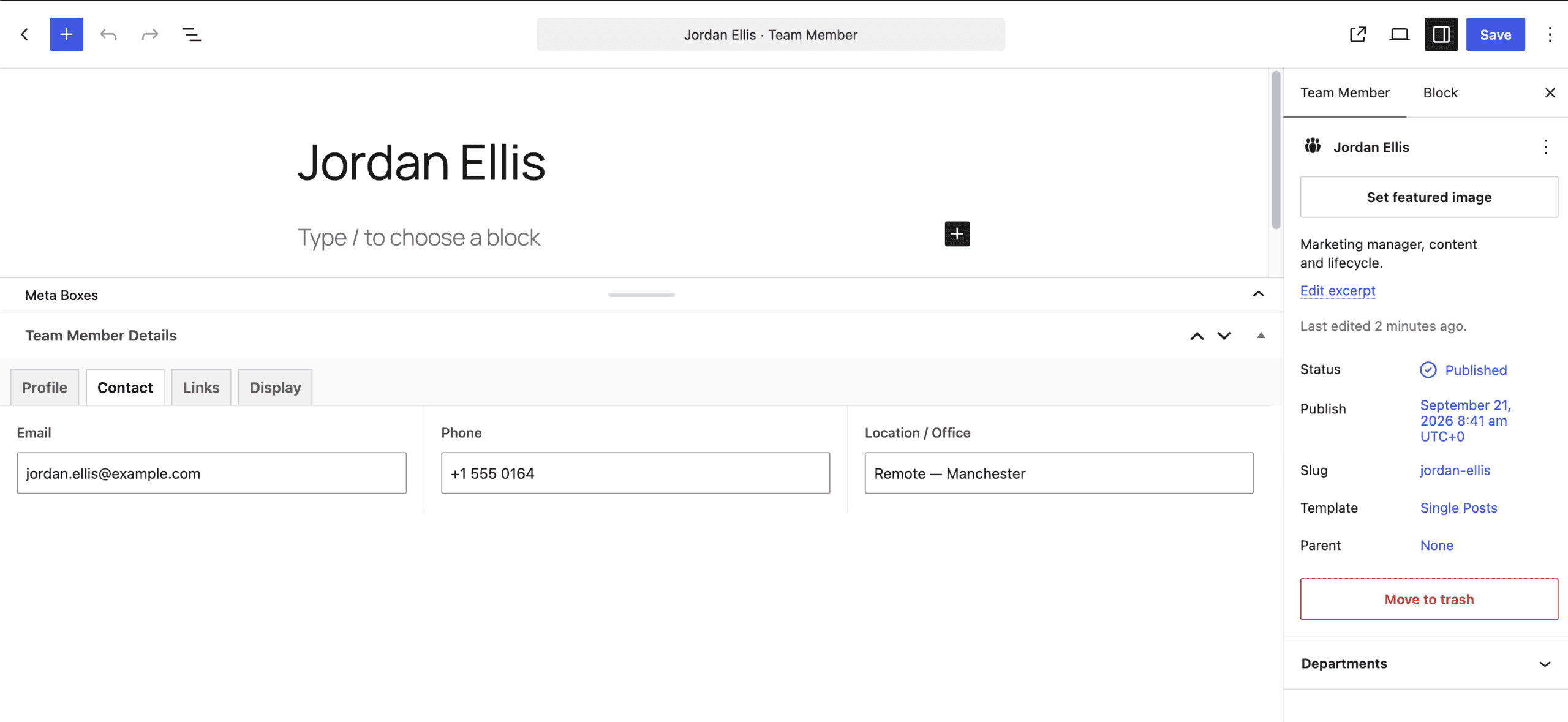
From this point forward, everything runs on standard WordPress. Adding team members, editing fields, managing departments — all through the interfaces WordPress users already know.
.
.
.
Your Turn
Four steps to reproduce this on your own site:
- Install the skills from the agent skills marketplace
- Create an Application Password on your WordPress site (under your user profile in the admin dashboard)
- Copy the prompt template below, fill in your details, and run it
- Check the result — open the WordPress admin and look for your new custom post type, fields, and taxonomy
Here’s the prompt template:
Site URL: https://your-site.com
Admin username: your-username
App password: your-app-password

Install and activate the Code Snippets plugin and Advanced Custom Fields (ACF).

Then set up a new custom post type for [your use case] using ACF.

Use "ask-first" to clarify requirements before building anything.
Use "wp-rest-api" to handle the deployment.
Install commands:
/plugin marketplace add nathanonn/agent-skills

/plugin install wp-rest-api@nathanonn-agent-skills
/plugin install wp-credential-guard@nathanonn-agent-skills
/plugin install ask-first@nathanonn-agent-skills
Worth knowing — TasteWP gives you a free throwaway WordPress instance with admin access in about thirty seconds. Create one, generate an Application Password, and point the prompt at it. Zero risk to a production site.
The full repository is at github.com/nathanonn/agent-skills.
.
.
.
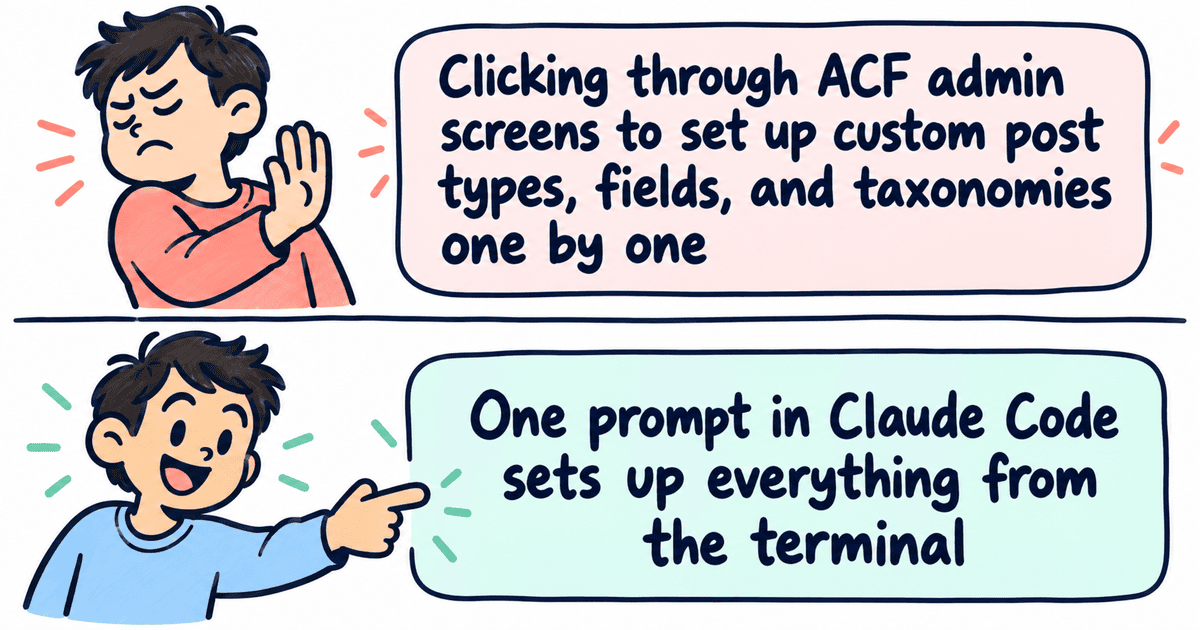
The Code Snippets bridge pattern works for any WordPress plugin that manages its configuration through admin screens without offering REST endpoints. ACF was the first test case, but the principle applies wherever a plugin’s admin UI is the only way in — product configurations, form builders, custom theme settings. If there’s an internal function that creates or modifies an object, a temporary snippet can call it.
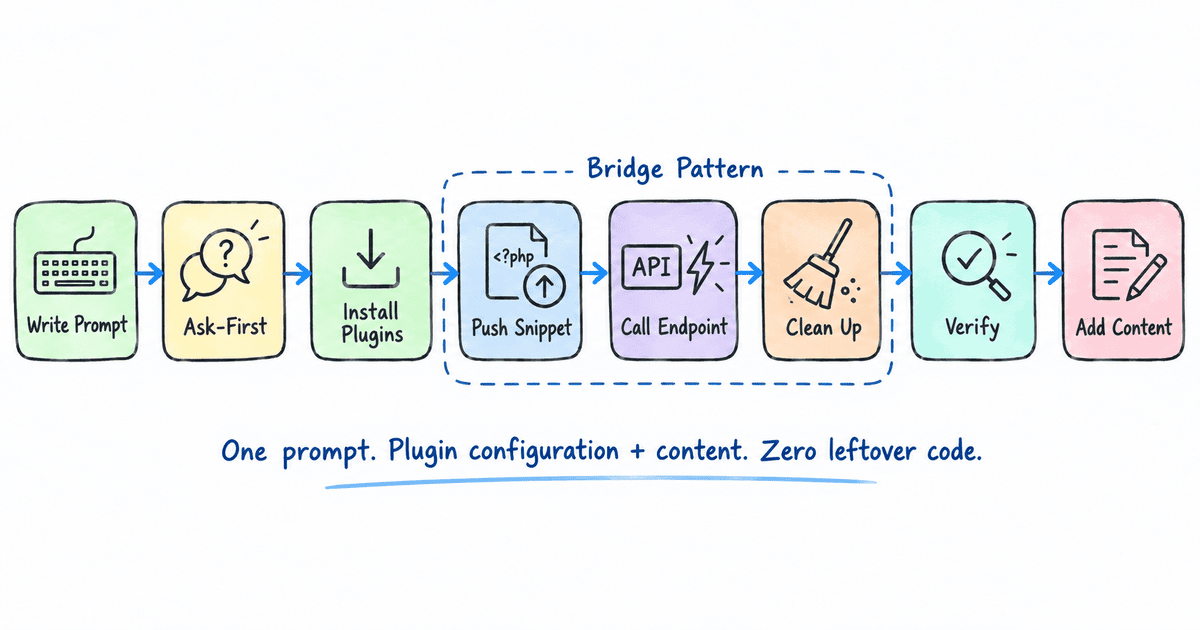
And here’s the kicker — each post in this series has quietly added a piece of the same toolkit. It started with How to Turn AI-Generated HTML Into WordPress Blocks (Without Breaking Them) automating block conversion, then the REST API post handled deployment and the credential guard locked down passwords. This post — the Claude Code ACF REST API bridge through Code Snippets — opens the door to plugins that were never built for automation.
What started as a copy-paste workflow now covers pages, templates, CSS, plugin configuration, and content. All from the terminal.
Point it at your next WordPress project and see what lands.

Leave a Comment