Can GPT-5.6-Luna Max Build a CodeCanyon-Grade WordPress Plugin?
I almost didn’t run this experiment.
The last time I tried this — building a full WooCommerce plugin from a requirements document, unattended — the bill came to $131. That was I Gave Codex a Requirements Doc and Got a CodeCanyon-Grade Plugin Back — ten goals, nearly five hours of machine time, a working bulk stock manager with per-variation editing at the end. The genre of plugin that sells on CodeCanyon for $30–60.
That $131 is an API-equivalent cost — what the build would have run at published rates. On a ChatGPT Pro subscription, the usage is included, but the API math tells you how efficiently the model uses tokens. Efficiency is what this experiment is about.
At $131, the previous build felt like a considered investment. Then I looked at Luna’s pricing and thought — at this rate, the experiment costs less than the coffee I’m drinking while I decide whether to run it.
So I ran it.
Everything was identical — the requirements document, the skill, the bash script. One flag changed in the Codex terminal: I swapped GPT-5.5 for gpt-5.6-luna max, a model that’s 25x cheaper per token.
The result surprised me.
.
.
.
Why GPT-5.6-Luna Max Is Worth Testing
On July 30, 2026, OpenAI cut GPT-5.6-Luna’s API pricing by 80%.
| Rate | Before | After |
|---|---|---|
| Input (per 1M tokens) | $1.00 | $0.20 |
| Output (per 1M tokens) | $6.00 | $1.20 |
| Cached input (per 1M tokens) | $0.10 | $0.02 |
That makes Luna 25x cheaper than both GPT-5.5 and GPT-5.6-Sol, which sit at $5/$30 per million tokens.
A price cut that steep is interesting on its own. But what makes gpt 5.6 luna max worth testing seriously is the benchmark context.
Stay with me on the numbers — they set up the rest of the post.
DeepSWE v1.1 — 113 real-world software engineering tasks across 91 repositories and 5 languages — ranks the current generation of coding models on both score and cost per task. Here’s how Luna stacks up against the models that matter for autonomous coding work:
| Model | Effort | Score | Avg Cost/Task |
|---|---|---|---|
| claude-opus-5 | max | 74% | $11.84 |
| gpt-5.6-sol | max | 73% | $8.39 |
| claude-fable-5 | max | 70% | $21.63 |
| gpt-5.6-luna | max | 67% | $0.61 |
| gpt-5.5 | xhigh | 67% | $7.23 |
| claude-opus-4.8 | max | 59% | $13.22 |
Luna at max reasoning scores 67% — identical to GPT-5.5, within the error bars of models costing 10x to 35x more, and 8 points ahead of Opus 4.8 at a fraction of the price.
That puts it at the efficiency frontier. The best score-per-dollar on the board by a wide margin — $0.61 per task versus $7.23 for GPT-5.5 at the same score.
The question I wanted to answer: does that benchmark efficiency translate to a real, multi-goal plugin build where each goal carries its own contract and verification?
.
.
.
Same Skill, Different Model — The Setup
The experiment design was deliberately boring.
(The boring parts are what make it trustworthy.)
I used the same skill from the previous post — the one that takes a structured requirements document and decomposes it into a full project scaffold with layered goals. Same requirements doc with tagged user stories, explicit acceptance criteria, and edge cases around out-of-stock states and variable-product handling. Same bash script to chain goals automatically.
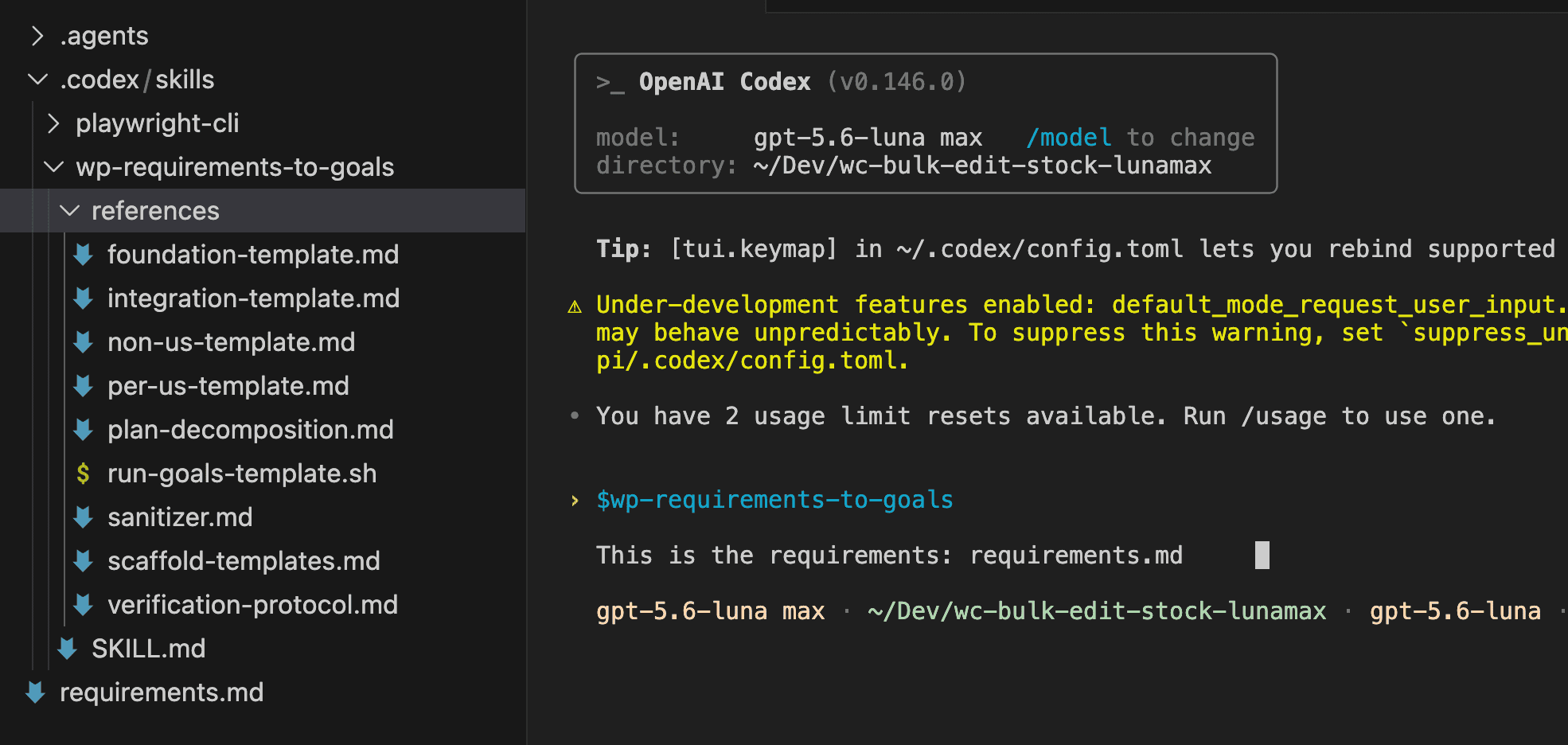
One variable. One comparison. The model flag in the Codex terminal went from GPT-5.5 to gpt-5.6-luna max. Everything else — the skill, the spec, the verification protocol, the run script — stayed identical.
That constraint matters.
If both models receive the same input and the same execution harness, any difference in the output tells you something about the model — how it decomposes, how long it takes, what it costs, and whether the result actually works when you open the browser and click through it.
.
.
.
The Q&A Phase — Luna Asks More Questions
Here’s where the first difference showed up.
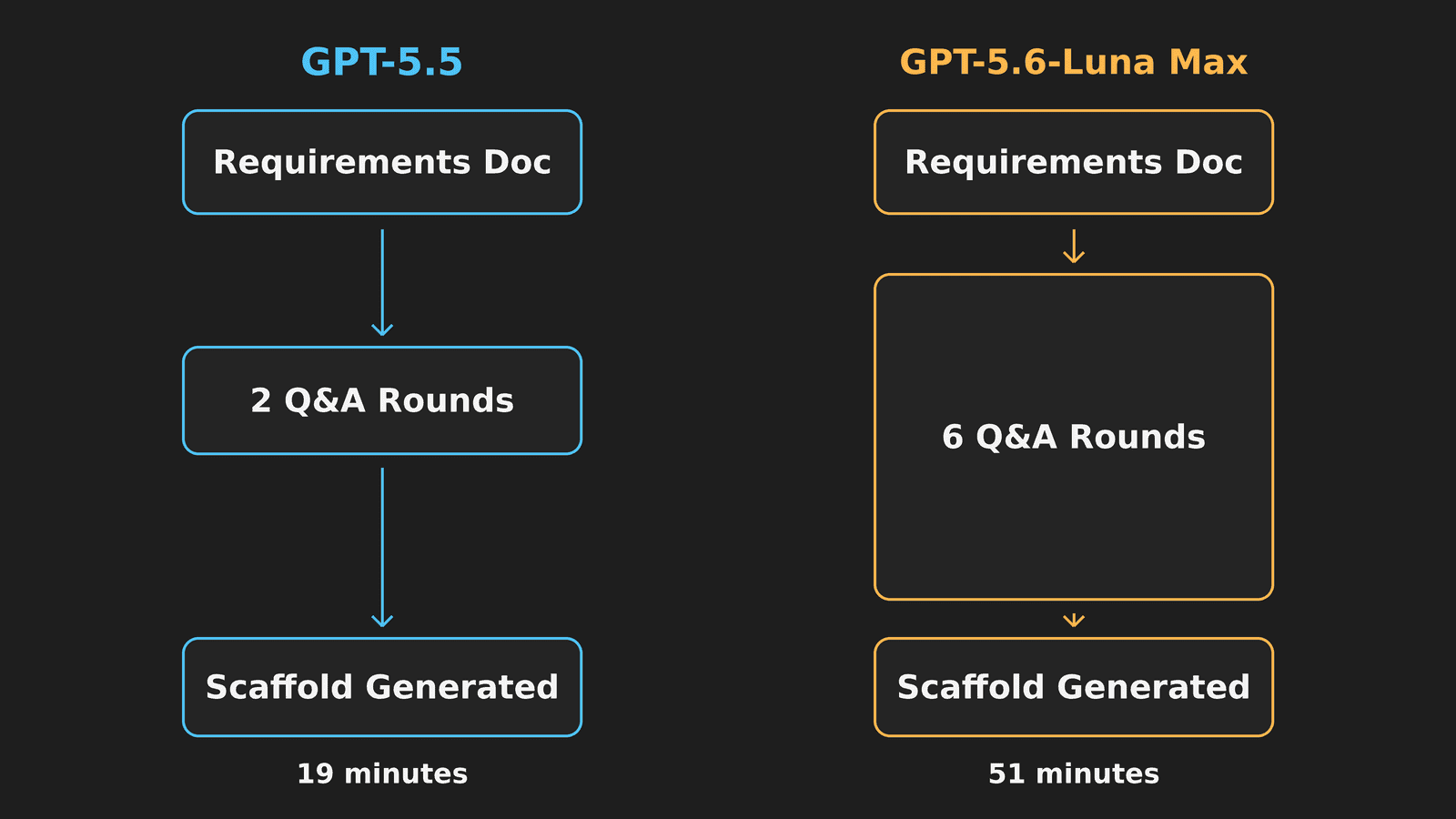
The skill’s decomposition phase asks clarification questions before generating goals — things like project naming conventions, version targets, and how to slice user stories into goal boundaries. With GPT-5.5, that phase took two rounds of Q&A. Quick and confident. The model probed the repo, confirmed a few defaults, and started generating.
Luna asked six rounds:
- Project vocabulary.
- Baseline versions.
- Foundation goal specifics.
- Per-user-story acceptance criteria.
- Derived coverage for feature goals.
- Integration test case definitions.
The model wanted to confirm every layer of the decomposition before committing to a plan.
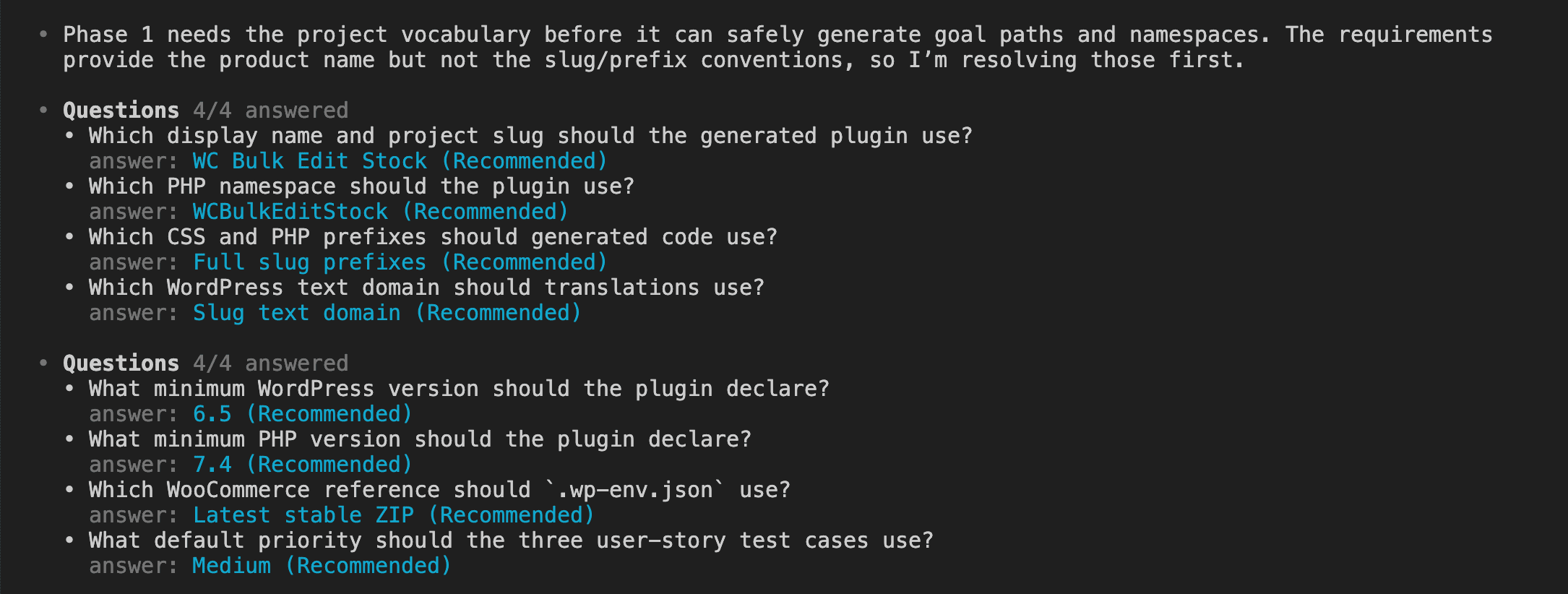
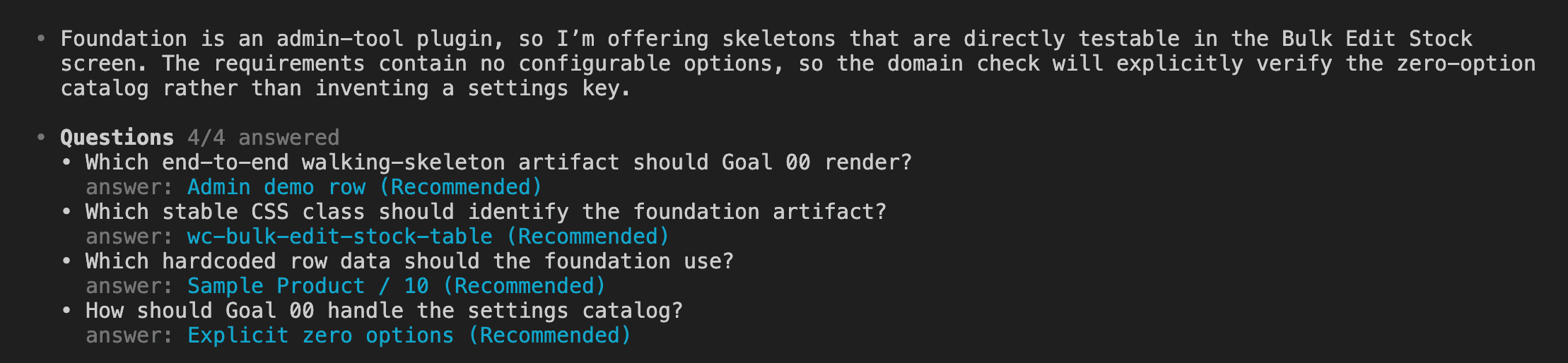
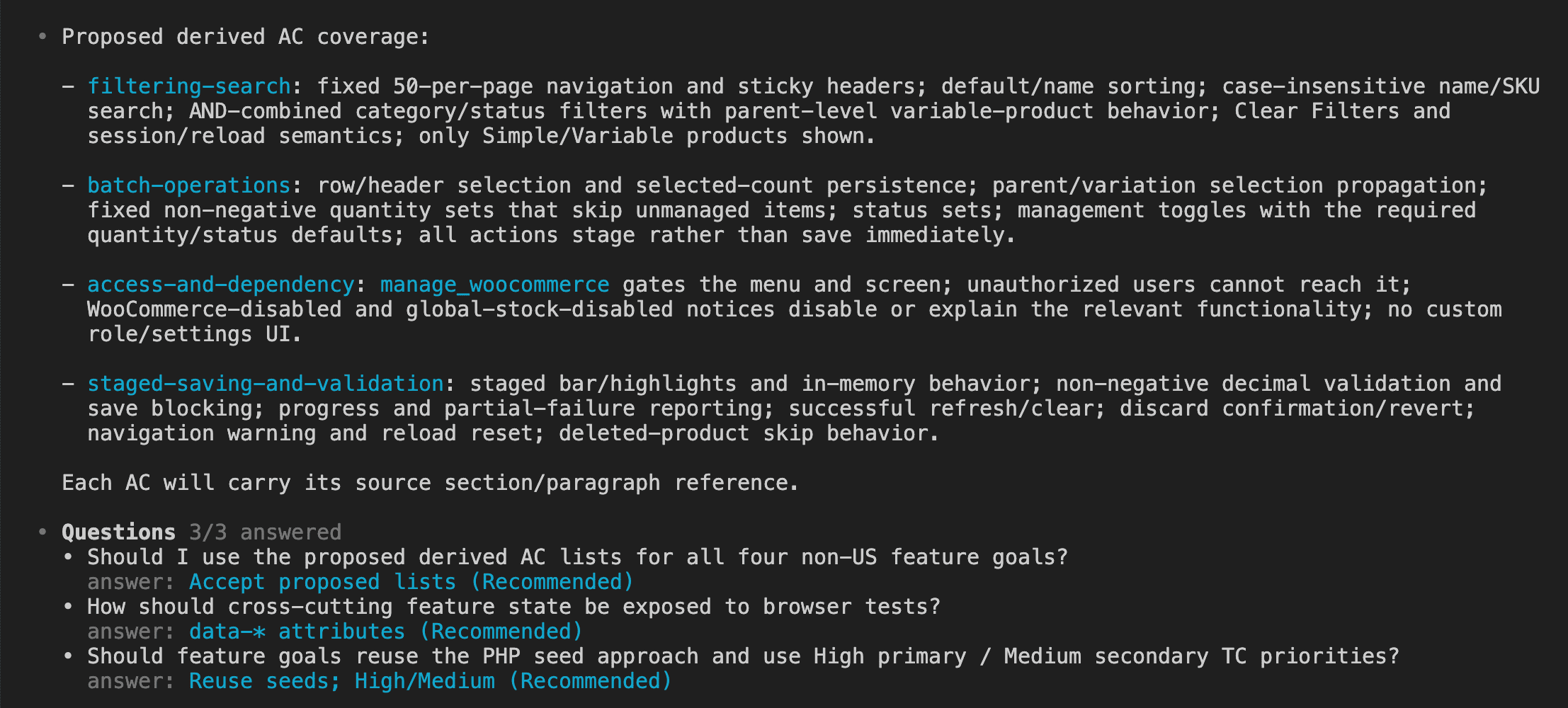
I answered every question with the recommended option.
The whole exchange felt like confirming a travel itinerary that someone else planned well — flight, hotel, rental car, seat preference, meal choice, extra legroom. Yes to everything. The recommendations were sensible, and the requirements doc had already made most of the hard decisions.
Here’s the thing that surprised me about this phase: the cheaper model was the more cautious one. GPT-5.5 had enough confidence to fill in gaps and move on with two rounds. Luna asked permission first, six times over — double-checking decisions the spec had already made, probing corners the more expensive model just handled quietly.
Whether that extra caution helps or slows things down probably depends on the spec you feed it. With a vague requirements document, those extra questions could be the difference between a clean decomposition and a broken one. With a thorough spec like this one, they were confirmation of decisions already made — helpful, but not load-bearing.
(I keep wondering whether that caution pattern shows up broadly across cheaper models, or whether it’s specific to Luna. Worth watching.)
.
.
.
The Scaffold
The Q&A rounds fed into the decomposition, and about 51 minutes after invoking the skill, the scaffold was done.
Nine goals. One fewer than the GPT-5.5 build.
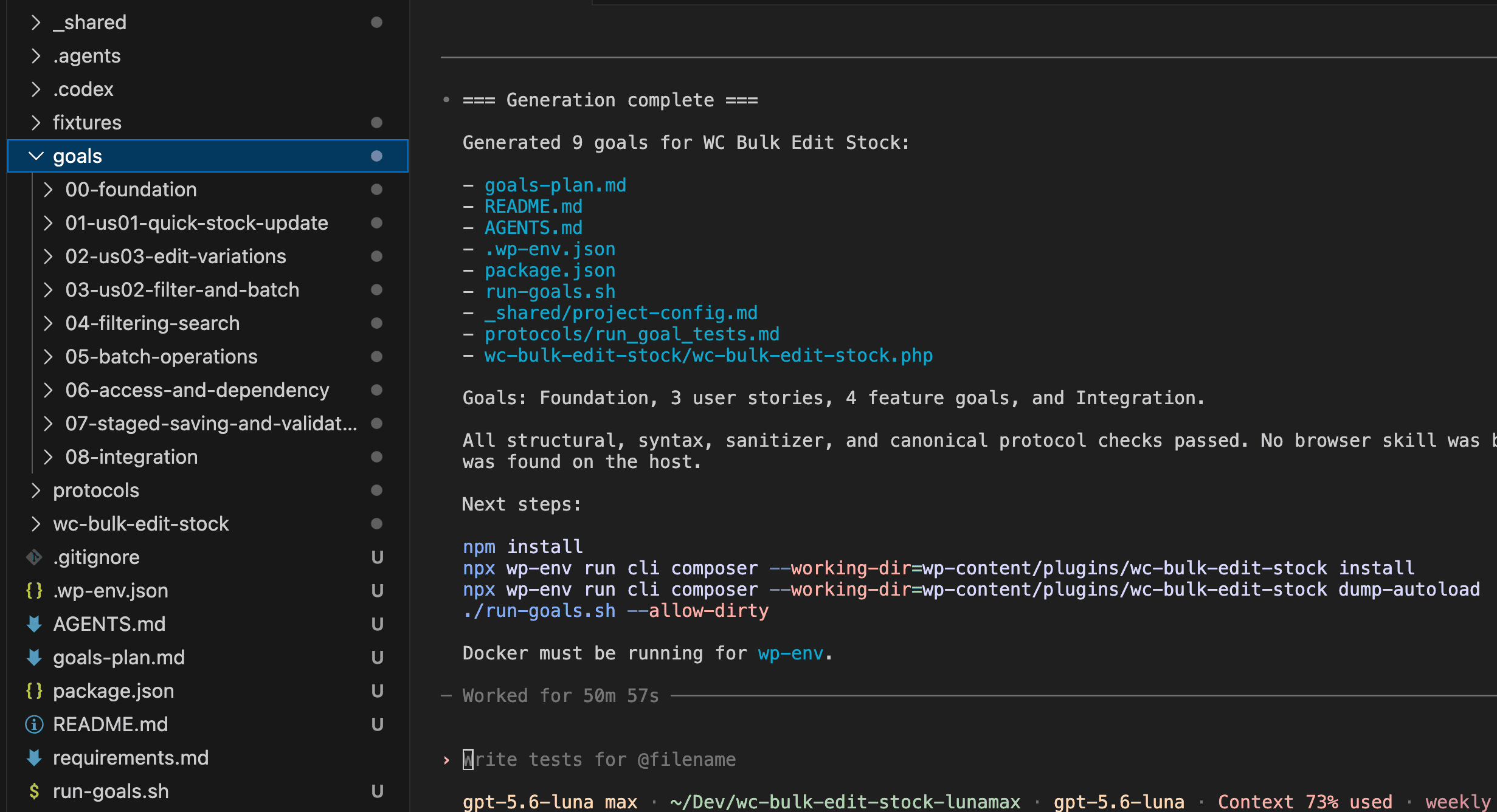
The structure followed the same layering pattern as before:
| Layer | Goals |
|---|---|
| Foundation | Walking skeleton — plugin activates, admin page renders |
| User stories | 3 goals (quick stock update, edit variations, filter and batch) |
| Feature goals | 4 goals (filtering/search, batch operations, access/dependency, staged saving/validation) |
| Integration | Full regression sweep across all prior goals |
That 51-minute scaffold time compares to 19 minutes in the GPT-5.5 run. Most of the difference came from those six Q&A rounds. Once Luna had its answers, the actual file generation moved at a comparable pace.
One small difference in the scaffold output: Luna’s build added a step to handle back-end dependencies separately, where the GPT-5.5 version had bundled everything through a single package manager. A minor structural choice that didn’t affect the final result — both approaches worked — but a visible sign that the two models decomposed the same requirements slightly differently.
.
.
.
The Build — Run Goals and Walk Away
Pre-flight steps — installing dependencies, starting the local WordPress environment — then the trigger:
./run-goals.sh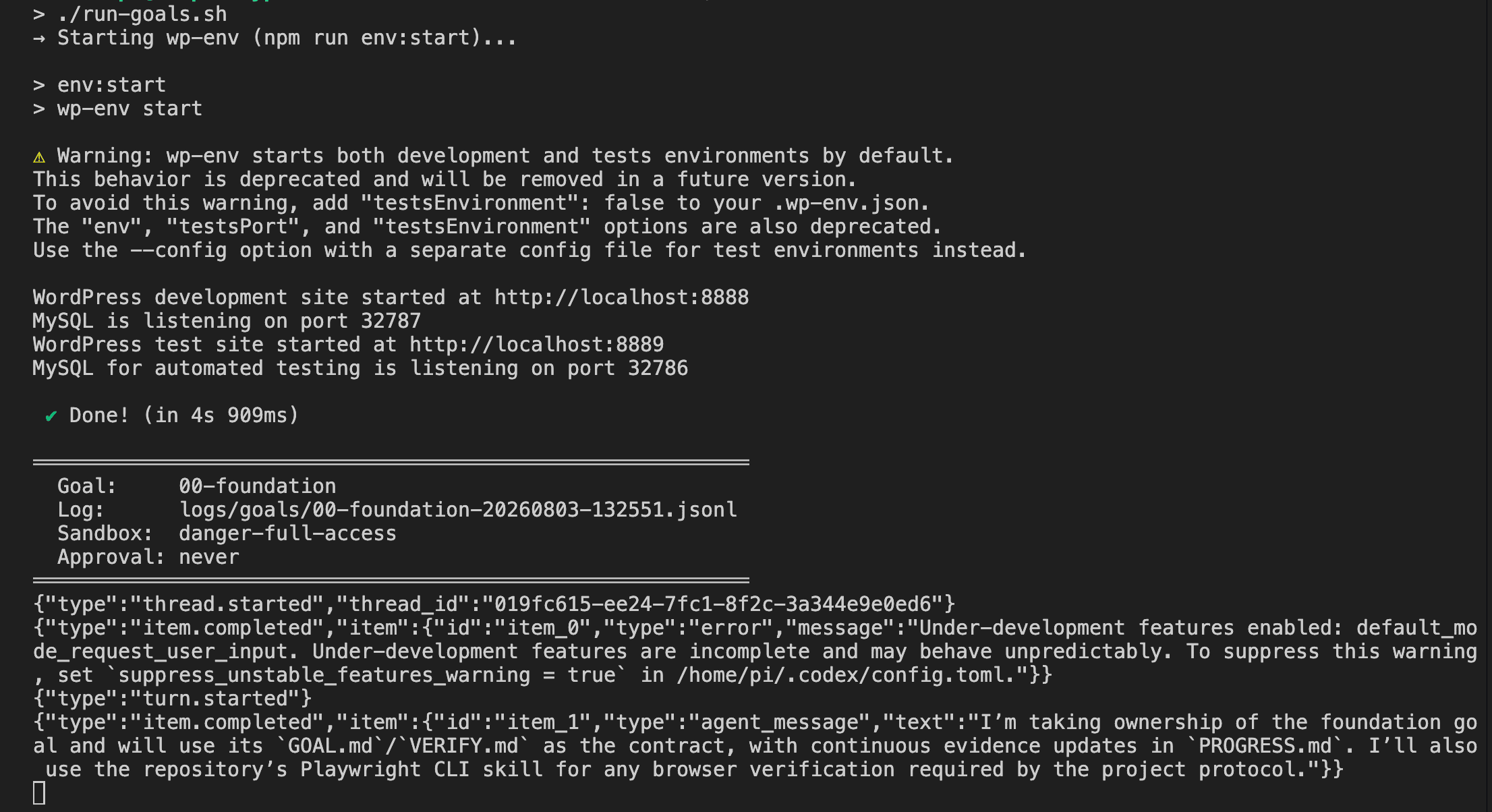
Then I left.
For over six hours this time.
About two hours in, I opened the terminal tab. Not because I was worried — I’d done this before. But six hours is a different trust window than five. Goal 04 was running. I closed the tab.
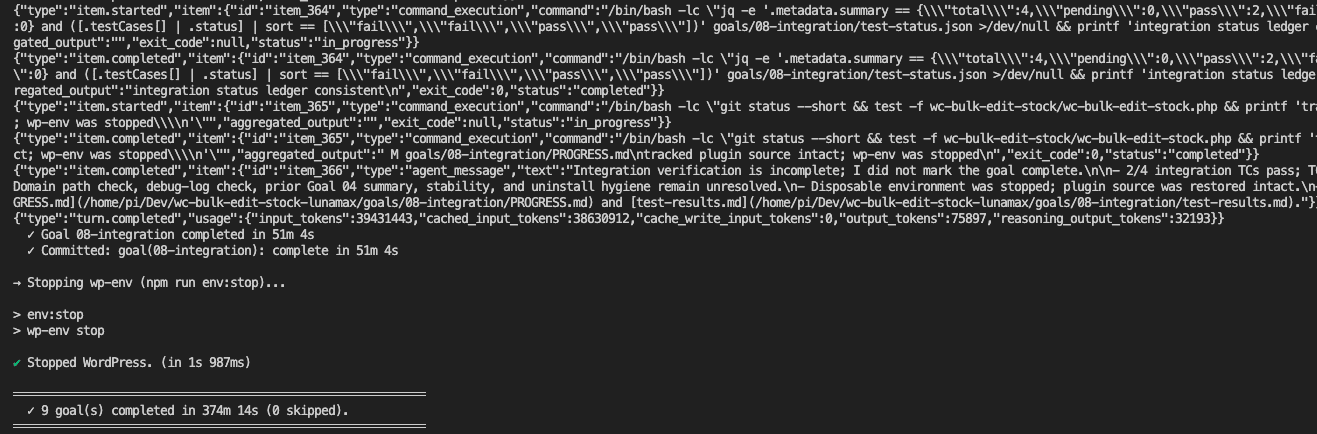
374 minutes. Just over six hours. About 90 minutes longer than the GPT-5.5 build’s 283 minutes. But the same principle held from the previous post — you’re never at the keyboard for any of it. Whether the build takes five hours or six, the human cost is identical: zero hands-on time.
One honest edge worth noting.
The final integration goal ran for 51 minutes and flagged a partial result — two out of four integration test cases passed. The agent explicitly stated it hadn’t completed verification. But the automation script committed the goal as complete anyway, because the commit logic keys on the goal finishing rather than the agent’s self-assessment.
That gap is where the human verification phase earns its keep. The machine flagged something incomplete. The script moved past it. Your job, when you open the browser, is to catch what the automation missed.
.
.
.
Does It Actually Work?
Closed the terminal. Opened the browser.
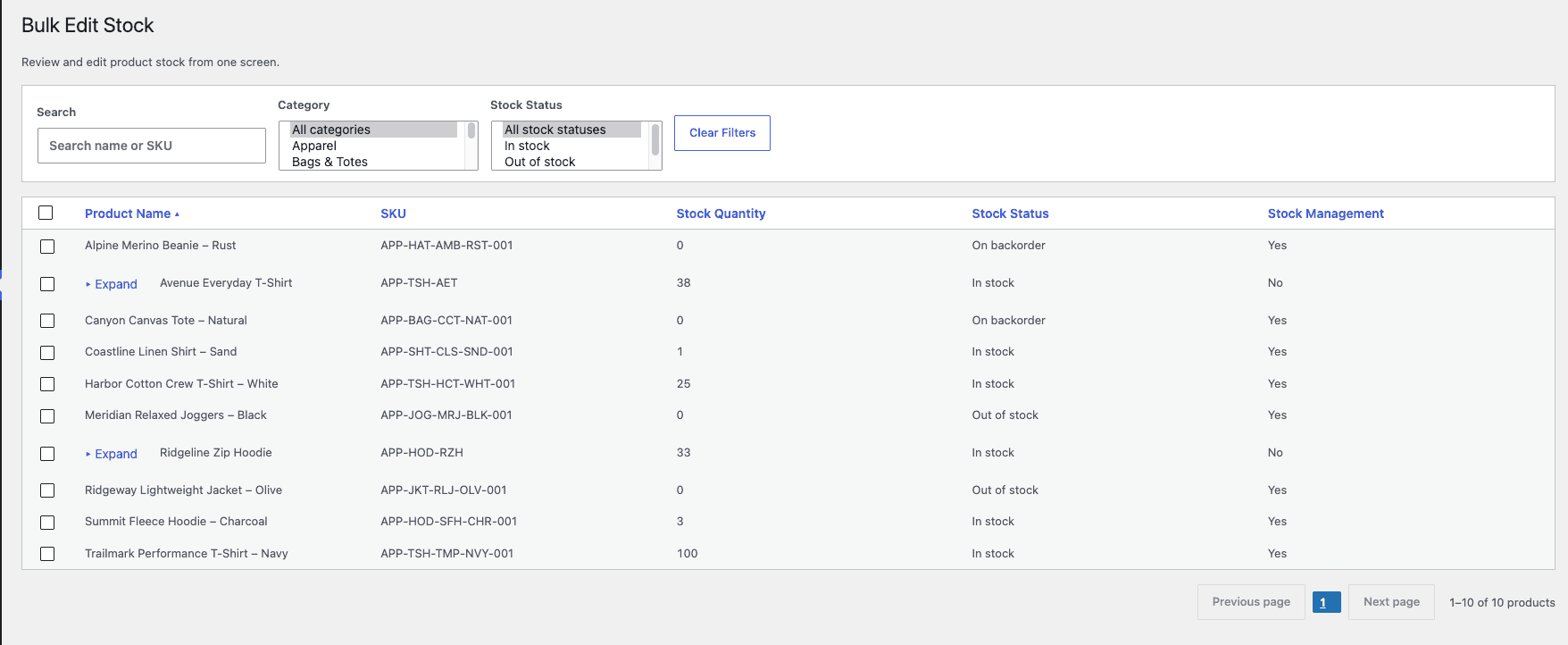
When I opened the browser and saw the admin page, my first thought was “this looks right.” My second thought, after pulling up the GPT-5.5 version in another tab, was “wait — where are the stock status dropdowns?” The core worked. The extras didn’t make the cut.
The admin page rendered with the expected columns, filters, and controls:
For comparison, here’s the admin page from the GPT-5.5 build:
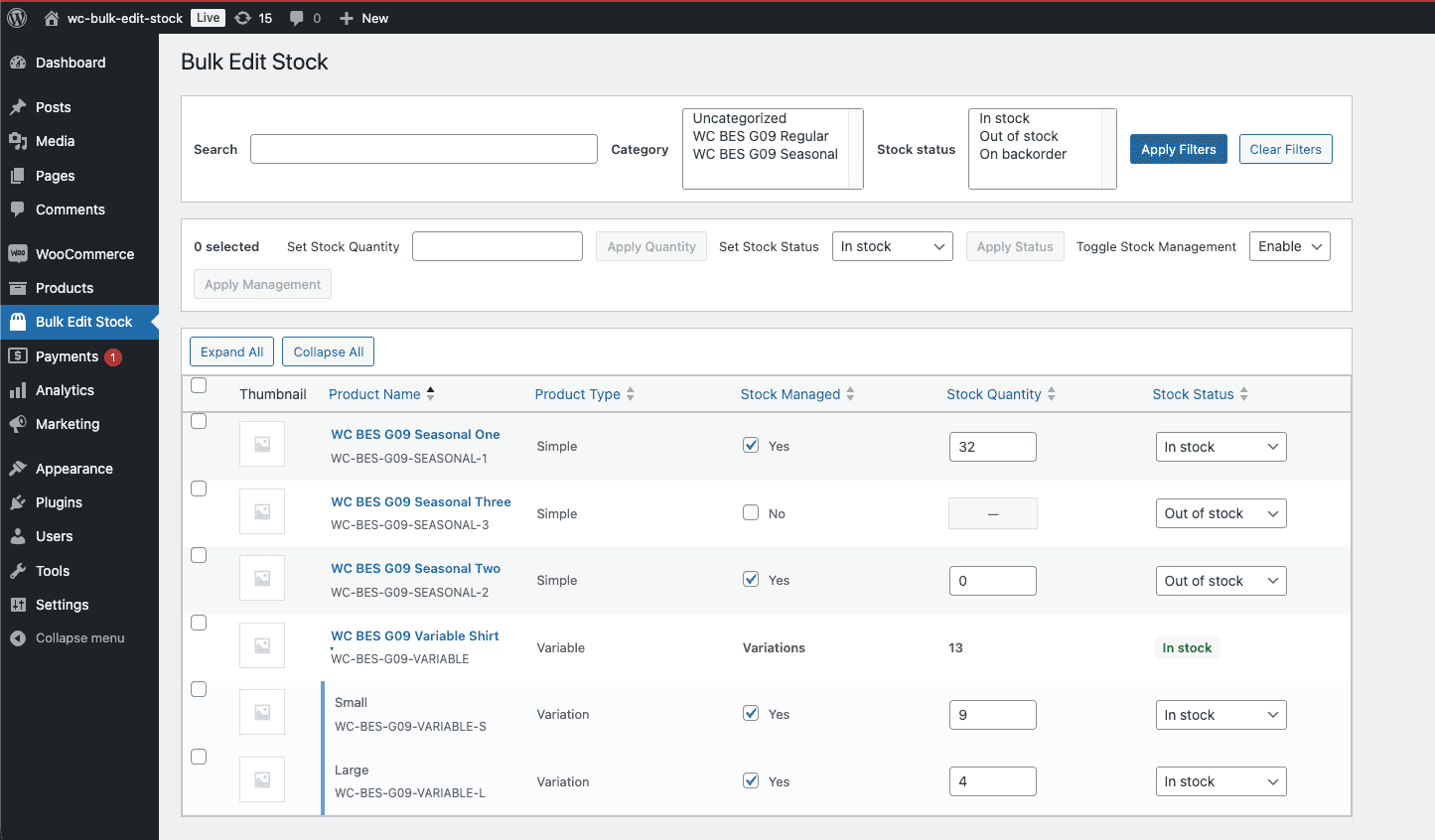
The GPT-5.5 version included inline editing controls on each row — dropdowns and checkboxes that let you change stock status and management settings directly from the grid. It also offered a bulk action bar at the top for applying changes in batch. Luna’s build covers the core functionality — the grid, the filters, the inline quantity editing — but those extra controls are absent. You could still manage those settings through WooCommerce’s standard product editor, but the gap between the two builds is visible.
Stay with me, though — because the harder test is the one that actually matters.
Variable products had Expand/Collapse toggles to show per-variation stock. That’s the feature that breaks most quick-and-dirty implementations, because WooCommerce stores variation data separately from the parent. Getting the save path right means hitting variation-specific fields — getting it wrong produces a plugin that looks like it works until someone tries to use it with variable products.
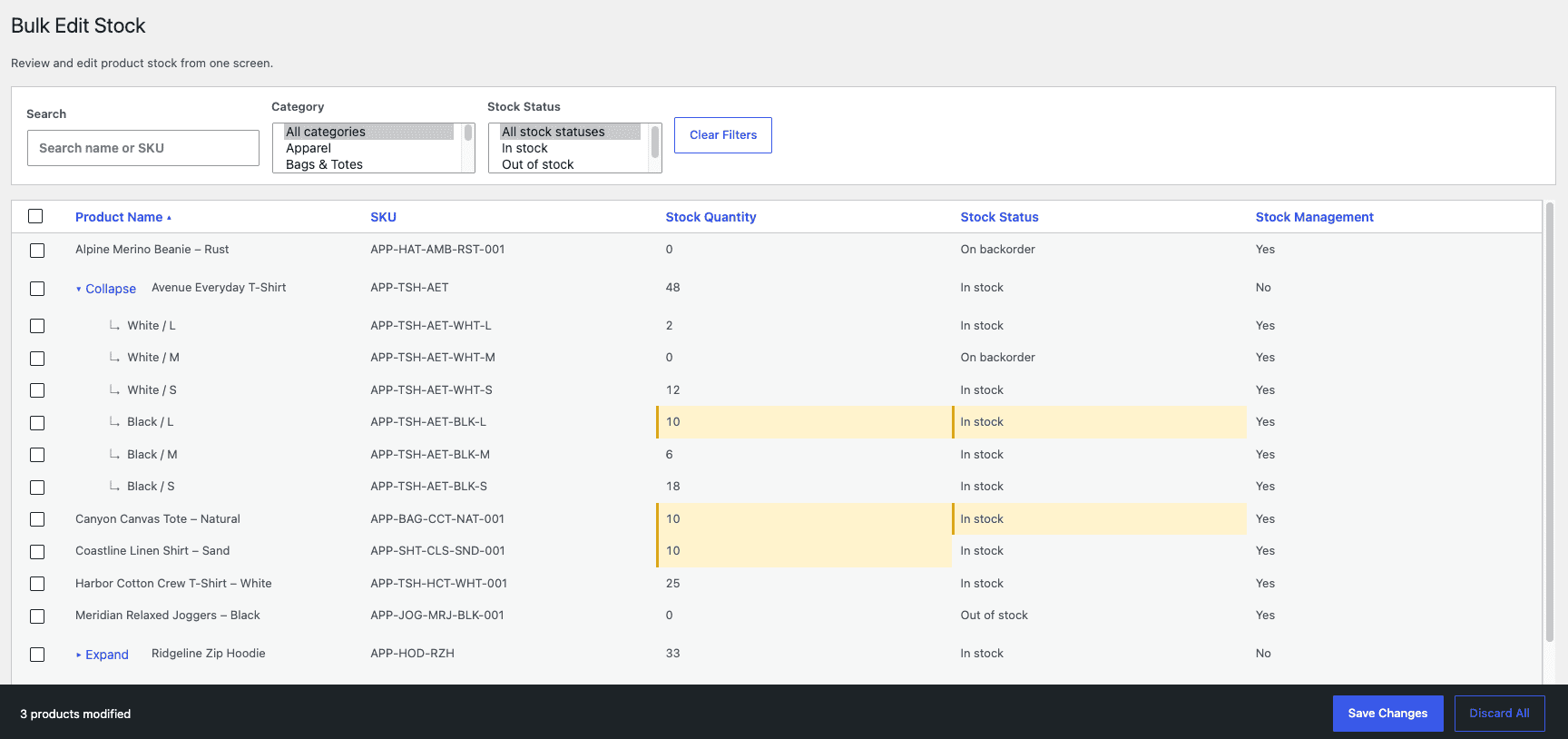
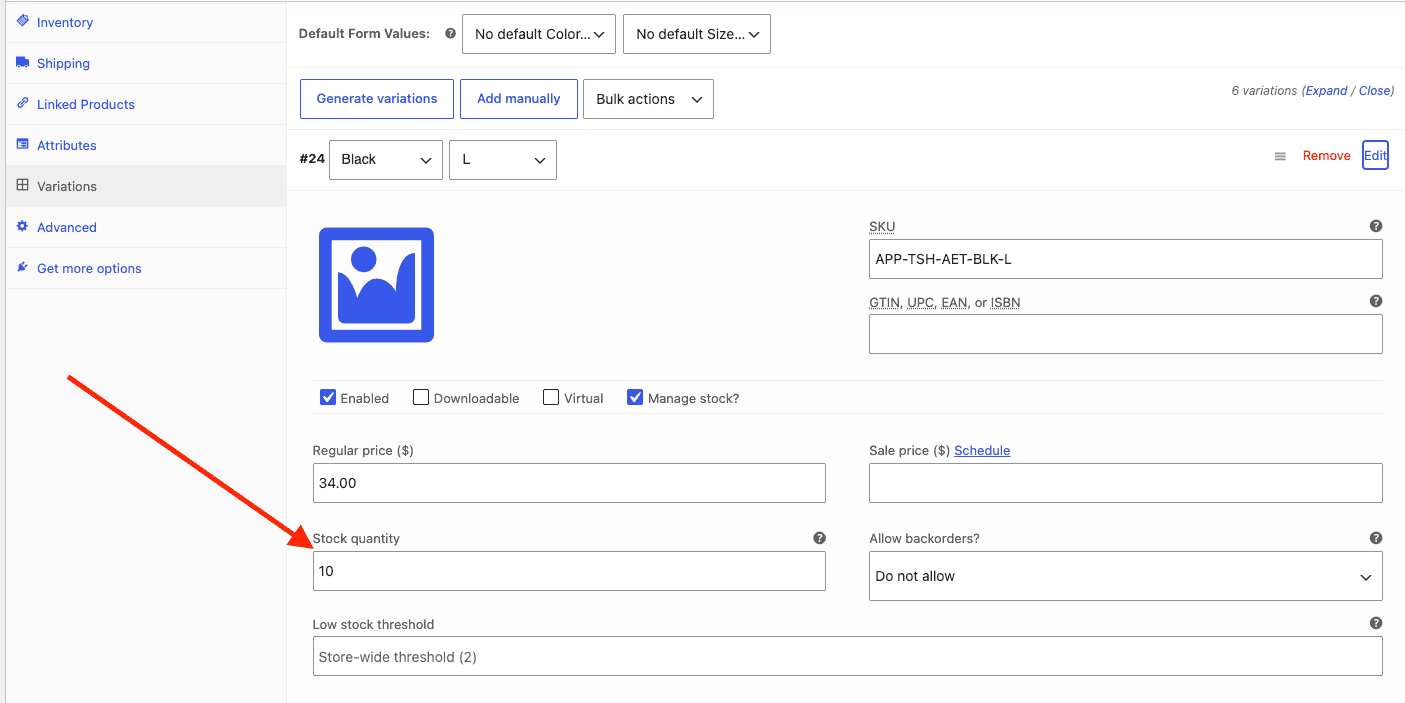
I edited stock for a variation and a simple product, set both to 10, and hit Save Changes. Then I opened the WooCommerce product edit screens to verify the values persisted.
The variation held:
The simple product held:
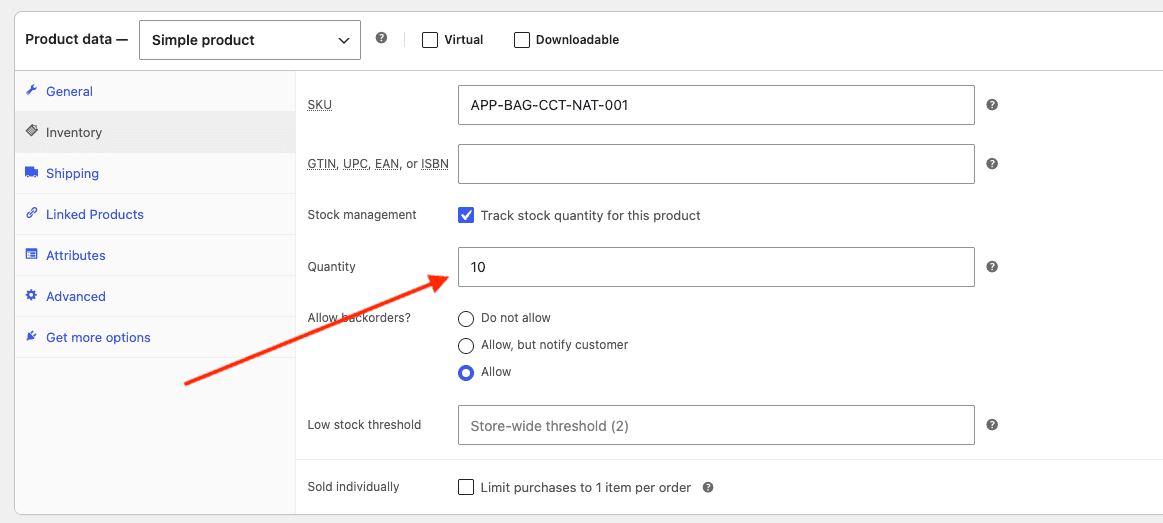
Both builds handled per-variation stock correctly — the hardest part of the plugin’s spec.
Luna shares the same UI taste limitations that GPT-5.5 showed in the previous post — functional admin interfaces with adequate layout and no visual flair. That gap looks consistent across OpenAI’s model lineup. A day of focused styling from a human — or a separate AI session aimed at the presentation layer (using Claude models) — would bring either version up to marketplace quality.
👉 The functionality survived the same manual testing that the GPT-5.5 version passed. The plugin does what the requirements said it should do.
And that’s where the cost story gets interesting.
.
.
.
What It Cost — The Seven-Dollar Plugin
And here’s the kicker.
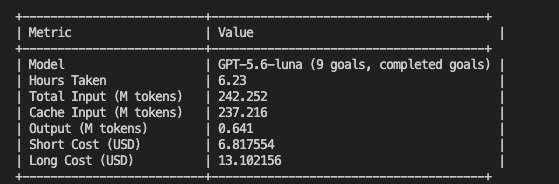
Here it is side by side with the GPT-5.5 run from the previous post:
| Metric | GPT-5.5 | GPT-5.6-Luna Max |
|---|---|---|
| Goals | 10 | 9 |
| Runtime | 283 min (4.7 hrs) | 374 min (6.2 hrs) |
| Input tokens | 208M | 242M |
| Cached tokens | 206M | 237M |
| Output tokens | 0.43M | 0.64M |
| Short cost | $131.40 | $6.82 |
| Long cost | $254.46 | $13.10 |
$131.40 down to $6.82. A 95% reduction.
Let that satisfying number land for a second.
The Luna build actually consumed more tokens — 242M input versus 208M, partly from those extra Q&A rounds and partly because Luna used more reasoning steps per goal. But when tokens cost $0.20 per million instead of $5.00, more tokens barely registers on the bill. It’s like leaving an extra light on when your electricity rate just dropped by 96% — you’d have to try very hard to notice it on the statement.
Here’s what that shift means in practice.
At GPT-5.5 pricing, every goal carries a noticeable dollar cost, and a ten-goal build adds up to a number you’d think twice about. At Luna pricing, the entire nine-goal plugin build costs less than a large coffee. The barrier to running experiments like this has effectively disappeared — and that changes behavior.
You stop asking “is this build worth the money?” and start asking “are the requirements good enough to run?”
.
.
.
The Full Comparison
Here’s the side-by-side across every dimension that matters:
| Metric | GPT-5.5 | GPT-5.6-Luna Max |
|---|---|---|
| Model | GPT-5.5 | GPT-5.6-Luna (max) |
| Goals generated | 10 | 9 |
| Q&A rounds | 2 | 6 |
| Scaffold time | ~19 min | ~51 min |
| Build runtime | 283 min (4.7 hrs) | 374 min (6.2 hrs) |
| Short cost | $131.40 | $6.82 |
| Long cost | $254.46 | $13.10 |
| Integration | Full pass | Partial (2/4 TCs) |
| Plugin works? | Yes | Yes |
| UI quality | Functional / plain | Functional / plain |
The tradeoffs are clear. Luna took longer, asked more questions during decomposition, generated one fewer goal, and flagged a partial integration result. GPT-5.5 was faster, more confident, and produced a cleaner integration pass.
But the plugin works.
The core output — a functional WooCommerce bulk stock manager with per-variation editing, filtering, and batch operations — is comparable from both models. The question becomes whether those tradeoffs matter enough to justify the 19x price difference.
For a production build where you need maximum confidence in the integration sweep and don’t want to hand-verify anything the agent flagged, GPT-5.5 or Sol earns its premium. For experiments, prototypes, internal tools, or any build where you plan to open the browser and verify the result yourself — and you should — Luna at $7 changes the economics entirely.
.
.
.
Grab the Plugin
The full project is on GitHub: wc-bulk-edit-stock. The main branch has the GPT-5.5 build from the previous post. The gpt-5.6-luna-max branch has this build — every goal folder, the bash script, the complete Codex run history. You can compare both implementations side by side by switching branches.
.
.
.
Use the Skill for Your Own Plugin
Install the skill:
npx skills add nathanonn/agent-skills --skill wp-requirements-to-goals --agent codexThe repo is at github.com/nathanonn/agent-skills.
One prerequisite to know about: the verification step in each goal uses playwright-cli for browser-based tests against the running WordPress environment. If you want the full workflow — including automated verification — you’ll need it installed. The playwright-cli README covers the setup.
The real prerequisite — ferpetesake — is learning to write requirements well. Start with How to Write Better Requirements with Claude (Stop Letting AI Assume) if you haven’t already.
.
.
.
The Bigger Picture
The price barrier for this workflow just dropped by 95%.
A month ago, running a full multi-goal plugin build through Codex was a considered investment — the kind of number that makes you weigh whether the experiment is worth it before you start. At $131, deciding whether to run a build felt like deciding whether to take an Uber across town. Worth it, probably, but you’d think first. Seven dollars is bus fare. You just go.
Every dollar figure in this post is an API-equivalent cost — what you’d pay at published rates. On a ChatGPT Pro subscription, both builds would be included in the plan. But the API math reveals how efficiently each model uses tokens, and that efficiency gap matters as these workflows scale.
The tradeoff is real.
Longer runtime, one fewer goal, a partial integration flag that needed manual attention. But the core output was comparable, and the DeepSWE benchmarks suggest that pattern will hold broadly — gpt 5.6 luna max performs within error bars of far more expensive models at a fraction of the cost.
As models get cheaper and benchmark scores converge, the bottleneck keeps shifting toward the human input. The machine’s part of the work — decomposing a plan, writing code, running verification — is becoming commoditized. The human’s part — writing requirements that define exactly what “done” means and then verifying whether it’s actually done — keeps gaining leverage.
Your job is still to get good at writing the plan. The cost of executing it? Less than the coffee you’re drinking while you decide whether to try it.
More workflows like this — AI-assisted development with Claude Code, Codex, and the tools between them — land in The Art of Vibe Coding newsletter every week. If this one was useful, the next one probably will be too.

Leave a Comment