Skip to content

Category: The Art of Vibe Coding

8 min read The Art of Vibe Coding, Claude

The Claude Code Date Bug That’s Sabotaging Your Web Searches (And The 3-Minute Fix)

You fire up Claude Code to research the latest email authentication methods.

Claude starts searching… and brings back articles from 2024.

“But it’s 2025,” you think. “I need current information.”

You ask Claude directly: “What’s today’s date?”

“2025-08-27,” it responds correctly.

Then you ask it to search again. This time it searches for “email OTP authentication best practices 2025.”

Finally! Current information.

But next session?
You forget to ask for the date.
Back to 2024 searches.

This dance of “remember to ask for the date” is exhausting.

Let me show you the 3-minute fix that ensures Claude Code always knows what year it is – automatically.

.

.

.

The Problem: Claude Defaults to 2024 Without Context

Here’s what’s actually happening:

Claude Code knows the current date when you ask. But when it searches the web without that context, it defaults to 2024 – likely because that’s heavily represented in its training data.

Look at that screenshot.

Claude searches for “email OTP authentication implementation best practices security 2024” when you haven’t reminded it what year it is.

This means:

  • You get outdated npm packages
  • You miss breaking changes in frameworks
  • You implement deprecated patterns
  • You follow security practices that have been updated

The worst part? You don’t even realize it’s happening unless you carefully watch the search queries.

.

.

.

The Manual Workaround (That Actually Works)

The community discovered a workaround:

> what is today's date?
● 2025-08-27

> do a research how to implement email otp authentication
● I'll research email OTP authentication implementation for you...
● Web Search("email OTP authentication implementation best practices 2025")

By asking for the date first, Claude correctly searches with 2025.

It works! Every single time.

But here’s the problem…

Who remembers to ask “what is today’s date?” at the start of every coding session?

Nobody.

That’s who.

I’ll start a session, dive straight into coding, and 20 minutes later realize Claude’s been feeding me outdated information.

We need something automatic.

Something that just works without us having to remember.

.

.

.

Enter Claude Code Hooks: Your Automated Time Machine

Claude Code has a powerful but underused feature: hooks.

Hooks are scripts that run automatically at specific points in your Claude Code session. And here’s the beautiful part – anything they print to stdout gets injected directly into Claude’s context.

Every. Single. Session.

This means we can force Claude to always know the current date without ever having to ask.

.

.

.

The 3-Minute Implementation

Step 1: Create the Date Hook Script (1 minute)

Create a file at .claude/hooks/add-date.sh in your project:

#!/usr/bin/env bash
set -euo pipefail

# Force your timezone so "today/tomorrow" align correctly
TZ=${TZ:-Asia/Kuala_Lumpur}  # Change to your timezone

# Human-friendly + machine-friendly timestamps
HUMAN=$(date +"%A, %Y-%m-%d %H:%M:%S %Z (%z)")
ISO=$(date -Iseconds)

# This gets injected into Claude's context
printf "[CONTEXT] Now: %s | ISO: %s\n" "$HUMAN" "$ISO"

Make it executable:

chmod +x .claude/hooks/add-date.sh

Step 2: Register the Hook (1 minute)

Create or edit .claude/settings.json in your project:

{
  "hooks": {
    "SessionStart": [
      {
        "hooks": [
          {
            "type": "command",
            "command": "$CLAUDE_PROJECT_DIR/.claude/hooks/add-date.sh"
          }
        ]
      }
    ]
  }
}

Step 3: Restart Claude Code (1 minute)

Close and reopen Claude Code in your project directory.

That’s it. You’re done.

.

.

.

Want techniques like these weekly?

Join The Art of Vibe Coding—short, practical emails on shipping with AI (without the chaos).

No spam. Unsubscribe anytime.

How It Works

Every time you start a Claude Code session, the hook automatically runs and injects something like this into Claude’s context:

[CONTEXT] Now: Wednesday, 2025-08-27 19:22:57 +08 (+0800) | ISO: 2025-08-27T19:22:57+08:00

Claude sees this before processing any of your requests. It’s impossible for it to forget what year it is.

Now when you ask Claude to research anything, it automatically searches with the correct year – without you having to ask for the date first:

> do a research how to implement email otp authentication

● I'll research email OTP authentication implementation approaches for you.
● Web Search("email OTP authentication implementation best practices 2025")

No more forgetting to ask for the date.

No more outdated searches.

No more deprecated solutions.

.

.

.

Before and After: The Difference Is Night and Day

Before (No Hook):

  1. Start Claude Code session
  2. Ask for help with authentication
  3. Claude searches for “authentication best practices 2024”
  4. You implement outdated patterns
  5. Discover issues during code review
  6. Realize you forgot to tell Claude the date
  7. Start over

After (With Hook):

  1. Start Claude Code session
  2. Hook automatically injects current date
  3. Ask for help with authentication
  4. Claude searches for “authentication best practices 2025”
  5. You get current, relevant information
  6. Ship with confidence

The manual workaround works – when you remember to use it. The hook ensures you never have to remember.

.

.

.

Advanced Tips & Customization

Tip 1: Project-Specific vs Global Hooks

You can place hooks in two locations:

Project-specific (what we did above):

  • .claude/settings.json in your project
  • Only affects this project
  • Perfect for project-specific context

Global (affects all projects):

  • ~/.claude/settings.json in your home directory
  • Applies to every Claude Code session
  • Ideal for the date fix

For the date fix, I recommend global installation so all your projects benefit.

Tip 2: Timezone Alignment

If you’re working with a distributed team, standardize the timezone:

# Force UTC for consistency
TZ=UTC

# Or match your deployment region
TZ=America/New_York

# Or your local timezone
TZ=Asia/Kuala_Lumpur

This ensures “today” and “tomorrow” mean the same thing to both you and Claude.

Tip 3: Add More Context

Why stop at dates? Inject other useful context:

#!/usr/bin/env bash

# Current date
printf "[CONTEXT] Now: %s\n" "$(date +'%Y-%m-%d %H:%M:%S %Z')"

# Git branch
printf "[CONTEXT] Git Branch: %s\n" "$(git branch --show-current 2>/dev/null || echo 'none')"

# Node version
printf "[CONTEXT] Node: %s\n" "$(node --version 2>/dev/null || echo 'not installed')"

# Project type
if [ -f "package.json" ]; then
    printf "[CONTEXT] Project: Node.js/JavaScript\n"
elif [ -f "Cargo.toml" ]; then
    printf "[CONTEXT] Project: Rust\n"
elif [ -f "go.mod" ]; then
    printf "[CONTEXT] Project: Go\n"
fi

Now Claude always knows your environment without asking.

Tip 4: Debug Output

Add this to see what’s being injected:

# At the end of your hook script
printf "[CONTEXT] Hook executed at %s\n" "$(date)" >&2

The >&2 sends it to stderr so you see it in the terminal but it doesn’t pollute Claude’s context.

.

.

.

Why This Matters More Than You Think

This isn’t just about getting the right year in searches.

When Claude knows the current date automatically:

  1. Package recommendations are current – No more “try this package” that was deprecated 6 months ago
  2. Security practices are up-to-date – Critical for authentication, encryption, and data handling
  3. Framework features are accurate – “Next.js 15 supports…” actually means Next.js 15, not 14
  4. API documentation is relevant – No more implementing v2 endpoints when v3 is current
  5. Time-relative queries work – “What changed last month” actually means last month
  6. No cognitive overhead – You never have to remember to “set the date” again

.

.

.

The Hidden Cost of Forgetting

Let’s be honest about how often we forget:

  • Monday morning: Fresh start, dive straight into code. Forget to set date.
  • After lunch: New session, immediate problem to solve. Forget to set date.
  • Quick fix: “Just need to check something real quick.” Forget to set date.
  • Context switch: Jump between projects. Forget to set date.

Each forgotten date request potentially means:

  • Outdated package versions
  • Deprecated API endpoints
  • Old security practices
  • Obsolete framework features

Multiply this by every session, every day, across your entire team.

The compound cost is enormous.

.

.

.

Your Action Items

  1. Implement the fix now (seriously, it takes 3 minutes)
  2. Choose your scope:
    • Just this project? Use .claude/settings.json
    • All projects? Use ~/.claude/settings.json
    • Team-wide? Add to your project template
  3. Customize the timezone to match your work location
  4. Test it: Start a new session and ask Claude to research something current – without asking for the date first
  5. Share this with your team – everyone using Claude Code needs this fix
  6. Add to onboarding – Make this part of your developer setup checklist

.

.

.

The Bottom Line

The manual workaround works perfectly – when you remember to use it.

But depending on memory for something this critical is a recipe for outdated code.

This 3-minute hook implementation eliminates an entire category of errors caused by temporal confusion. Set it once, benefit forever.

Stop playing “remember to ask for the date” roulette.

Stop getting 2024 solutions in 2025.

Stop trusting your memory for something a computer should handle.

When will you implement this fix? How about right now?


P.S. – I discovered this problem after implementing three different deprecated API integrations in one week. Each time, I’d forgotten to ask Claude for the date at the start of my session. Three rewrites that could have been avoided with a 3-minute fix.

P.P.S. – The worst part? Claude’s 2024 solutions usually “work” – they’re just outdated. You don’t realize there’s a better, more secure, more efficient 2025 way until much later. Fix this now before it costs you more technical debt.

6 min read The Art of Vibe Coding, Claude, Vibe Coding

Why GPT-5 Thinking Mode Beats Claude 4 Opus for Brainstorming PRDs (And It’s Not Even Close)

A few weeks ago, I wrote about “Stop Asking Claude Code to ‘Build Me an App’ – Here’s How to Actually Get What You Want”, where I shared my PRD brainstorming workflow with Claude 4 Opus.

I thought I had the perfect system.

Then GPT-5 thinking mode entered the scene…

This is where I realized I’d been settling for “good enough” when “exceptional” was possible.

After running the exact same PRD brainstorming session through both AIs, the difference was shocking.

Let me show you why GPT-5 thinking mode has completely replaced Claude for my requirements gathering.

.

.

.

The Test: Same Project, Two Different AIs

I gave both AIs the identical starting prompt:

(Click here for my complete PRD brainstorming prompt)

Both were instructed to iterate with me until we had a complete PRD.

What happened next revealed everything.

.

.

.

The Thoroughness Gap: 14 Questions vs 6

GPT-5’s opening move: 14 meticulously organized questions across 7 categories:

  • Audience & Use Cases
  • Content Scope
  • Collaboration & Sharing
  • Pricing & Packaging
  • Branding & UX
  • Compliance & Security
  • Differentiators

Claude’s opening: 6 questions, loosely organized.

But it wasn’t just the quantity – it was the quality of organization.

GPT-5 grouped related decisions together.

Want to define your audience?

Here are all the audience-related questions in one section.

Ready to tackle content?

Here’s everything about documents and formats.

Claude mixed concerns.

Document formats in question 2, collaboration in question 6, with pricing wedged in between.

The result?

With GPT-5, I made coherent, related decisions.

With Claude, I was jumping between unrelated topics, losing context with each switch.

.

.

.

The Detail Devil: GPT-5 Never Lets Anything Slide

Here’s where it gets really interesting.

When I told GPT-5 I wanted to “summarize long PDFs” but then said “text and markdown only” for file types, it immediately caught the contradiction:

It then offered three ways to resolve this:

  • a) Replace the use case with “Summarize long text/Markdown files”
  • b) Keep the use case but clarify PDF conversion approach
  • c) Custom solution

Claude? Missed it entirely. Just updated the requirements with the contradiction intact.

This happened repeatedly.

GPT-5 caught every inconsistency, every gap, every ambiguity.

It was like having a senior product manager reviewing my requirements in real-time.

.

.

.

Want techniques like these weekly?

Join The Art of Vibe Coding—short, practical emails on shipping with AI (without the chaos).

No spam. Unsubscribe anytime.

The Pattern Consistency: Options All The Way Down

This drove me crazy with Claude.

Claude’s pattern breaking:

  • Question 1: Gives options (a, b, c, d, e, f)
  • Question 2: Gives options (a through h)
  • Question 3: Suddenly just asks “Which AI models/providers should the platform support?” with no options
  • Question 4: Back to options
  • Question 5: Mix of some with options, some without

I had to constantly switch between selecting from a list and coming up with my own answers. Cognitive overhead I didn’t need.

GPT-5’s consistency: Every. Single. Question. Had. Options.

Even for granular details like:

When I wanted something custom, I could always choose that. But 90% of the time, the options covered what I needed.

This consistency meant I could move fast.

See options, pick one, move on.

No context switching between “selection mode” and “creation mode.”

.

.

.

The Persistence Factor: GPT-5 Doesn’t Give Up

Watch what happens when I give minimal answers.

My responses to GPT-5:

1. A
2. B
3. B
4. B

GPT-5’s reaction: Instead of just accepting these and moving on, it dug deeper:

It kept refining until every single detail was captured.

Not annoying persistence – smart persistence. Each follow-up revealed something I hadn’t considered but definitely needed to decide.

Claude’s approach:

After my final responses, Claude asked:

Good questions, but notice: no options provided.

Back to making me generate answers from scratch.

.

.

.

The Organization Difference: Categories vs Chaos

GPT-5’s question organization:

## A. Audience & Use Cases
## B. Content Scope
## C. Collaboration & Sharing
## D. Pricing & Packaging
## E. Branding & UX
## F. Compliance & Security
## G. Differentiators

Each section was a complete thought. Make all your audience decisions, then move to content, then collaboration. Logical flow.

Claude’s organization:

1. Target Audience & Use Case
2. Document Types & Formats
3. AI Model Integration
4. Document Organization
5. Pricing/Access Model
6. Collaboration Features

Looks similar? It’s not. Claude jumps from use case to formats to AI models back to organization. There’s no coherent flow. You’re constantly context-switching between different mental models.

.

.

.

The Completeness Check: 50+ Decisions vs Hope

By the end of the GPT-5 session, I had made over 50 explicit decisions about my product.

Every decision was:

  • Presented with context
  • Given multiple options
  • Validated against other decisions
  • Refined if there were conflicts

With Claude, I made about 30 decisions, and several critical areas were just… assumed.

Example: Session persistence. GPT-5 asked about it upfront. Claude only asked at the very end, almost as an afterthought. But this is a fundamental architectural decision that affects everything from the database schema to the user experience.

.

.

.

The Verdict: It’s Not Even a Competition

Look, Claude 4 Opus is good. If GPT-5 thinking mode didn’t exist, I’d still be happy using Claude for PRDs.

But GPT-5 thinking mode is exceptional.

It’s the difference between:

  • A helpful assistant vs. a senior product manager
  • Getting most requirements vs. getting ALL requirements
  • Good enough vs. production-ready
  • Hoping you caught everything vs. knowing you caught everything

.

.

.

How to Maximize GPT-5 Thinking Mode for PRDs

1. Answer everything

Even if a question seems minor, answer it. GPT-5 asks for a reason. That “minor” decision about folder colors? It affects the entire information architecture.

2. Choose from options (mostly)

Unless you have a specific custom need, pick from the provided options. They’re thoughtfully crafted to cover 95% of use cases.

3. Review the categories

GPT-5’s categorization isn’t random. Each category represents a complete area of your product. Make sure you’ve thought through each one.

4. Embrace the follow-ups

Those “tiny things left” aren’t GPT-5 being pedantic. They’re the difference between a good PRD and a great one.

.

.

.

Your Next PRD

Here’s my challenge to you:

Take that product idea you’ve been sitting on. The one that feels too complex to properly define.

  1. Use the exact prompt template from my previous post
  2. Run it through GPT-5 thinking mode
  3. Answer every question it asks
  4. Watch as your vague idea transforms into a production-ready PRD

The difference isn’t subtle. It’s transformative.

GPT-5 thinking mode doesn’t just help you write a PRD. It forces you to make every decision your product needs. Before you write a single line of code.

That’s not just better requirements gathering.

That’s better product development.


P.S. – I ran 5 different projects through both AIs. GPT-5 caught an average of 3x more edge cases and required 50% more decisions. Every additional decision was something I would have discovered the hard way during development. The time investment in answering GPT-5’s questions is nothing compared to the time saved not refactoring later.

8 min read Claude, The Art of Vibe Coding, Vibe Coding

How GPT-5 Thinking Mode Turns Complex Research Into Perfect Claude Code Prompts 

I just discovered a workflow that completely changed how I approach complex integrations with Claude Code.

It started with a simple question:

“How do I use Reddit’s API without OAuth2?”

It ended with GPT-5 generating the most comprehensive, project-aware Claude Code prompt I’ve ever seen.

Let me show you how this works, because once you see it, you’ll never write Claude Code prompts the same way again.

.

.

.

The Problem: Complex APIs Need Complex Context

Here’s the typical journey when you need to integrate something like Reddit’s API:

  1. Google “Reddit API tutorial”
  2. Find 17 conflicting blog posts
  3. Realize you need OAuth2
  4. Find another 23 tutorials on OAuth2
  5. Try to piece together how it works
  6. Attempt to explain it to Claude Code
  7. Get something that “works” but probably has security holes
  8. Debug for hours

The real problem isn’t Claude Code’s ability to implement – it’s that we don’t give it enough context.

We say “add Reddit login” when we should be providing:

  • Complete OAuth2 flow understanding
  • Security considerations
  • Token refresh strategies
  • Error handling patterns
  • Integration with existing code patterns

But who has time to research and document all that?

GPT-5 does.

.

.

.

Enter GPT-5’s Thinking Mode

GPT-5’s thinking mode isn’t just about reasoning – it’s about deep research, synthesis, and transformation.

Here’s what happened when I asked it about Reddit’s API:

Me: “Find out how to use Reddit API without going through oauth2”

GPT-5: Proceeds to create ASCII art diagrams explaining why OAuth2 is actually necessary

Not only did it explain why I needed OAuth2, it made it understandable with visual analogies.

But here’s where it gets interesting…

.

.

.

From Research to Implementation Guide

Me: “Can you write a full guide with code implementation on how to implement this. My app is based on Next.js 15”

What happened next was remarkable.

GPT-5 didn’t just write generic OAuth2 code. It:

  1. Researched Reddit’s specific requirements
    • Exact endpoints (oauth.reddit.com not www.reddit.com)
    • Required headers (User-Agent format)
    • Rate limits (100 QPM per client)
    • Token refresh patterns
  2. Considered Next.js 15 architecture
    • App Router patterns
    • Server-side token exchange
    • httpOnly cookies for security
    • Proper runtime configurations
  3. Created production-ready code
    • Complete file structure
    • Security best practices
    • Error handling
    • Token refresh logic
    • Revocation on logout

The guide was 200+ lines of implementation-ready code with explanations for every decision.

.

.

.

The Magic Moment: Transforming Research Into Claude Code Prompts

This is where things got really powerful.

I showed GPT-5 my standard Claude Code improvement prompt:

# Step 1: Run the following command to understand the current state of the project:

eza . --tree -git-ignore --ignore-glob="node_modules|.git|tmp|.claude|dist|.next|notes"

# Step 2: Review the project rules:

- @notes/rules.md

# Step 3: Review the current codebase and analyze the following improvement items:

Think hard, analyze the existing codebase, and the following improvement items:

{{_IMPROVEMENTS_}}

# Step 4: Create a plan to address the identified improvement items:

- List out everything that needs to be done to implement the improvements in a todos list.
- For each item in the todos list, create a sub-agent to address it. The sub agent should analyze the existing codebase, understand the requirements, and implement the task assigned to it. The sub agent can use web search to find solutions to problems it encounters.
- Once the sub-agent has completed its task, it should report back with the results and any issues encountered. You can then review the results and decide whether to proceed with the next item in the todos list or make adjustments as needed.

And asked: “Help me incorporate the guide into this prompt”

.

.

.

Want techniques like these weekly?

Join The Art of Vibe Coding—short, practical emails on shipping with AI (without the chaos).

No spam. Unsubscribe anytime.

What GPT-5 Did Was Brilliant

Instead of just dumping the OAuth2 guide into my prompt template, GPT-5:

1. Preserved My Workflow Structure

It kept my exact step-by-step approach:

  • Inspect project structure
  • Review project rules
  • Analyze improvements
  • Create sub-agent tasks

2. Added Context-Aware Constraints

### Constraints (must follow)
* **Minimal changes.** Reuse existing helpers, env loading, logger, http client, and cookie/session utilities where possible.
* **Consistency.** Match the project's TypeScript config, import style, lint/format, directory layout, error handling, and naming.
* **No client secrets on the client.** Do all token exchanges on server routes.
* **Single source of truth.** If an auth/session layer exists (e.g., custom cookies/DB, NextAuth), integrate with it instead of creating a parallel system.

These weren’t generic OAuth2 rules – they were specific to integrating with an existing Next.js codebase.

3. Created Discovery Tasks

Instead of assuming the project structure, it added intelligence gathering:

### Discovery tasks for the sub-agent
* Map existing **auth/session** flows (cookies, NextAuth, custom DB sessions).
* Identify existing **HTTP** wrapper, **logger**, **error** utilities to reuse.
* Check for an **App Router** structure and how API routes are organized.
* Decide between two minimal integration paths:
  * **Path A (no existing auth lib):** Use a tiny httpOnly cookie session
  * **Path B (NextAuth present):** Add Reddit as a custom OAuth provider

4. Embedded the Complete Implementation

The entire OAuth2 implementation guide was reformatted as reference code that Claude Code could adapt based on what it discovered in the existing codebase.

5. Maintained My Sub-Agent Pattern

It structured the todos to work with my one-sub-agent-at-a-time approach:

.

.

.

The Result: A Perfect Claude Code Prompt

The final prompt was 400+ lines of:

  • Clear objectives
  • Discovery instructions
  • Conditional implementation paths
  • Complete reference code
  • Integration patterns
  • Testing checklist

All tailored to work with my existing project structure and patterns.

When I fed this to Claude Code, it:

  1. Analyzed my existing auth setup
  2. Chose the appropriate integration path
  3. Reused my existing utilities
  4. Implemented only what was needed
  5. Maintained consistency with my codebase

Zero back-and-forth. It just worked.

.

.

.

Why This Changes Everything

This workflow solves the fundamental problem of Claude Code prompts: lack of comprehensive context.

Instead of:

You: “Add Reddit login”

Claude: Makes assumptions, possibly wrong implementation

You: “No, not like that…”

Claude: Different assumptions

[Repeat 10x]

You get:

You: [Comprehensive prompt generated by GPT-5]

Claude: Analyzes, plans, implements correctly

Done.

.

.

.

The GPT-5 + Claude Code Workflow

Here’s the workflow I now use for any complex integration:

Step 1: Research with GPT-5

"I need to integrate [X] into my Next.js app. Research the best practices, security concerns, and implementation patterns."

GPT-5 will:

  • Search current documentation
  • Understand the technology deeply
  • Create visual explanations
  • Provide implementation guides

Step 2: Request Implementation Guide

"Write a comprehensive implementation guide for [X] in Next.js 15
with App Router, TypeScript, and production best practices"

GPT-5 creates complete, working code with explanations.

Step 3: Transform into Claude Code Prompt

"Here's my Claude Code prompt template: [template]
Incorporate the implementation guide while:
- Preserving my workflow structure
- Adding discovery tasks to understand existing code
- Creating conditional paths based on what exists
- Maintaining focus on minimal changes"

GPT-5 transforms the guide into a perfect Claude Code prompt.

Step 4: Execute with Claude Code

Feed the generated prompt to Claude Code and watch it implement everything correctly, respecting your existing patterns.

.

.

.

Pro Tips for Maximum Effectiveness

Tip 1: Be Specific About Your Stack

Tell GPT-5 exactly what you’re using:

  • Framework version (Next.js 15, not just Next.js)
  • Router type (App Router vs Pages)
  • Language preferences (TypeScript vs JavaScript)
  • Existing libraries (NextAuth, Prisma, etc.)

Tip 2: Ask for Alternatives

"Research [X] and provide 2-3 implementation approaches with trade-offs for each"

GPT-5 will research multiple solutions and help you choose.

Tip 3: Request Discovery Tasks

Always ask GPT-5 to add discovery tasks to the prompt:

"Add discovery tasks to check what already exists before implementing"

This prevents Claude Code from duplicating existing functionality.

Tip 4: Emphasize Minimal Changes

"The prompt should emphasize reusing existing patterns and making minimal changes"

This keeps your codebase consistent and maintainable.

.

.

.

The Hidden Superpower: Learning by Prompting

Here’s an unexpected benefit:

You learn more from reading GPT-5’s research and transformations than from any tutorial.

When GPT-5 explained OAuth2 with ASCII art:

  • I finally understood the flow
  • The security reasons became clear
  • The implementation made sense

When it transformed the guide into a Claude Code prompt:

  • I saw how to structure complex requirements
  • I learned conditional implementation patterns
  • I understood integration decision trees

You’re not just getting better code – you’re becoming a better developer.

.

.

.

Your Next Complex Integration

Think about that complex integration you’ve been putting off:

  • Payment processing?
  • Authentication system?
  • Third-party API?
  • Real-time features?

Now imagine:

  1. GPT-5 researching everything for you
  2. Creating a comprehensive guide
  3. Transforming it into a perfect Claude Code prompt
  4. Claude implementing it correctly the first time

Stop writing vague prompts and hoping Claude figures it out.

Start using GPT-5 to create comprehensive, context-aware prompts that work.

What complex integration will you tackle with this workflow?


P.S. – The Reddit OAuth2 integration that would have taken me days of research and trial-and-error? Implemented perfectly in 30 minutes. GPT-5 research + Claude Code implementation = the ultimate dev workflow. Try it and watch your productivity explode.

8 min read The Art of Vibe Coding, Claude, Vibe Coding

How I “Vibe Code” a WordPress Plugin in 50 Minutes with Claude Code

A few months ago, I presented a talk called “Build Your First WordPress Plugin with The Power of AI (Even if You Can’t Code!)” at WordCamp Johor Bharu 2025.

The room was divided.

The tech folks? Their eyes lit up like Christmas trees.

Everyone else? They looked like I’d just explained quantum physics in ancient Sanskrit.

That’s when it hit me – I was too deep in the rabbit hole to see how overwhelming my “simple” workflow actually was.

.

.

.

The Original Sin: Over-Complication

My original workflow was a beast:

  1. Brainstorm requirements (using one AI tool)
  2. Establish project rules (using another tool)
  3. Generate technical specifications (yet another tool)
  4. Create implementation plans (you guessed it – another tool)
  5. Implement step-by-step (finally, some coding with Cursor)

Five steps. Multiple AI tools. Different subscriptions.

No wonder people looked confused.

.

.

.

Back to the Drawing Board

I needed to simplify. Drastically.

First decision: One tool to rule them all. I chose Claude Code.

Why? Claude 4 Opus isn’t just powerful – it’s the Swiss Army knife of AI coding. It can plan, research, code, and debug all in one place.

Second decision: Streamline the workflow.

Now, I still believe in proper requirements and project rules (I’ve written about how to brainstorm for proper project requirements and establishing project rules before). But here’s the key insight:

Project rules (WordPress standards) you create once and reuse. Requirements are unique per plugin, but quick to define with the right template.

So the actual development workflow becomes just three steps:

  1. Wireframe – ASCII sketches to visualize without code
  2. Build – Let Claude Code do its magic
  3. Improve – Fix what needs fixing

That’s it.

.

.

.

Setting Up Your Project Structure

Before diving in, create this simple structure:

your-plugin/
├── notes/
│   ├── requirements.md    # Your plugin-specific requirements
│   ├── rules.md          # WordPress development standards
│   └── wireframes.md     # ASCII wireframes (created in step 1)
└── ... (plugin files will go here)

This organization keeps your planning separate from your code, making it easy for Claude Code to reference.

Pro tip: The eza command in my prompts is a modern replacement for ls. If you don’t have it, just use ls -la or tree – the point is to show Claude Code your project structure.

.

.

.

The Plugin That Started It All: Secure AI Agent Access

To test this streamlined approach, I built something I actually needed – a WordPress plugin that gives AI agents secure, temporary access to WordPress admin.

Here’s how the 3-step process played out:

Step 1: Wireframe (5 minutes)

This is where ASCII art becomes your best friend.

Here’s the exact prompt I use:

# Step 1: Run the following command to understand the current state of the project:
eza . --tree -git-ignore --ignore-glob="node_modules|.git|tmp|.claude|dist|.next|notes"

# Step 2: Review the project requirements and rules:
- @notes/rules.md
- @notes/requirements.md

# Step 3: Design the ASCII wireframe for the project:
1. Explore the codebase, understand the requirements and project rules, and think harder about the best way to design the ASCII wireframe for the project.
2. Come up with a list of todos to design the ASCII wireframe for the project.
3. Assign a new sub agent to work on each item in the todos list.
4. Once the sub agent is done, review the work and make sure it meets the requirements and project rules.
5. If it does, add it to the @notes/wireframes.md file.
6. If it doesn't, ask the sub agent to fix it.
7. Repeat the process until the wireframe is complete.
8. Once the wireframe is complete, add it to the @notes/wireframes.md file.

The magic here?

Claude Code uses sub-agents to think through each UI component separately, then assembles them into a cohesive design.

Example of the result:

┌─── Generate Magic Link ───────────────────────────────────────┐ 
│                                                               │
│  Select User Account                                          │
│  ┌─────────────────────────────────────────────────────────┐  │
│  │ [�] Select a user...                                    │  │
│  └─────────────────────────────────────────────────────────┘  │
│                                                               │
│  User List:                                                   │
│  ┌─────────────────────────────────────────────────────────┐  │
│  │ " content_editor (Editor)                               │  │
│  │ " shop_manager (Shop Manager)                           │  │
│  │ " author_user (Author)                                  │  │
│  │ " contributor_1 (Contributor)                           │  │
│  │                                                         │  │
│  │ �� Administrator accounts cannot be selected            │  │
│  └─────────────────────────────────────────────────────────┘  │
│                                                               │
│  Session Duration                                             │
│  ┌─────────────────────────────────────────────────────────┐  │
│  │ Maximum: 1 hour (default)                               │  │
│  │ Inactivity timeout: 15 minutes                          │  │
│  │ Link expires if unused: 24 hours                        │  │
│  └─────────────────────────────────────────────────────────┘  │
│                                                               │
│  [ Generate Magic Link ]                                      │
│                                                               │
└───────────────────────────────────────────────────────────────┘

Why ASCII? Three reasons:

  1. Saves tokens – Less input means clearer thinking from Claude
  2. Reduces hallucinations – Simple text can’t confuse the AI
  3. Easy to modify – Want to change the layout? Just move some characters

Claude Code immediately understood the interface design without a single line of HTML.

.

.

.

Step 2: Build (30 minutes)

Here’s where my preparation paid off. I use this exact prompt:

# Step 1: Run the following command to understand the current state of the project:
eza . --tree -git-ignore --ignore-glob="node_modules|.git|tmp|.claude|dist|notes"

# Step 2: Review the project requirements and rules:
- @notes/rules.md
- @notes/requirements.md
- @notes/wireframes.md

# Step 3: Build the project:
Think hard, explore the codebase, understand the requirements and project rules, and then build the project step by step.

Use web search to find solutions to problems you encounter.

Use sub-agents if you need to delegate tasks.

IMPORTANT: ONLY ONE SUB AGENT SHOULD BE RUNNING AT A TIME.

Notice the key instructions:

  • “Think hard” – This triggers Claude’s deep thinking mode
  • “Explore the codebase” – Forces it to understand what already exists
  • “Build step by step” – Prevents rushing nd ensures thoroughness
  • “Use web search” – Keeps it current with latest WordPress standards

Claude Code then:

  • Researched current WordPress best practices
  • Created the proper plugin structure
  • Implemented database tables for magic links
  • Added security features (nonces, sanitization, escaping)
  • Built the admin interface matching our wireframes
  • Created the activator and deactivator classes

All automatically.

All following the rules I’d established.

The key?

Having those WordPress development rules ready meant Claude Code knew exactly what standards to follow.

No guesswork.
No “I think this is how WordPress does it.”

And with clear, plugin-specific requirements, it knew exactly what to build.

.

.

.

Want techniques like these weekly?

Join The Art of Vibe Coding—short, practical emails on shipping with AI (without the chaos).

No spam. Unsubscribe anytime.

Step 3: Improve (15 minutes)

Once the initial build was complete, we entered the refinement phase. Here’s my improvement prompt:

# Step 1: Run the following command to understand the current state of the project:
eza . --tree -git-ignore --ignore-glob="node_modules|.git|tmp|.claude|dist|.next|notes"

# Step 2: Review the project rules:
- @notes/rules.md

# Step 3: Review the current codebase and analyze the following improvement items:
Think hard, analyze the existing codebase, and the following improvement items:

- [ ] improvement 1
- [ ] improvement 2
- [ ] improvement 3

# Step 4: Create a plan to address the identified improvement items:
- List out everything that needs to be done to implement the improvements in a todos list.
- For each item in the todos list, create a sub-agent to address it.
- Once the sub-agent has completed its task, it should report back with the results.

For my plugin, I filled in:

  • Fix range slider issue in the admin UI
  • Update button styles to match WordPress admin
  • Clean up database operations
  • Add better error handling

The prompt’s power comes from using sub-agents for each improvement. This ensures focused, surgical changes rather than sweeping refactors.

Small, targeted improvements.
No massive refactoring.
Just polish.

.

.

.

Why These Prompts Work

Looking at these prompts, you’ll notice a pattern:

  1. Always start with context – The eza command shows Claude Code the project structure
  2. Reference your documentation – Points to your rules and requirements files
  3. Use “Think hard” – Triggers deeper analysis mode
  4. Leverage sub-agents – Breaks complex tasks into focused chunks
  5. Enable web search – Keeps solutions current

This isn’t prompt engineering wizardry. It’s just clear communication that plays to Claude Code’s strengths.

.

.

.

The Results That Shocked Me

In less than an hour, I had a fully functional WordPress plugin that:

✅ Follows all WordPress coding standards
✅ Has proper security measures
✅ Includes internationalization support
✅ Works with multi-site installations
✅ Has a clean, WordPress-native admin interface

Zero coding required on my part.

.

.

.

The Secret Sauce: Preparation + Simplicity

Here’s the complete picture:

One-time preparation:

  • Establish your WordPress development rules (once per technology)

For each plugin:

  • Define requirements (5-10 min with a good template)
  • Then follow the 3-step process:
    1. Wireframe with ASCII (5 min)
    2. Build with requirements + rules + wireframes (30 min)
    3. Improve what needs improving (15 min)

The magic is in the combination.

Clear requirements tell Claude what to build. Good rules tell it how to build. ASCII wireframes show it what it should look like.

Together, they eliminate 90% of the back-and-forth.

.

.

.

Your Turn: The 3-Step Challenge

Here’s my challenge to you:

  1. Pick a plugin idea (admin tool, utility function, anything)
  2. Prepare your foundation:
  3. Open Claude Code and use my prompts:
    • Wireframe: Use my ASCII wireframe prompt (5 min)
    • Build: Use my build prompt (30 min)
    • Improve: Use my improvement prompt with your specific fixes (15 min)

That’s it.

One hour. One tool. One working plugin.

.

.

.

The Bottom Line

Building WordPress plugins doesn’t need to be complicated. It doesn’t require multiple tools, complex workflows, or deep technical knowledge.

It just requires:

  • Clear requirements (quick to define with a template)
  • Good development rules (created once, used forever)
  • ASCII wireframes (visual clarity without code)
  • The right prompts (copy mine and adapt them)
  • Claude Code
  • The willingness to let AI do the heavy lifting

The prompts I’ve shared aren’t magic formulas – they’re just clear instructions that work. Copy them, adapt them, make them yours.

Stop overcomplicating.
Start shipping.

What plugin will you build in your next hour?


P.S. – My ASCII-wireframe-to-working-plugin journey took 50 minutes. The plugin now lets ChatGPT agents manage all my WordPress sites securely. Here’s the code – fork it, improve it, or just use it. What will you build in your next hour?

6 min read The Art of Vibe Coding, Claude, Vibe Coding

How to Build Comprehensive Project Rules with Claude Code

I had the perfect idea for a WordPress plugin.

You know that feeling, right?

The excitement.
The possibilities.
The “this could actually help thousands of people” energy.

I opened Claude Code, ready to describe my vision and watch it come to life.

But then I stopped.

Because I’d learned this lesson the hard way.

Ask Claude Code to “build a WordPress plugin” without clear rules, and you’ll get… something. Maybe it uses outdated PHP patterns. Maybe it ignores WordPress coding standards. Maybe it creates a security nightmare. Maybe it’s perfect – but you won’t know until it’s too late.

“This time will be different,” I told myself. “This time I’ll establish proper development rules first. Then Claude Code will know exactly how to build it right.”

But then the overwhelm hit.

Where do I even start? WordPress coding standards? PHP best practices? Security guidelines? Modern Gutenberg patterns? Performance benchmarks?

I opened a new browser tab. Then another. And another.

Two hours later, I had 47 tabs open, three conflicting tutorials bookmarked, and zero actual rules written.

That’s when I realized I was doing this backwards.

.

.

.

The Traditional Approach (And Why It’s Painful)

Normally, creating project rules looks like this:

  1. Open 47 browser tabs
  2. Search for “WordPress best practices 2025”
  3. Cross-reference official docs
  4. Copy-paste relevant bits into a document
  5. Try to organize the chaos
  6. Realize you missed something important
  7. Repeat steps 1-6

Hours later, you have a Frankenstein document that’s part outdated tutorial, part Stack Overflow answers, and part wishful thinking.

There has to be a better way.

.

.

.

Enter Claude Code’s Research Mode

Here’s what most people don’t realize about Claude Code:

It’s not just a code generator.
It’s a research assistant with direct access to the web.

When you combine Claude’s ability to:

  • Search for current information
  • Synthesize multiple sources
  • Structure knowledge coherently
  • Apply it to your specific context

You get something magical.

.

.

.

My WordPress Plugin Rules Workflow

Step 1: Define What You Need

I started with a simple request in Claude Code:

I want to build a WordPress plugin. But before that, I need to establish the project rules first.

I want to build the plugin using the native WordPress plugin development standards and best practices.

Help me define the rules for my WordPress plugin project at @project_rules/wordpress_plugin.md.

Then I listed the key areas I wanted covered:

  • Code Organization
  • Database Handling
  • Security Measures
  • User Interface
  • Error Handling & Logging
  • Internationalization
  • WordPress Standards Compliance

The key?

Be specific about what matters to YOUR project.

Step 2: Let Claude Research (This Is Where The Magic Happens)

What happened next blew my mind.
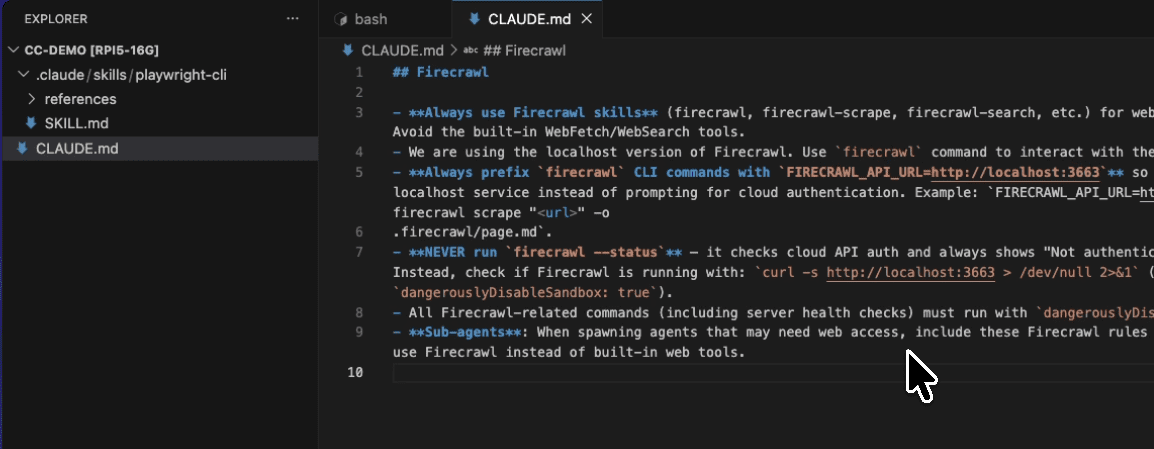
Claude didn’t just start writing rules. It went into full research mode.

Over the next few minutes, it:

  1. Searched for “WordPress Plugin Development Handbook official guidelines 2024”
  2. Looked up “WordPress 2025 hooks filters best practices security nonces sanitization escaping”
  3. Researched “WordPress 2025 Gutenberg block editor integration REST API patterns”
  4. Investigated “WordPress 2025 plugin internationalization i18n accessibility WCAG”
  5. Found “WordPress.org plugin repository submission requirements 2025”
  6. Explored “WordPress plugin performance optimization 2025 best practices”

7 comprehensive searches. All automatically.

No tab juggling.
No bookmark organizing.
No getting distracted by unrelated articles.

Want techniques like these weekly?

Join The Art of Vibe Coding—short, practical emails on shipping with AI (without the chaos).

No spam. Unsubscribe anytime.

Step 3: Watch It Build Your Rules

After researching, Claude created a complete rules document covering:

  1. Code Organization – WordPress Plugin Boilerplate structure with proper namespacing
  2. Coding Standards – WPCS compliance, PHP 7.4+ requirements, ES6+ JavaScript
  3. Security Measures – Input sanitization, output escaping, nonce verification, SQL injection prevention
  4. Database Handling – Using $wpdb, migrations, proper table structure
  5. Performance Optimization – Caching strategies, asset loading, query optimization
  6. Hooks and Filters – Proper implementation and custom extensibility
  7. AJAX Implementation – Secure AJAX handlers with nonce verification
  8. Internationalization – Complete i18n setup with all translation functions
  9. Error Handling – Development debugging and user-friendly error messages
  10. Plugin Lifecycle – Activation, deactivation, and uninstall procedures

And 10 more sections I hadn’t even thought to ask for.

Each section wasn’t just theory. It included specific, actionable guidelines:

.

.

.

Pro Tips For Maximum Effectiveness

Tip #1: Be Specific About Your Context

Don’t just say “create rules.”

Specify:

  • Your tech stack
  • Your team size
  • Your deployment target
  • Your maintenance plans

Tip #2: Use The Reference Format

Notice how I used @project_rules/wordpress_plugin.md?

This tells Claude exactly where to create the file. No confusion. No “where should I put this?”

Tip #3: Let Claude Research First

Resist the urge to interrupt when you see Claude searching.

Those searches aren’t random. Each one builds on the last, creating comprehensive coverage.

Tip #4: Iterate After Initial Creation

First pass too broad? Ask Claude to focus on specific sections.

Missing something? Request additions.

Too complex? Ask for simplification.

The document is yours to shape.

.

.

.

Real-World Impact

Before this workflow:

  • 3-4 hours researching best practices
  • Another 2 hours organizing findings
  • Probably still missing important standards
  • Definitely using some outdated practices

With Claude Code:

  • 10 minutes total
  • Comprehensive coverage
  • Current standards
  • Ready to implement

That’s not just time saved. That’s confidence gained.

Now when I finally started building my plugin, I wasn’t guessing. I wasn’t wondering if I was doing things right. I had a comprehensive playbook that covered everything from directory structure to WordPress.org submission requirements.

The plugin idea that almost died in a sea of browser tabs? It’s now a well-architected project with clear standards and best practices baked in from day one.

.

.

.

Your Next Project Rules

Here’s your action plan:

  1. Identify Your Next Project – What are you building that needs standards?
  2. List Your Concerns – What aspects worry you? Security? Performance? Compatibility?
  3. Open Claude Code – Start with “I need to establish project rules for…”
  4. Be Specific – Include your context, constraints, and requirements
  5. Let Claude Research – Don’t interrupt the search phase
  6. Review and Refine – Make it yours

Stop cobbling together rules from random blog posts.

Stop wondering if you’re following current best practices.

Start building with confidence from day one.

What project rules will you create with Claude Code?


P.S. – This same workflow applies to any technology stack. React component standards? API design guidelines? Database schema rules? Claude Code can research and structure them all. The key is asking the right questions and letting Claude do the heavy lifting.

10 min read The Art of Vibe Coding, Claude, Vibe Coding

Stop Asking Claude Code to “Build Me an App” – Here’s How to Actually Get What You Want

You fire up Claude Code and type “build me a task management app.”

You hit enter, feeling clever.

Claude Code starts generating code. Components. Database schemas. Authentication logic.

And then… it’s nothing like what you imagined.

Not because Claude Code isn’t powerful enough. But because it literally can’t read your mind.
This is the mistake I see beginners make over and over.

They treat Claude Code like a magic genie that somehow knows exactly what they want.

But here’s the thing…

Even the most advanced AI needs YOU to know what you want first.

.

.

.

The PRD Problem Nobody Talks About

The first step to building an app isn’t building it.

It’s defining it.

Enter the PRD – Product Requirements Document.

This is the blueprint for your app. It defines what you’re building, who it’s for, and how it should work.

Most people who realize this take the next logical step:

“Hey AI, write me a comprehensive PRD for a task management app.”

And this is where things go sideways again.

.

.

.

Why “Write Me a PRD” Fails

When you ask AI to write a PRD from scratch, you’re making the same mistake as before – just one level up.

You’re still letting the AI assume what you want.

The result?

Either:

  • A PRD so complex it could rival Jira’s feature set, or
  • Something that completely misses what you actually had in mind

It’s like asking someone to pack your suitcase without telling them where you’re going.

Sure, they’ll pack something…

But will it be right for your beach vacation or mountain climbing trip?

.

.

.

You Lead, AI Assists

Here’s what needs to change:

You need to be the one in charge, not the AI.

You decide:

  • What features matter
  • How users move through your app
  • What the UI should feel like
  • What problems you’re actually solving

The AI?

It’s your incredibly capable assistant that helps you articulate and refine YOUR vision.

Not replace it.

.

.

.

The Right Approach

Instead of asking AI to generate everything from scratch, start with what YOU know:

  1. What core problem are you solving?
  2. Who are you solving it for?
  3. What are the 3-5 main features you envision?
  4. What feeling should the app create?

Write these down.

Even if they’re rough.

Even if they’re incomplete.

THEN use AI to help expand these ideas, suggest improvements, and formalize your thinking into a proper PRD.

.

.

.

Want techniques like these weekly?

Join The Art of Vibe Coding—short, practical emails on shipping with AI (without the chaos).

No spam. Unsubscribe anytime.

Working with Claude’s Verbosity (It’s a Feature, Not a Bug)

If you’ve used Claude, you know it’s… thorough.

Ask for a feature list, and you’ll get a dissertation.

This verbosity is actually perfect for brainstorming – but only if you know how to handle it.

.

.

.

The Good Parts…

Claude’s verbosity means it will:

  • Show you angles you never considered
  • Suggest features that actually make sense
  • Help you think through edge cases
  • Expand your initial ideas into something comprehensive

The Dangerous Parts…

But that same verbosity can lead to:

  • Feature creep on steroids
  • Overcomplicated user flows
  • A PRD that reads like enterprise software documentation
  • Analysis paralysis from too many options

The Solution: Active Curation

This is crucial: Never just accept whatever the AI feeds you.

For every suggestion, ask yourself:

  • Does this align with MY vision?
  • Will this serve MY target users?
  • Is this complexity necessary?
  • Am I saying yes because it sounds impressive, or because it’s actually needed?

And here’s the kicker…

You need to actively tell the AI what NOT to include.

Be explicit about your constraints.
Your simplicity requirements.
Your non-negotiables.

.

.

.

The Iteration Secret

First drafts are never the best drafts.

Not in writing, not in design, and definitely not in PRDs.

The secret sauce isn’t in getting the perfect PRD on the first try.

It’s in the iteration process:

  1. Get the first version from AI
  2. Review it critically
  3. Tell AI what to change, add, or remove
  4. Get an updated version
  5. Repeat until it matches YOUR vision

Each iteration gets you closer to what you actually want to build.
The magic happens in the back-and-forth, not in any single response.
.

.

.

My PRD Brainstorming Prompt

After months of refining, here’s the exact prompt I use:

I have a web app idea I’d like to develop. Here’s my initial concept:

{{_IDEA_}}

I’m looking to collaborate with you to turn this into a detailed project request. Let’s iterate together until we have a complete request that I find to be complete.

After each of our exchanges, please return the current state of the request in this format:

```
# Project Name

## 1. Executive Summary

[Executive Summary]

### Key Value Propositions

- [Key Value Proposition 1]
- [Key Value Proposition 2]
- [Key Value Proposition 3]
[...and so on]

## 2. Target Audience

### Primary Users

- [Primary User 1]
- [Primary User 2]
- [Primary User 3]
[...and so on]

### User Needs

- [User Need 1]
- [User Need 2]
- [User Need 3]
[...and so on]

## 3. Core Features & Functionality

### 3.1 [Core Feature 1]

- [Description of feature]
    - [Description of sub-feature]
    - [Description of sub-feature]
    - [Description of sub-feature]
        - [Description of sub-sub-feature]
        - [Description of sub-sub-feature]
- [Description of feature]
    - [Description of sub-feature]
    - [Description of sub-feature]
[...and so on]

### 3.2 [Core Feature 2]

- [Description of feature]
    - [Description of sub-feature]
    - [Description of sub-feature]
    - [Description of sub-feature]
        - [Description of sub-sub-feature]
        - [Description of sub-sub-feature]
- [Description of feature]
    - [Description of sub-feature]
    - [Description of sub-feature]
[...and so on]

[...continue with the rest of the core features]

## 4. User Interface Design

### 4.1 Design Philosophy

[list of design philosophy]

### 4.2 Visual Design Elements

[list of visual design elements]

### 4.3 Layout Structure

#### Desktop Layout

[list of layout elements for desktop]

#### Mobile Layout

[list of layout elements for mobile]

### 4.4 Interactive Elements

[list of interactive elements]

## 5. User Journey Flows

### 5.1 [User Journey 1]

[list of steps in user journey]

### 5.2 [User Journey 2]

[list of steps in user journey]

[...continue with the rest of the user journeys]

## 6. Business Rules & Logic

### 6.1 [Business Rule 1]

[list of business rules]

### 6.2 [Business Rule 2]

[list of user limits and quotas]

[...continue with the rest of the business rules]

## 7. Accessibility Requirements

[list of accessibility requirements]

## 8. Performance Expectations

[list of performance expectations]

## 9. Security Requirements

[list of security requirements]

```

Please:

1. Ask me questions about any areas that need more detail
a. If the question is about choosing different options, please provide me with a list of options to choose from. Mark the option with a clear label, like a, b, c, etc.
b. If the question need custom input that is not in the list of options, please ask me to provide the custom input.
2. Suggest features or considerations I might have missed
3. Help me organize requirements logically
4. Show me the current state of the requirement after each exchange
5. Flag any potential important decisions
6. This requirement should NOT have any technical details, technical implementation details, code examples, or any other technical details. It should be a detailed requirements document that focuses on the business requirements, user needs, and design requirements.

We’ll continue iterating and refining the request until I indicate it’s complete and ready.

Credit Where Credit’s Due

This prompt is my modified version of the request prompt originally created by McKay Wrigley.

McKay developed this as part of his 6-prompt system for the o1 Pro Template System, which he covers in detail in this YouTube video.

If you’re interested in the complete 6-part prompt system (which includes prompts for implementation, testing, and more), you can find them at jointakeoff.com/prompts.

I’ve adapted McKay’s original request prompt specifically for brainstorming request with o1 Pro, adding my own iterations around clarity questions and the explicit instruction to avoid technical details.

But the structured format and iterative approach?

That’s McKay’s brilliant foundation.

How to Use This Prompt

Replace {{_IDEA_}} with your app concept.

This can be:

  • A one-liner: “A habit tracker that uses social accountability”
  • A rough feature list: “Todo app with: voice input, AI prioritization, calendar sync”
  • A problem statement: “Help remote teams feel more connected through casual interactions”

The beauty is you don’t need much to start.

Just a seed of an idea.

.

.

.

Step-by-Step Process

I typically use Claude’s web interface for this (not Claude Code).

Why?

The artifacts feature makes it easier to see and iterate on the PRD as it evolves.

Here’s the exact workflow:

Step 1: Prime the Prompt

Copy the prompt above and replace {{_IDEA_}} with your concept.

Don’t overthink it – even a rough idea works.

Step 2: Initial Generation

Paste into Claude and submit.

Claude will create the first version of your PRD and ask clarifying questions.

Step 3: Answer and Guide

This is where you take control.

Claude will ask things like:

  • “Would you prefer a) minimalist design, b) feature-rich interface, or c) something else?”
  • “What’s the primary goal: a) productivity, b) collaboration, c) tracking?”

Answer based on YOUR vision.

If none of the options fit, say so and provide your own.

Step 4: Review and Refine

After each exchange, Claude updates the PRD. Review it critically:

  • Too complex? Say “simplify the user journey”
  • Missing something? Say “add a feature for X”
  • Wrong direction? Say “actually, I’m thinking more like Y”

Step 5: Iterate Until It Feels Right

Keep going until the PRD matches what’s in your head.
Usually takes 3-5 rounds.
.

.

.

Why No Technical Details?

You might have noticed my prompt specifically excludes technical specifications, database schemas, and code examples.

This is intentional.

Focus on the What, Not the How

A PRD should answer:

  • What are we building?
  • Who is it for?
  • What does it do?
  • How does it feel to use?

NOT:

  • What database should we use?
  • How should we structure the API?
  • What framework is best?

The Benefits

Keeping technical details out:

  1. Prevents premature decisions – You don’t need to decide on PostgreSQL vs MongoDB before you even know what you’re storing
  2. Reduces hallucination – Long documents with mixed concerns confuse AI more
  3. Maintains flexibility – Your implementation can match whatever tech stack you choose later
  4. Keeps focus on users – It’s about solving problems, not showing off technical prowess

Technical decisions should happen during development, when you have context about your constraints, team skills, and technical requirements.

.

.

.

Common Pitfalls to Avoid

Pitfall 1: Complexity Theater

Just because Claude suggests 15 user roles doesn’t mean you need them.

Start simple.

You can always add complexity later.

Pitfall 2: Skipping Iteration

“Good enough” on the first try usually isn’t.

The best insights come from pushing back and refining.

Pitfall 3: The Yes-Man Syndrome

Agreeing with every AI suggestion because it “sounds professional.”

Your app, your rules.

Pitfall 4: Mixing Concerns

“Users can click the React component to trigger the PostgreSQL stored procedure…”

No.

Just no.

Keep it about features and experience.

.

.

.

Your App, Your Vision

Here’s what I want you to remember:

AI is an incredibly powerful tool for helping you articulate and refine your ideas.

But the vision?

The decisions?

The direction?

That’s all you.

Don’t build what AI thinks you should build.

Build what YOU want to build, with AI’s help to make it clearer, more comprehensive, and better thought through.

The clearer you are about your requirements, the better the AI can help you build them.

And the better your chances of ending up with an app that actually matches what you envisioned.

.

.

.

Try It Yourself

Got an app idea bouncing around in your head?

Even a vague one?

  1. Copy the prompt above
  2. Replace {{_IDEA_}} with your concept
  3. Paste it into Claude
  4. Start the conversation
  5. Take control of the iteration process

Remember:

You’re the architect. AI is just holding the pencil.

What will you build when you’re finally clear on what you want?


P.S. – After you nail down your PRD, that’s when the real fun begins. But that’s a story for another post…

7 min read Claude, The Art of Vibe Coding, Vibe Coding

How To Stop Claude Code From Overengineering Everything

Claude Code is incredible.

Until it tries to turn your simple feature into NASA’s mission control system.

You know exactly what I mean.

“Add email OTP login” becomes a 12-file authentication framework.
“Update the API route” spawns an entire middleware ecosystem.
“Fix this type error” somehow requires restructuring half your app.

I’ve been building Next.js app with Claude Code for months now. And I’ve finally figured out how to make Claude Code calm down and write surgical, minimal code instead of overengineered monuments.

Let me show you the exact prompt and workflow that transformed my development.

.

.

.

The Overengineering Pattern That Drives Me Crazy

Last week, I needed to add email OTP authentication to my Next.js app.

Simple requirement:

  • User enters email
  • System sends 6-digit code
  • User enters code
  • User gets authenticated

Here’s what Claude suggested in Plan Mode:

✱ Planning comprehensive authentication system...

New architecture:
├── auth/
│   ├── providers/
│   │   ├── OTPProvider.ts
│   │   ├── AbstractAuthProvider.ts
│   │   └── AuthProviderFactory.ts
│   ├── strategies/
│   │   ├── EmailOTPStrategy.ts
│   │   └── BaseStrategy.ts
│   ├── services/
│   │   ├── TokenService.ts
│   │   ├── ValidationService.ts
│   │   └── NotificationService.ts
│   └── middleware/
│       ├── authMiddleware.ts
│       └── sessionMiddleware.ts

15 new files. Abstract base classes. Strategy pattern. Factory pattern.

For email OTP.

Meanwhile, my existing Next.js app already had:

  • NextAuth configured
  • Email sending via Resend
  • Simple session management

Claude just… ignored all of it.

This happens every single time. Claude defaults to building everything from scratch, as if you’re starting a new computer science textbook example.

.

.

.

Why Claude Code Can’t Help But Overengineer

Here’s what’s really happening:

Claude is trained on millions of “production-ready” code examples.

Enterprise patterns. Academic solutions. Tutorial architectures.

When you ask for a feature, it pattern-matches to these examples.

It thinks:

  • “Authentication needs proper abstraction layers!”
  • “What about future auth methods?”
  • “Better add dependency injection!”
  • “This should follow SOLID principles!”

It doesn’t think:

  • “What’s already in this Next.js app?”
  • “How can I use the existing setup?”
  • “What’s the minimal change needed?”

The result?

Technically correct solutions that are practically absurd for a solo developer shipping features.

.

.

.

The Surgical Coding Prompt That Changes Everything

Here’s my workflow that turns Claude from an architecture astronaut into a surgical coder:

Step 1: Let Claude Create Initial Plan

Press Shift+Tab+Tab for Plan Mode.

Let Claude present its overengineered plan.

When it finishes, you’ll see two options:

  • Yes
  • No, keep planning

Choose “No, keep planning”

Step 2: Apply The Surgical Coding Prompt

Now paste this exact prompt:

Think harder and thoroughly examine similar areas of the codebase to ensure your proposed approach fits seamlessly with the established patterns and architecture. 

Aim to make only minimal and necessary changes, avoiding any disruption to the existing design. 

Whenever possible, take advantage of components, utilities, or logic that have already been implemented to maintain consistency, reduce duplication, and streamline integration with the current system.

Step 3: Watch The Transformation

Claude will now:

  1. Activate extended thinking mode (31,999 tokens!)
  2. Actually examine your existing code
  3. Find what’s already there
  4. Propose a minimal solution

For my email OTP example, here’s what happened:

✱ Re-examining codebase with focus on minimal integration...

Found existing infrastructure:
- NextAuth already configured in app/api/auth/[...nextauth]/route.ts
- Resend email service in lib/email.ts
- Session handling via NextAuth

Revised approach:
1. Add OTP adapter to existing NextAuth config
2. Create single API route for OTP generation
3. Extend existing email templates

Total changes: 3 files, ~120 lines

From 15 files to 3 files.

From 1000+ lines to 120 lines.

Same functionality. 90% less complexity.

.

.

.

Want techniques like these weekly?

Join The Art of Vibe Coding—short, practical emails on shipping with AI (without the chaos).

No spam. Unsubscribe anytime.

Why This Prompt Works So Well

The magic is in three parts:

“Think harder” – This triggers Claude’s extended thinking mode. Instead of the default 4,000 thinking tokens, it gets 31,999 tokens. That’s 8x more computational power to analyze your codebase.

“thoroughly examine similar areas” – This forces Claude to actually look at what exists before creating new stuff. It can’t just default to its training patterns.

“minimal and necessary changes” – This becomes the primary constraint. Not “best practices.” Not “extensibility.” Just: what’s the least I need to change?

Combined, they transform Claude from an eager junior developer who wants to impress you with design patterns into a senior developer who knows that the best code is often the code you don’t write.

.

.

.

Advanced Variations For Different Scenarios

The Pattern Detective:

Before suggesting any implementation, find and list 3 similar patterns already in this codebase. Then align your solution with the most appropriate pattern.

Perfect when you want consistency above all else.

The Deletion First:

Before adding any code, first check if we can achieve this by removing or simplifying existing code.

Incredible for refactoring or when you suspect you’re duplicating functionality.

The One-File Challenge:

Challenge yourself: Can this be done by modifying just one existing file?

Forces maximum constraint. Sometimes impossible, but always worth trying first.

The Next.js Native:

Prioritize Next.js 15's built-in features and patterns. List which Next.js native solutions you can use before creating custom implementations.

Keeps you aligned with framework best practices.

.

.

.

The Hidden Benefits Nobody Talks About

Benefit #1: Bugs Disappear

Less code = fewer bugs. Mathematical fact.

Existing code = tested code. Practical reality.

Minimal changes = minimal risk. Engineering wisdom.

Benefit #2: You Ship 5x Faster

No analysis paralysis about architecture.

No building unnecessary abstractions.

No refactoring to accommodate overengineering.

Just surgical changes that work.

Benefit #3: Your Codebase Stays Manageable

As a solo developer, every line of code is your responsibility.

Every abstraction is complexity you maintain alone.

Every pattern is something you need to remember.

Keeping it minimal keeps it maintainable.

Benefit #4: You Learn Your Codebase Deeply

The prompt forces Claude to explore thoroughly.

You see connections you missed.

Patterns become obvious.

Your existing code becomes your best documentation.

.

.

.

Common Mistakes To Avoid

Mistake #1: Skipping Extended Thinking

Remove “think harder” and you lose most of the benefit.

Those extra thinking tokens are what allow Claude to properly explore your codebase.

Always include it.

Mistake #2: Being Too Restrictive

Sometimes you genuinely need new architecture.

If your codebase lacks the foundation, build it.

But build it minimally and in your existing style.

Mistake #3: Not Iterating

First pass still too complex?

Run the prompt again with even more constraints.

Sometimes it takes 2-3 iterations to find the truly minimal solution.

.

.

.

Your Next Steps

  1. Save this prompt (bookmark it, pin it, tattoo it)
  2. Try it on your current feature
    • Whatever you’re building right now
    • Let Claude plan normally
    • Then apply the surgical prompt
    • Compare the approaches
  3. Track the difference
    • Count files changed
    • Count lines added
    • Note complexity reduction
  4. Make it your default
    • Every feature, every time
    • Until minimal becomes natural

.

.

.

The Mindset Shift That Changes Everything

Stop asking: “What’s the proper architecture for this?”

Start asking: “What minimal change achieves this?”

In Next.js 15, you already have:

  • Incredible routing
  • Built-in API handling
  • Server components
  • Middleware capabilities
  • Type safety

You don’t need to reinvent any of it.

You need to use what’s there.

Every line of code is future maintenance.

Every new pattern is cognitive overhead.

Every abstraction is complexity you own forever.

The best code isn’t the code that impresses other developers.

It’s the code that solves the problem and disappears into your existing architecture.

So perfectly integrated that you forget it was ever added.

.

.

.

A Challenge For You

Open Claude Code right now.

Look at your current task.

Ask yourself: “What if this could be done in just one file?”

Then use the surgical coding prompt.

See how close you can get.

I bet it’s closer than you think.

What overengineered solution are you going to surgically simplify today?

Stop planning spacecraft.

Start shipping features.


P.S. – That email OTP feature? 120 lines. Three files. Zero abstractions. Ships perfectly. Sometimes the best architecture is no architecture.

5 min read The Art of Vibe Coding, Claude, Vibe Coding

How to Double Your Claude Code Usage Limits (Without Upgrading to Max)

You know the feeling.

You’re crushing it with Claude Code. Then boom:

“Usage limit reached. Reset at 6PM.”

Your flow? Dead.
Your momentum? Gone.
Your afternoon? Wasted.

If you’re on Claude Pro, this happens constantly. Some heavy users burn through their entire quota in just 1-2 hours.

Max plan would solve this (5x or 20x the usage)… but not everyone wants to pay $100-200/month.

What if I told you there’s a way to get double the productive time without spending a penny more?

Let me show you.

.

.

.

The Problem Every Claude Pro User Faces

Here’s what happens to 90% of Pro users:

  1. Start coding at 1:00 PM
  2. Hit the limit by 2-3 PM
  3. Wait until 6:00 PM for reset
  4. Lose 3-4 hours of productivity

Sound familiar?

That’s because you’re not understanding how Claude’s limits actually work.

The secret: Claude’s 5-hour window starts when YOU start.

Not at midnight.
Not at some random time.
When you send your first message.

.

.

.

The Hidden Mechanics That Change Everything

Before I reveal the trick, you need to understand two critical facts.

Fact #1: The 5-Hour Rolling Window

Here’s what most users don’t know:

Claude gives you a set number of messages that refresh every 5 hours.

But it’s not a fixed schedule like “resets at 12 PM, 5 PM, 10 PM.”

Instead, your personal 5-hour timer starts the moment you send your first message.

Example:

  • Send first message at 1:00 PM
  • Timer runs until 6:00 PM
  • At 6:00 PM, full message allowance returns

It’s predictable. It’s personal. And most importantly…

You control when it begins.

Fact #2: Shared Usage Pool (This Is The Key)

Your Claude.ai web chat and Claude Code share the SAME usage pool.

Every prompt counts against the same budget.

But here’s what nobody realizes:

Starting a session on one starts the clock for both.

Fire up Claude on the web at 10:00 AM?

That 5-hour window now applies to Claude Code too.

Why do these details matter?

Because it means you can start your reset timer whenever you want.

On any device.

With minimal usage.

And that opens up a game-changing possibility…

.

.

.

The Session Overlap Trick That Doubles Your Time

Ready for the trick that changes everything?

Start a dummy session before your real work.

Not just any time before.

At a very specific time that creates… overlap.

Let me show you exactly how this works.

Without the trick:

  • 1:00 PM: Start coding
  • 3:00 PM: Hit limit (typical Pro user)
  • 6:00 PM: Finally reset
  • Result: 2 hours work, 3 hours waiting

With the trick:

  • 10:00 AM: Send “Hi” to Claude (starts Session 1)
  • 1:00 PM: Start actual coding
  • 2:45 PM: Approaching limit…
  • 3:00 PM: Session 1 expires → Session 2 instantly available
  • 5:00 PM: Still coding
  • Result: 4 hours continuous work, zero waiting

Same limits. Triple the productivity.

.

.

.

The Step-By-Step Blueprint

Step 1: Calculate Your Start Time

First, figure out how long you typically last before hitting limits.

Heavy user? Maybe 1-2 hours. Moderate user? Maybe 2-3 hours.

Track this for a few days. It’s crucial.

Then calculate: Dummy session = Real work time – 3 hours

Why 3 hours? If you typically code for 2 hours before hitting limits, starting 3 hours early means your first session expires right when you need the second one.

Step 2: Start The Clock (10 Seconds)

At your calculated time (say 10:00 AM):

  • Open Claude (web or terminal)
  • Type “Hi”
  • Send
  • Close

That’s it. Timer started. Session 1 is now quietly ticking.

Step 3: Work As Normal

At 1:00 PM, start your real coding session.

You have the full Session 1 budget (minus one “Hi”).

Code like you normally would.

Step 4: The Magic Moment

As you approach your typical limit time:

  • You’ll see “approaching limit” warnings
  • Keep working…
  • Right as Session 1’s 5-hour window expires…
  • Session 2 becomes instantly available

No waiting. No interruption. Just seamless continuation.

.

.

.

Want techniques like these weekly?

Join The Art of Vibe Coding—short, practical emails on shipping with AI (without the chaos).

No spam. Unsubscribe anytime.

Pro Tips From Real-World Testing

Tip #1: Set a reminder

“Hey Siri, remind me at 10 AM to ping Claude”

Miss the dummy session = miss the benefit.

Tip #2: One-click setup

Create a bookmark that opens Claude with “Hi” pre-typed.

Or better: A terminal alias that sends it automatically.

Tip #3: Minimal dummy prompt

Keep it tiny. One word. Save every token for real work.

The goal: Start clock, preserve budget.

Tip #4: Track and adjust your timing

This is critical.

Pay attention to when you normally hit limits.

Hit limits at 1.5 hours? Start dummy 3.5 hours early.
Hit limits at 2 hours? Start dummy 3 hours early.
Hit limits at 2.5 hours? Start dummy 2.5 hours early.

The perfect overlap takes experimentation.

Track. Adjust. Perfect.

.

.

.

Don’t Waste a Session

Important warning:

Once you start that dummy session, the clock runs regardless.

If your plans change and you don’t code later?

That session window expires unused.

So use this technique when you’re sure you’ll need extended time.

Emergency comes up? No big deal – just note you burned a session.

Plan accordingly for the rest of the day.

.

.

.

Work Smarter, Not Harder

This isn’t about gaming the system.

It’s about working smarter within the constraints.

You’re not getting extra messages.
You’re not violating any terms.
You’re not exploiting bugs.

You’re just scheduling intelligently.

Anthropic’s own docs suggest “planning around the reset.”

This is planning at its finest.

Stop letting arbitrary timeouts kill your productivity.

Start overlapping your sessions.

Your future self – knee-deep in code at 3 PM without interruption – will thank you.


P.S. – Combine this with Plan Mode (Shift+Tab+Tab) and you become unstoppable. One plans perfectly, the other gives you time to execute. Together? Pure productivity magic.

4 min read The Art of Vibe Coding, Claude, Vibe Coding

How I Discovered The Claude Code Feature That 10x’d My Development Speed (And Why You’re Probably Missing It)

Let me tell you about the most underrated feature in Claude Code.

It’s not in the documentation.

Few people talk about it.

And if you’re not using it, you’re working 10x harder than you need to.

Last week, I built a complete Gemini API proxy server in less than 30 minutes. Not a prototype. Not a “let me just get this working and fix it later” hack job. Production-ready code with error handling, TypeScript interfaces, and zero bugs.

How?

Plan Mode.

Here’s what you’re missing.

.

.

.

The Lesson I Learned From A Hidden Keyboard Shortcut

I discovered Plan Mode by accident.

I was frantically hitting keys, trying to find a shortcut I’d forgotten, when I accidentally pressed Shift+Tab+Tab.

Suddenly, Claude stopped coding.

Instead, it started planning & strategizing…

For the next 10 minutes, Claude researched. Planned. Strategized.

That’s when it hit me.

This wasn’t just another feature.

This was the difference between a junior developer who codes first and asks questions later, and a senior architect who plans everything before writing a single line.

.

.

.

Why 99% Of Developers Are Using Claude Code Wrong

Here’s what most developers do:

  1. Open Claude Code
  2. Type their request
  3. Watch Claude start coding immediately
  4. Realize something’s wrong
  5. Ask Claude to fix it
  6. Repeat steps 4-5 until it works

Sound familiar?

That’s like building a house without blueprints.

Plan Mode changes everything.

When you activate Plan Mode (Shift+Tab+Tab), Claude enters a read-only state where it:

  • Reads your entire codebase
  • Searches documentation
  • Analyzes dependencies
  • Asks clarifying questions
  • Creates a detailed implementation plan

But here’s the kicker:

It cannot write a single line of code until you approve the plan.

Think about that.

No more “oops, I didn’t think about authentication.”

No more “wait, this won’t scale.”

No more starting over because you realized halfway through that your approach was wrong.

The Gemini API Server That Wrote Itself

Let me show you exactly what happened when I used Plan Mode.

Without Plan Mode:

  • Hour 1: Basic Express server
  • Hour 2: Add authentication (refactor everything)
  • Hour 3: Fix CORS issues
  • Hour 4: Restructure endpoints
  • Hour 5: Add error handling
  • Hour 6: Debug streaming responses
  • Hour 7: Finally working (mostly)

(…okay, I may have exaggerated a bit, but you get the idea)

With Plan Mode:

  • Minutes 1-10: Claude researches and plans
  • Minutes 11-26: Claude executes the plan
  • Minute 27: Deploy to production

Same result.

7 hours vs 27 minutes.

Here’s what Claude’s plan looked like:

Then it presented me with a complete blueprint for my entire project.

Every. Single. Detail.

Before writing any code.

.

.

.

How To Use Plan Mode Like A Senior Developer

Step 1: Activate Plan Mode

Press Shift+Tab+Tab.

That’s it.

(On some systems, just Shift+Tab works.)

Step 2: Describe Your Goal

Be specific.

Bad: “Build an API”

Good: “Build a stateless Gemini API proxy with TypeScript, streaming support, and comprehensive error handling… (insert as many context as possible)

Step 3: Let Claude Research

This is where most developers get impatient.

Don’t.

Those 5-10 minutes of research will save you hours of debugging.

Step 4: Review The Plan

Claude will present a complete blueprint.

Read it.

Understand it.

Ask questions if needed.

Step 5: Approve or Refine

You have two options:

  1. “Yes, implement this plan”
  2. “No, let’s refine the plan”

This is crucial.

You maintain complete control.

.

.

.

Want techniques like these weekly?

Join The Art of Vibe Coding—short, practical emails on shipping with AI (without the chaos).

No spam. Unsubscribe anytime.

The 5 Rules For Plan Mode Success

Rule #1: Use It For Complex Tasks

Simple one-line fix? Skip Plan Mode.

New feature? Always use Plan Mode.

Rule #2: Don’t Rush The Planning Phase

10 minutes of planning = Hours of saved debugging.

Rule #3: Be Specific

The more context you provide, the better the plan.

Include:

  • Technical requirements
  • Performance needs
  • Security considerations
  • Integration points

Rule #4: Iterate On The Plan

First plan not perfect?

Ask for changes:

  • “Add Redis caching”
  • “Include WebSocket support”
  • “Use PostgreSQL instead”

Rule #5: Learn From The Plans

Every plan is a masterclass in software architecture.

Study them.

.

.

.

Why This Changes Everything

Plan Mode isn’t just a feature.

It’s a paradigm shift.

Instead of:
Code → Debug → Refactor → Debug → Ship

You get:
Plan → Review → Execute → Ship

The difference?

Confidence.

When Claude executes a well-researched plan, it works.

First try.

Every time.

.

.

.

Your Next Steps

  1. Open Claude Code on your next project
  2. Press Shift+Tab+Tab
  3. Describe what you want to build
  4. Let Claude research (don’t rush this)
  5. Review the plan
  6. Watch magic happen

Stop coding like it’s 2010.

Start planning like it’s 2025.

What complex feature are you going to build with Plan Mode?

Go build it.

Now.


P.S. – I’ve used Plan Mode to build everything from API servers to complete SaaS applications. Once you experience the difference, you’ll never go back to the old way. Trust me on this one.

10 min read The Art of Vibe Coding, Claude, Vibe Coding

Stop Repeating Yourself: Onboard Claude Code with a CLAUDE.md Guide

Have you ever encountered this before?

You sit down to code, ask your AI for help, and then spend half your time re-explaining the same project details you explained yesterday. And the day before. And the day before that.

It’s like Groundhog Day for developers, and it’s killing your flow.

I’ve been there.

I’d start a coding session with Claude Code and find myself typing out my coding style, project structure, and “don’t do this” warnings to the Claude again. By Wednesday, I’m thinking: Didn’t I already tell it this on Monday? Why am I repeating myself to a machine that’s supposed to make me more efficient?

Something had to change.

Don’t Repeat Yourself – we preach the DRY principle in our code, so why weren’t we applying it here? Why were we treating each new AI session like Day One on the job?

It was time to practice what we preach and stop the madness of constant repetition.

Stuck on Repeat

Let’s face it: without guidance, your AI has the memory of a goldfish.

Context from yesterday? Gone. Unless you feed the same info again, your AI starts fresh each time. The result: you, the developer, stuck on repeat – reiterating coding standards, re-linking the same docs, reminding the AI (and yourself) of decisions you made last week.

It’s exhausting.

This isn’t just your problem.

Plenty of devs hit this wall. It’s such a common pain point that tools have popped up promising to fix “AI amnesia.” (One even brags: “Never Repeat Yourself Again”, designed to make Claude remember key facts so you don’t have to.)

Clearly, we’re all tired of the déjà vu.

Besides being annoying, repeating yourself is a productivity killer.

It yanks you out of “the zone” and into babysitting mode. Imagine having to onboard a new developer every single morning – introducing the codebase, explaining the style guide, pointing out known bugs. You’d never get real work done! Yet that’s exactly how many of us have been handling our AI assistants.

We’ve been treating them like goldfish instead of team members.

.

.

.

Onboard Your AI Like a New Developer

What if, instead, you treated your AI assistant like a new hire on your team?

Think about it: when a junior developer joins, you don’t repeat everything to them ad infinitum. You give them documentation. You share the team wiki, the coding conventions, the README, the tribal knowledge written down in one place.

In short, you onboard them.

Your AI assistant deserves the same.

Stop expecting it to magically know your project’s details or remember yesterday’s chat. Instead, give it a proper orientation. Hand it a guide and say, “Here, read this first.” This way, whether it’s day one or day one hundred of the project, your AI has a baseline understanding of how your world works.

That’s where CLAUDE.md comes in – your AI’s very own guidebook.

CLAUDE.md is essentially an onboarding manual for your AI, living right there in your codebase. It’s the cheat sheet that ensures you only have to explain things once. Just like you wouldn’t hire a developer without giving them access to documentation, you shouldn’t be chatting with an AI about your code without a guide in place.

Onboarding isn’t just for humans anymore – your AI will thank you for it (in its own way).

.

.

.

Meet CLAUDE.md: Your Claude Code’s Guidebook

CLAUDE.md is a simple idea with powerful impact.

It’s a markdown file that sits in your project repository and contains everything you want your AI to knowabout the project upfront. Instead of repeating yourself in conversation, you document it once in CLAUDE.md and let Claude Code refer to it whenever needed.

Think of it as the AI’s employee handbook.

What goes in this handbook?

Whatever you find yourself repeating or any project-specific insights the AI would benefit from. This file can include your build and run commands, coding style rules, project conventions, key architectural decisions, and even a glossary of domain-specific terms.

In short, it’s the context that you used to type out over and over – now persistently saved in one place.

Here’s the beauty: once CLAUDE.md is in place, you can load it or have the Claude Code load it at the start of your session.

Suddenly, the Claude stops asking the things it should already know. It stops suggesting solutions you’ve ruled out weeks ago. It writes code that fits your style guide without being told every time. In other words, the AI starts acting like a team member who’s been around for a while, not a clueless newbie.

And if you’re worried this is some fringe idea, don’t be.

Even Anthropic (Claude’s creators) emphasizes using a CLAUDE.md file to store important project info and conventions.

It’s an official best practice: include your frequent commands, your code style preferences, your project’s unique patterns – all of it in CLAUDE.md. Think of all those “BTW, our database is PostgreSQL” or “We use 4 spaces, not tabs” reminders you’ve given the AI. All of them go into the guide. That’s why Claude Code has a one-shot command to bootstrap this file for you (/init) – because the Claude team knows how crucial it is to have this documentation.

Bottom line: CLAUDE.md turns Claude Code from a forgetful sidekick into a context-aware partner.

It’s the single source of truth that lives alongside your code, ready to bring the AI up to speed anytime. So let’s get practical: how do you create this game-changing guide?

Build Your CLAUDE.md (Step by Step)

Creating a CLAUDE.md guide for your project is straightforward and absolutely worth the few minutes it takes.

Let’s break it down:

1. Create the File: 

In your project’s root directory, create a new file called CLAUDE.md.

This is going to be Claude Code’s reference manual. Treat it with the same respect you would a README or any important doc – because it is important.

2. Explain the Project:

Start with a brief overview of what the project is. 

What is the goal of this software? What domain or context does it operate in? Give your Claude Code the 10,000-foot view so it understands the big picture. (Even a sentence or two is fine – just enough to set the context.)

3. List Key Commands and Workflows: 

Document the common commands to run, build, test, or deploy the project. If you always run npm run build or make deploy or pytest for tests, put that in. Include any setup steps or environment quirks.

This way the AI won’t waste time (or tokens) guessing how to execute tasks – it’s all laid out.

4. Lay Out Coding Conventions: 

Write down your coding style guidelines and naming conventions.

Indentation rules, brace styles, file naming patterns, preferred frameworks or libraries – anything that defines your project’s “style.” For example, if you only use ES Modules (import/export) and never CommonJS, state that clearly. If functions should have descriptive docstrings, mention it.

All those little rules you follow should live here, in one clear list.

5. Note Project-Specific Quirks: 

Every project has its quirks and “gotchas.”

Maybe certain libraries are off-limits, or there’s a workaround that everyone needs to know. Maybe “we prefer composition over inheritance in this codebase” or “avoid using global state, use our AppContext instead.” Include those! This section is pure gold for an AI assistant – it keeps it from walking into the same walls you did.

(It also saves you from hearing suggestions that make you roll your eyes because “we tried that last year and it failed.”)

Want techniques like these weekly?

Join The Art of Vibe Coding—short, practical emails on shipping with AI (without the chaos).

No spam. Unsubscribe anytime.

6. Add Architectural Overview: 

If your project has an architecture diagram or a key design pattern, summarize it.

Something like “This is a client-server app with a React frontend and Node backend” or “We use MVC pattern with these directories.” You don’t need to write a novel – just bullet out the main components and how they interact.

Give the AI a map of the terrain.

7. Keep It Updated:

This part is crucial.

Your CLAUDE.md should be a living document. When things change – and they will change – update the guide. Did you refactor out an old module? Note it. Swapped a library? Put that info in.

I personally experienced this frustration when Claude kept suggesting an outdated logging library. After some investigation, I realized the old recommendation was still sitting in my CLAUDE.md file. Once I updated it, Claude’s suggestions instantly aligned with the new approach.

Context is only useful if it’s current, so make it a habit: whenever you make a significant change, spend 30 seconds to tweak the CLAUDE.md.

(Pro tip: you can even have Claude itself update the file when you tell it what changed – “Update CLAUDE.md to note that we now use Library X for logging,” and voila, it edits the file.)

8. Load It Up: 

Finally, put it to work.

By default, Claude Code will automatically load the CLAUDE.md file whenever a new conversation is started, giving it immediate context about your project. However, you can also specifically ask Claude to read the file first before doing anything else if you’ve made recent updates to it.

Example:

First, read the CLAUDE.md file to understand the current context of the project.

Then, {your instructions here}

This ensures the AI always has the most current understanding of your project’s requirements and conventions.

It’s like handing your new team member the manual on day one – essential for getting quality work out the gate.

(By the way, you can use the /init command to generate a starter CLAUDE.md for you automatically. It scans your repo for context and creates a first draft. This can save time, but you’ll still want to edit that draft to add any project-specific wisdom that the AI might miss.)

With these steps, you’ve effectively transferred a ton of knowledge from your brain (and your wiki and your scattered notes) into a format your AI can use in milliseconds. You’ve created a safety net that catches the “forgotten” details.

Now the next time you ask Claude Code to help with a piece of code, you won’t get back, “What database are we using again?” or suggestions that ignore your team’s style.

Instead, you’ll get results that respect the groundwork you’ve laid.

.

.

.

Stop Repeating, Start Building

Level up your AI coding experience with a CLAUDE.md guide.

Free yourself from repetitive explanations and get back to building. With Claude Code properly onboarded, it understands your preferences and constraints without constant reminders. Next time you start coding, Claude Code will greet you like a well-informed teammate, starting from knowledge instead of from zero.

That’s a game-changer.

So go create your CLAUDE.md file right now.

It doesn’t need to be perfect – just commit the basics and improve it over time. You’ll immediately notice the difference in your next session. This small investment today will pay dividends with every future interaction – replacing broken-record conversations with efficient, informed collaboration.

Now build something amazing with an assistant that’s finally up to speed.