I Kept Forgetting to Check My Context. Now Claude Code Reminds Me.
I know the rule.
I wrote a whole post about it.
Watch the context number. When it crosses your threshold, write a handoff doc, then compact.
Sounds tidy.
Then a real build session gets going, and that little number fades into the furniture. By the time I glance down, I’m well past the point where I meant to stop.
In Stop Losing Work When You Compact Claude Code (The Handoff-Doc Skill), the workflow was simple. Watch the context percentage, run the handoff-doc skill at your threshold, then compact. The skill made the writing easy. The watching was still my job, and mid-flow I’m hopeless at it.
So I built a Claude Code context alert that does the watching for me.
It’s a mod called Context Alert.
A mod is a small add-on that plugs into Claude Code itself — the same kind I used in Your AI Agent Can See Your Passwords. Here’s How to Fix That. When you hit your threshold, it taps you on the shoulder and asks what you want to do.
The first time it fired, I was deep in a long build session with a job running in the background. I hadn’t looked at the context number in over an hour. (Of course I hadn’t. That’s the whole problem.)
It’s version 0.1.1, so please treat it as a beta.
The quick version: Context Alert watches your context window and stops you at the percentage you pick. It asks whether to write a handoff doc, compact, or both, and your background jobs keep running through all of it. Install it with three commands, then set your number with one more.
.
.
.
Install it and pick your number
Run these inside a Claude Code session:
/plugin marketplace add nathanonn/agent-skills
/plugin install context-alert@nathanonn-agent-skills
/reload-plugins
/context-alert
Choose user scope when it asks.
That way the Claude Code context alert works in every project, and the last command shows you its status.
Out of the box, the alert fires at 40% of your context window. I wanted mine a little earlier, so I typed one line.
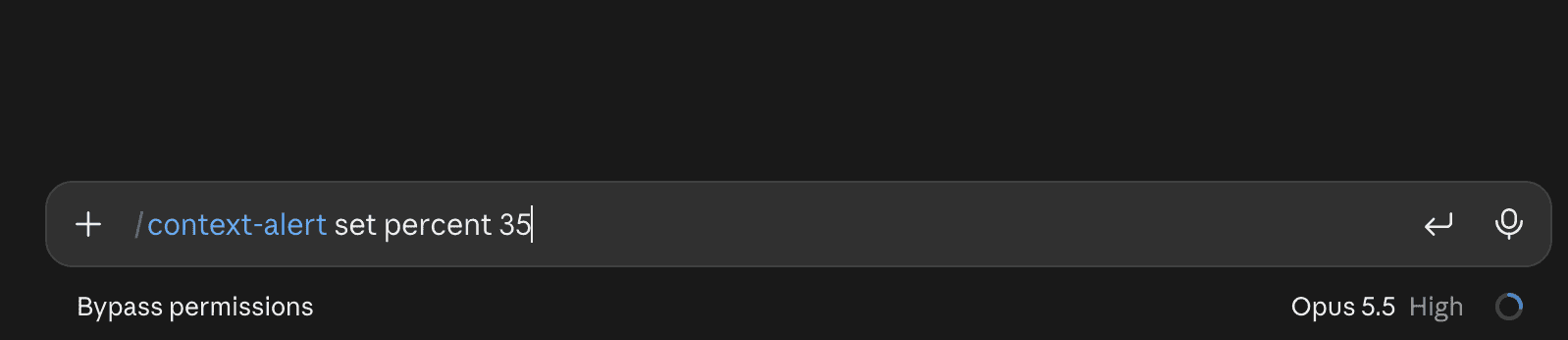
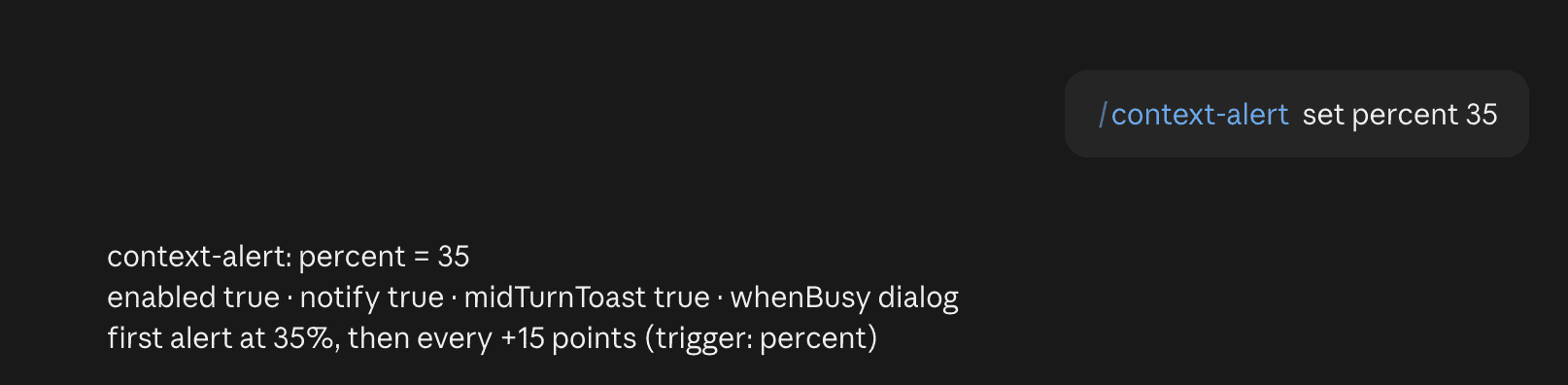
The reply confirmed it.
First alert at 35%, then every 15 points after that.
A quick /context-alert status showed me where I stood.
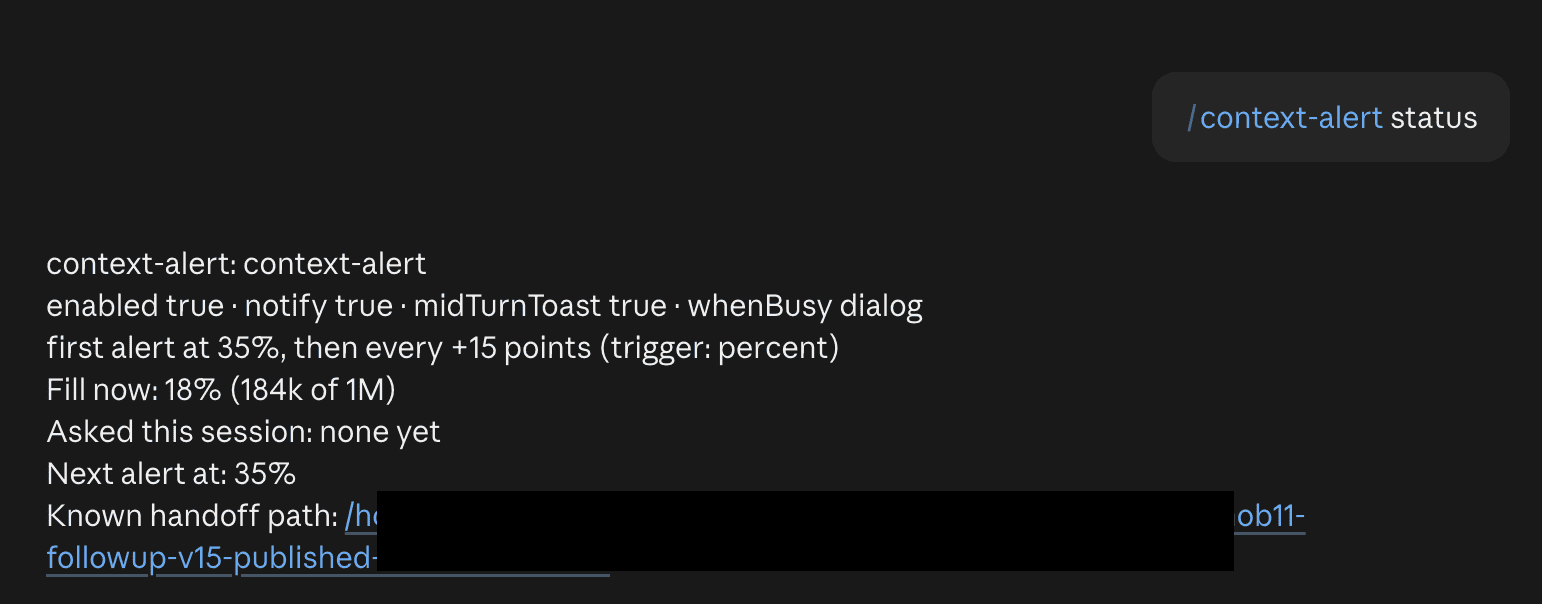
The session sat at 18%, which is 184k of a 1M window. Nothing had been asked yet, and the next alert was due at 35%. It even knew which handoff doc I’d been using. (Small touch. I liked it.)
About that number.
In the handoff-doc post I suggested around 20% on a 1M window, and that’s still a fine place to start. 35% is simply where I landed for this project. Pick the number that fits how you work.
The handoff-doc skill comes bundled too, so the handoff options work straight after install, even if you skipped the earlier post entirely.
.
.
.
The tap on the shoulder
Then I went back to work and forgot the alert existed.
Which, to be fair, was the idea.
A while later, the dialog appeared on its own:
The context window is now at 35% (351k of 1M tokens). Write a handoff doc before compaction?
Underneath, it named the handoff doc it already knew about. It’s polite about timing, too. The question waits until Claude finishes its reply, so it never cuts in halfway through a response.
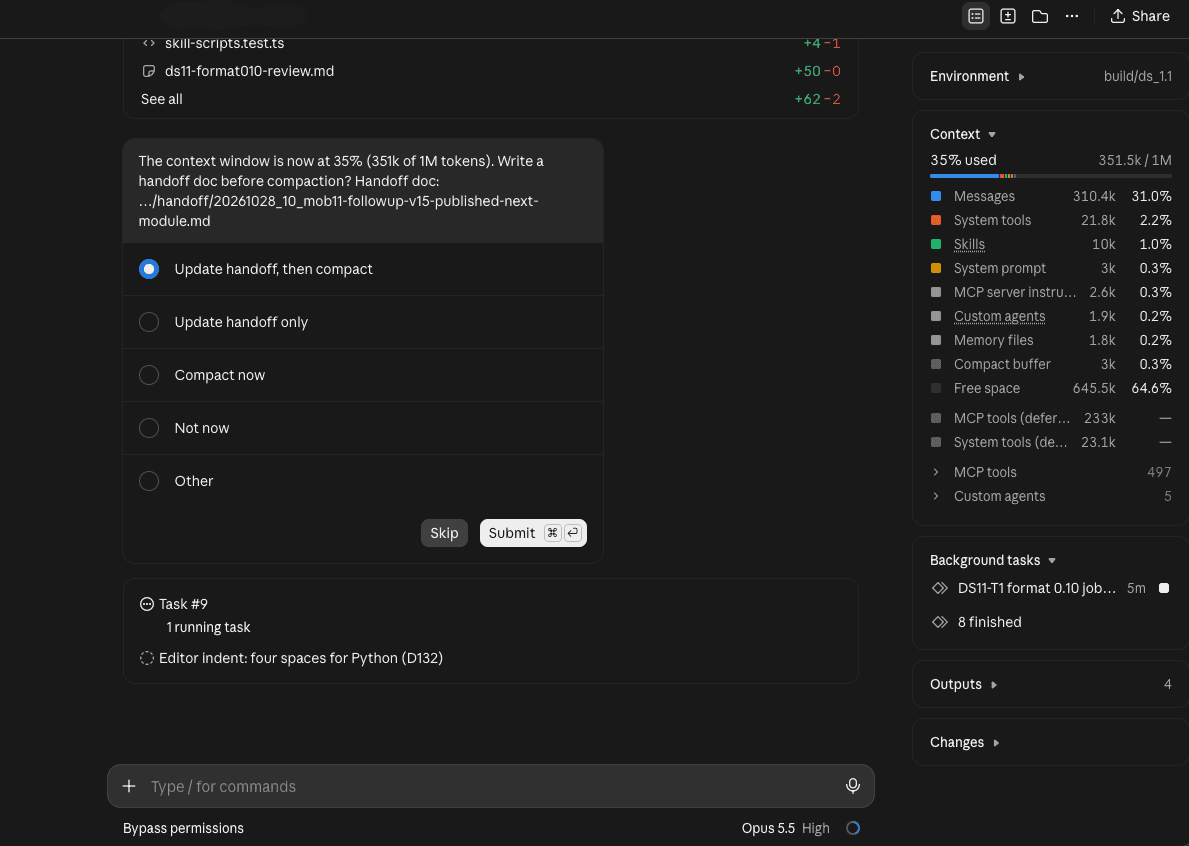
35% is my own setting. The default is 40%.
You get four choices:
- Handoff, then compact. My usual pick. It writes or updates the handoff doc, then compacts once the doc is saved.
- Handoff only. Handy when you’d rather
/clearand start fresh from the doc. - Compact now. For when there’s nothing worth saving.
- Not now. You’re mid-thought. It asks again 15 points later.
In my screenshot the first two read “Update handoff…” because the mod already knew my handoff doc. There’s also an “Other” box, and whatever you type there goes to Claude as an instruction.
Keep working past an alert and it asks again every 15 points above the last one, so 35%, then 50%, and so on. After any compaction (auto-compact included), it starts over at your first threshold.
It also sends a desktop or phone notification when the dialog opens. That’s on by default, you can turn this off if you think it’s too noisy.
.
.
.
Handoff, then compact, in one go
I picked “Update handoff, then compact” and sat back.
Since a handoff doc already existed, the handoff-doc skill had a question of its own.
- Should it write a sequel as handoff 11,
- Append to handoff 10,
- Or overwrite handoff 10?
The sequel was the recommended option, and I took it.
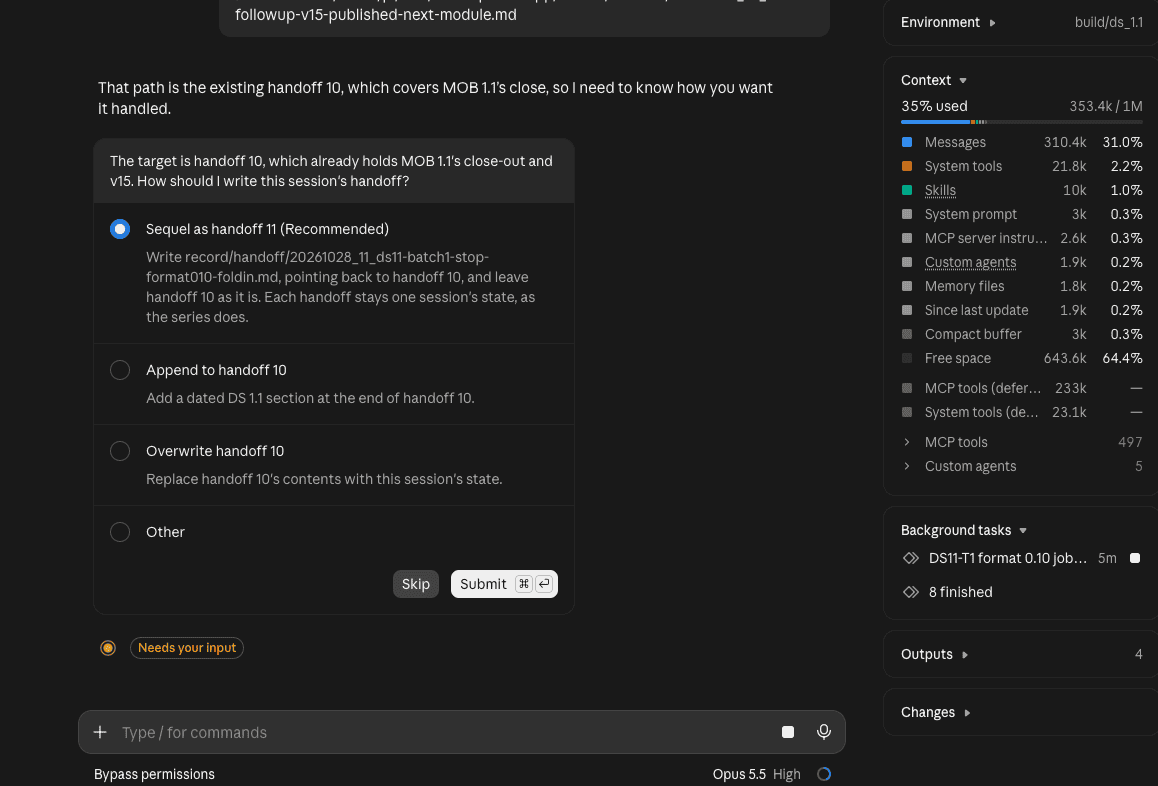
When no handoff doc is known yet, Claude asks where to save one instead, and suggests a spot that matches your project’s handoff folder.
Claude then wrote handoff 11.
It covered the decisions, progress so far, the job still running in the background, what was and wasn’t verified, and the next steps. Handoff 10 stayed exactly as it was. The moment the new doc was saved, the compaction kicked off by itself.
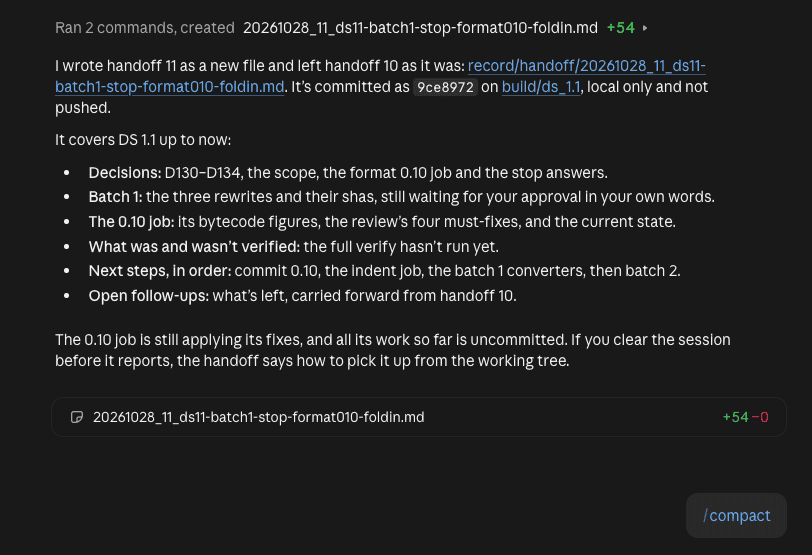
I never typed /compact myself. Not once.
.
.
.
Background work keeps going
Now for my favourite part.
That background job had been running the whole time, and it kept right on going through the alert, the handoff and the compaction.
Right after the compaction, the chat showed background commands still running.
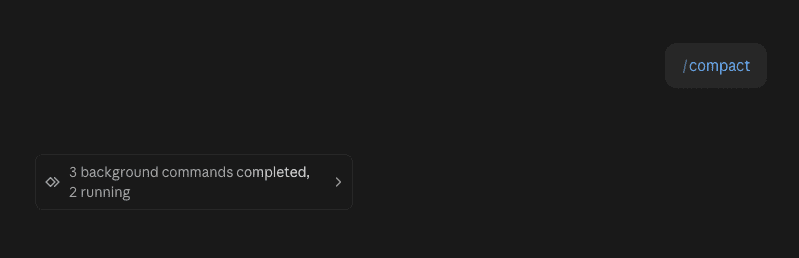
When the job finished, it reported back.
Claude checked the results and committed the work, then moved on to the next job without a word from me.
(It felt a bit like coming back from lunch to find the dishes already done.)
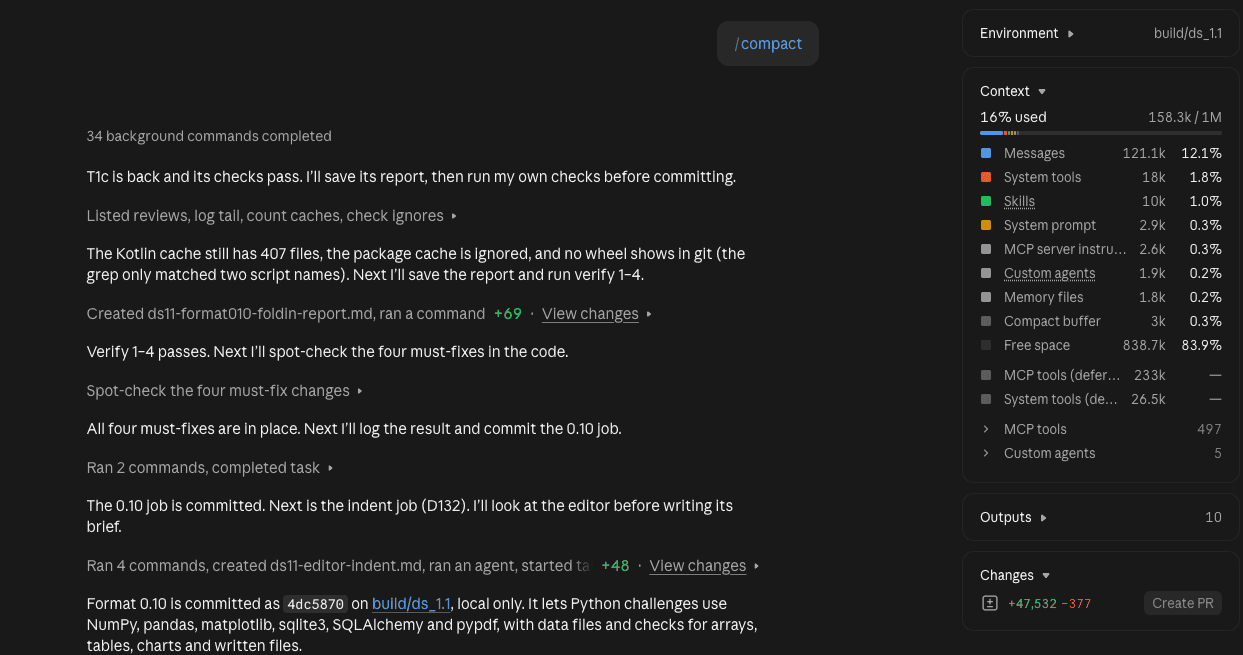
Context dropped from 35% to 16%, or 158.3k of 1M.
👉 The session carried on as if nothing had happened — with plenty of room again.
.
.
.
One tip for 1M windows
On a 1M window, the default 40% is already 400k tokens.
That’s a lot of conversation to carry. If you’d like a token cap as well, switch the trigger to “either”. The alert then fires at your percent or your token count, whichever comes first.
Order matters here.
Set the token count first, which switches the trigger to tokens. Then switch to “either”, and your percent comes back as it was (35%, in my case).
/context-alert set tokens 300000
/context-alert set trigger either
Percent only is the default. The trigger also accepts tokens on its own.
These days I don’t watch the number at all. Most days I have two or three sessions open, and I can’t keep an eye on all of their numbers. Now each one tells me when it’s time.
Install the Claude Code context alert once and hand the watching over.
And if you want the reasoning behind the habit, it’s all in the handoff-doc post.

Leave a Comment