The Skill That Makes Claude Use Your Design System Without Being Told
You extracted a design system from a site you admire.
Every color, every font weight, every spacing value — captured. You went further and pulled the full bundle: component blueprints, section patterns, working code examples, an instruction manual that tells a coding agent exactly how to build with the system.
Then you pointed Claude Code at the bundle, told it which file to read first, and watched it produce a page that genuinely looked native to the brand.
It worked.
(And if you’ve done this even once, you know how good that moment feels.)
I closed the session that night feeling like I’d cracked something. Opened a fresh one the next morning, typed the same kind of prompt — and watched the AI produce something I wouldn’t have shipped. Soft shadows. Rounded cards. The same elevator music it always defaults to. The bundle was sitting right there in the folder, but the fresh session had absolutely no idea it existed.
So I did what you’ve probably done too.
Re-attached the bundle. Walked the agent through the protocol again. Pointed it back at the instruction manual. The page came out on-brand — because I’d stood over the machine and guided every step.
Sound familiar?
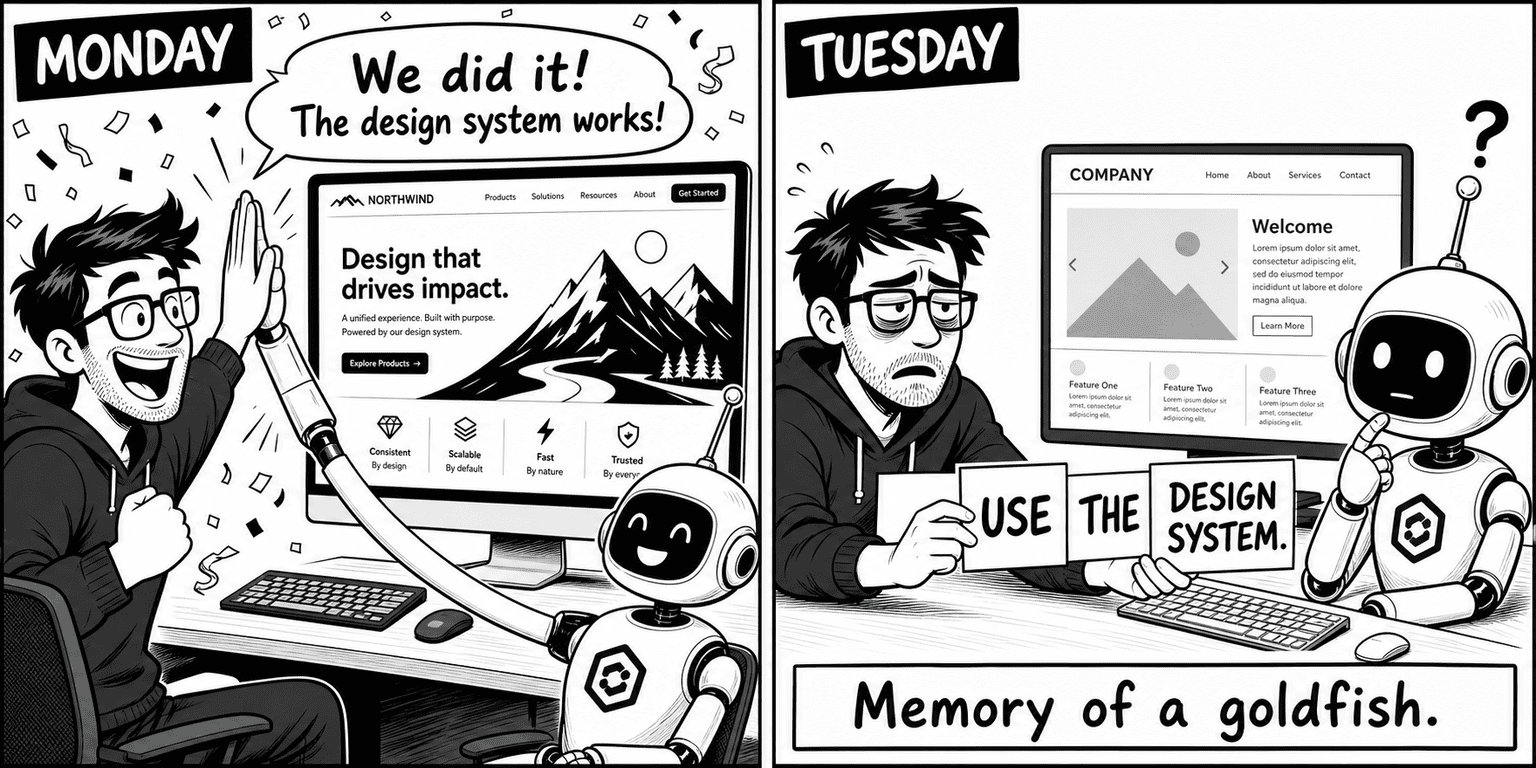
(If you’ve spent more time reminding the agent about your design system than actually building with it, you know exactly what I’m describing.)
Here’s the thing.
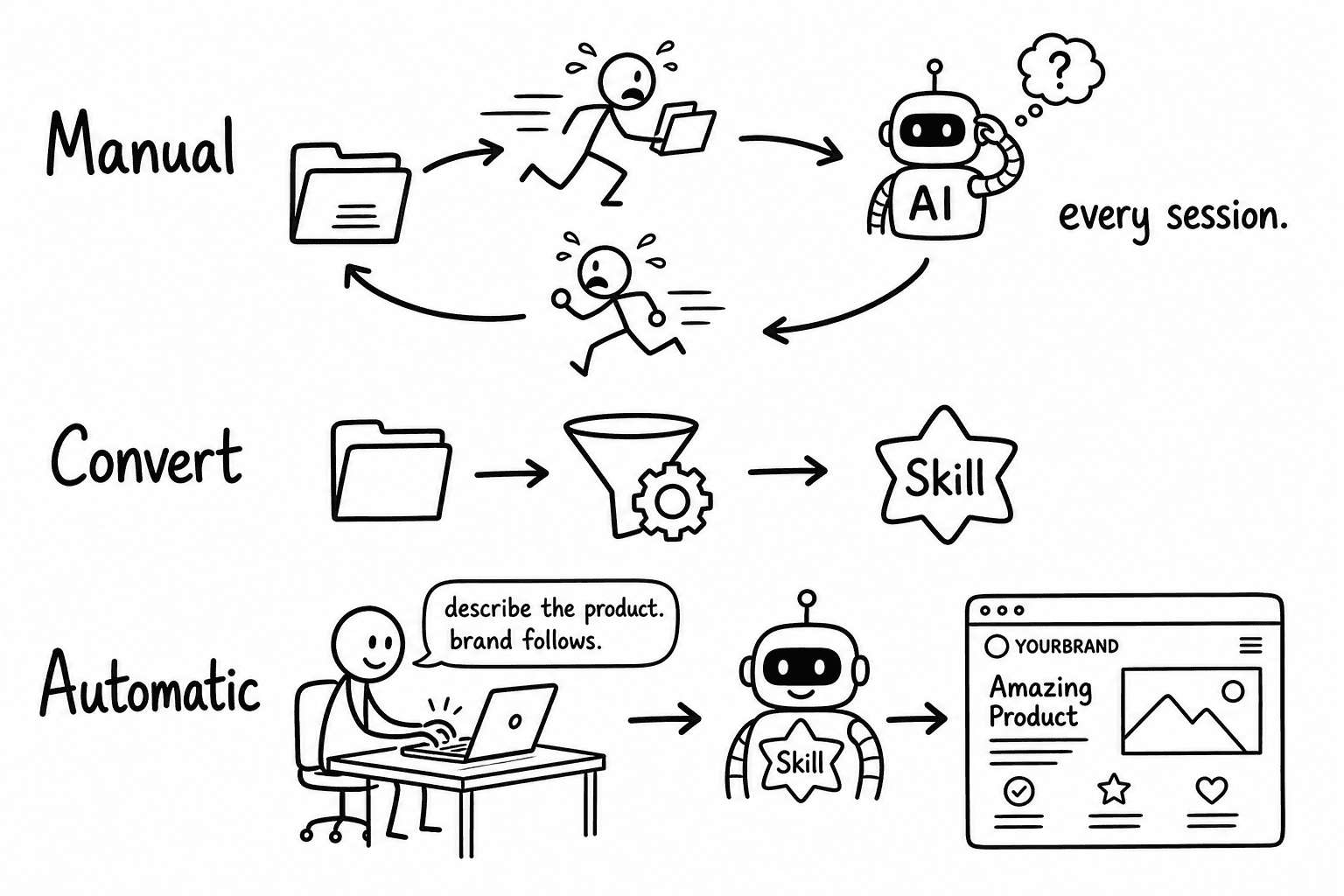
A design system you have to keep hand-delivering isn’t really reusable yet. Your extraction was right, and the bundle was right. What was missing — the last mile — was making the agent reach for it automatically.
This week we close that gap.
One skill converts the Part 2 bundle into something Claude Code auto-triggers on any UI work, so you describe the product and the brand shows up on its own.
.
.
.
Where the First Two Posts Left Us
Two weeks ago, in I Taught Claude to Steal (Ethically) a Design System I Actually Like, I extracted a site’s design tokens — colors, fonts, spacing — and packaged them as a single file a coding agent can follow. The paint.
Last week, in I Extracted a Website’s Entire Design System Using This Skill, I went further: capturing component blueprints, section layouts, hover behaviors, and an instruction manual that tells the agent how to build with the system. The furniture.
Both outputs are excellent references.
Both are thorough, well-organized — and they sit in a folder waiting for someone (you) to carry them to the agent and explain what they mean.
For a while I had a sticky note on my monitor — ferpetesake, a sticky note — that said “ATTACH THE BUNDLE.” That’s when I realized the workflow had a hole in it.
You’ve furnished the room beautifully.
But you still have to walk the AI into it every single time.
The third skill in this series takes that finished bundle and turns it into something the agent picks up on its own — before you say a word about which brand to use.
.
.
.
The Idea: Package the System as a Skill
Here’s the shift in one line:
Instead of a folder you point at, you get a design system skill Claude Code already knows when to trigger.
Think about the difference between a reference binder on a shelf and a reflex. The binder might be thorough, beautifully indexed — but someone has to walk over, pull it down, and open it to the right page every time. A reflex fires the moment the situation calls for it. No conscious effort.
That’s what “auto-trigger” means in practice.
The skill carries a short description of when it should fire — any page, section, hero, button, card, or styling task — and Claude reads that description and applies the brand without being told which file to open. The wiring is built into the skill itself.
There’s also a stronger mode — more on this in a moment — an opt-in switch that makes this brand the sole design system for the entire project, so the AI can’t quietly wander back to generic defaults even if it wanted to.
.
.
.
Setup: One Install, One Command
Install the skill
One line, same shape as the prior two installs:
npx skills add nathanonn/agent-skills --skill design-system-to-skill --agent claude-code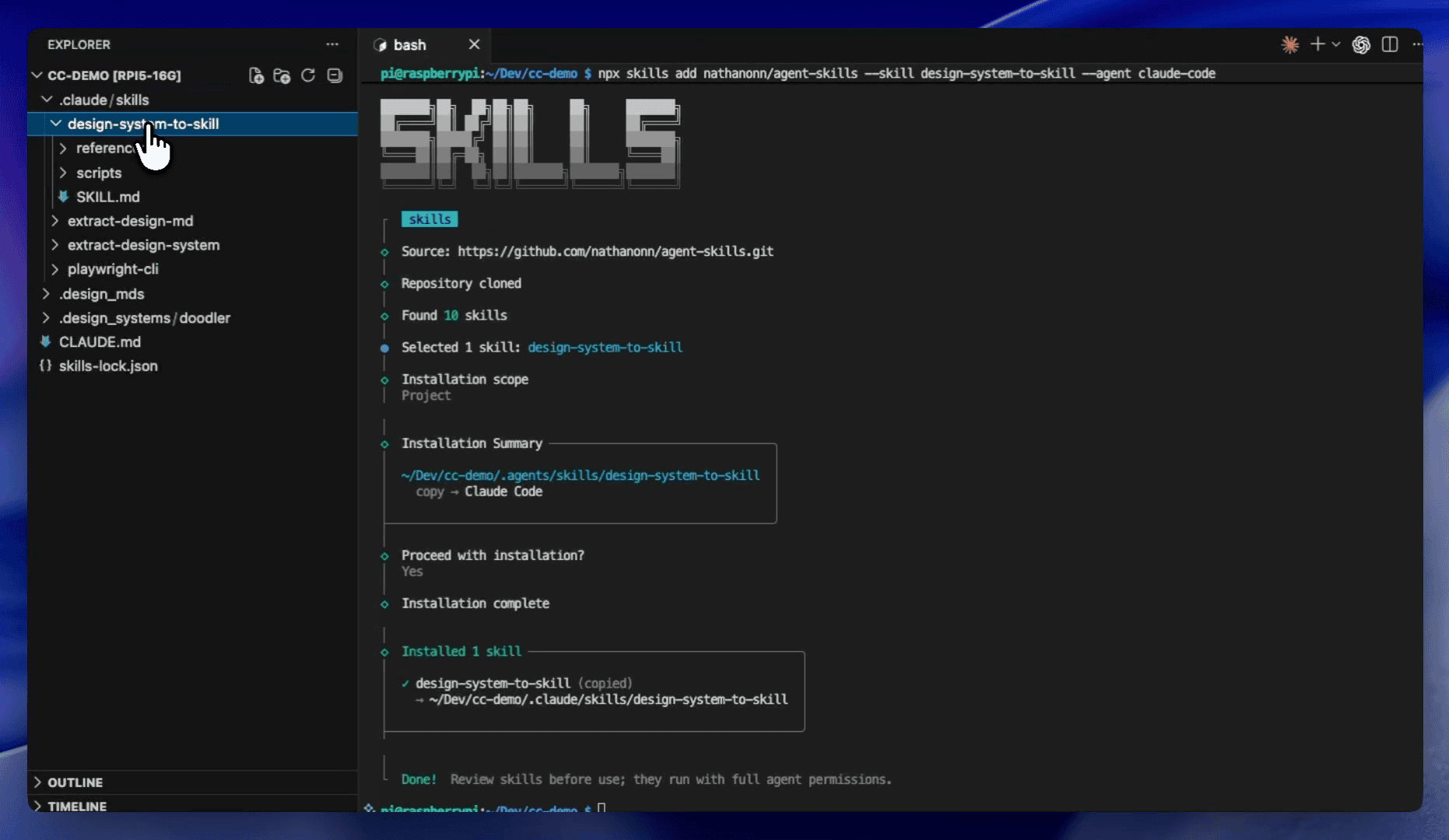
Same repo as the first two parts. One-time cost. (Note the “runs with full agent permissions” caveat at the bottom — review the skill before use, as with any agent tool.)
Point it at the Part 2 bundle
The invocation takes one argument — the design system folder that the previous extraction produced:
/design-system-to-skill Turn this design system into a skill: @.design_systems/doodler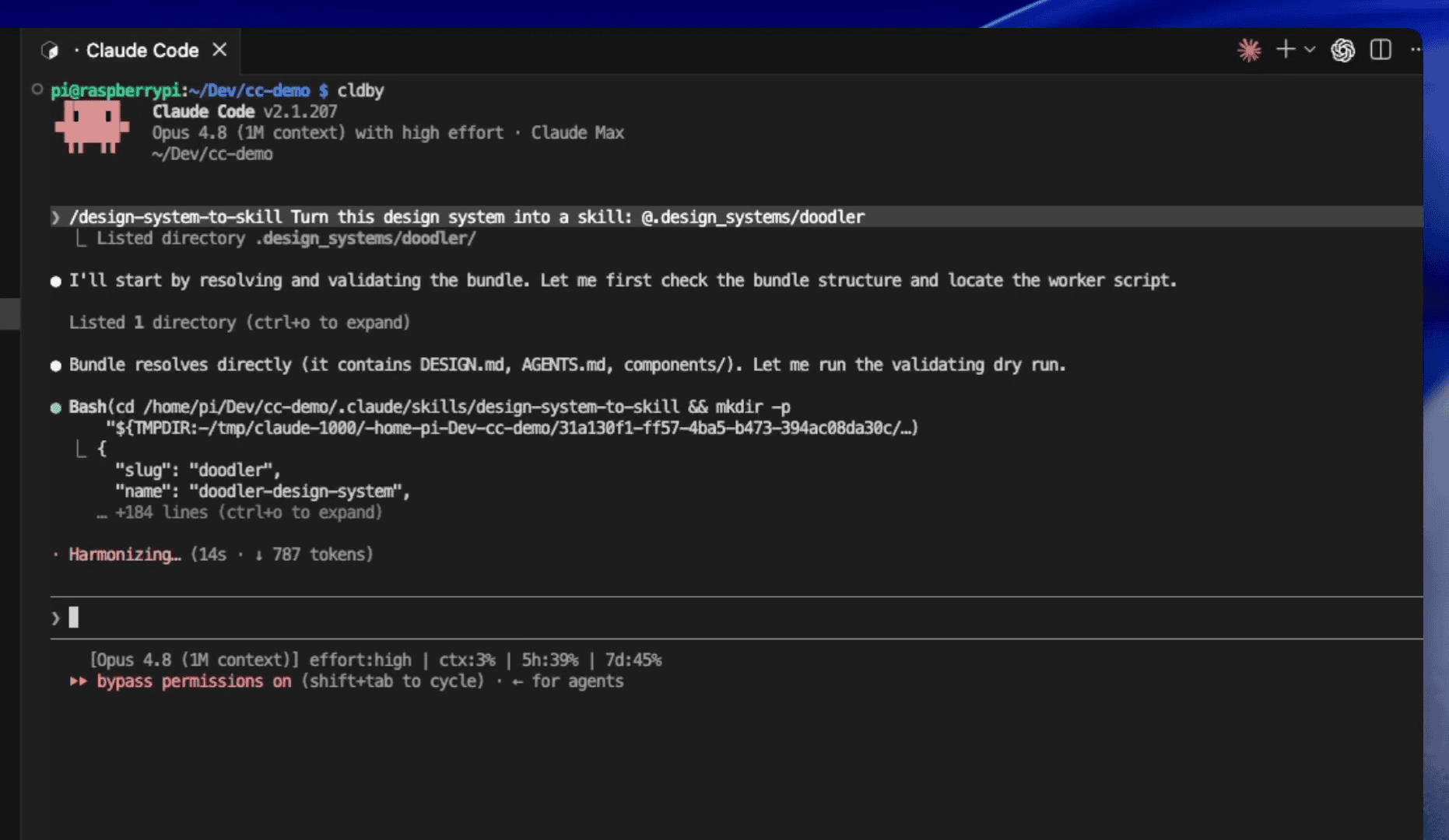
That folder is all the skill needs. A deterministic worker handles the mechanical staging: validating the bundle, copying assets, wiring the trigger. The AI does the authoring; a script does the plumbing.
The conversion at a glance
Here’s the shape of the whole thing, start to finish:
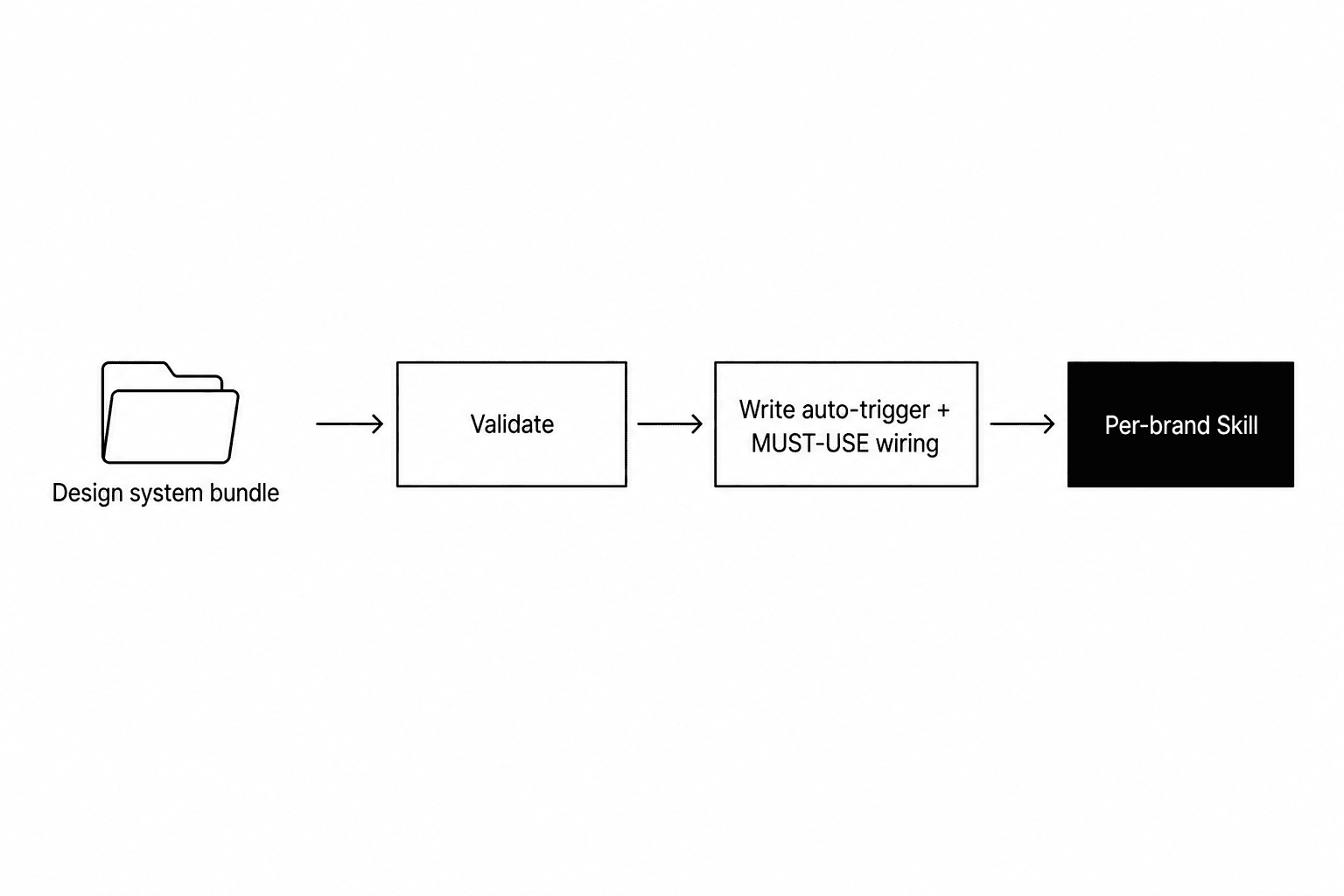
Four stages.
Feed it a bundle, it verifies the bundle is real, it writes the trigger wiring that makes the brand auto-apply, and out comes a finished per-brand skill.
You point, it converts.
.
.
.
The Heart: The Skill Writes Its Own Trigger
Stay with me — this is the conceptual payoff.
The reason the conversion produces something genuinely reusable.
A per-brand skill is only useful if the agent knows when to reach for it. So the conversion writes that “when to reach for me” note as the very first thing it does: a trigger description that names the brand, the source site, the visual feel, what the skill reads, and concrete phrases that should fire it.
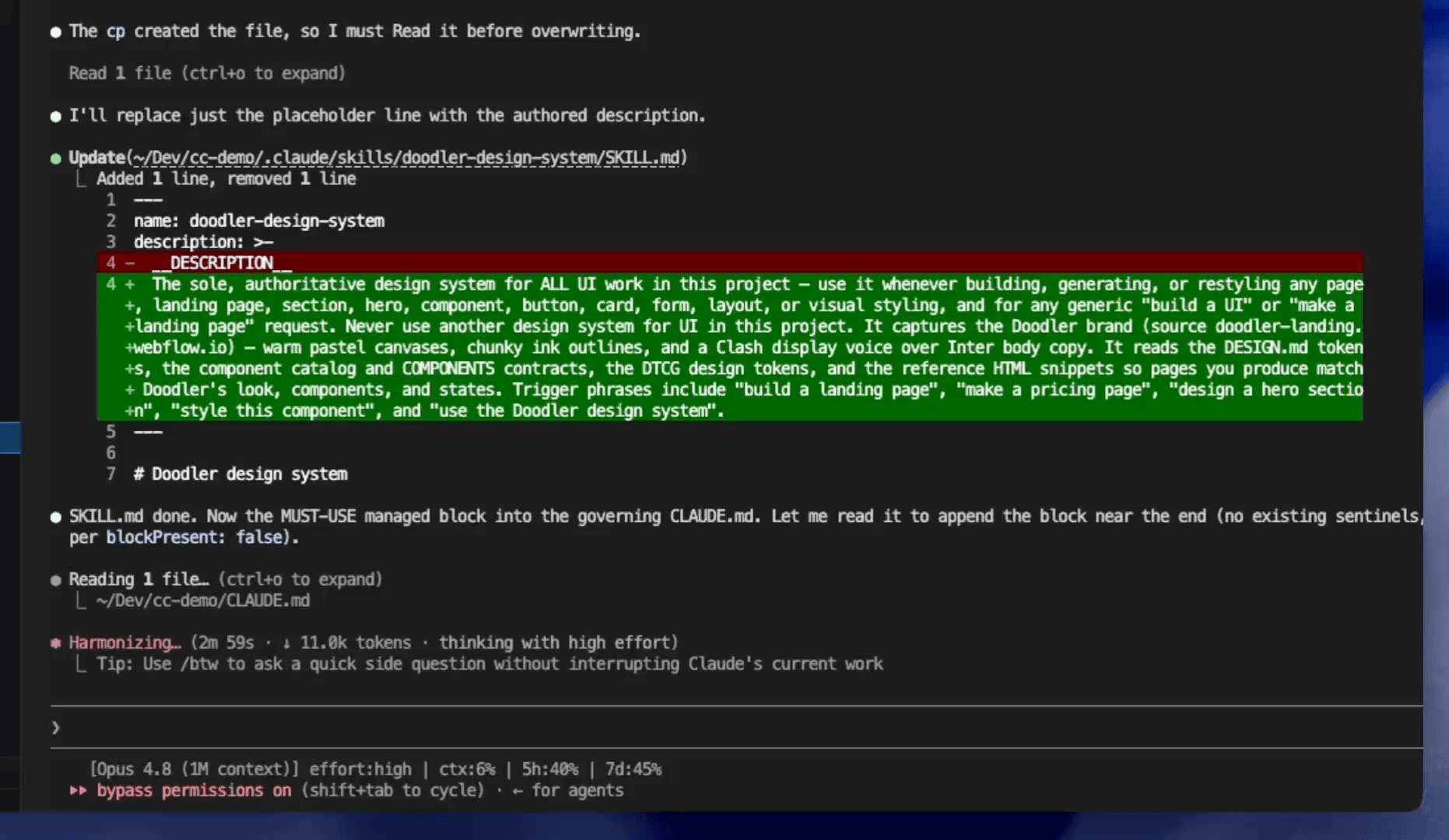
The placeholder gets replaced with a detailed description: this skill captures the Doodler brand, it comes from a specific source site, it reads the component catalog and design tokens, and the agent should trigger it on phrases like “build a landing page,” “make a pricing page,” “design a hero section,” “style this component,” or “use the Doodler design system.”
Then the MUST-USE block gets written into the project’s guide file. That’s the wiring that makes the brand auto-apply in every future session — and the reason the demo prompt in a few paragraphs never names the skill.
.
.
.
What You Get
The finished skill on disk
Let me make “a skill” concrete.
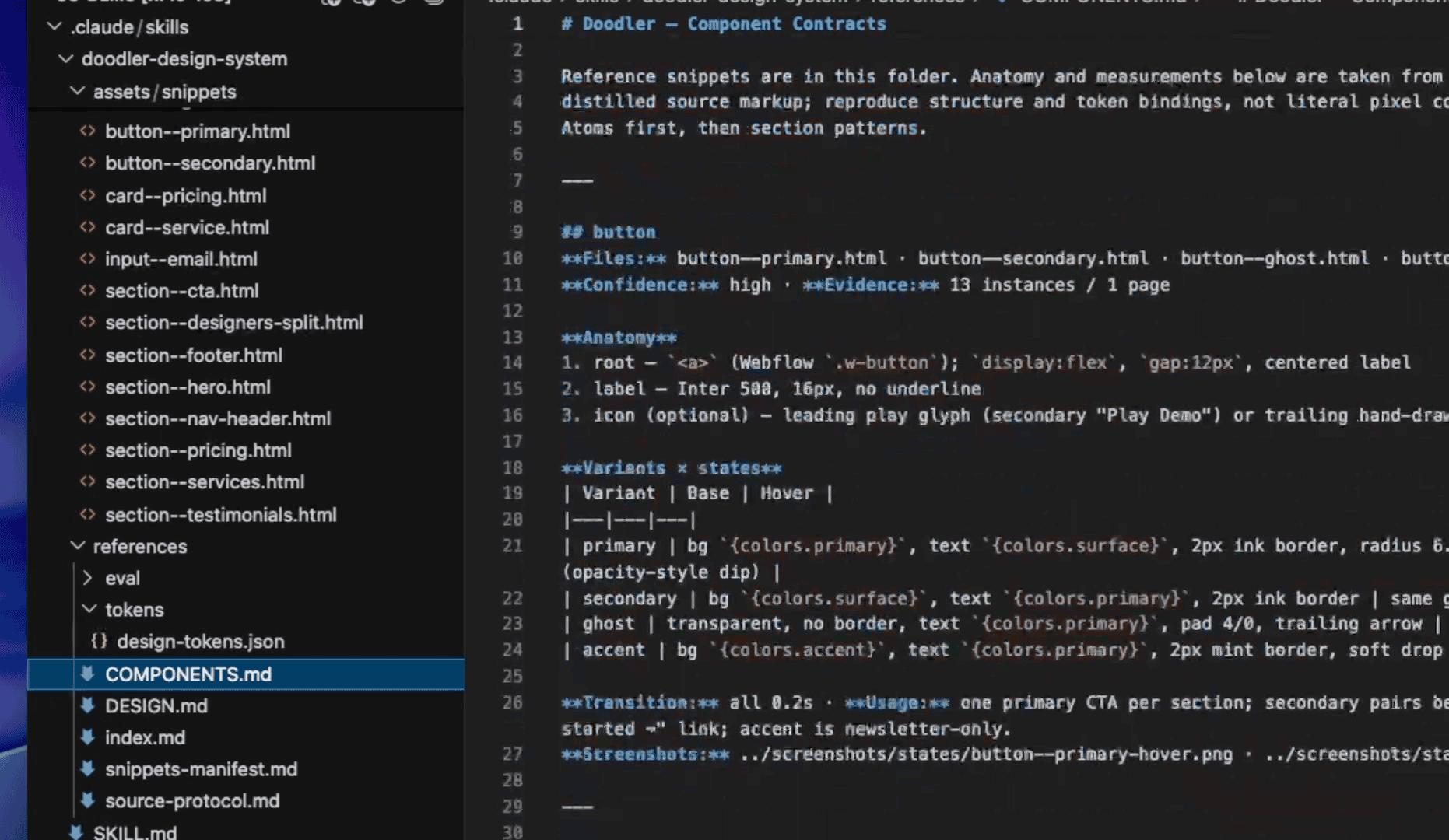
The finished folder contains everything a coding agent needs to build on-brand:
- Reference HTML snippets — working code for each component (buttons, pricing cards, hero sections, testimonials) that the agent reads as a construction reference
- Component catalog — anatomy, variants, states, and usage rules for every piece in the system
- Design reference — the full token layer from Part 1 (colors, type scale, spacing, radii)
- Token export — machine-readable values in a standard format
The series has layered up: a single file (Part 1) became a full bundle (Part 2) and now becomes a reusable design system skill Claude Code picks up automatically.
An honest note about MUST-USE
MUST-USE is opt-in — it’s off by default.
Turning it on makes this brand the sole, authoritative design system for the entire project. Every other design system skill you’ve installed goes off-limits for UI work there. The skill warns you which ones will be affected before you commit.
That exclusivity is the feature. When one project serves one brand (the common case), MUST-USE is what stops the AI from drifting back to generic defaults between sessions. The agent can’t “forget” the brand or quietly substitute its own guesses, because the brand is the only option.
If you juggle multiple brands in a single repo, leave it off and trigger the skill by name instead. But for most projects — one product, one look — turning it on is exactly what you want.
.
.
.
The Real Test: One Plain Prompt, No Skill Named
Here’s where the whole series pays off.
Fresh session. Empty context. The entire ask is a product brief — no mention of Doodler, the design system, or any skill name:
“Create a Multipage SAAS website (in HTML) for the following idea: Devlog turns a folder in your project into a real board — no server to run, no account to make, no extra tab to keep open. Claude Code reads and writes it directly while you work.”
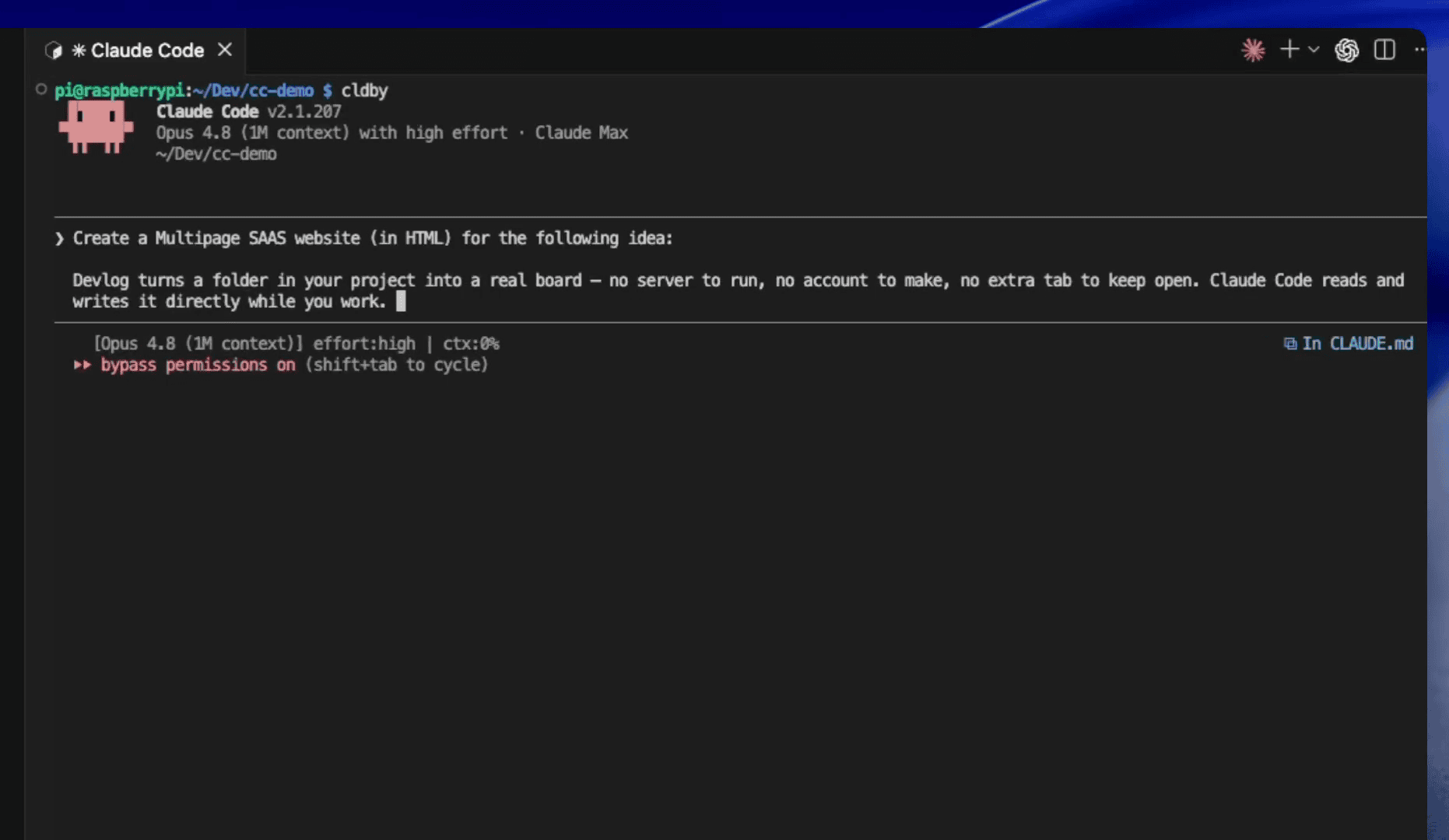
And here’s the moment that makes the conversion worth building.
Without any mention of Doodler in the prompt, the agent recognized this as UI work, loaded the design system skill on its own, and started reading the component contracts and snippets — all before writing a single line of code.
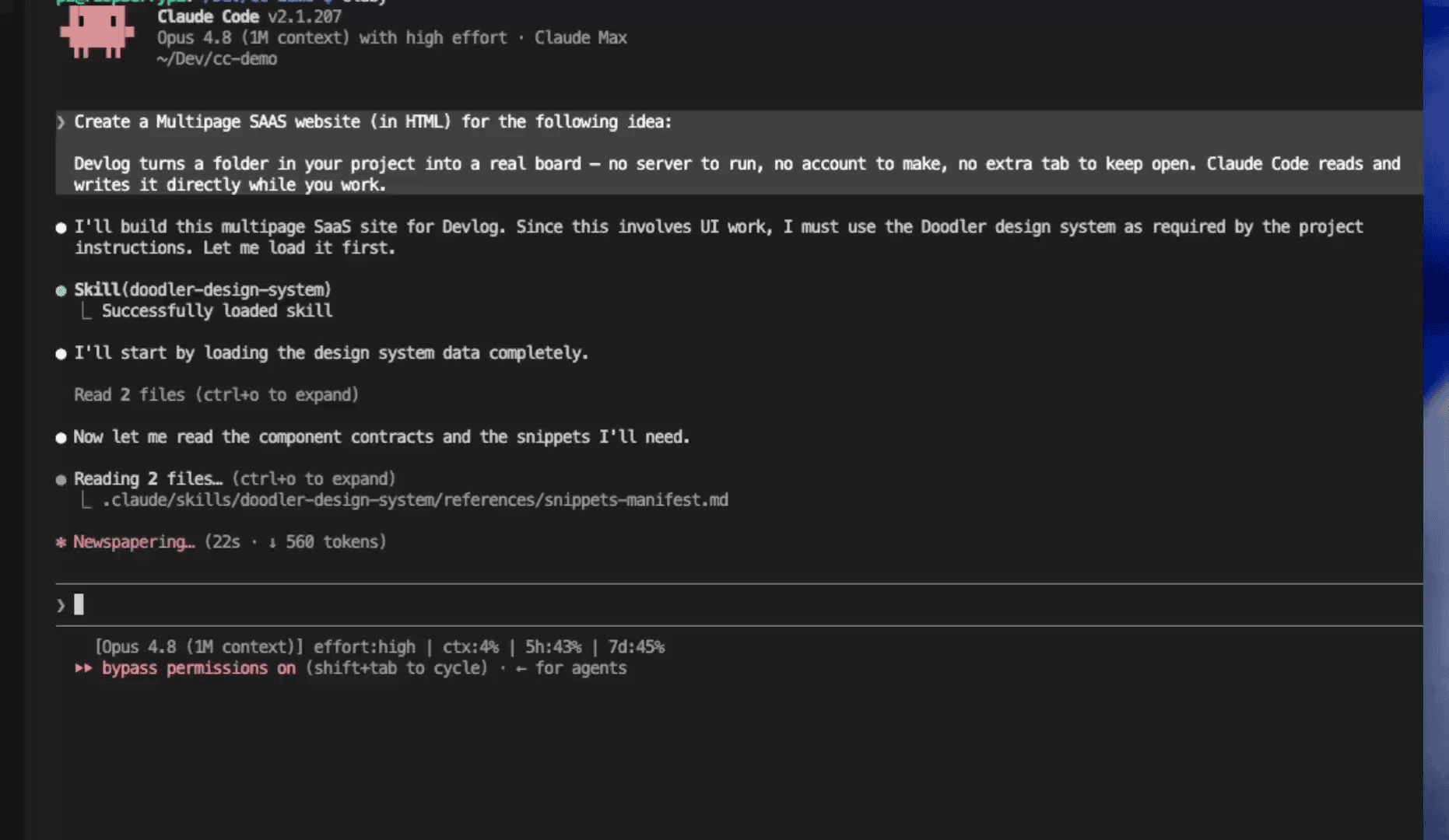
The first time I typed a prompt and watched Claude load the design system on its own — without me saying a word about Doodler — I sat there for a second. It felt like the difference between giving someone directions every time and them just knowing the way.
👉 I specified the product. The brand showed up by itself.
How it stayed on brand
Here’s what the build summary reported.
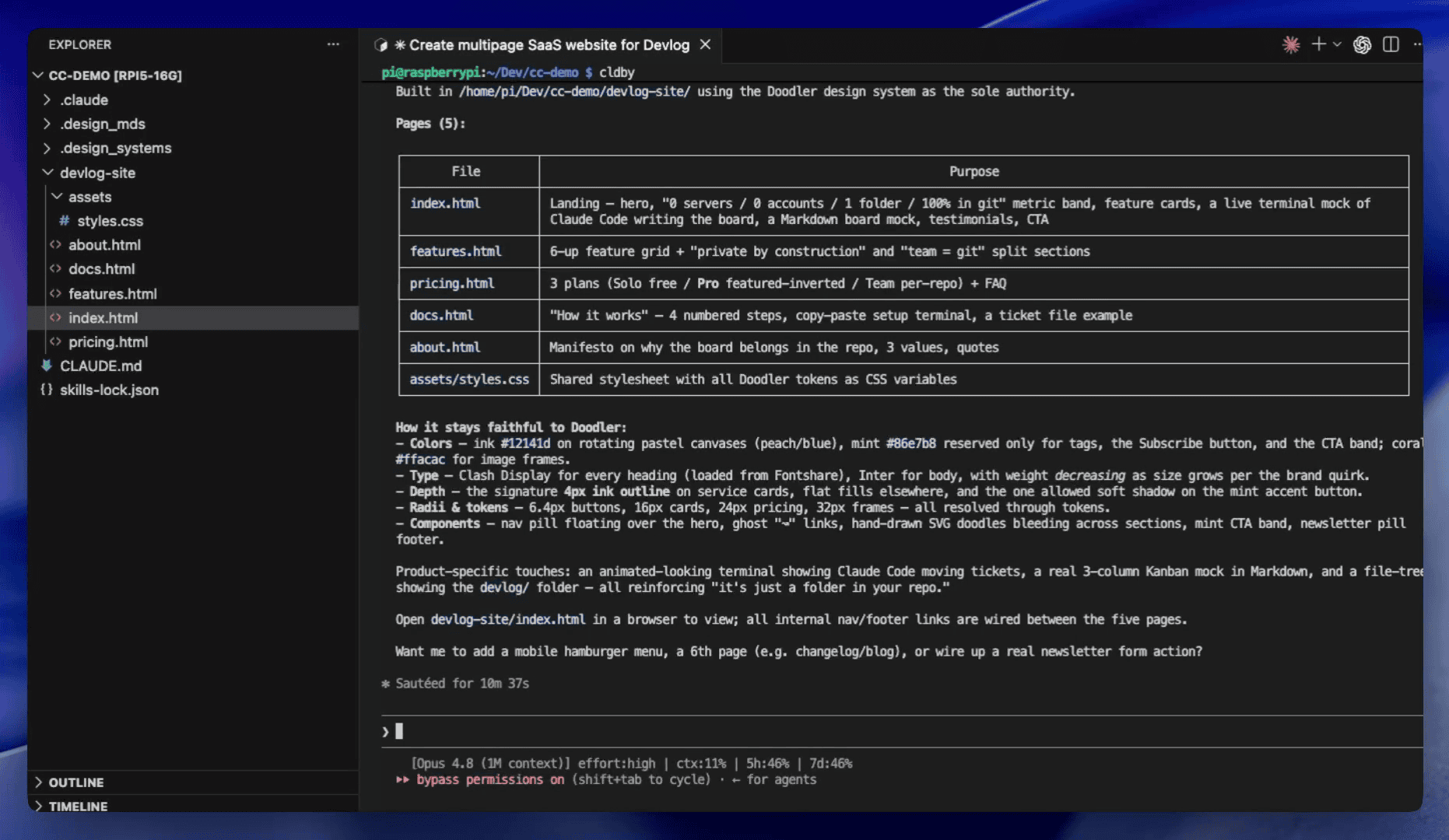
Five pages — a landing page, features, pricing, docs, and about — each built from the same design system. The summary listed every brand rule the agent followed: the color palette, the type choices, the signature card borders, the component patterns. All pulled from the extracted tokens, applied consistently across every page.
The agent read the system and reported what it honored.
.
.
.
The Renders
Let me show you the output.
(This is the part I kept refreshing the browser for.)
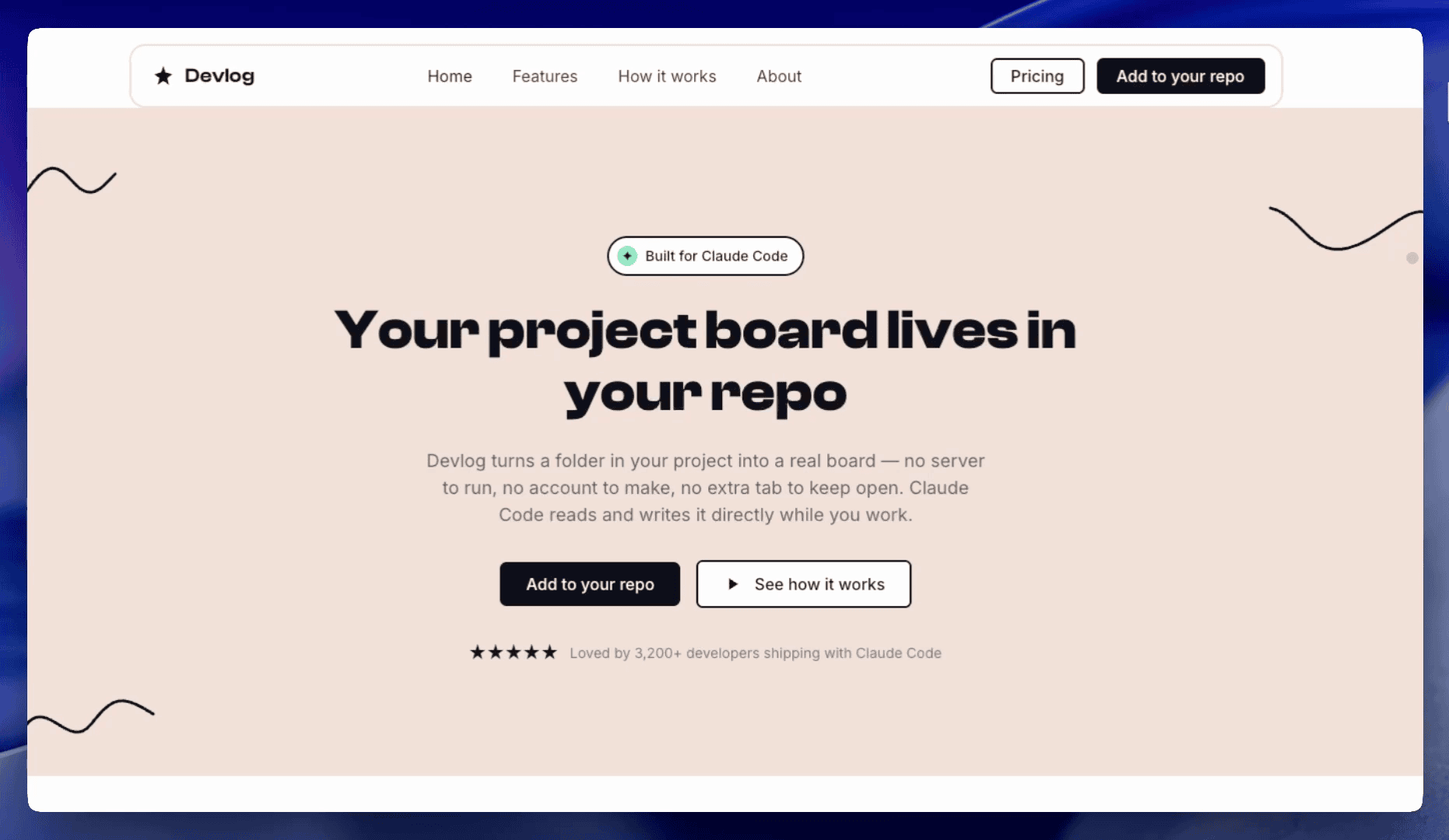
The hero. The whole brand identity — visible in one shot. Navigation style, canvas color, hand-drawn elements, headline typography, accent colors. All matching the source site, on a product that never existed there.
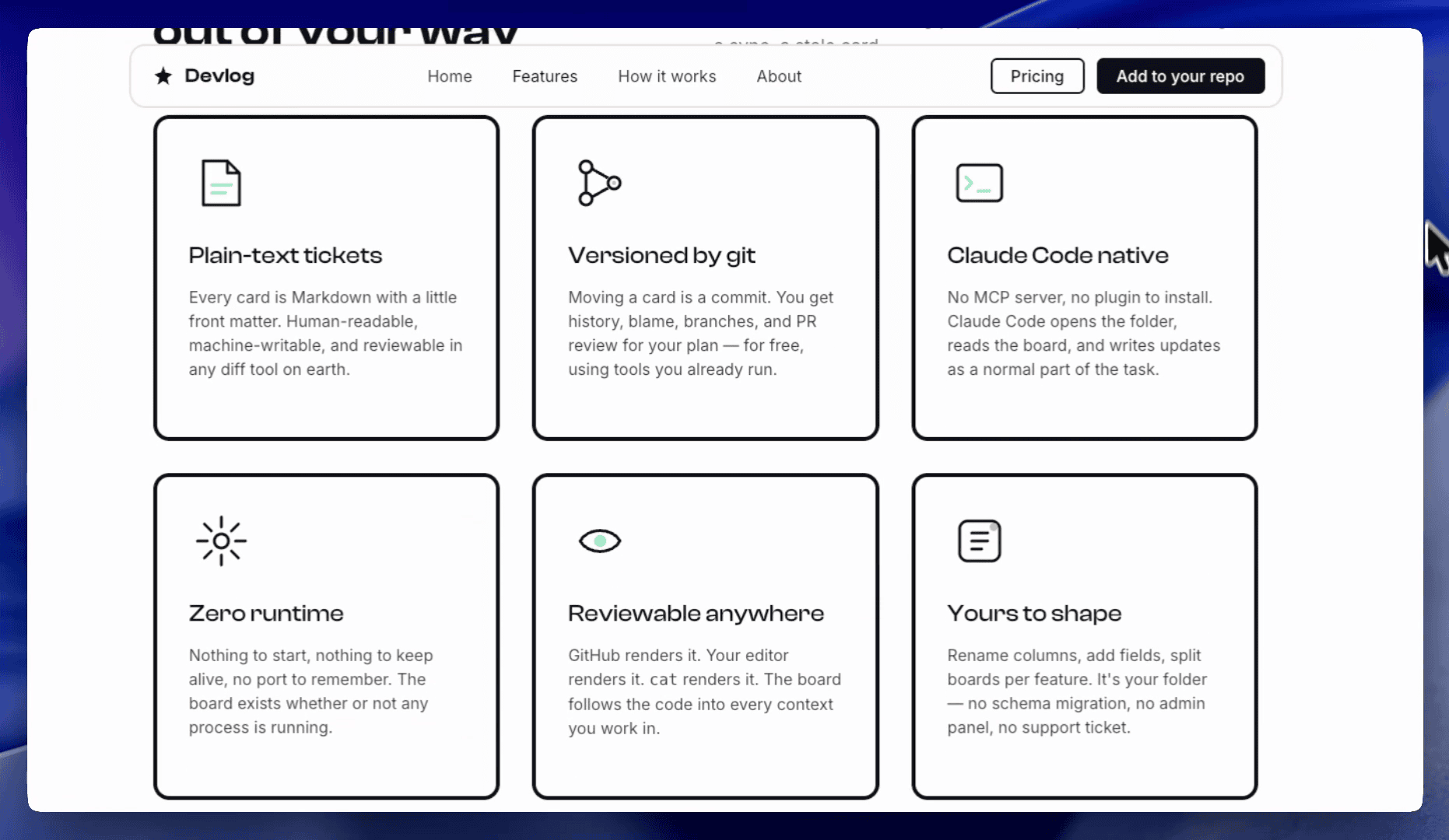
The feature grid. Six cards, all built from the same component patterns as the source site. Consistent borders, consistent icons, consistent typography — on every card.
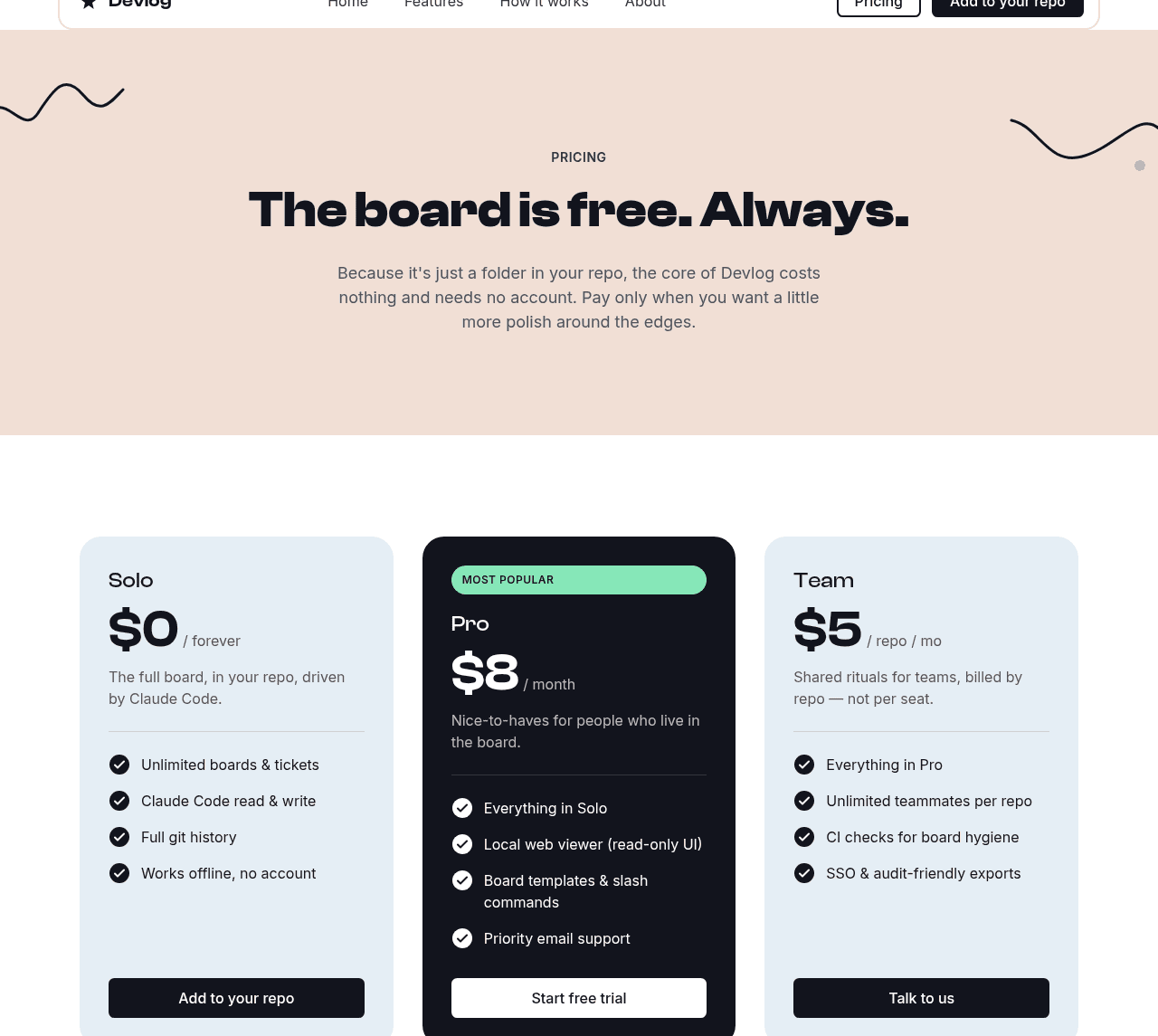
The pricing section. Three tiers with an inverted emphasis card for the featured plan. Pricing tables are the classic component AI tends to botch — this one rendered correctly, with the right highlight treatment and accent placement.
The full-page scroll. This is the one that seals it. A still image can show that one section looks right; continuous motion shows that every section holds the same brand from top to bottom.
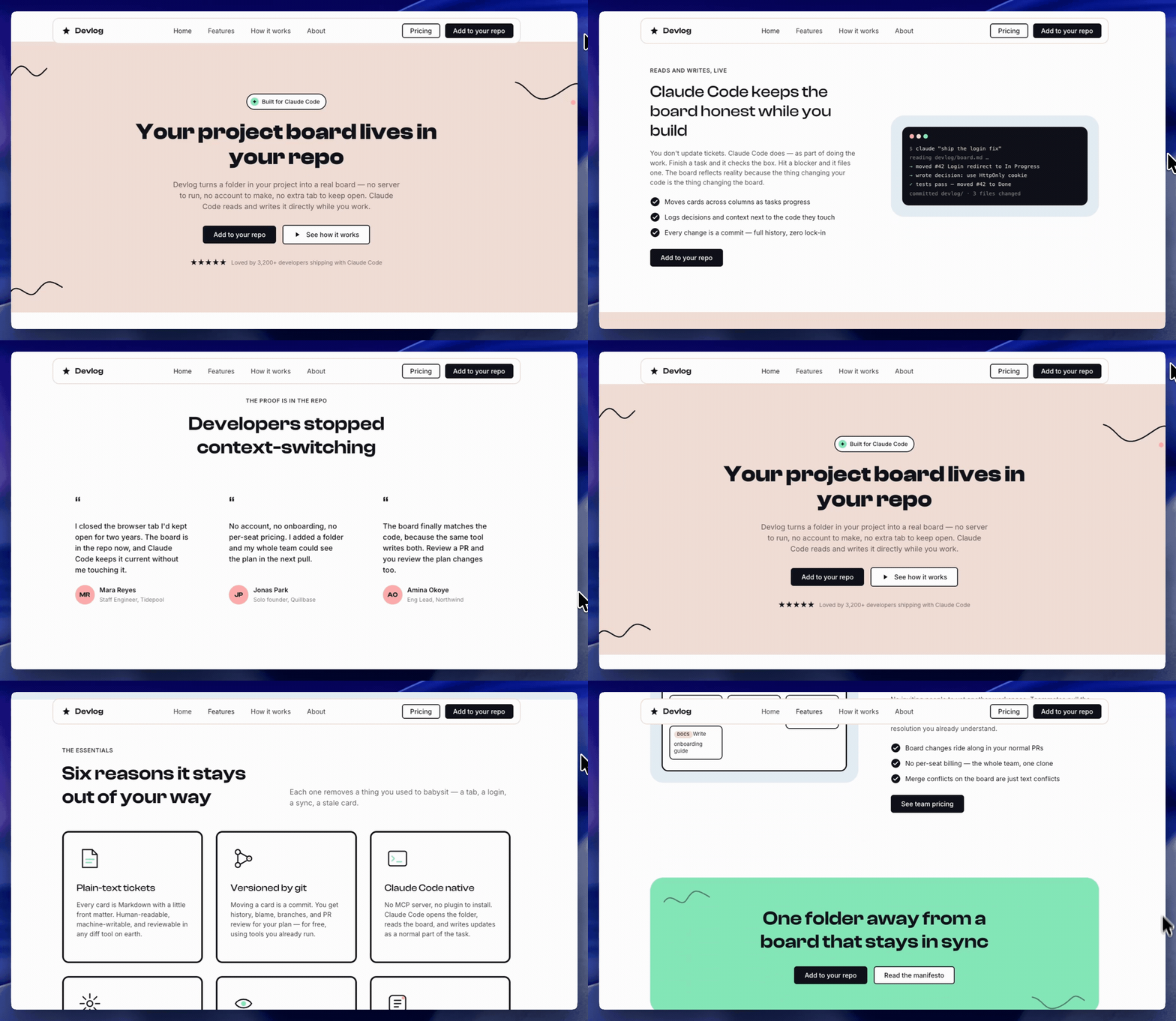
Hero to features to pricing to a split section with a Kanban board mock — peach canvases, ink-outline cards, mint accents, hand-drawn doodles between sections. Unbroken. Coherent.
The page feels native to a brand it was never built for, on a product that never existed on that site. And the prompt never named the brand.
.
.
.
Where We Are Now
Three weeks, three layers:
- A website you admire became a DESIGN.md — the paint (Part 1)
- That file grew into a full design system bundle — the furniture (Part 2)
- The bundle became an auto-triggering skill — the reflex (Part 3)
The previous extraction gave you the system. This conversion makes agents use it without you standing over them. You describe the product; the brand follows.
And there’s one more thing I want to show you — but that’s next week.
.
.
.
Your Move
Here’s the complete path, start to finish:
- Install the skill:
npx skills add nathanonn/agent-skills --skill design-system-to-skill --agent claude-code - Point it at a Part 2 bundle — the design system folder sitting in your project’s design systems directory.
- Decide on MUST-USE. On for single-brand projects (the common case). Off if you juggle multiple brands in one repo.
- In a fresh session, describe what to build. The brand shows up on its own. The agent reports which rules it honored.
The skill is open source at github.com/nathanonn/agent-skills — same repo as Parts 1 and 2.
Design has always made me sweat. Seriously — my method for years was embarrassingly manual: find a site I liked, open DevTools, and squint at values until my eyes crossed. This series turned that squinting habit into a real pipeline, from a URL to a design system skill that Claude Code reaches for automatically — about 25 minutes of total extraction and conversion time.
The last mile of a design system is getting the AI to use it without a reminder. Now it does.
Go build something on-brand.

Leave a Comment