I Taught Claude to Steal (Ethically) a Design System I Actually Like
You open Claude Code and ask for a landing page.
You hit enter, feeling optimistic.
A few seconds later you’re looking at a centered hero, a soft gradient, three rounded feature cards, and a “Get Started” button that could belong to any of ten thousand other apps.
Generate another one.
You get its cousin.
You know this feeling. The output is competent, clean, and completely anonymous — the visual equivalent of elevator music.
(If you’ve never stared at a freshly generated UI and thought “this is fine, I guess,” congratulations. The rest of us are not so lucky.)
.
.
.
The Reason Every AI-Generated UI Looks the Same
Here’s what nobody tells you about asking an AI to design something from a blank prompt.
The model is designing from memory.
Not your memory — the averaged-out blur of a million bootstrapped SaaS sites it absorbed during training.
Ask it for “a modern landing page” and it hands you the statistical middle of everything it has ever seen. That’s why the results feel so familiar. You’re staring at the mean of the internet.
No amount of prompt-wrangling fixes a sampling problem.
You can say “make it bold” or “make it premium,” and you’ll get a slightly bolder, slightly more premium version of the same average.
Here’s the thing: I’m a developer. A logic-and-code person. Design has always made me sweat. So my actual method for years has been embarrassingly manual — find a site whose look I admire, open DevTools, and reverse-engineer it by hand.
Eyedropper the colors, squint at the font sizes, guess at the spacing. I’d get maybe 70% of the way there before I ran out of patience and shipped something “good enough.”
(Every time I tried this, I’d get through the colors and fonts, feel good about myself, then open a fresh page on the site and discover a completely different card style I’d missed. The spec was always half-finished.)
There’s a better move.
Instead of asking an AI to invent a design, you hand it a real design system — one you already like — and make it build inside that system. The trick is capturing the system in the first place, which used to be the tedious part.
That’s the whole story of this post.
We’re going to extract a DESIGN.md from a website, get a clean, reusable spec, and then prove it works by handing that file to Claude Design and watching it build a brand-new page that still looks like the original.
.
.
.
A Site’s Design Is Already Written in Its CSS
Most “AI, look at this design” workflows start by feeding a screenshot to a vision model and asking it to guess.
That’s slow, expensive, and lossy.
Here’s the thing a lot of people miss: a website’s visual identity is already written down, in exact values, inside the page.
The primary color is a real hex code. Font sizes and weights sit in the type scale as real numbers. Corner radius and spacing rhythm live as real pixel values inside CSS custom properties and computed styles.
You don’t need a model to look at a screenshot and estimate — you can read the numbers directly, for free.
That’s the insight behind the extract-design-md skill. It reads a site’s design tokens straight out of the CSS, and only uses screenshots to inform the prose — the “this feels like a premium broadsheet” descriptions that help an agent apply the system with taste.
The output format is DESIGN.md, an open spec from Google Labs (it has picked up over 23,000 GitHub stars). One file combines two things:
- YAML front matter — the machine-readable design tokens (colors, typography, radius, spacing, components).
- Markdown prose — the human-readable rationale that tells an agent why those values exist and how to use them.
Tokens give an agent exact values. Prose gives it judgment. Together they form a persistent design memory you can hand to any coding agent.
If this sounds familiar, it should. Back in My App Looked Like Everyone Else’s Until I Discovered This Claude Skill Trick, I built a reusable design system by hand — generating variants, documenting them, and packaging the result as a Claude Skill. This skill automates the hardest part of that whole dance: capturing a real system so you have something to reuse in the first place.
.
.
.
Six Stages, URL to DESIGN.md
Before we run it, here’s the shape of the whole thing at a glance.
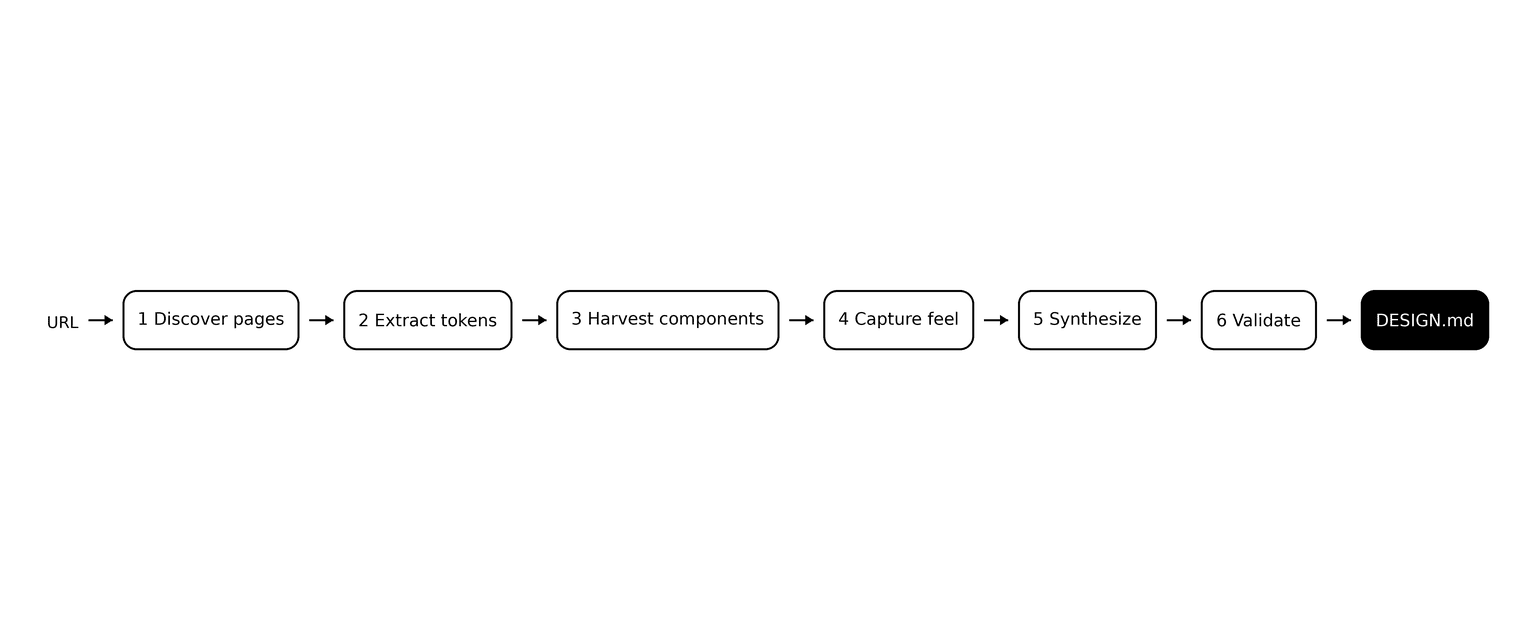
Six stages take a URL and hand back a validated DESIGN.md:
- Discover pages — map the site and pick a few representative pages (home, pricing, auth, blog) so the tokens come from real variety.
- Extract tokens — read the CSS variables and computed styles; resolve colors to hex; name them by role rather than dumping every shade.
- Harvest components — capture the buttons, inputs, and cards the pages actually expose, plus their hover and focus states.
- Capture feel — take light screenshots that inform the written descriptions only.
- Synthesize — map everything onto the DESIGN.md schema in a consistent order.
- Validate — run the official linter as a quality gate.
The design decisions inside those stages are what make the result trustworthy. Tokens come from real CSS values, so nothing gets invented.
Components get captured only when the page genuinely has them. And when a site has no cards or chips, the skill records that absence honestly instead of hallucinating a component to fill the gap.
(The honesty is the whole feature. You get what’s really there, with a note about what isn’t.)
.
.
.
Two Tools and One Install
Three moving parts, and only one of them is strictly required.
1. playwright-cli — the browser engine that does the reading and the screenshots. The install --skills step registers it as a skill for Claude Code so the agent can drive a real browser. Install it once:
npm install -g @playwright/cli@latestplaywright-cli install --skills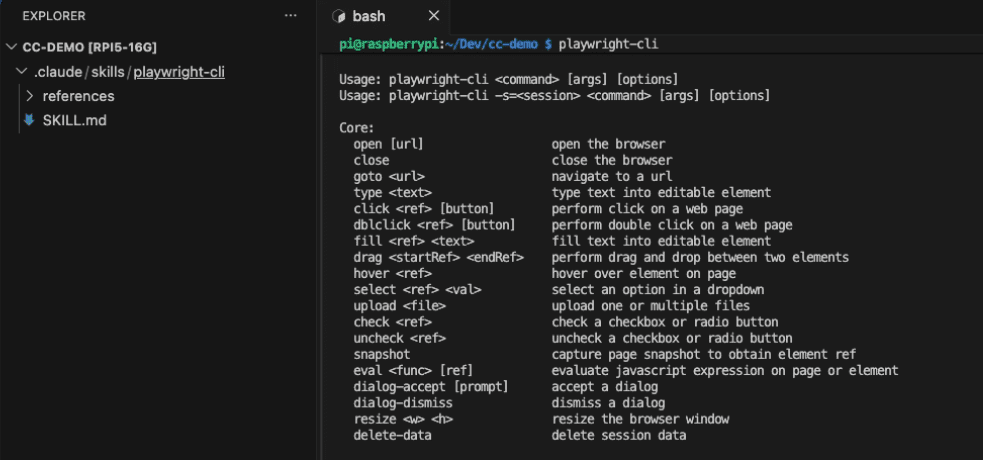
2. Firecrawl — used for the page-discovery step. This one is optional but recommended. Without it, the skill falls back to thinner link discovery; with it, you get better page coverage.
If you don’t already have Firecrawl running, I wrote a full free setup guide in How to Run Firecrawl for Free in the Cloud (No Credit Card, No API Keys). The one thing to add is a short CLAUDE.md block that points Claude Code at your local instance so it uses Firecrawl instead of the built-in web tools.
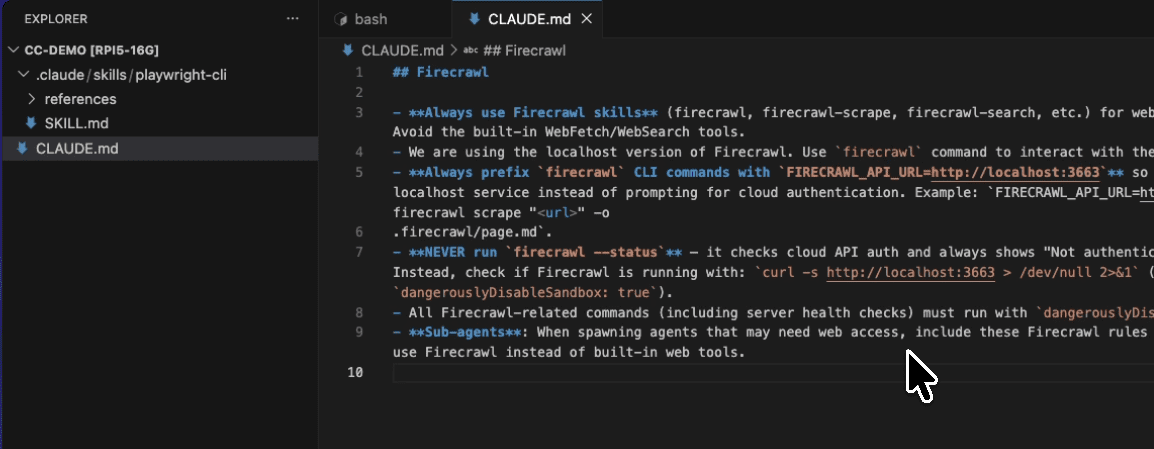
3. The skill itself — one command:
npx skills add nathanonn/agent-skills --skill extract-design-md --agent claude-code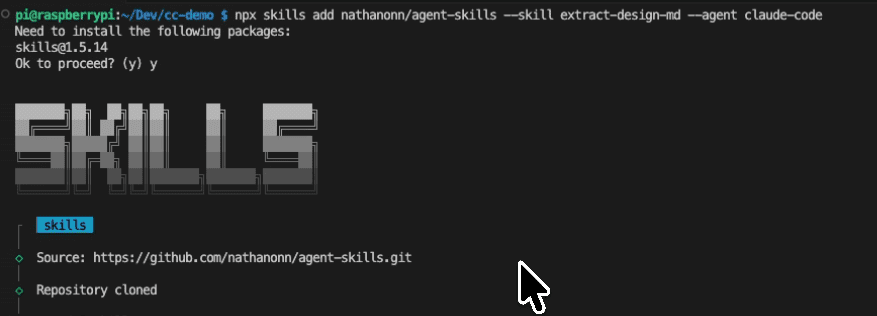
That’s the whole setup. One-time cost, then it’s a single command per site from here on.
.
.
.
The Live Run
I pointed the skill at my own website.
/extract-design-md https://www.nathanonn.com/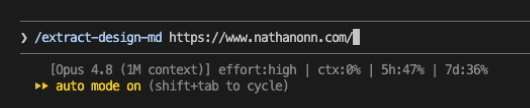
Quick honesty note on why I used my own site. Design tokens — a hex value, a font size — aren’t really the kind of thing anyone owns. But cloning a real business’s homepage pixel-for-pixel is a different and dumber move.
The sane lane: your own sites, client sites you have rights to, or a site you use as a starting point that you then make your own. I picked mine so nobody has to email me about it. Moving on.
Claude verified the three tools, created an output folder, and mapped the site.
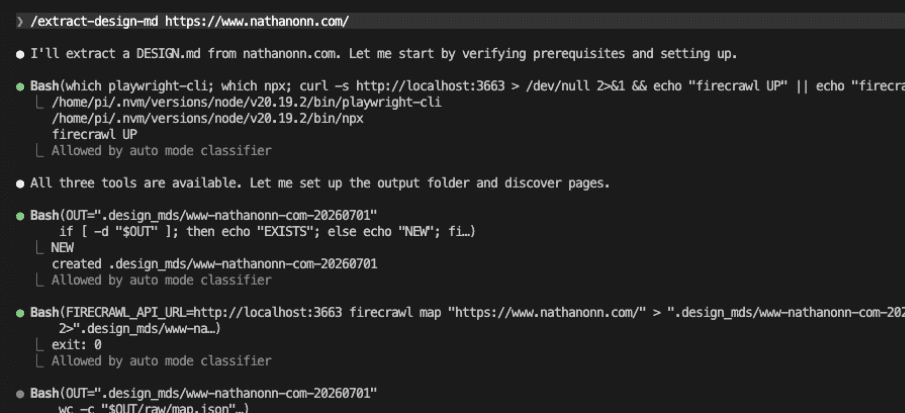
Then it did the one thing I wish more tools would do. It stopped and asked me to confirm which pages to sample before spending any time crawling.
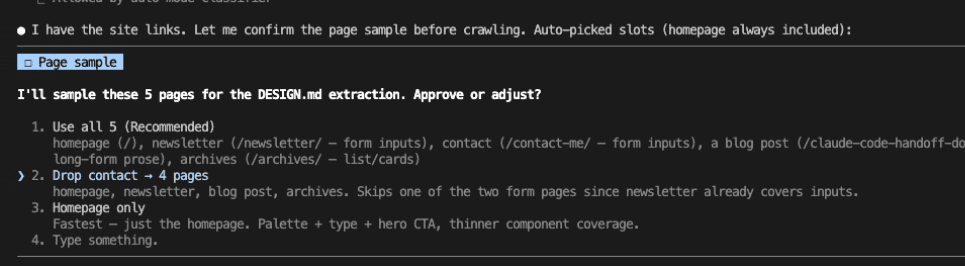
It auto-picked five pages and offered me the choice. I dropped the contact page — it’s a trivial layout that would only add noise to the sample, and the newsletter page already covered the form inputs.
(I’ve used enough tools that just barrel ahead without asking. This one stopped, showed me its thinking, and let me trim the list. If every agent did this, I’d trust them twice as fast.)
From there it ran mostly hands-off.
I’m going to spare you the play-by-play — the output is what matters here. It worked through token extraction across the pages, harvested the components, took a light screenshot pass to inform the writing, and then ran a lint check.
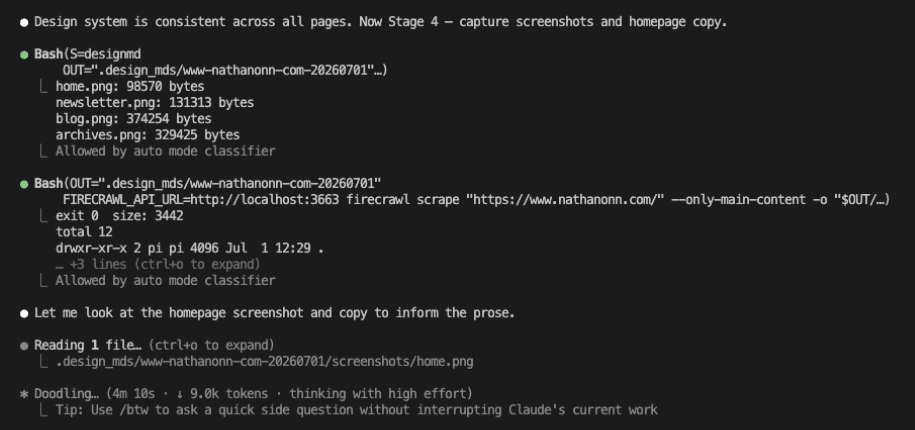
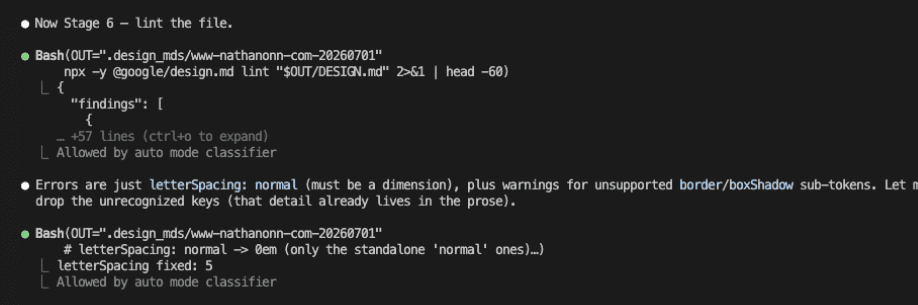
A couple of minutes later, it was done.
Here’s the final report.
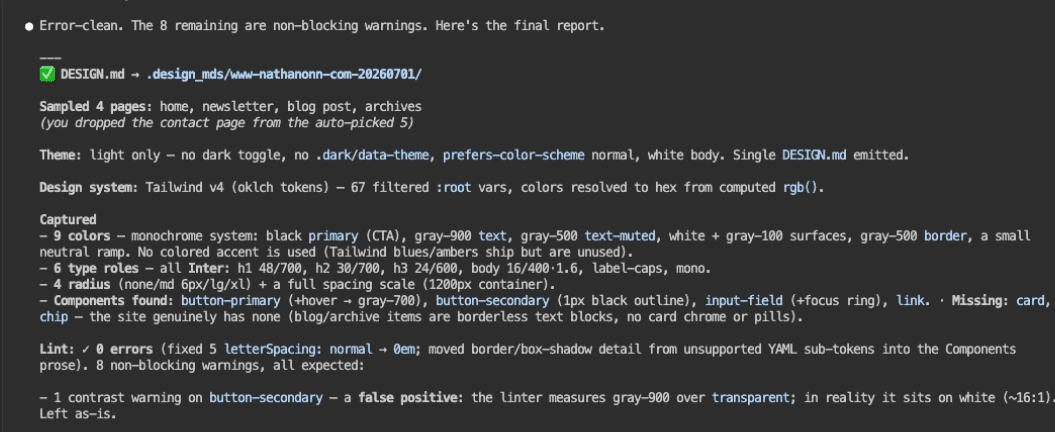
The report is refreshingly specific about what it did and didn’t find:
- Pages sampled: 4 — home, newsletter, blog post, archives (contact dropped from the auto-picked 5).
- Theme: light only. No dark toggle on the site, so a single file.
- Colors: 9, a monochrome system — black as the primary CTA, grays for text and borders, white and light-gray surfaces, a small neutral ramp. No colored accent, because the site genuinely doesn’t use one.
- Type roles: 6, all in Inter, from a 48px/700 heading down to a mono label style.
- Radius + spacing: a 4-step radius scale and a full spacing scale on a 1200px container.
- Components found: primary button (with hover), secondary button, input field (with focus), link.
- Components missing: cards and chips — the site has none, so none were invented.
- Lint: 0 errors after a couple of automatic structural fixes, plus 8 non-blocking warnings and one contrast warning it correctly flagged as a false positive.
.
.
.
The Result: A DESIGN.md You Can Actually Read
Let me show you the artifact.
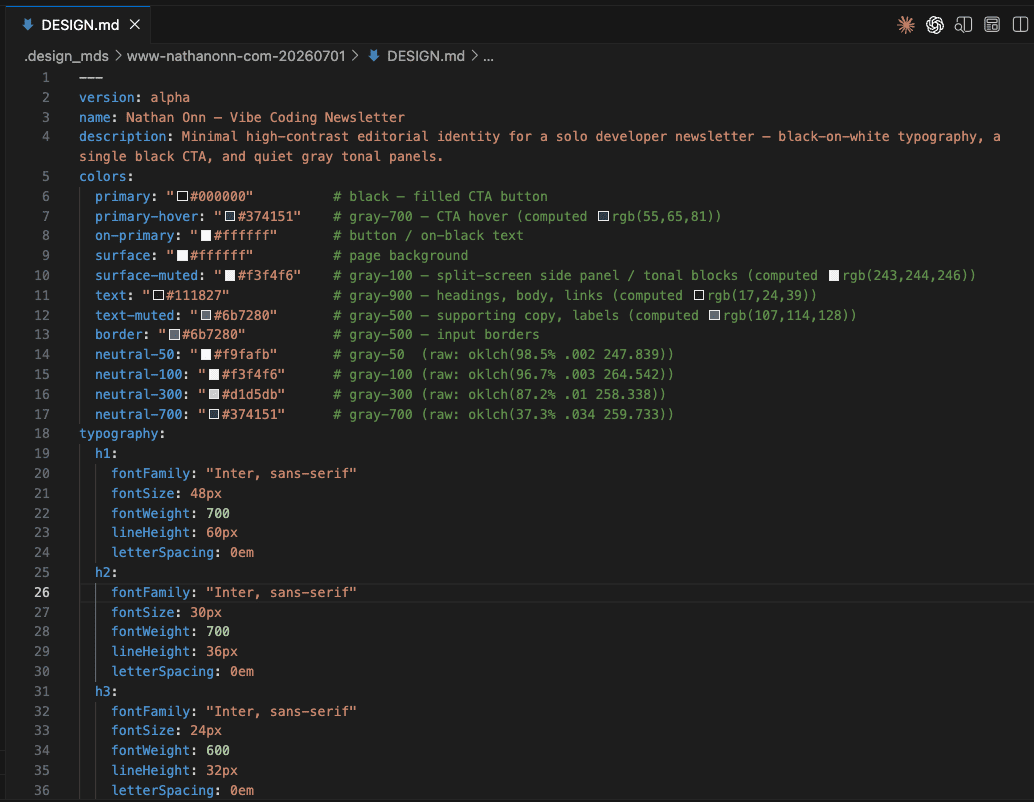
One file. Two layers.
The YAML front matter holds the machine-readable design tokens — every color, type size, radius, spacing value, and component definition the skill extracted. The markdown prose below it holds the human-readable rationale: what the design feels like and how an agent should apply it.
Here’s the full token layer from the extraction:
---version: alphaname: Nathan Onn — Vibe Coding Newsletterdescription: Minimal high-contrast editorial identity for a solo developer newsletter — black-on-white typography, a single black CTA, and quiet gray tonal panels.colors: primary: "#000000" # black — filled CTA button primary-hover: "#374151" # gray-700 — CTA hover (computed rgb(55,65,81)) on-primary: "#ffffff" # button / on-black text surface: "#ffffff" # page background surface-muted: "#f3f4f6" # gray-100 — split-screen side panel / tonal blocks (computed rgb(243,244,246)) text: "#111827" # gray-900 — headings, body, links (computed rgb(17,24,39)) text-muted: "#6b7280" # gray-500 — supporting copy, labels (computed rgb(107,114,128)) border: "#6b7280" # gray-500 — input borders neutral-50: "#f9fafb" # gray-50 (raw: oklch(98.5% .002 247.839)) neutral-100: "#f3f4f6" # gray-100 (raw: oklch(96.7% .003 264.542)) neutral-300: "#d1d5db" # gray-300 (raw: oklch(87.2% .01 258.338)) neutral-700: "#374151" # gray-700 (raw: oklch(37.3% .034 259.733))typography: h1: fontFamily: "Inter, sans-serif" fontSize: 48px fontWeight: 700 lineHeight: 60px letterSpacing: 0em h2: fontFamily: "Inter, sans-serif" fontSize: 30px fontWeight: 700 lineHeight: 36px letterSpacing: 0em h3: fontFamily: "Inter, sans-serif" fontSize: 24px fontWeight: 600 lineHeight: 32px letterSpacing: 0em body: fontFamily: "Inter, sans-serif" fontSize: 16px fontWeight: 400 lineHeight: 1.6 letterSpacing: 0em label-caps: fontFamily: "Inter, sans-serif" fontSize: 14px fontWeight: 600 lineHeight: 1.25 letterSpacing: 0.05em # uppercase eyebrow labels ("LATEST ISSUE") mono: fontFamily: "ui-monospace, SFMono-Regular, Menlo, Monaco, Consolas, monospace" fontSize: 14px fontWeight: 400 lineHeight: 1.5 letterSpacing: 0emrounded: none: 0px md: 0.375rem # 6px — buttons, inputs lg: 0.5rem xl: 0.75remspacing: xs: 0.5rem # 8px sm: 0.75rem # 12px md: 1rem # 16px lg: 1.5rem # 24px xl: 2rem # 32px container: 1200px # max content widthcomponents: button-primary: backgroundColor: "{colors.primary}" textColor: "{colors.on-primary}" typography: "{typography.body}" rounded: "{rounded.md}" padding: 12px 24px button-primary-hover: backgroundColor: "{colors.primary-hover}" textColor: "{colors.on-primary}" rounded: "{rounded.md}" padding: 12px 24px button-secondary: backgroundColor: transparent textColor: "{colors.text}" typography: "{typography.body}" rounded: "{rounded.md}" padding: 8px 16px input-field: backgroundColor: "{colors.surface}" textColor: "{colors.text}" typography: "{typography.body}" rounded: "{rounded.md}" padding: 12px 16px input-field-focus: backgroundColor: "{colors.surface}" rounded: "{rounded.md}" padding: 12px 16px link: textColor: "{colors.text}" typography: "{typography.body}"---Every value traces back to real CSS on the page. Colors are named by role — primary, surface, text-muted, border — so an agent knows what job each color does. Typography is a real scale extracted from computed styles. Components carry their exact padding, radius, and state changes.
When the site had no cards or chips, the file records that honestly instead of inventing them.
Below the tokens, the prose section describes the overall identity and guides an agent on how to apply the system with taste — things like “nothing competes with the words” and “let black do the pointing.”
And here’s the kicker: the file doesn’t stop at documentation. The official @google/design.md CLI can export it into working code:
# Turn the DESIGN.md into a Tailwind theme (v4)npx @google/design.md export --format css-tailwind DESIGN.md > theme.cssIt also exports to a Tailwind v3 config or to W3C DTCG tokens. The spec that documents your design system can drop straight into a real project.
.
.
.
The Real Test: Claude Design
A design spec is only worth something if a model can build a consistent new design from it.
So let’s test it somewhere the original site has never been seen.
Enter Claude Design, Anthropic’s design tool (currently in beta). It collaborates with you on polished visual work — prototypes, pages, slides.
The key part for us: it can build production-ready UI from your own design system. That makes it the perfect testbed, because it only knows what’s in the file.
I uploaded the DESIGN.md, chose the newly launched Claude Sonnet 5, and asked for a landing page for a fake developer tool:
Create a landing page using the attached DESIGN.md for the following SAAS: Devlog turns a folder in your project into a real board — no server to run, no account to make, no extra tab to keep open. Claude Code reads and writes it directly while you work.
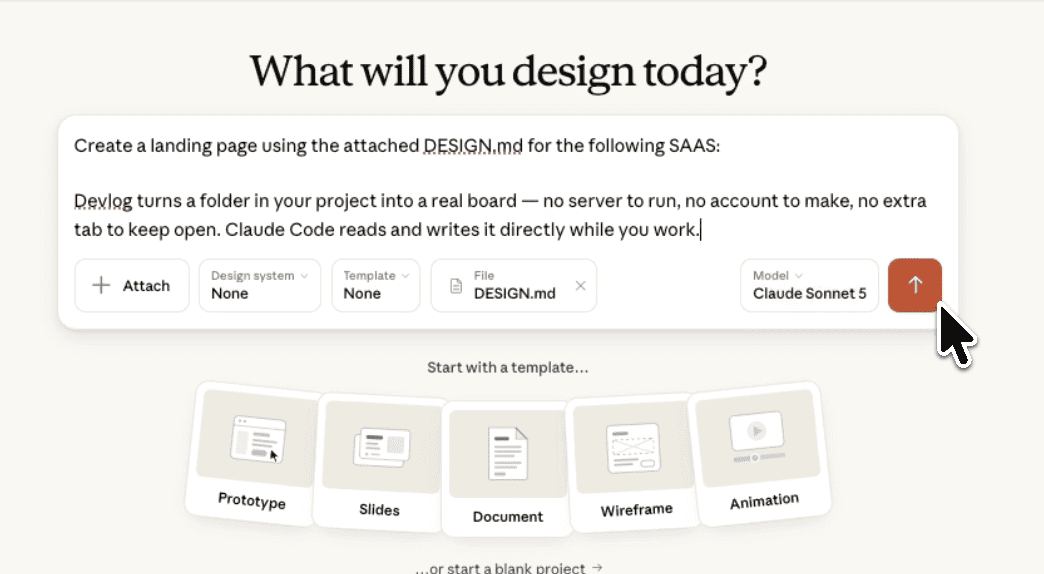
It read the file and, like a good collaborator, came back with questions before building anything — which sections to include, what the primary CTA should do, whether the product was free or paid, and what tone the copy should take.
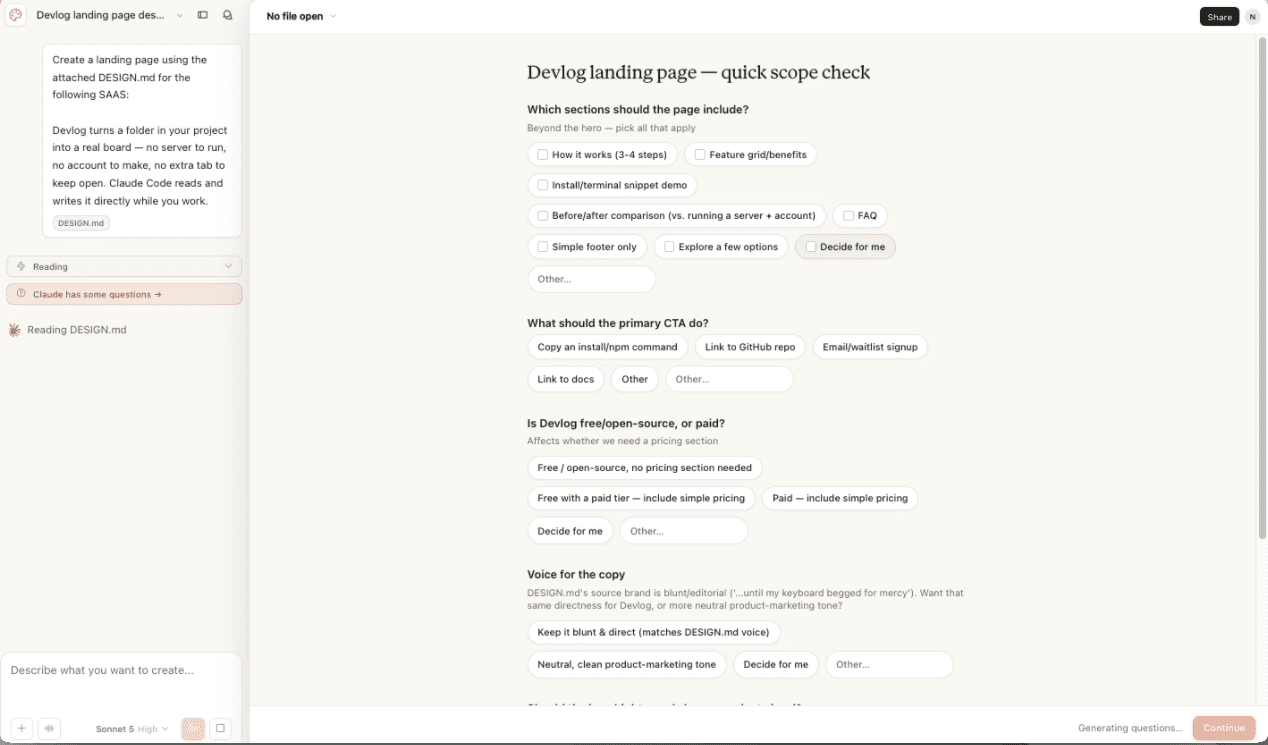
I answered a few and let it decide the rest. Then it went to work laying out the page.
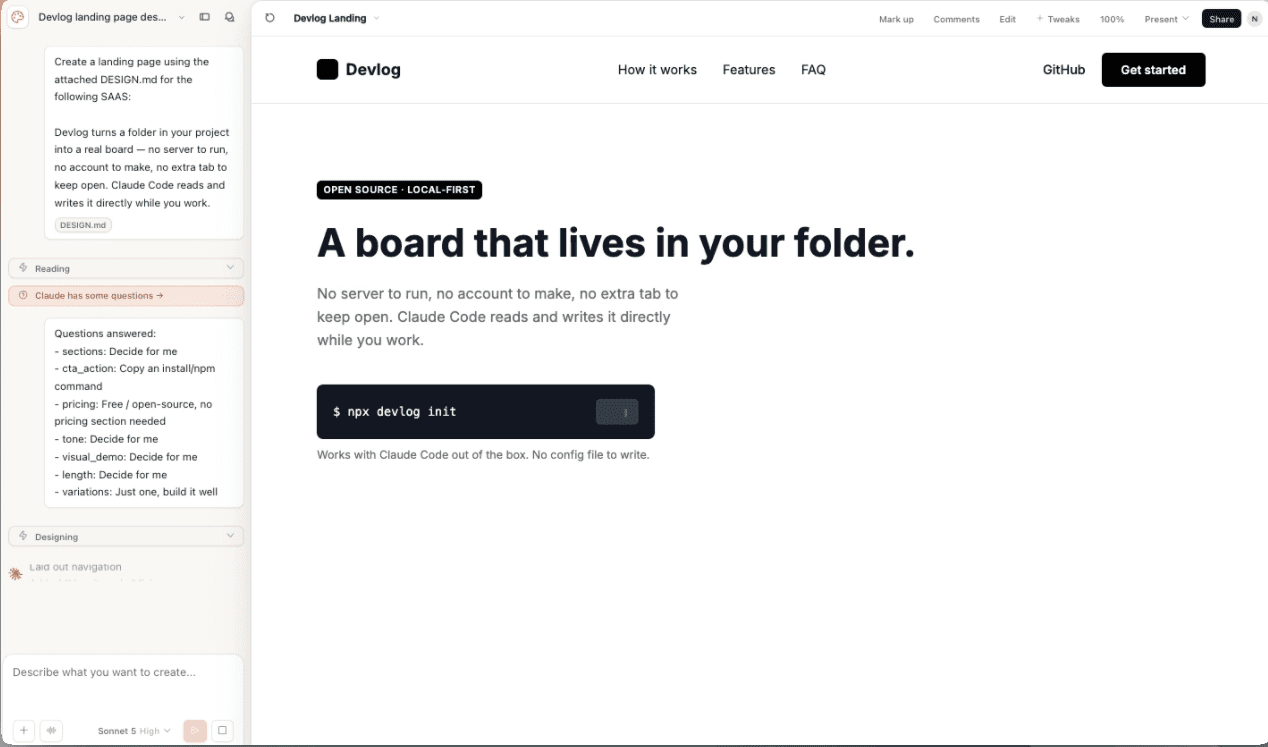
Here’s where it landed.
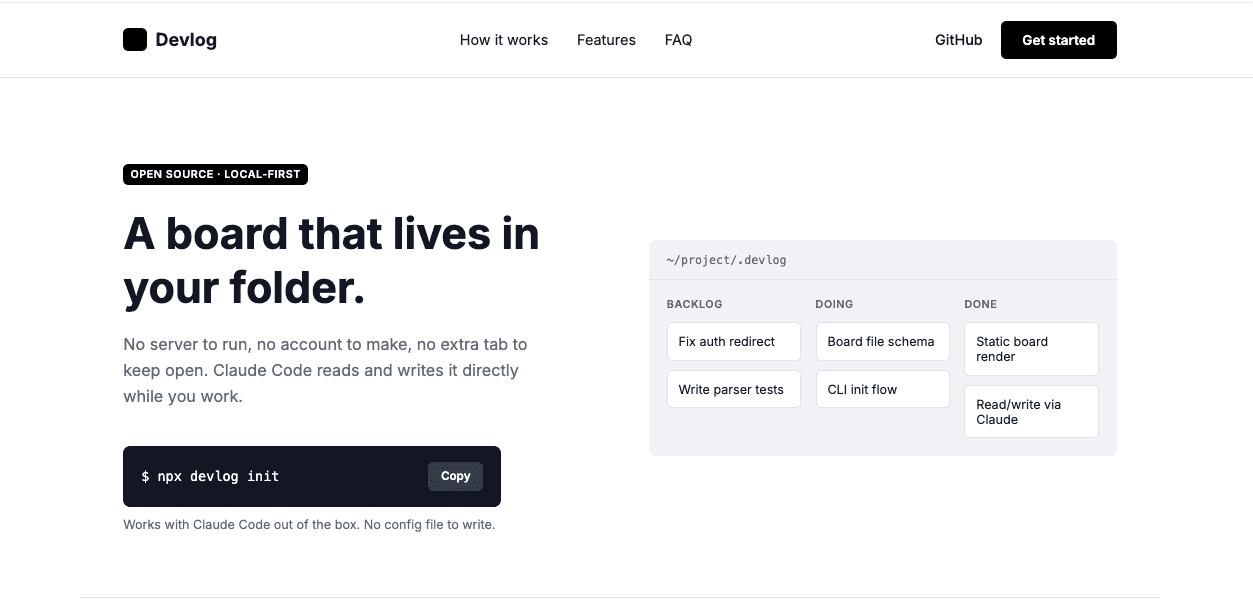
A black wordmark, a black pill “Get started” button, an Inter headline, and a gray tonal panel showing a fake board.
The rest of the page carried the same identity all the way down:
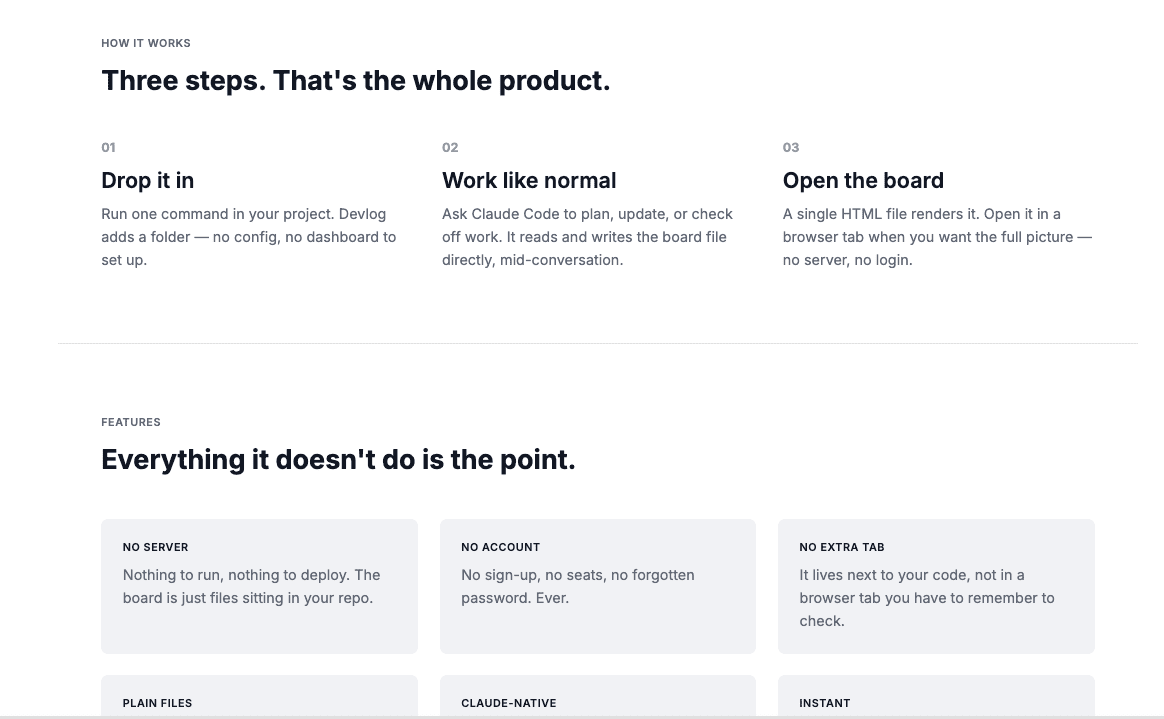
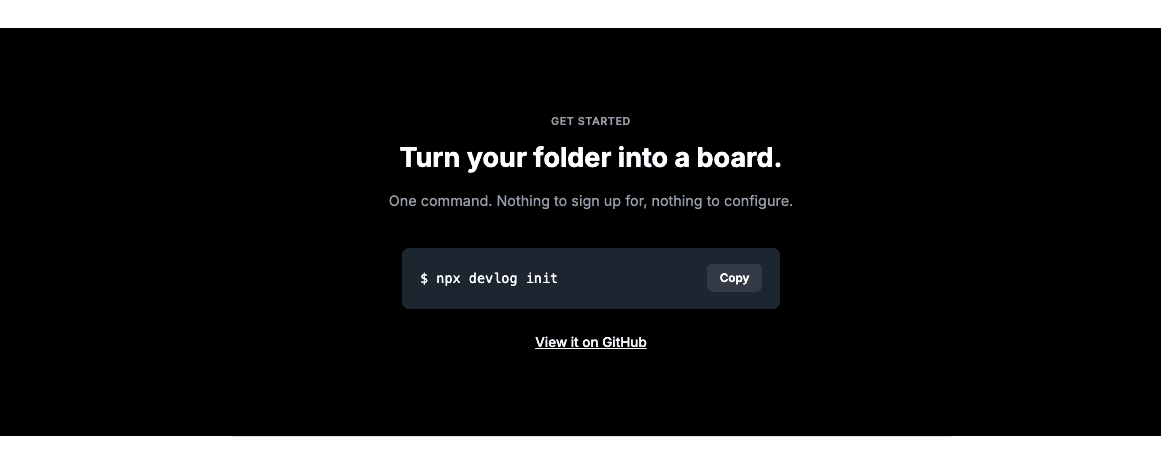
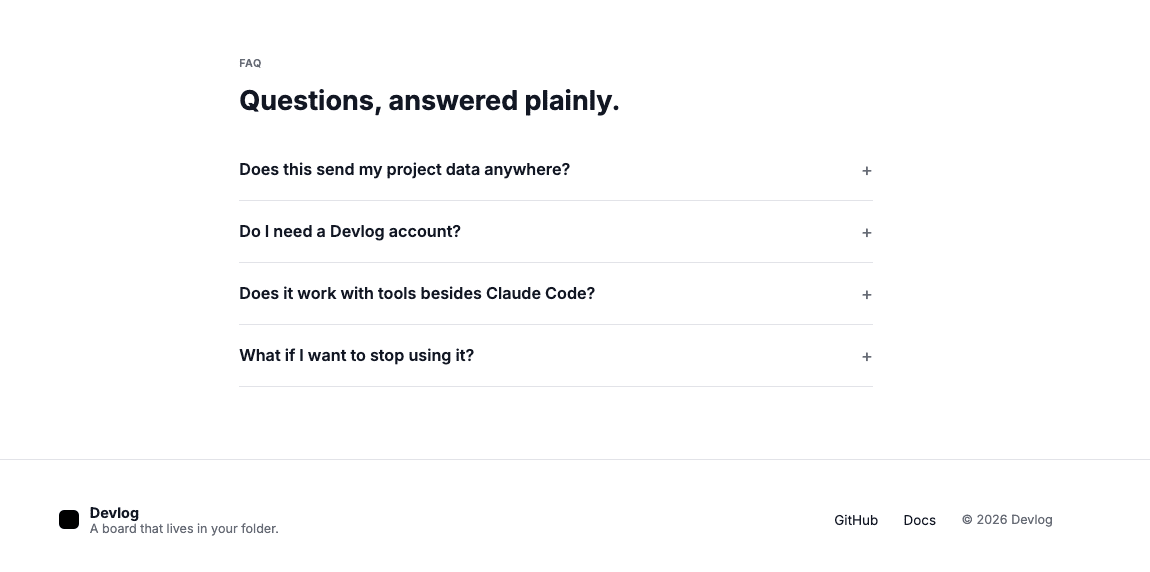
Look at what carried over: the single black CTA, the Inter type scale, the gray tonal cards, and the black band that mirrors the high-contrast feel of the source. The whole page reads like it belongs to the same family as my site, on a product that never existed there.
(It’s a strange feeling — recognizing your own site’s personality on a product that doesn’t exist. Like hearing someone hum a tune you wrote.)
Let me be upfront about expectations here.
My source site is a minimal black-on-white newsletter — clean, simple, intentionally restrained. So the output is also minimal and restrained. That’s exactly the point.
If you feed Claude Design a bold, colorful design system, you’ll get bold, colorful output. The tool mirrors whatever you give it. I gave it monochrome restraint, and it handed back monochrome restraint — on a product that never existed on my site.
👉 Consistency was the whole goal.
A design system’s entire job is to make new things look like they belong, and the file did exactly that on a page it was never built for.
It works.
.
.
.
Steal Like an Engineer
Here’s the pattern worth taking away, bigger than any single skill.
Stop asking AI to invent a design. Give it a real system to build within, and it stops averaging and starts applying. When you extract a DESIGN.md from a website you admire, you’re handing the model a specific point of view instead of a blank canvas.
A few ways to put it to work:
- Brand consistency. Extract your own site once, drop the file in your repo, and every new page Claude Code builds inherits the look.
- Client work. Capture a client’s existing system so AI-built additions match what they already have.
- Honest inspiration. Point it at a site you like — one you have the rights or the reason to reference — and use the extracted system as a starting point you transform, rather than a one-to-one copy.
That last one is where the “ethically” in the title earns its keep. Tokens aren’t copyrightable, and wholesale cloning is a bad look. Use the sharp tool responsibly.
So here’s your move:
- Install the skill (GitHub):
npx skills add nathanonn/agent-skills --skill extract-design-md --agent claude-code - Point it at a design you actually like (that you have the right to reference).
- Hand the resulting
DESIGN.mdto Claude Code or Claude Design. - Build something new that finally looks like something specific.
The next UI you generate doesn’t have to be the averaged-out memory of the entire internet.
It can look like a design you chose.
Go steal one. Ethically.

Leave a Comment