How to Use Codex /goal to Build WordPress Plugins (My Spec-to-Ship Workflow)
I typed /goal.
Walked away from the keyboard. Half-expected to come back to a mess.
Twenty-eight minutes later — no mess.
A working WordPress plugin was sitting there instead. Acceptance criteria mapped to evidence. Verification commands run. Browser screenshots captured by Playwright. A PROGRESS.md audit file in git, waiting for me to read it like a report card I didn’t have to study for.
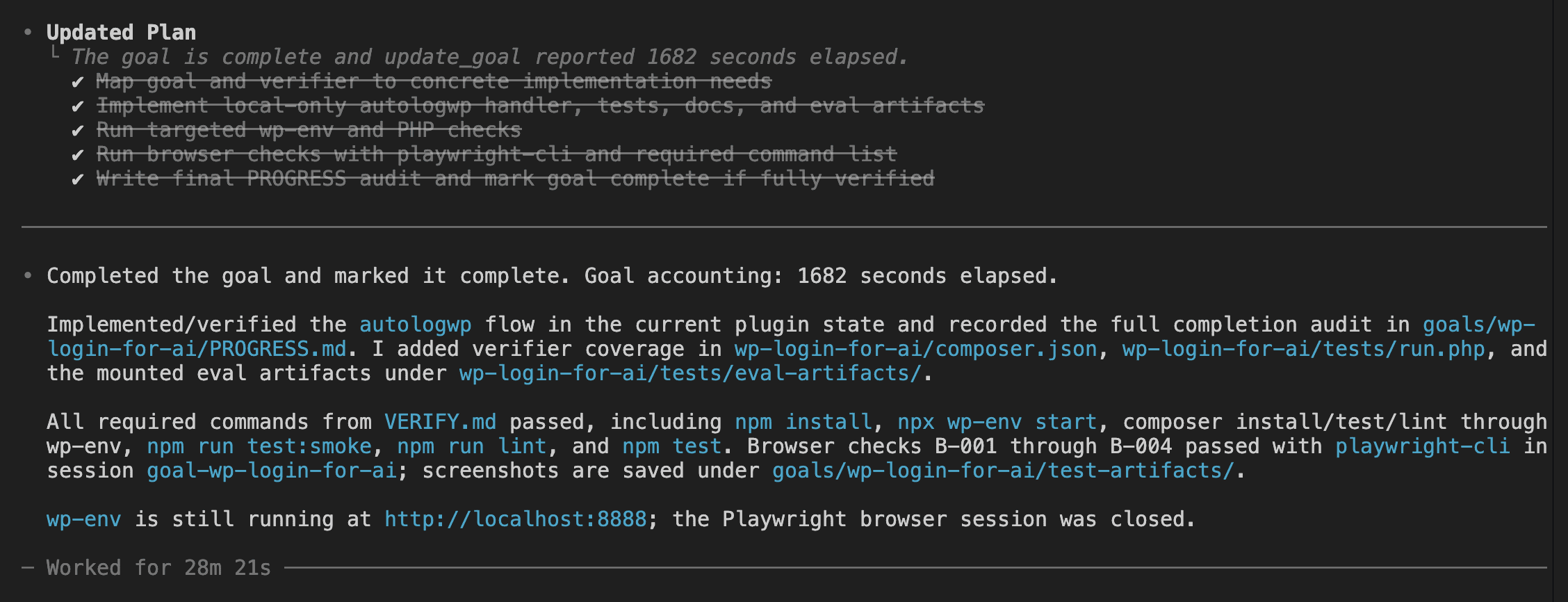
That gap — between typing the command and seeing the result — was the whole point of the experiment.
A year ago at WordCamp Johor Bharu 2025, I was on stage demoing a five-tool workflow that took fifty minutes. Today I trigger one command and leave the room.
(Progress looks a lot like laziness if you squint.)
Here’s what changed.
OpenAI shipped the /goal command in Codex CLI 0.128.0 on April 30, 2026. The official description calls it “persisted goal workflows with app-server APIs, model tools, runtime continuation, and TUI controls.”
Translated for humans: you give Codex an objective, and Codex keeps working toward it until evidence says it’s done.
That’s a different shape of AI assistance from the usual prompt-and-watch loop. Worth pausing on — because the honest caveat lands fast. The codex goal command is not magic. Garbage spec in, garbage outcome out. The other half of the win was an Agent skill I built called wp-spec-to-goal, which turns a vague paragraph into the GOAL.md, VERIFY.md, and PROGRESS.md trio that Codex actually needs to finish.
(Last August I wrote about vibe coding a WordPress plugin in 50 minutes with Claude Code. That post was honest at the time. Fifty minutes felt fast. Looking at it now? Most of those minutes were me clicking “approve,” reading diffs, and playing air traffic controller for an AI that didn’t need one.)
This post is what happened when I removed myself from that loop entirely.
By the end of it you’ll know what /goal is, how to turn it on, how to write a goal that actually completes, and how I scaffolded the spec for a working WordPress plugin in under five minutes.
Stay with me.
.
.
.
What /goal Actually Is (And Why It Changes How You Build)
Here’s the thing about a normal Codex prompt: it says “do this task once.”
/goal says something different. It says “keep pursuing this objective until evidence says done.”
Subtle distinction. Enormous consequences.
When you start a goal, Codex attaches a persisted objective to your thread. The runtime quietly tracks what you asked for, the current status, how much time has passed, and how many tokens are gone.
Then a small loop kicks in — kind of like a dog that won’t stop fetching until you take the ball away.
Codex finishes a turn. The session goes idle. The runtime checks whether the goal still needs work. If yes, Codex gets a continuation prompt and picks the next action. The cycle repeats until completion criteria are met, the token budget runs dry, or you pause it yourself.
Four states matter:
activepausedcompletebudget_limited
The TUI summary shows them when you type /goal on its own.
Now here’s the small (but load-bearing) detail that makes everything else in this post possible. If you peek at Codex’s open source continuation prompt template, you’ll find the model is told to map every requirement to concrete evidence — files, command output, test results — and to treat uncertainty as not-done.
Read that last part again. Treat uncertainty as not-done.
That’s what makes 28 minutes of absence possible. Codex won’t mark a goal complete on vibes. The continuation prompt forces a real audit against real artifacts every single turn.
Compare that to a Ralph-style outer loop, where you script the iteration yourself. Or to a single long prompt that just keeps going until the context window gets tired.
(I’ve watched enough Ralph loops drift past the third iteration to recognize /goal as a different beast entirely.)
With /goal, the runtime tracks the objective, decides whether to continue, and refuses to declare victory without proof. You hand Codex an objective and a definition of done — then step out of the way.
👉 That mental model is the foundation for everything else in this post.
.
.
.
Three Commands and a Restart
Before any of the autonomy stuff works, you need to flip a couple of switches. Don’t worry — it’s quick. Like, “faster than making instant noodles” quick.
Update Codex first. The version that introduced /goal is 0.128.0, so anything older won’t even show the command.
npm install -g @openai/codex@0.128.0Or if your install supports the built-in updater:
codex updateConfirm with codex --version. You want 0.128.0 or newer.
The /goal command is gated behind a feature flag, so you have to flip it on before it appears in the TUI. Run codex features list and look for goals.
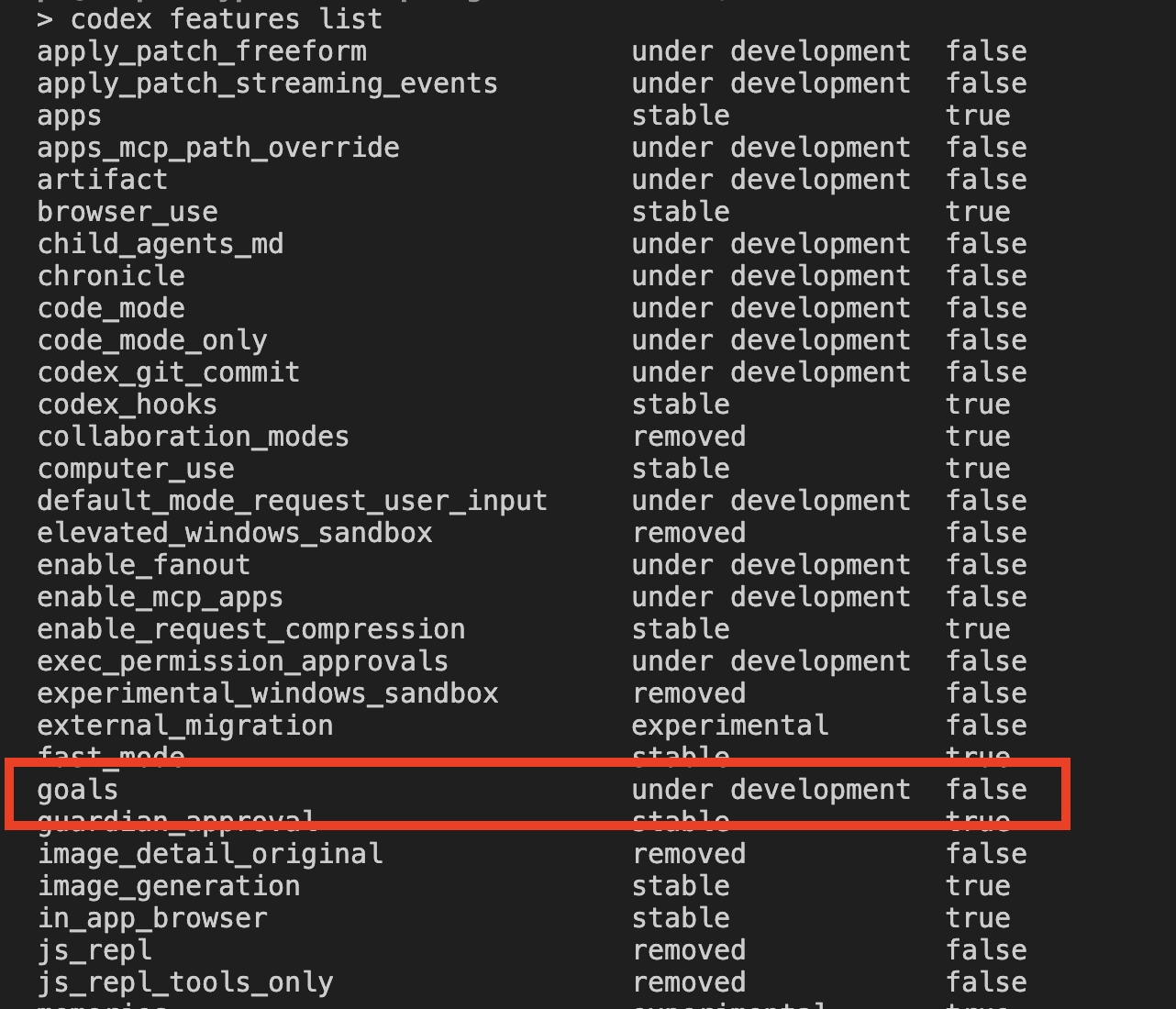
The label under development is honest, isn’t it? Functional, but flagged. I treat that as a reminder to actually read the PROGRESS.md output afterward instead of blindly trusting the run. You should too.
Enable it:
codex features enable goals
Restart Codex inside your repo. The launch banner will warn you that under-development features are enabled, and /goal will appear in the slash-command menu the moment you type /.
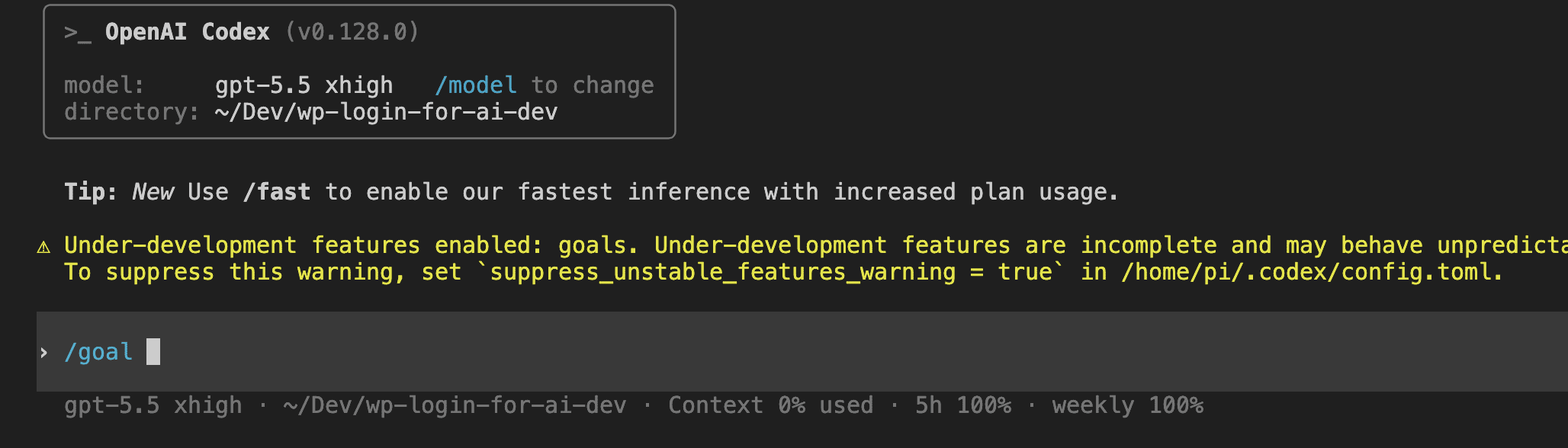
Three commands and a restart. That’s it. The whole setup.
.
.
.
The Spec Is the Work — Meet wp-spec-to-goal
Here’s where most people trip.
The temptation with a shiny new feature like /goal is to write one sentence, press enter, and hope for the best. And honestly — for trivial tasks, that works fine.
For WordPress? It falls over fast.
There are too many quiet failure modes lurking in WordPress land — capability checks the agent forgets to add, environment gates between local and production, input sanitization before lookup, output escaping in admin HTML, hook timing, and the difference between wp-cli running on your host versus inside the wp-env Docker container.
(I’ve shipped each of those mistakes at least once. My shenanigans are your free education.)
An agent that doesn’t know about those things produces code that looks correct and behaves badly. Which — if we’re being honest — is worse than code that obviously breaks. At least broken code has the decency to announce itself.
So I built an Agent skill called wp-spec-to-goal to handle the spec layer. It lives at .codex/skills/wp-spec-to-goal/, and its only job is to take a vague paragraph and produce a Codex-ready bundle:
- A scaffolded plugin folder (PSR-4 layout,
composer.json,.wp-env.json,AGENTS.md,.gitignore,package.json) — but only the parts that don’t already exist. - A
goals/<slug>/directory with three files:GOAL.md,VERIFY.md,PROGRESS.md. - A tailored
/goalcommand to copy and paste into Codex.
The skill follows six steps: probe the repo, judge complexity, ask clarifying questions in batches, scaffold what’s missing, write the goal trio, hand off the final command.
Here’s the starting state for this build — an empty repo with only the two relevant skills checked in.
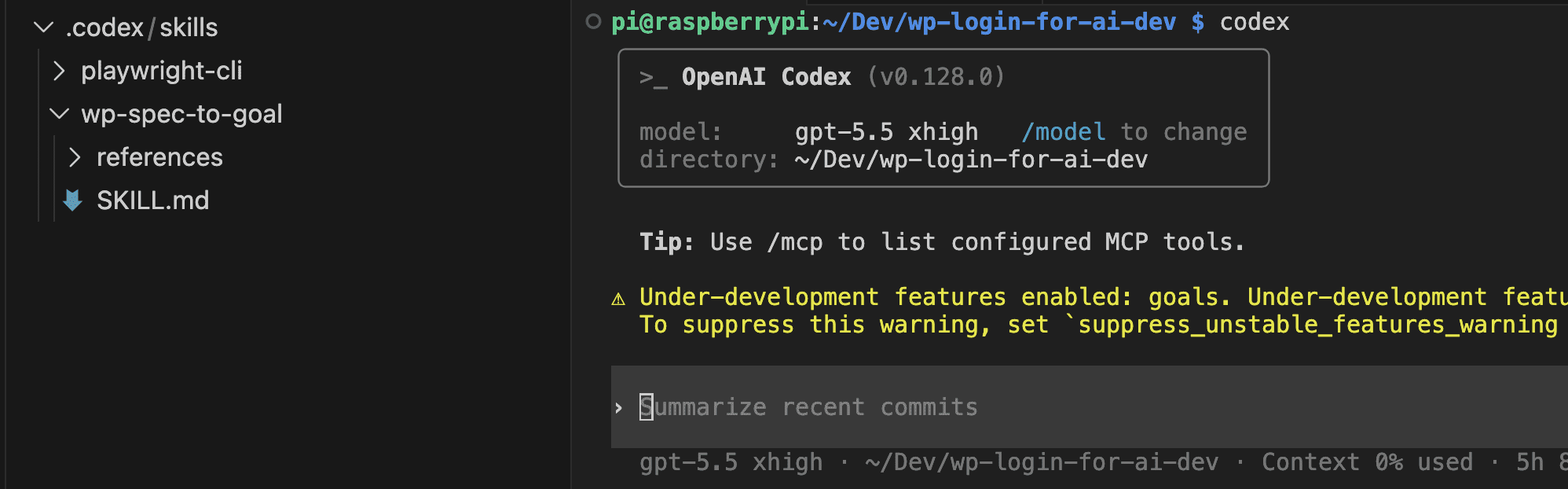
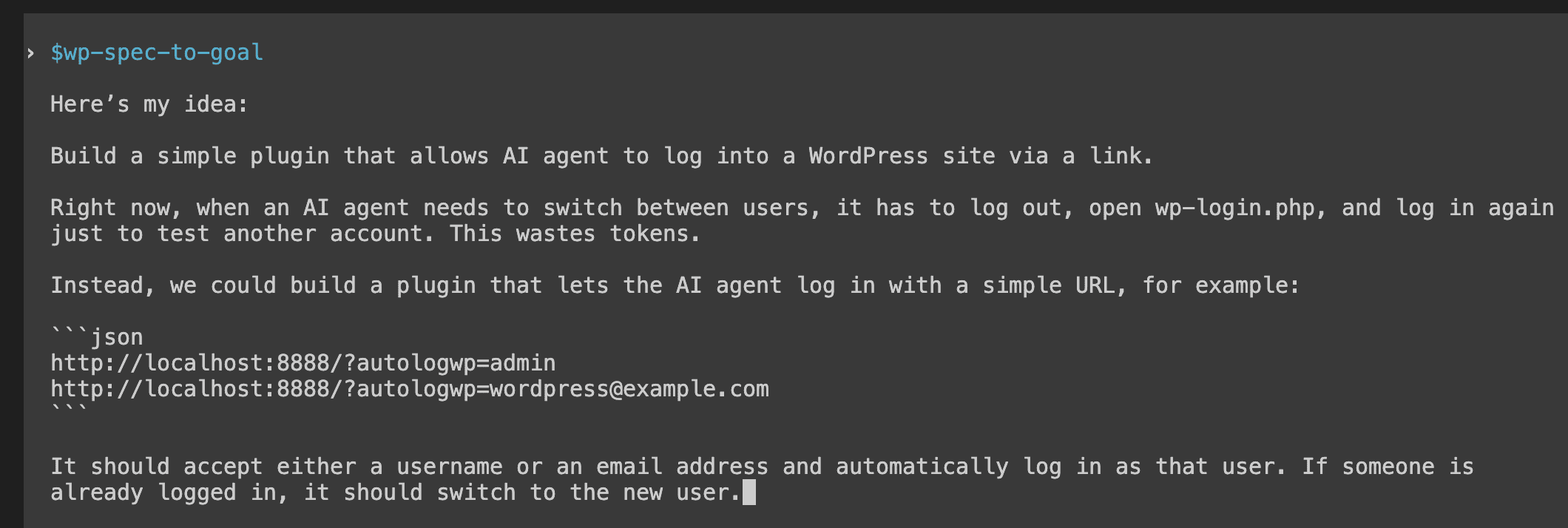
I invoked the skill with one paragraph. No formatting. No structure. No acceptance criteria. Just the rough shape of what I wanted — like handing someone a napkin sketch and saying “make this real.”
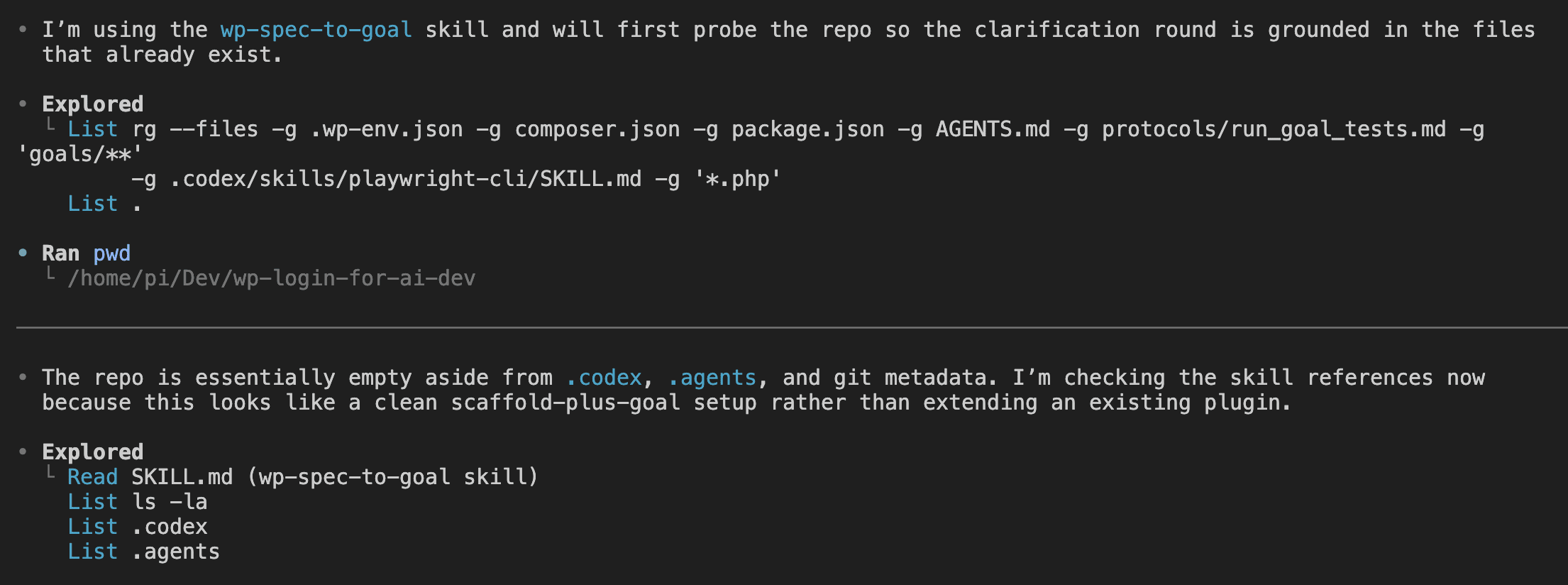
The skill probes the repo first. It runs ripgrep across .wp-env.json, composer.json, package.json, AGENTS.md, the goals folder, and the plugin source. It reads its own template references. It builds a picture of what already exists before asking me anything.
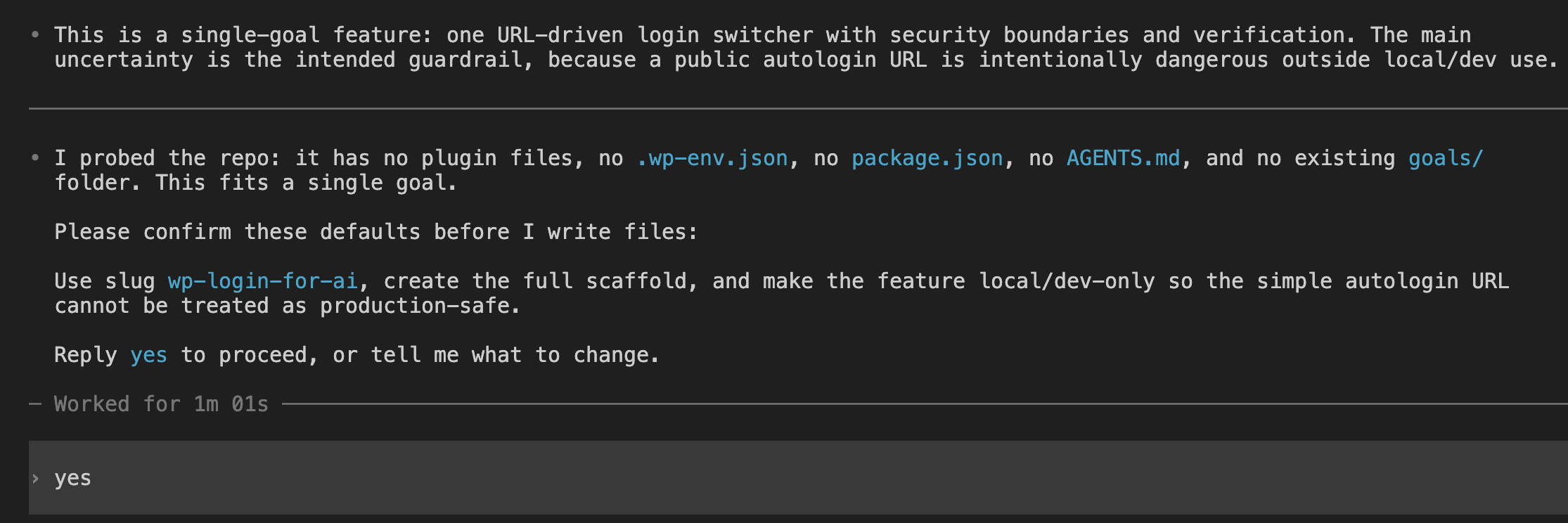
Then comes the clarification round.
The skill judges this as a single-goal feature, flags the security boundary (a public autologin URL is intentionally dangerous outside local/dev) as the main uncertainty, proposes the slug wp-login-for-ai, and asks for confirmation before writing any files.
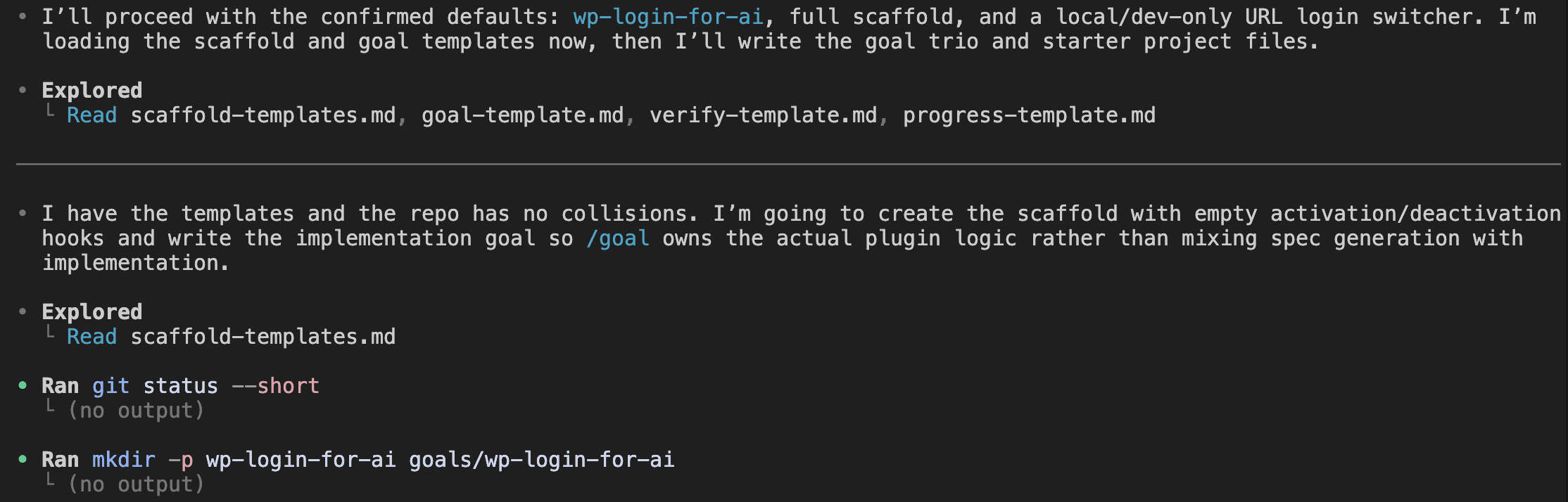
I replied “yes.” The skill loaded four template references, checked git status, and started writing files.
A few minutes later, the scaffold was done.
The skill produced a summary listing the scaffolded files, the generated goal trio, the exact /goal command to paste, and a validation note. (No unresolved template placeholders, all JSON files parse, PHP lint deferred to wp-env since the host machine doesn’t have PHP installed.)
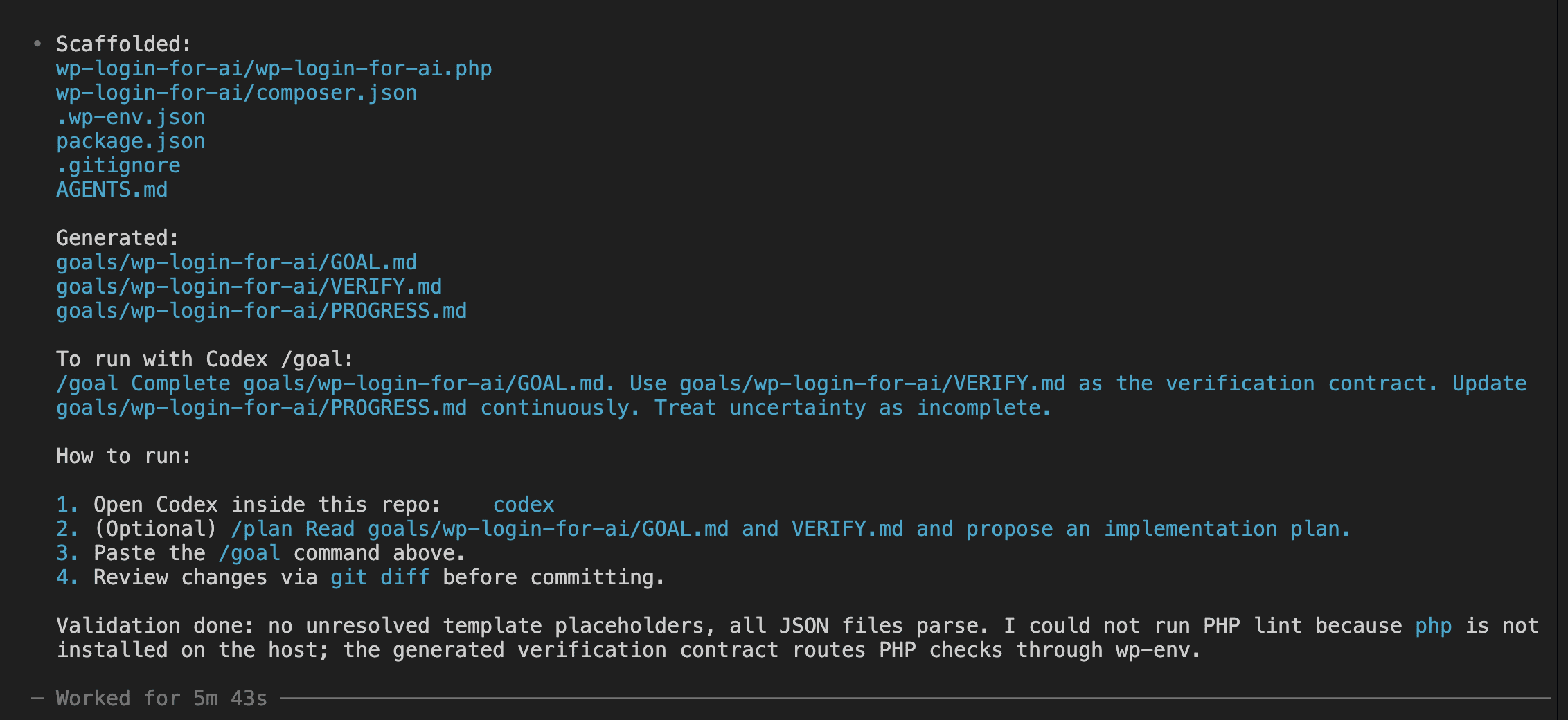
In VS Code, the new file tree showed up clean.
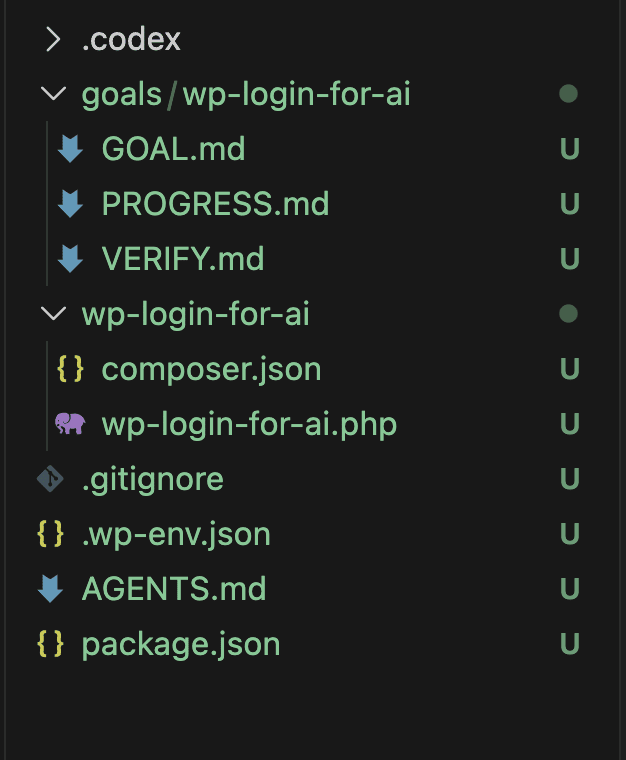
👉 The takeaway is simple: the autonomy /goal provides downstream is paid for upfront, in the spec. Five minutes here bought me 28 minutes there.
That’s not a bad trade.
.
.
.
What the Goal Trio Actually Contains
Three files, three jobs. No moonlighting.
GOAL.mddescribes what must be true when the work is done.VERIFY.mddescribes how Codex proves it.PROGRESS.mdrecords what happened along the way.
Why three instead of one? Because /goal continues across many turns, and the continuation prompt re-reads these files every time. Mix the responsibilities and the audit gets confused — like giving one person three different job titles and hoping they remember which hat they’re wearing. Keep them separate and Codex always knows what it’s looking at.
Here’s a slice of the actual GOAL.md the skill generated for the autologin plugin:
### US-003 - Fail safelyAs a site owner,I want the shortcut constrained to local development and invalid requestshandled safely, so that the plugin cannot become a production backdoor.Acceptance criteria:- [ ] AC-003.1 - The shortcut only runs when `wp_get_environment_type()` is `local` or `development`.- [ ] AC-003.2 - The shortcut only runs for local development hosts such as `localhost`, `127.0.0.1`, or `[::1]`.- [ ] AC-003.3 - Requests for an unknown username or email fail without changing the current logged-in user.- [ ] AC-003.4 - Blocked or invalid requests return a safe machine-readable error and do not emit PHP warnings or notices.Notice that every acceptance criterion has an ID. Those same IDs show up later in the completion audit table that Codex fills in. That linkage is your insurance policy — it’s how you check that the run wasn’t just theatre.
GOAL.md also closes with a Definition of Done section:
## 13. Definition of DoneThe goal is complete only when:- [ ] Every acceptance criterion is implemented.- [ ] Every required verification command in `goals/wp-login-for-ai/VERIFY.md` passes or has a documented external blocker.- [ ] New or changed behavior has tests where practical.- [ ] Existing behavior is not regressed.- [ ] `README.md` is updated.- [ ] `goals/wp-login-for-ai/PROGRESS.md` contains final evidence.- [ ] /goal has performed a completion audit mapping each AC to evidence.See that seventh bullet? The Definition of Done explicitly references the audit. Codex can’t declare victory without filling in that table. No shortcut. No “close enough.”
VERIFY.md is the verification contract — the commands Codex must run before completion, the smoke checks it must perform, and the evidence format for PROGRESS.md.
Here’s a key detail that matters more than it looks: every WordPress command routes through npx wp-env run cli rather than running native wp or composer on the host machine. Why? Because native commands target a different PHP/MySQL environment and produce results that look right but lie.
(Results that lie are — and I cannot stress this enough — the worst kind of results.)
So the skill emits this rule once, VERIFY.md enforces it again, and AGENTS.md repeats it a third time for /goal to bump into from any angle. Triple-redundant on the rules that matter.
PROGRESS.md starts as a skeleton — status: not started, empty completed list, empty commands table. By the end of the run, Codex fills it in. The most important section is the completion audit. Here’s a representative row from the final state:
| AC-001.1 | wp-login-for-ai/tests/run.php evidence-AC-001.1; npm run test:smoke;playwright-cli screenshot B-001/admin-dashboard.png | Pass |Every acceptance criterion gets a row. Every row points to a real file, a real command output, or a real screenshot saved on disk. The evidence is the artifacts themselves, sitting right there on your filesystem. Anyone can audit them after the fact.
That’s the contract /goal operates under. Three files. One linkage. No completion without evidence.
.
.
.
Pasting the Command and Stepping Back
The handoff itself is small. Almost anticlimactic.
Open Codex inside the project, paste the tailored command from the skill output, and press enter.

The command itself is short:
/goal Complete goals/wp-login-for-ai/GOAL.md. Use goals/wp-login-for-ai/VERIFY.mdas the verification contract. Update goals/wp-login-for-ai/PROGRESS.mdcontinuously. Treat uncertainty as incomplete.Wondering why such a tiny command does so much? Because the heavy lifting already lives in the files the skill wrote. /goal just needs the contract and a few rules of engagement.
That last sentence — Treat uncertainty as incomplete — mirrors the exact wording in Codex’s own continuation prompt. Speaking the same language as the runtime is a small thing, but it helps Codex stop the right way when something blocks it.
Codex’s first turn tells you the autonomy is kicking in. Watch what it does: explores the repo, reads all three goal files, inspects the existing scaffold, then lays out a concrete plan. Implement the handler. Run PHP checks. Run browser checks with playwright-cli. Write the final PROGRESS audit before marking the goal complete.
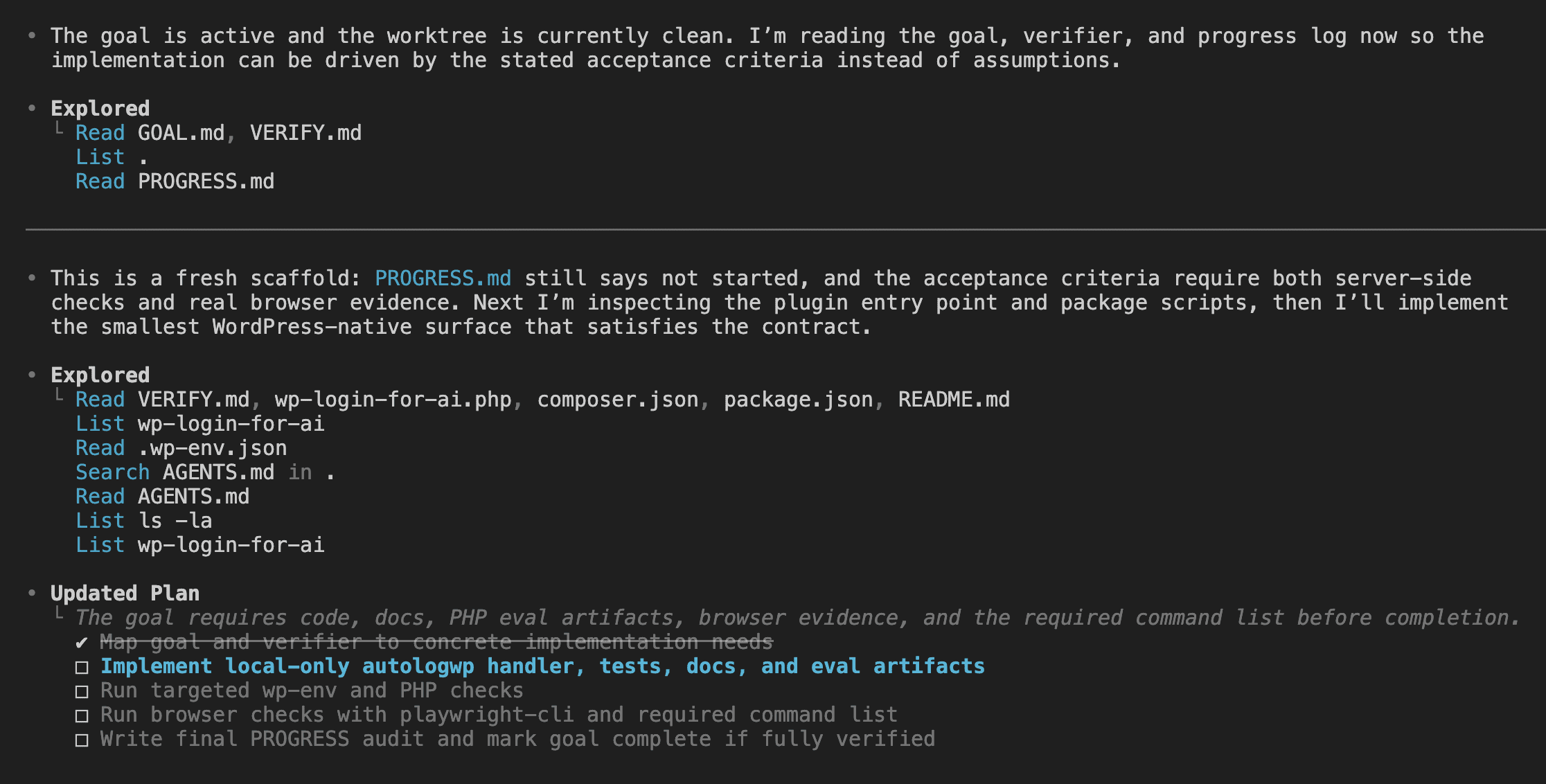
That plan is the autonomy warming up.
There’s a moment when you paste the command and your finger hovers over enter — two seconds of “did I trust the spec enough?” — and then you commit.
From here forward, I stopped paying attention.
.
.
.
The 28-Minute Black Box
There are no screenshots between this section and the next.
Nothing happened on screen worth showing you.
Codex worked. I went to make coffee. Watched some YouTube while it brewed. Answered a few emails I’d been pretending didn’t exist.
The Codex session kept running through tool calls, file edits, test runs, and self-audits in the background. The session was busy. I was elsewhere.
The whole value of the codex goal command sits in this gap.
If you sit at the screen pressing approve every two minutes, you’re using Codex like a normal prompt — and missing the point entirely. The autonomy only pays off if you actually walk away. (This is harder than it sounds. The first time feels like leaving a toddler alone with a box of markers.)
So what makes the absence feel safe?
The spec, mostly. The model executes; the spec sets the boundaries.
Scope rules in GOAL.md keep Codex from refactoring random files. Stop conditions cover ambiguous architectural decisions. VERIFY.md defines proof. The continuation prompt refuses to declare victory without it.
Each layer is a guardrail, and together they let you trust a 28-minute run more than a five-minute supervised one.
(Yes, really.)
The trade-off is real, and worth naming out loud. You give up real-time control. You get back time. The honesty test is whether the spec was tight enough to let you trust the result when you come back.
Wrote the spec yourself? Your trust is calibrated by your confidence in your own writing. Used a benchmarked skill? Your trust is calibrated by how well that skill has been tested.
In my case both gates were green. So I left.
.
.
.
Reading the Receipts
When I came back twenty-eight minutes later, my first instinct wasn’t to celebrate.
It was to scroll through PROGRESS.md half-expecting Codex to have quietly lied.
It hadn’t.
The Codex TUI showed a clean completion message.
Three categories of evidence shipped together — implementation, tests, and browser proof:
Implementation. A full autologwp handler with environment gate, host gate, user lookup via WordPress APIs, cookie clearing, new auth, and a safe redirect.
Tests. PHPUnit tests inside the plugin, npm/wp-env start, composer install/test/lint via wp-env, plus npm run test:smoke, npm run lint, and npm test — all passing.
Browser proof. Four playwright-cli runs labeled B-001 through B-004, with screenshots saved to goals/wp-login-for-ai/test-artifacts/ for admin login, editor switch, email login, and invalid input handling.
I asked Codex for a summary with ASCII diagrams. The answer came back as a clean specification traced through the request lifecycle.
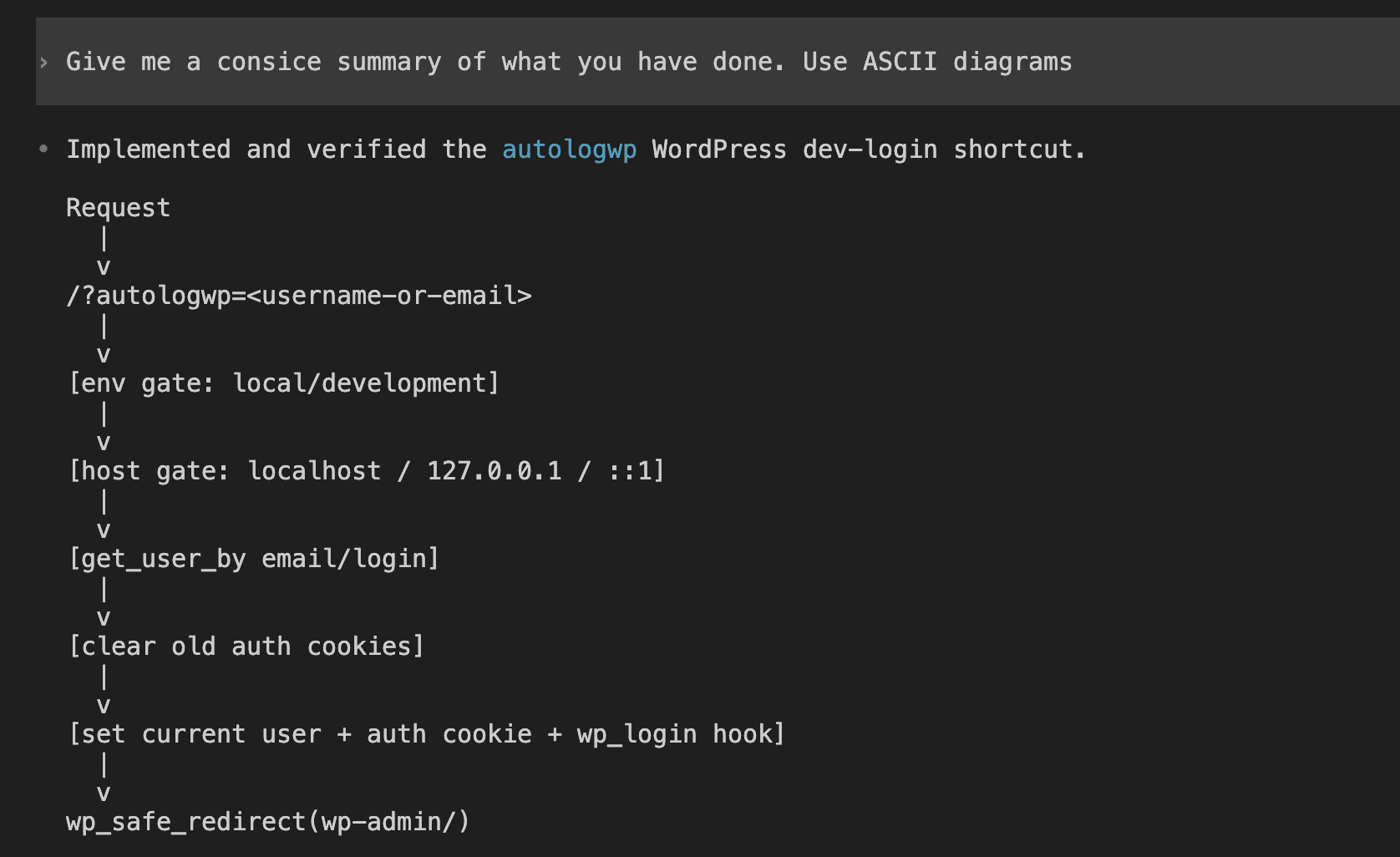
Read that flow slowly.
Environment gate before host gate. Host gate before user lookup. Lookup before cookie clear. Cookie clear before new auth. Hooks before redirect. Codex understood the architecture down to the order of those security gates — the kind of summary you’d write yourself after spending an hour with the source code.
Then — unprompted — it produced the verification matrix.
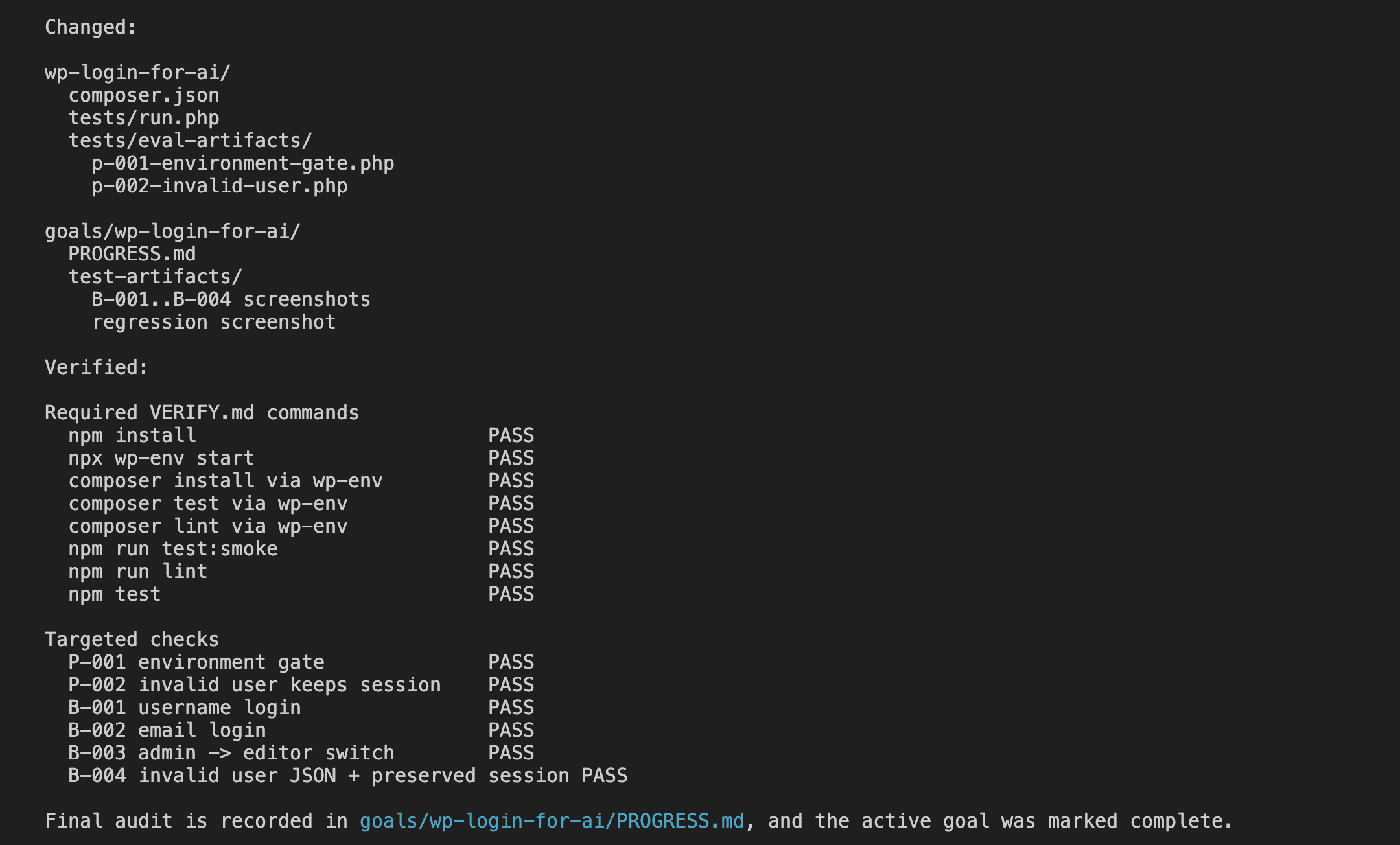
Every required command from VERIFY.md marked PASS. Every targeted check — P-001 environment gate, P-002 invalid user, B-001 admin login, B-002 email login, B-003 editor switch, B-004 invalid JSON plus preserved session — marked PASS. Final audit recorded in PROGRESS.md.
That table is what makes me willing to trust the run.
Want to verify it yourself?
The artifacts are right there on disk. The screenshots live in goals/wp-login-for-ai/test-artifacts/. PROGRESS.md is checked into git. Anyone can re-run the commands and confirm the markings.
No theatre.
.
.
.
Trust, But Verify (The Old-Fashioned Way)
Codex saying it works and the plugin actually working are two different claims.
And the “green tests, red production” surprises stay with you long enough to make manual smoke tests a reflex. So I closed the terminal and tested the plugin like a regular human would.
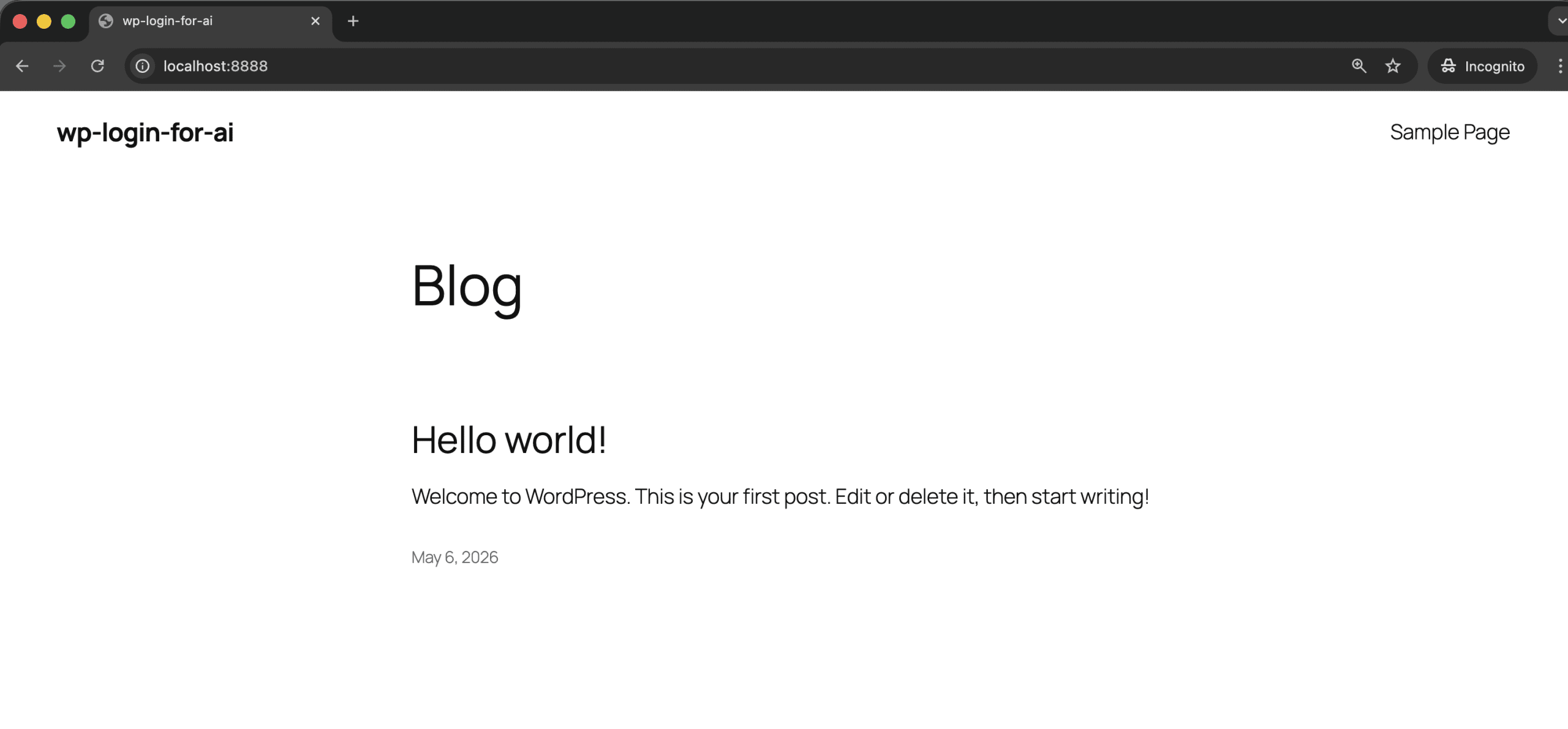
The dev environment was already running at localhost:8888. Front-end, no logged-in session.
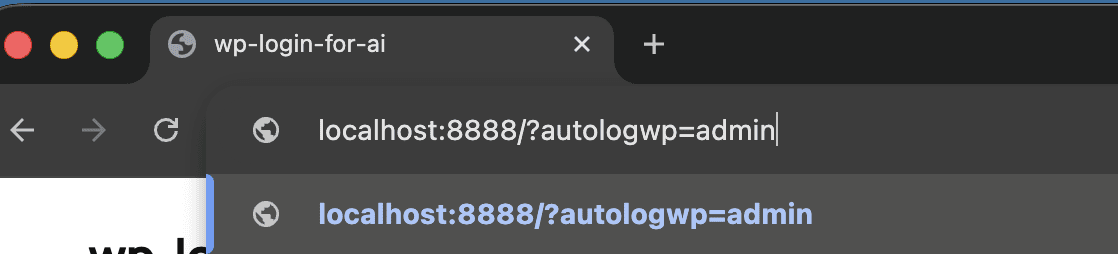
I typed the autologin URL into the address bar.
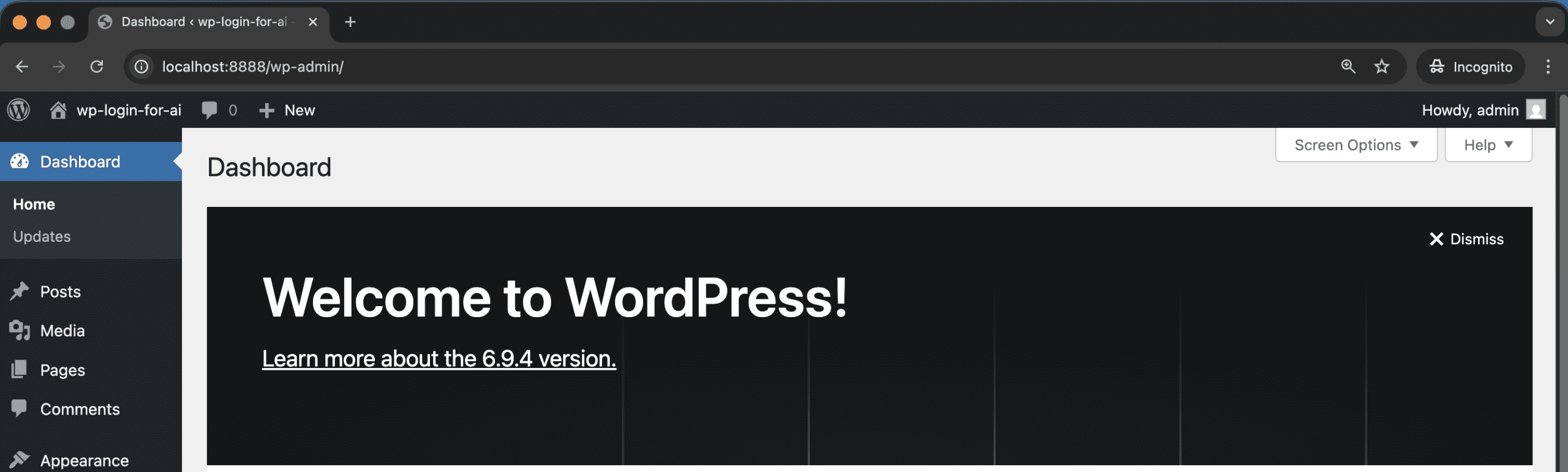
Hit enter. The redirect happened. The session switched. The wp-admin dashboard loaded with the admin user identity in the corner.
I tried the email variant (?autologwp=wordpress@example.com) and the editor switch. Both worked. None of the edge cases I poked at suggested Codex had declared completion incorrectly.
👉 The bigger point: /goal doesn’t replace your QA.
It offloads the part of the build you don’t enjoy — writing the implementation — so you can focus on the part you should be doing anyway. Which is verifying the result.
(Turns out the most valuable developer skill in the age of AI agents is… being a good tester. Who saw that coming?)
.
.
.
When /goal Earns Its Keep (And When It Doesn’t)
So when does the codex goal command actually earn its keep?
Bounded objectives with clear acceptance criteria. That’s the sweet spot. The autologin plugin is a good example: one feature, defined inputs, defined outputs, a small set of scope boundaries, and a verification contract that fits on one screen.
Here’s where you should reach for it:
- Bug fixes with reproducible failures and regression tests.
- Refactors with a “behavior is preserved” success condition.
- Single feature slices from a larger project — one user story at a time.
- API integration work where the contract is well-specified upfront.
And here’s where you should hold back:
- Vague objectives like “make the app better” or “refactor everything.” Codex can’t audit completion for those — they don’t have a finish line.
- Multi-feature builds that should really be split into separate goals.
- Anything where you can’t define “done” before you start.
(A “refactor this whole module” goal will hit budget_limited and stop, having shipped nothing you’d want. There’s no audit to run when there’s no definition of done to run it against.)
Here’s the framing that’s stuck with me: /goal works best as an inner loop. The project manager role still belongs to you. For larger work, split it into multiple goals — 001-data-model, 002-admin-ui, 003-rest-api — and run them one after the other. One coherent slice per goal.
Two practical caveats before you fire your first goal.
First: Plan Mode and /goal don’t mix. The runtime suppresses goal continuation while Codex is in Plan Mode, so if you trigger /goal from inside a plan you’ll sit there wondering why nothing’s happening. Plan first, leave Plan Mode, then start the goal.
Second: /goal still depends on the spec. Skip the wp-spec-to-goal step (or whatever the equivalent is for your stack), write a one-line objective, and you’ll get a one-line-objective result. Garbage in, garbage out — same rule as always. Ferpetesake, write the spec.
.
.
.
The Bigger Picture
Here’s what /goal actually represents — a shift toward evidence-based autonomy.
Codex doesn’t need a human in the loop because it has files in the loop. Those files define done, prove done, and capture what happened along the way.
Compare back to the 50-minute supervised Claude Code build I wrote about last year. Fifty minutes was impressive at the time. Looking at it now, most of those minutes were judgment calls — clicking approve, reading diffs, deciding whether the next step looked sane. The codex goal command moves that judgment upfront into the spec, so the same decision doesn’t get made forty times during execution.
The skill investment pays back too.
wp-spec-to-goal was real work to design and benchmark.
But after two or three uses, the math stops being subtle: five minutes turning a paragraph into a goal trio, twenty-eight minutes of nothing. Once you’ve done it, you can’t really go back to the supervised loop for bounded tasks. That’d be like going back to dial-up after you’ve tasted fiber.
The part of building software that AI is starting to get genuinely good at is executing well-specified plans without supervision.
👉 Your job is to get good at writing the plan.
If you want to try it, here’s a starting point.
Pick a small bounded task this week — a bug fix with a failing test, or a single feature slice from a project you’re already working on. Don’t reach for the big rewrite. Write a tight GOAL.md (even by hand from the templates in this post), pair it with a VERIFY.md, paste a /goal command, and walk away.
The 28 minutes only feel real when you’ve spent them yourself.
The plugin from this post is a public repo. You can clone it, inspect the actual GOAL.md, VERIFY.md, and PROGRESS.md files, look at the Playwright screenshots checked into goals/wp-login-for-ai/test-artifacts/, and grab the wp-spec-to-goal skill from .codex/skills/ if you want to use it on your own builds.
The repo is at github.com/nathanonn/wp-login-for-ai.
Go give Codex something specific to do, then leave the room.
More workflows like this — AI-assisted development with Claude Code, Codex, and the tools between them — land in The Art of Vibe Coding newsletter every week. If this one was useful, the next one probably will be too.

Leave a Comment