Workflow Engineering in Action: Building a Reddit Summarizer From Scratch With Claude Code
Here’s a confession.
I follow about a dozen subreddit threads. AI tooling, Claude Code tips, local LLM experiments, dev workflows. And every single morning, I open Reddit fully intending to spend five minutes catching up.
Forty-five minutes later, I’m still scrolling.
Ninety percent of it is noise. Reposts, complaints (like those weekly usage/rate limits rants in r/ClaudeCode), low-effort memes, questions that got answered three threads ago. But buried somewhere in there — a workflow trick someone discovered at 2am, a Claude Code hack that actually works in production, a case study with real numbers — that stuff is gold.
I just couldn’t find it fast enough.
So I decided to build something. A simple Express server that would connect to the Reddit API, pull posts and comments from my favorite subreddits, store them locally as JSON files, and let me point Claude at the data to surface only what matters.
And here’s the part that matters for you: I built it using the Claude Code Workflow Engineering process I described in the previous issue. Start to finish. No shortcuts. No “eh, I’ll just wing this part.”
(Okay, I was tempted. But I didn’t.)
What follows is every step of that process applied to a real project — from a blank folder to a working app with full tests passing on the first attempt. Every screenshot. Every command.
Stay with me.
.
.
.
The Starting Point: One Idea, Zero Code
Here’s what my project folder looked like when I started: an idea.md file describing what I wanted, and the Workflow Engineering slash commands from the previous issue.
That’s it. No boilerplate. No template repo. No starter code. Just an idea and a process.
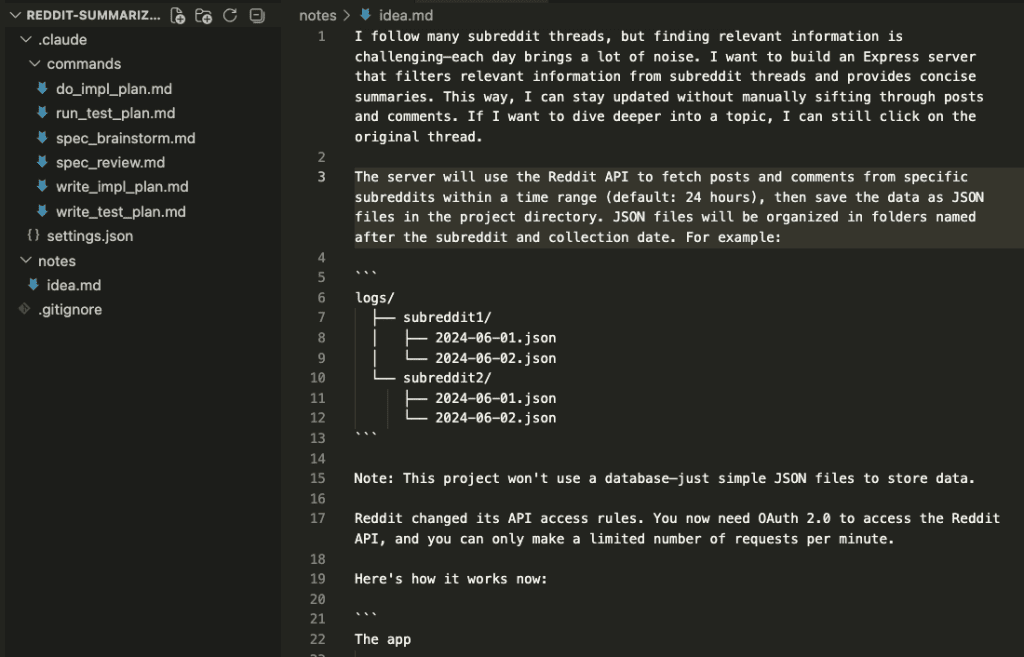
The idea itself was pretty straightforward: an Express server that fetches posts and comments from configured subreddits within the last 24 hours, then saves everything as JSON files organized by subreddit and date. No database — just files on disk. Once the data is collected, I can ask Claude to read it and find the good stuff for me.
The one wrinkle? Reddit’s API now requires OAuth 2.0. So the app needs to handle the full authorization flow — token exchange, refresh tokens, the whole dance — before it can fetch anything.
With a clear idea written down, I handed it to the workflow.
Let’s walk through what happened.
.
.
.
Step 1: Brainstorm the Specs
I triggered the /spec_brainstorm command and pointed Claude at my idea file.
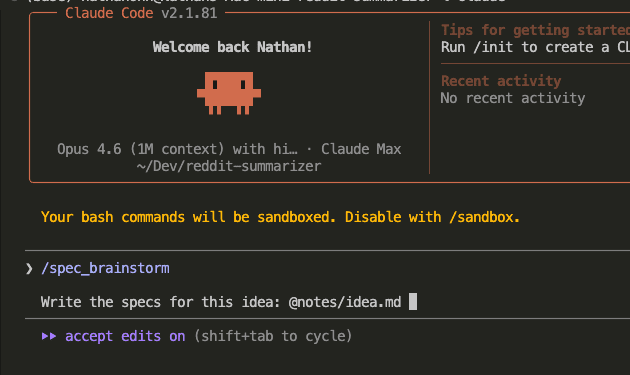
Now, I’ve tried building apps like this before — dumping everything into one prompt and letting Claude run. It got through maybe 60% before the code started contradicting itself. Requirements from the top of the conversation were ghosted by the bottom.
The Claude Code Workflow Engineering approach is different. Instead of jumping into code, Claude started asking clarifying questions. Real ones. With options, explanations, and a recommendation for each.
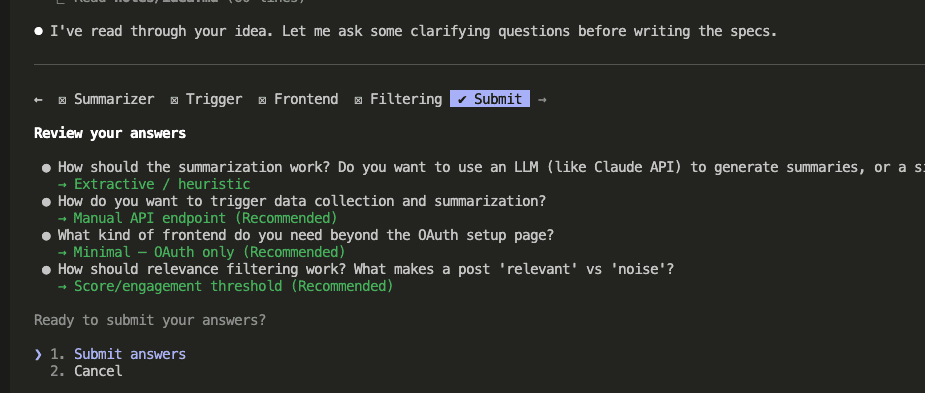
The first round covered core architecture decisions: How should data collection be triggered? (Manual API endpoint, cron scheduler, or both?) What kind of frontend does this need beyond the OAuth setup page? How should filtering work?
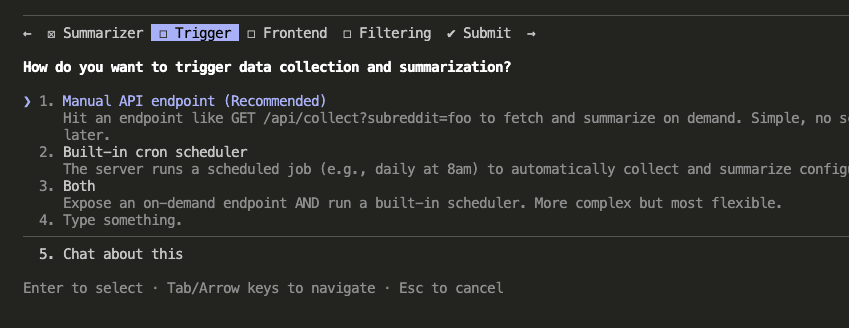
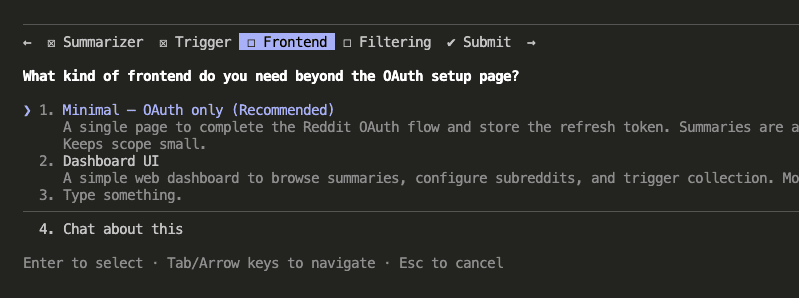
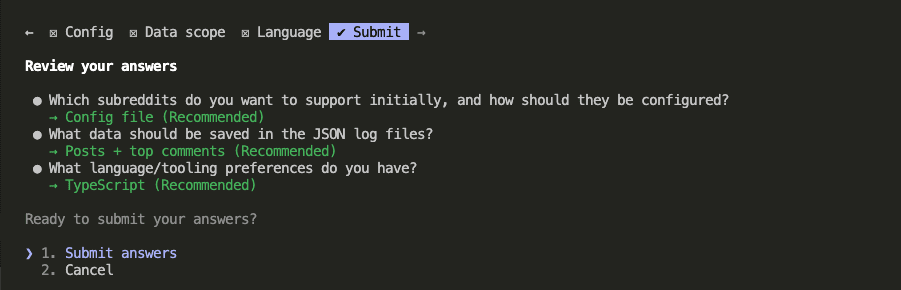
The second round went deeper: How should subreddits be configured? (Config file, hardcoded, or environment variables?) What data should go into the JSON files? (Posts only, posts + all comments, or posts + top comments?) Language preference?
Once Claude had enough context from both rounds, it wrote the full specification document.
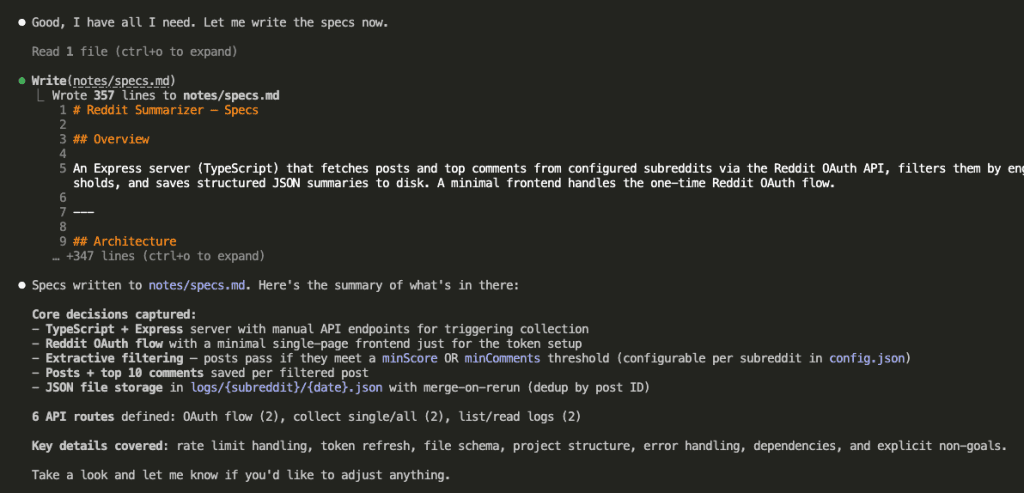
Two rounds of questions. Clear decisions documented in a file. The specs existed as an artifact on disk — ready to be read by a completely fresh session with zero memory of this conversation.
That last part matters more than you might think.
(We’re about to see why.)
.
.
.
Step 2: Review the Specs
Here’s where most people go wrong. And I know this because I was most people.
On an earlier project, I skipped the review step. The specs looked fine to me. Three hours into implementation, I found a conflict that would have taken a reviewer two minutes to flag. Two minutes.
So now I don’t skip it.
Here’s the thing: the agent that wrote the specs is the worst possible agent to review them. It already “knows” what it meant. It won’t catch ambiguity because it can fill in the gaps from memory. A fresh agent reading the same file cold? It has no such luxury.
New session. /spec_review command.
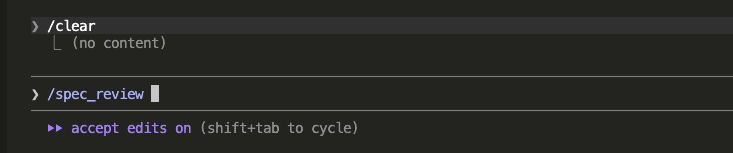
A fresh Claude instance — with zero memory of the brainstorming conversation — read the specs and started poking holes.
And it found real problems. Using GET for state-changing operations (a REST convention violation and a security risk — someone could trigger data collection just by visiting a URL). Writing refresh tokens directly to .env at runtime (which, ferpetesake, doesn’t work the way the spec assumed). Vague OAuth state storage. And more.
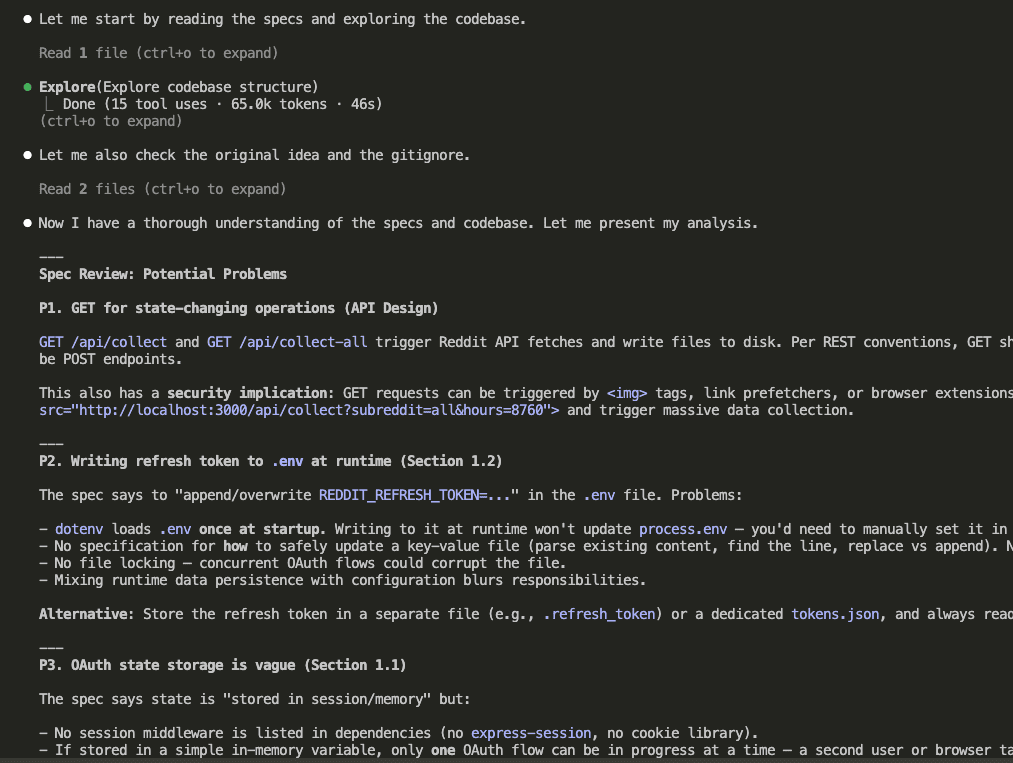
Now, here’s where your judgment comes in. Claude surfaced a long list of potential issues — some critical, some nice-to-have. You don’t have to fix everything. You get to choose what matters.
I went through them in three tiers.
First — the spec-breaking issues:
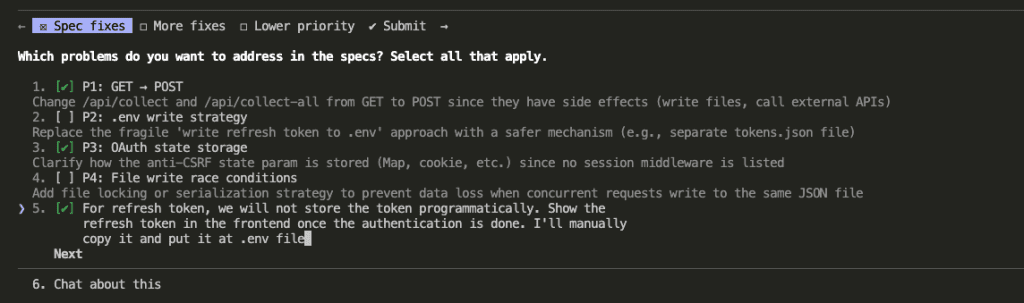
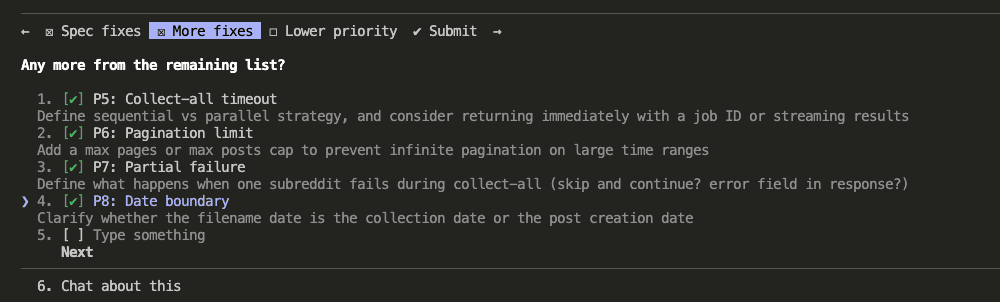
Second — important improvements:
Third — lower priority fixes (I picked the ones with real consequences):
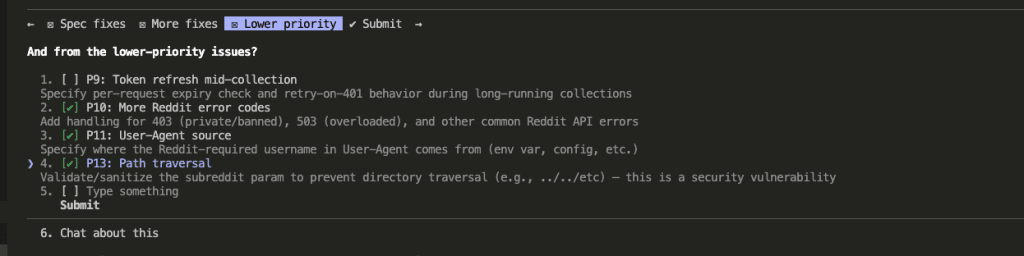
Before applying fixes, Claude asked clarifying questions to make sure the solutions would be solid. How should /collect-all handle job tracking? What should the filename date represent — when data was collected or when the post was created? Where should the Reddit username for the User-Agent header come from?
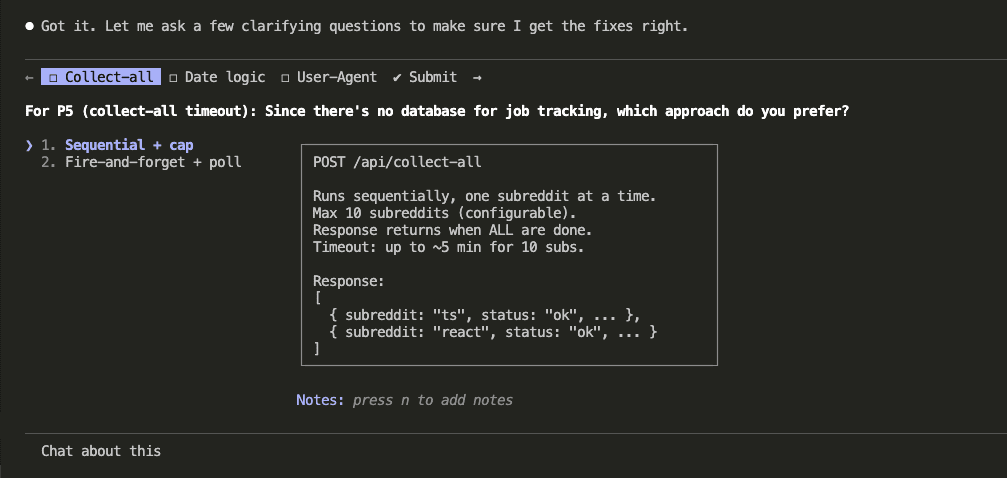
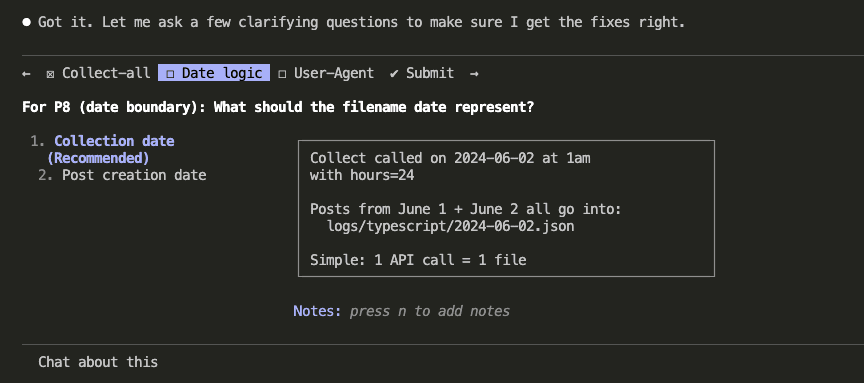
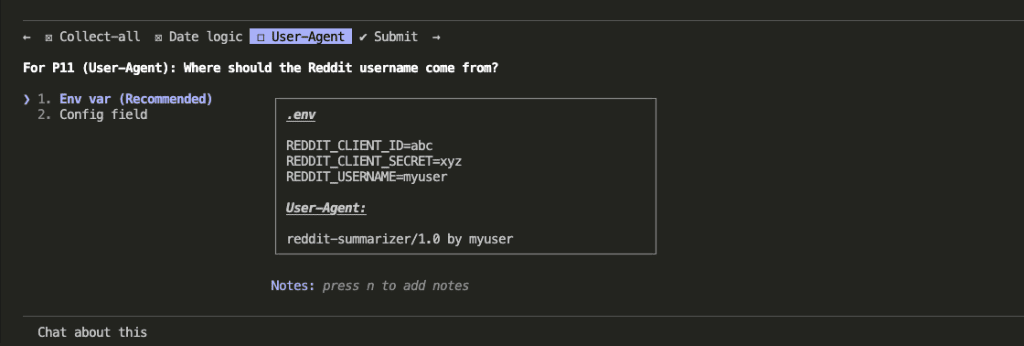
With answers in hand, Claude updated the specs — changing GET to POST for state-changing endpoints, adding proper error handling, fixing the OAuth storage approach, adding pagination limits, and patching a path traversal vulnerability.
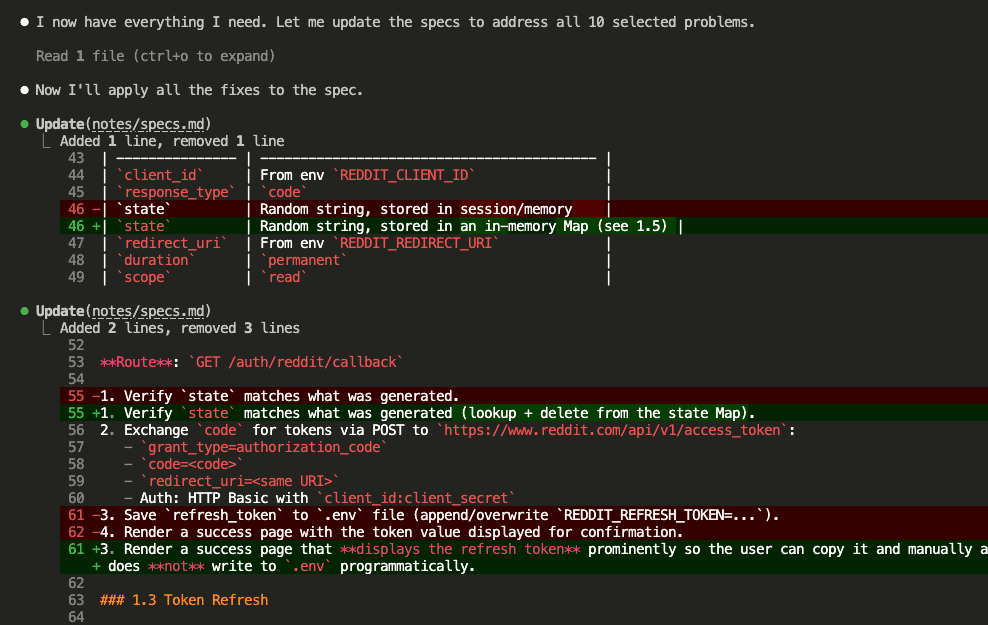
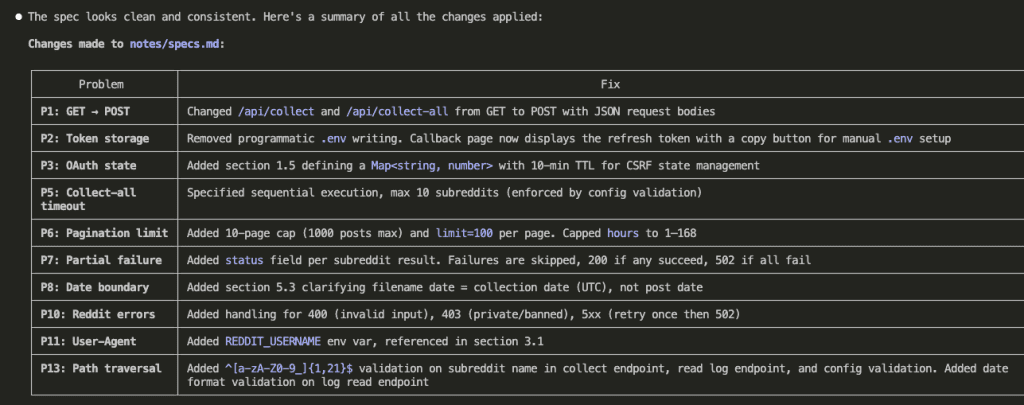
Ten issues addressed. Specs refined. The artifact on disk now reflected a far more robust design than what the brainstorming session produced alone.
And we still haven’t written a single line of code.
(On purpose.)
.
.
.
Step 3: Write the Test Plan
I’ll be honest with you — this step almost didn’t happen.
Writing tests for code that doesn’t exist yet? It felt ceremonial. Like filling out a form nobody would read. I almost skipped it.
Then the test plan revealed two requirements I’d completely glossed over in the spec.
So now I never skip it.
Fresh session. /write_test_plan command.
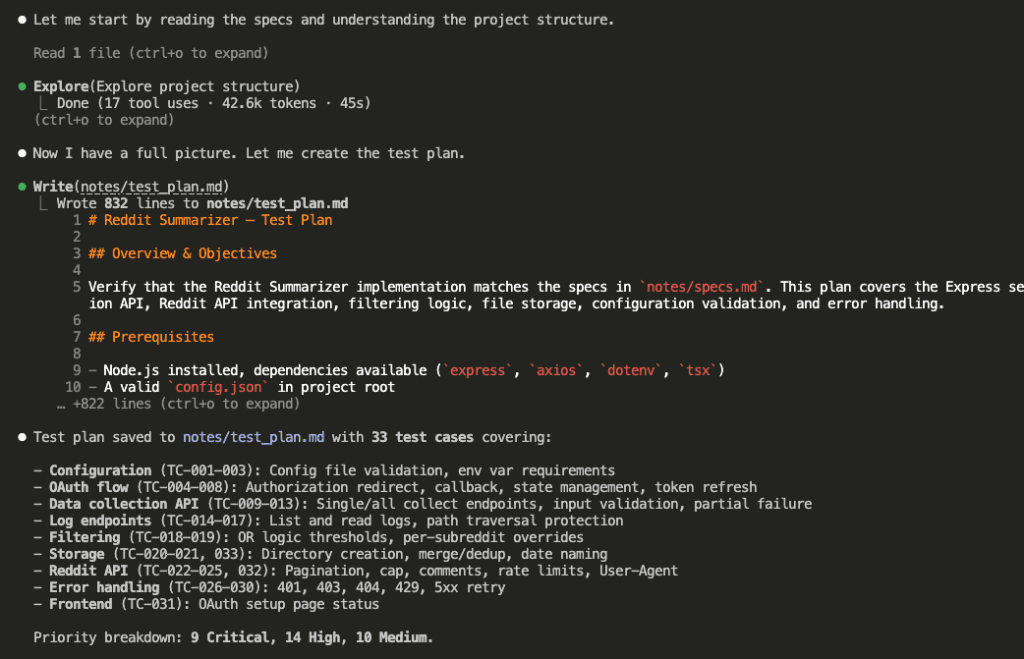
Claude read the specs and produced a structured test plan: 33 test cases organized by priority. 8 Critical, 14 High, 10 Medium. Each one with preconditions, specific steps, and expected outcomes.
Why does this matter so much?
Because writing test cases forces deep analysis of every requirement. Turning “handle pagination limits” into a specific test case — with exact inputs, steps, and expected outputs — requires genuine understanding. Shallow understanding produces shallow tests, and you’d catch that now rather than three hours into debugging.
And there’s a second benefit: the test plan gives implementation a concrete target. Every task will map to specific test cases. “Done” stops being a gut feeling and starts being a checkmark.
.
.
.
Step 4: Write the Implementation Plan
Another fresh session. /write_impl_plan command.
Claude read both the specs and the test plan, then generated an implementation plan — 10 tasks, each explicitly linked to the test cases it would satisfy.
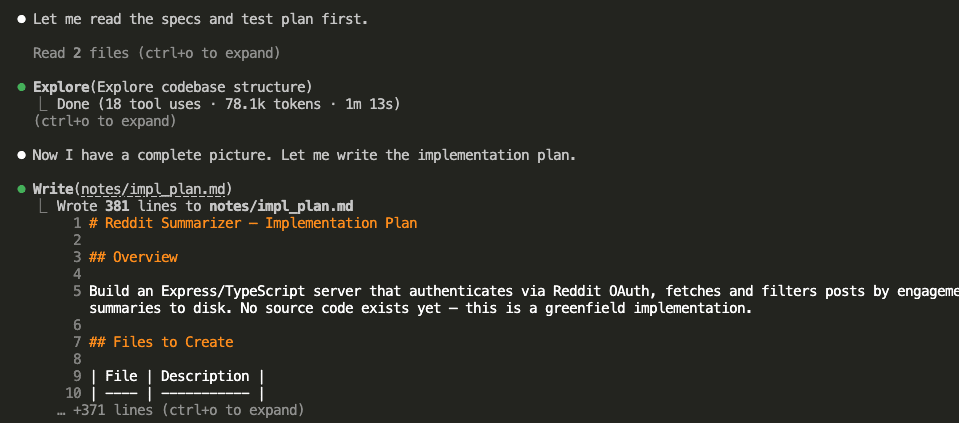
The plan organized tasks into execution waves based on dependencies. Every task mapped to specific test case IDs.
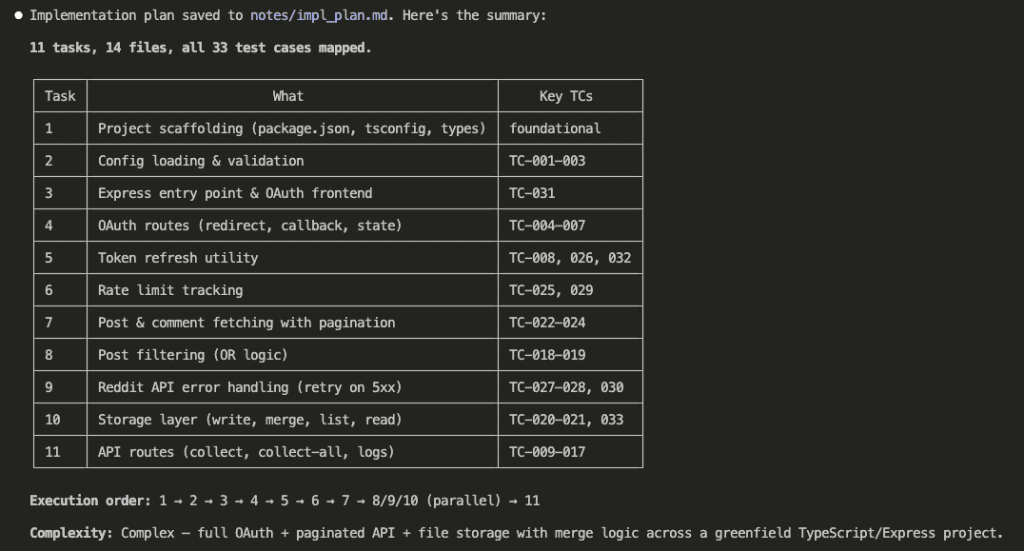
This is the last thinking step. After this, every design decision has been made. Every task has a defined scope. Every success criterion sits in a file on disk.
Now — and only now — we build.
.
.
.
Step 5: Execute the Implementation
Fresh session. /do_impl_plan command.
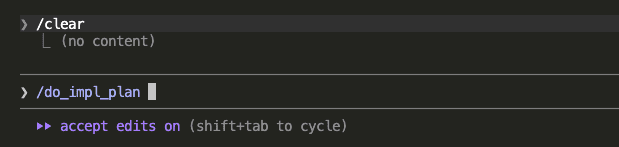
Here’s where the Claude Code Workflow Engineering approach earns its keep.
Instead of running all 10 tasks in a single session (which would cause context degradation as the window fills up — I’ve been there, remember?), Claude created each task and processed them in waves using sub-agents. Each sub-agent got a fresh context window. It read the implementation plan from disk, found its assigned task, and executed with laser focus.
Wave 1 started with the foundation — project scaffolding.
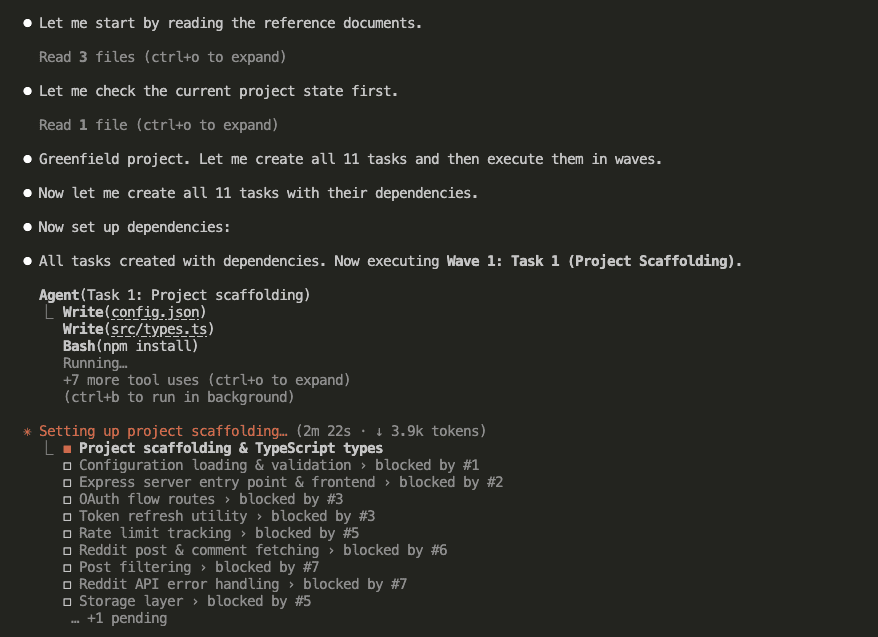
Then the waves rolled forward, with parallel tasks running wherever dependencies allowed:
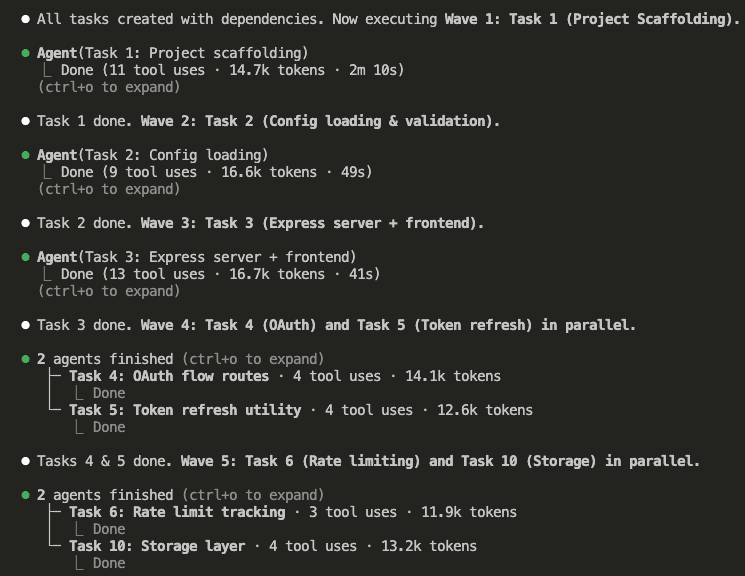
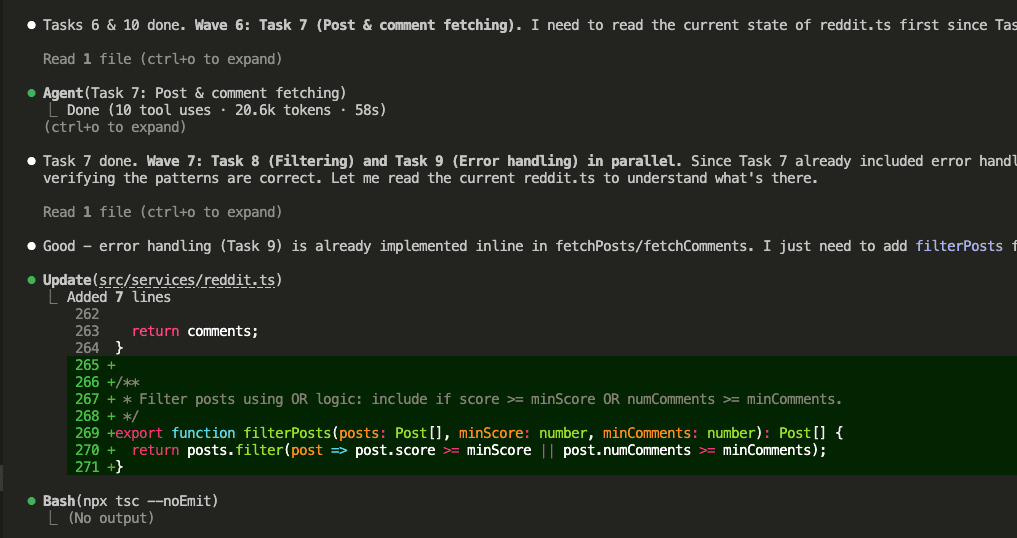
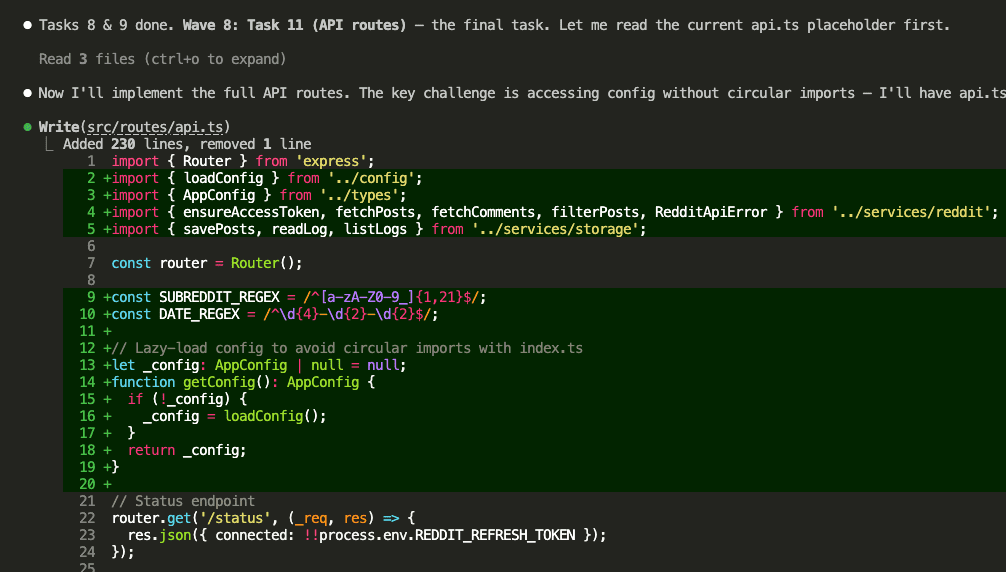
Implementation done. 16 files created. All 10 tasks completed across multiple waves.
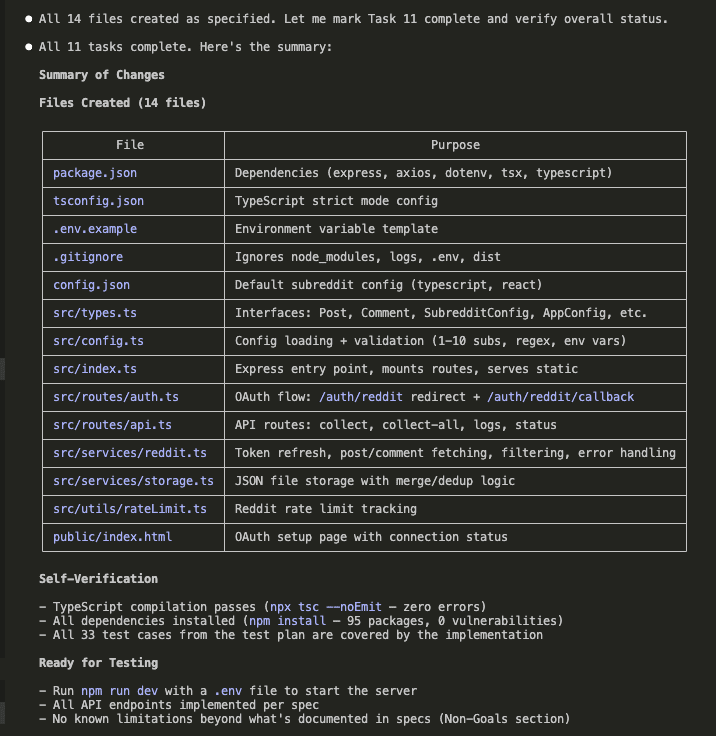
Every sub-agent worked from the same artifact — the implementation plan on disk. No context bleeding between tasks. No “forgetting” early requirements while working on later ones.
Fresh context, every single wave.
.
.
.
Step 6: Setup Before Testing
Before running the test plan, I needed to set up the actual Reddit integration. Three things:
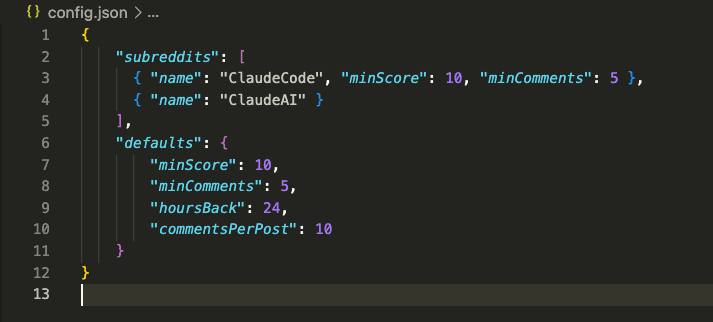
A config file defining which subreddits to monitor (I chose ClaudeCode and ClaudeAI — for obvious reasons):
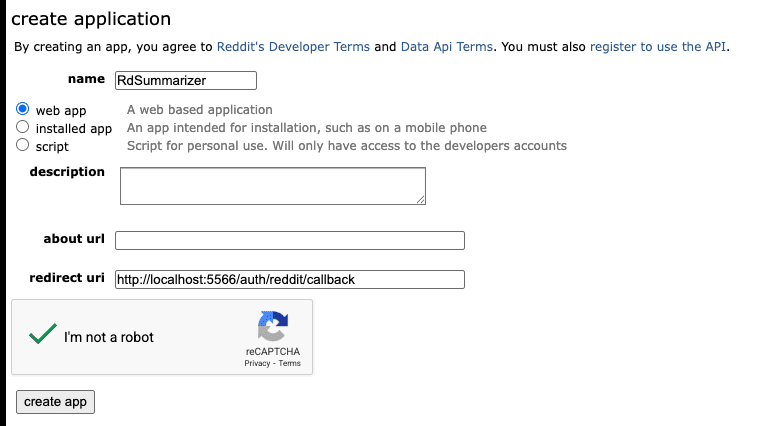
A Reddit app registration to get OAuth credentials:
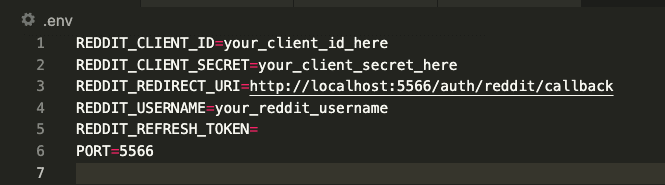
And a .env file with the credentials:
Straightforward stuff. Let’s get to the good part.
.
.
.
Step 7: Run the Test Plan
The final step. Fresh session. /run_test_plan command.
(Deep breath.)
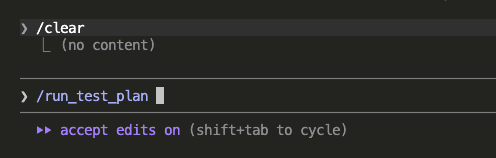
Claude read the test plan, explored the codebase, and confirmed this was a fresh test run with 33 test cases ready to execute.
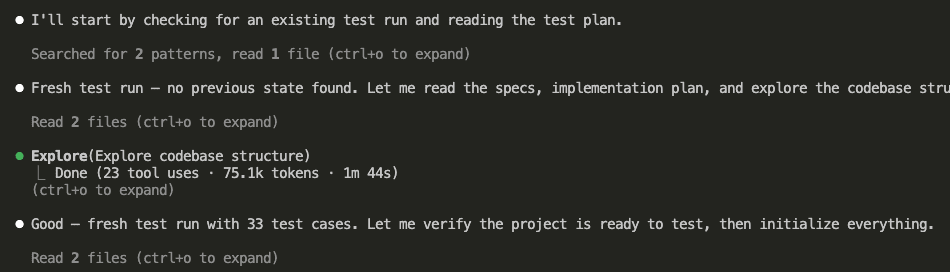
It created tasks for each test case, set up tracking files, and organized execution by dependencies and priority.
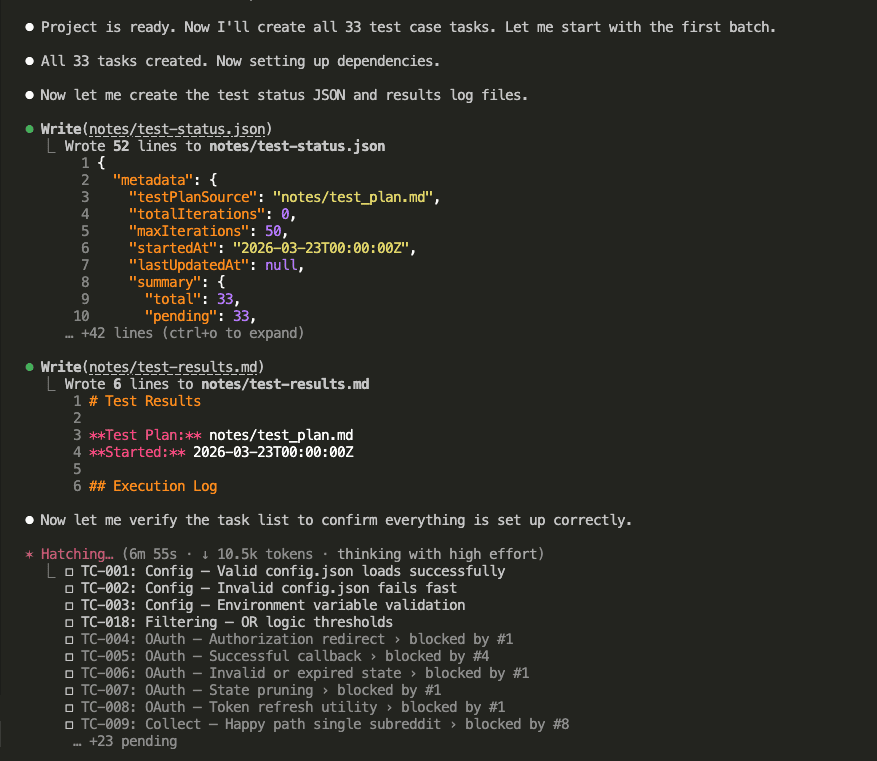
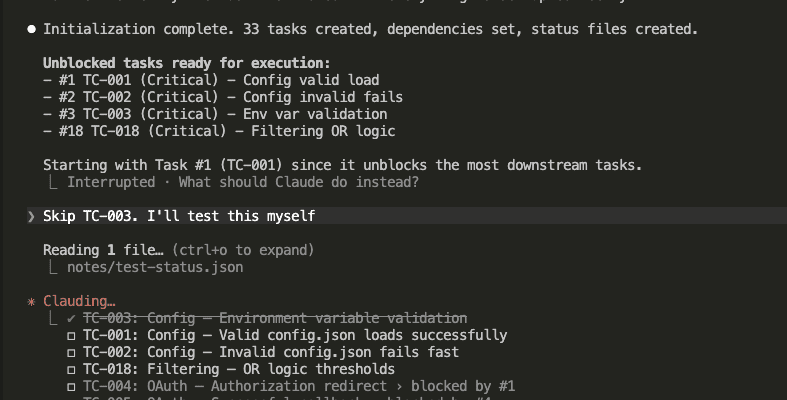
I asked Claude to skip TC-003 (environment variable validation) since that one needed manual testing with specific env states.
Then the tests ran. One sub-agent per test case. Each with fresh context.
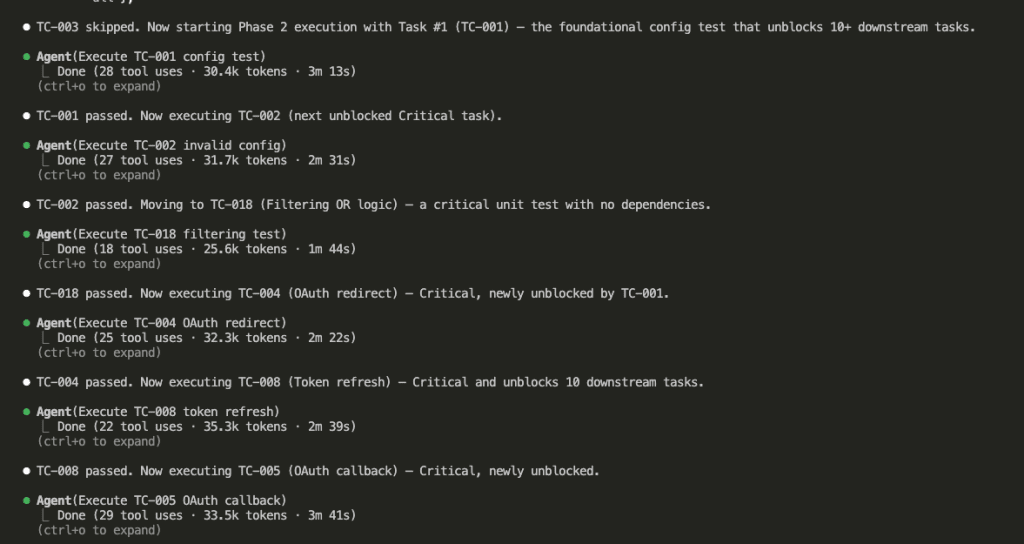
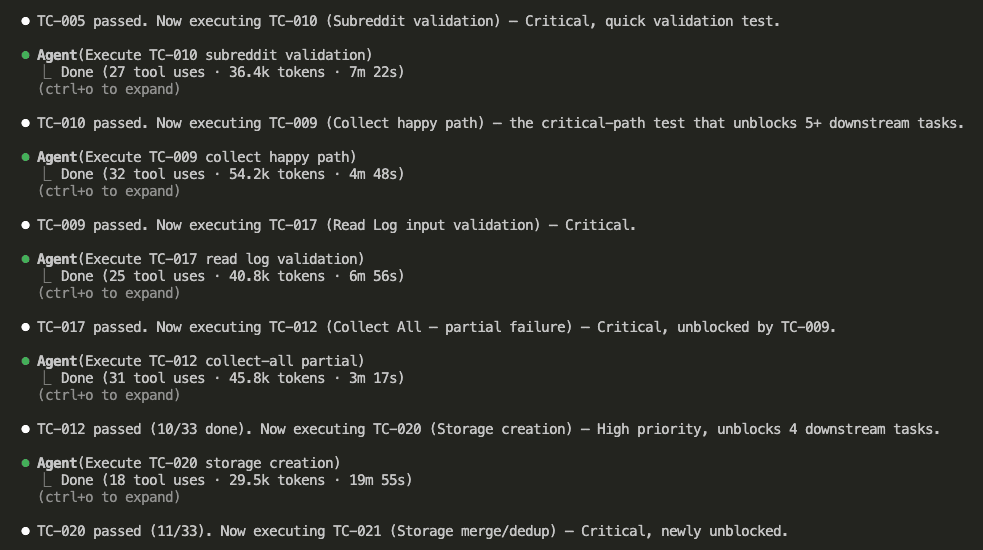
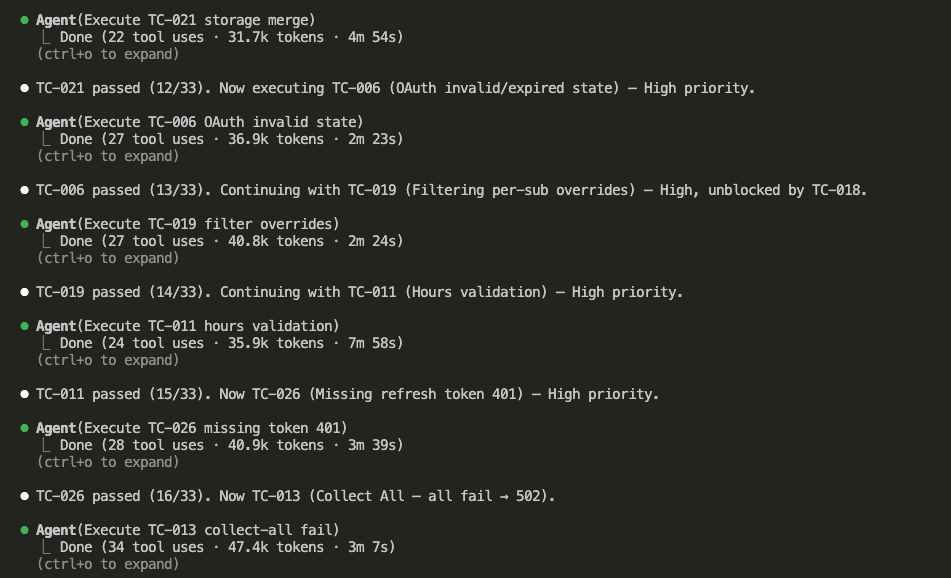
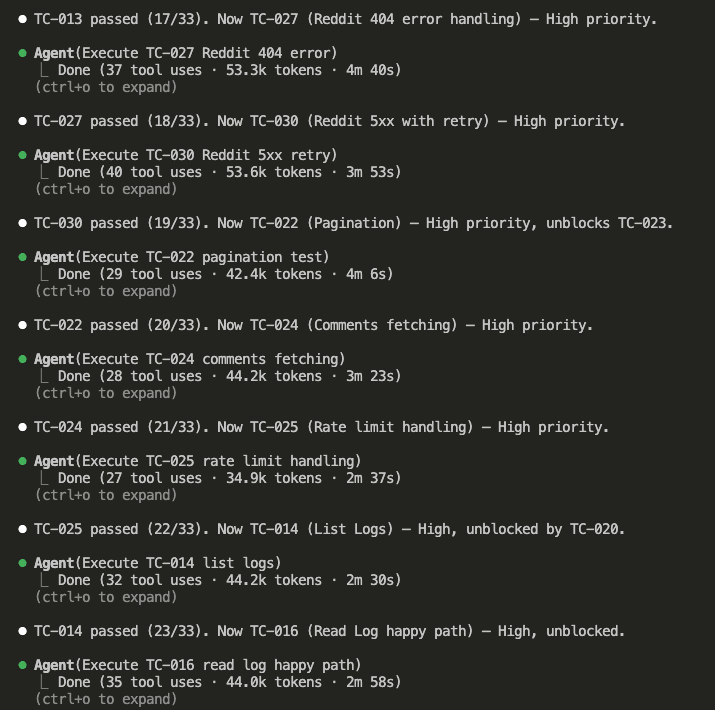
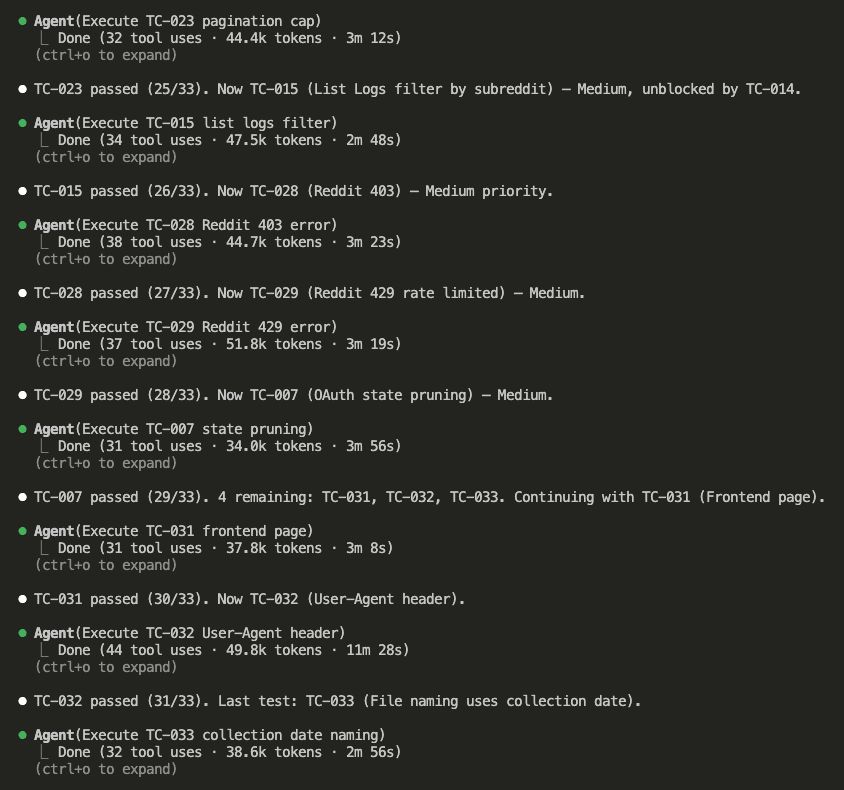
All automated tests passed on the first attempt.
Zero code fixes required.
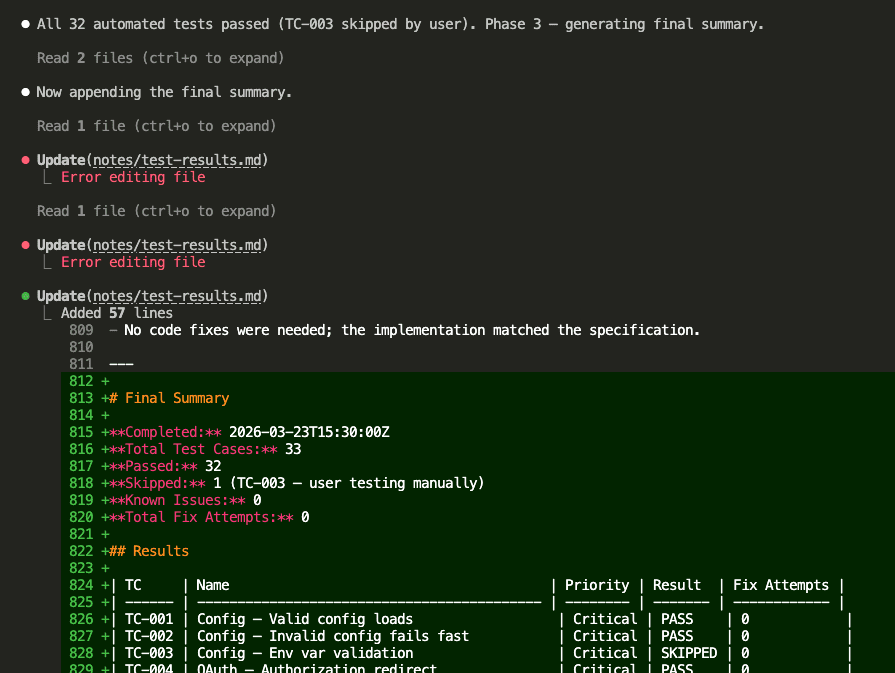
Here’s the full results table:
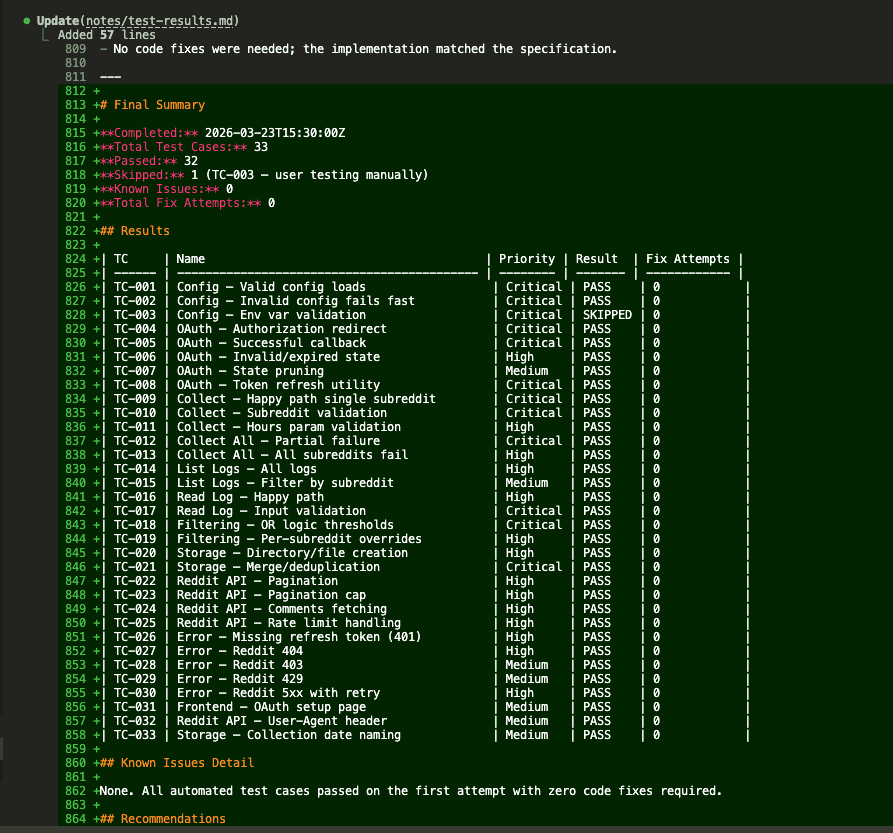
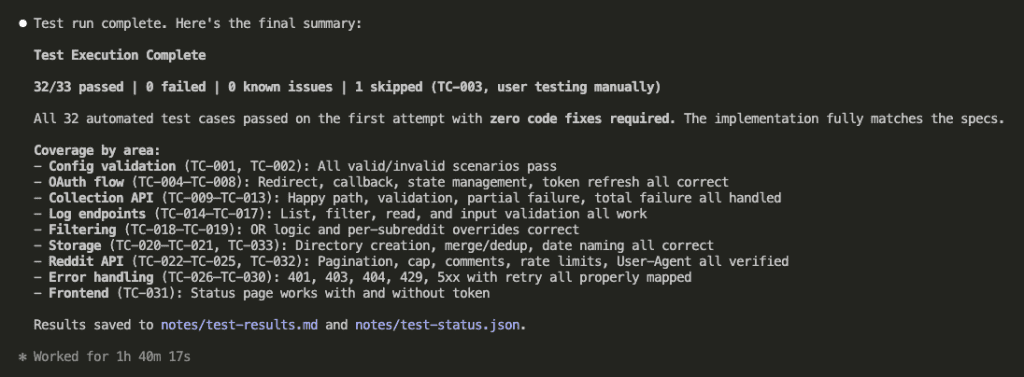
Final score: 32/33 passed. 0 failed. 1 skipped (TC-003 — manual user testing). 0 known issues. 0 total fix attempts.
Let that sit for a second.
Every automated test passed on the first try. No code fixes needed. The implementation matched the specification because the specification had been thoroughly brainstormed, independently reviewed, and tested-before-built.
The ceremony I almost skipped? Turns out it was doing the heavy lifting all along.
.
.
.
Putting the App to Work
With all tests green, I could actually use the thing.
First up: the OAuth flow. I started the server and opened the setup page — a simple “Connect to Reddit” button.

One click, and Reddit’s authorization page appeared.
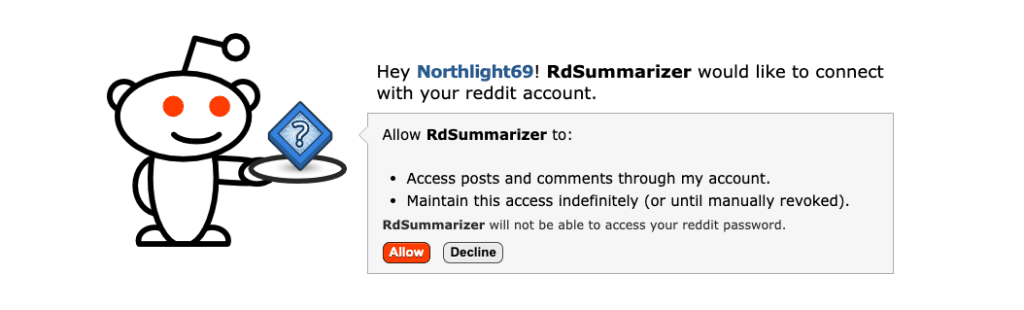
After approving, the app received a refresh token and displayed it with clear instructions to add it to .env.
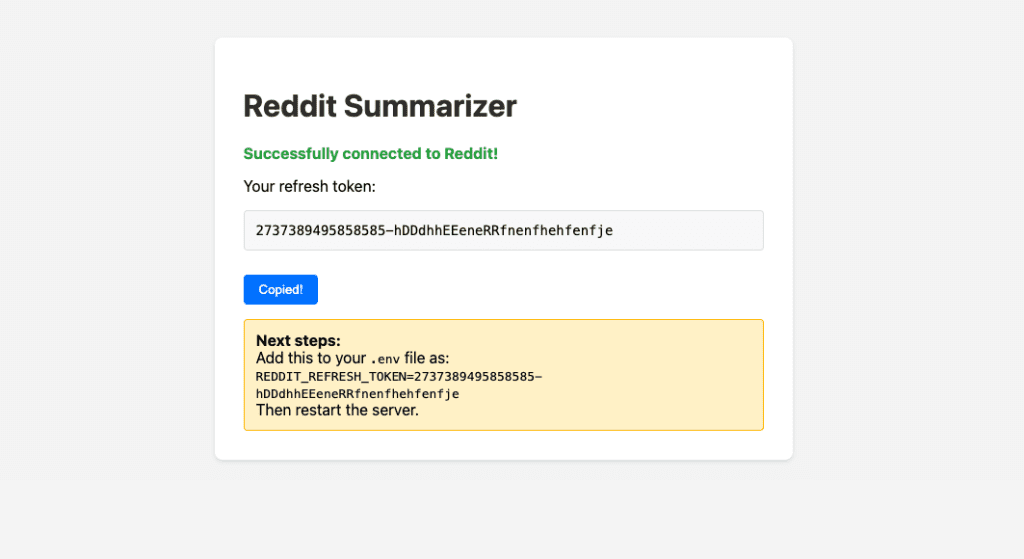
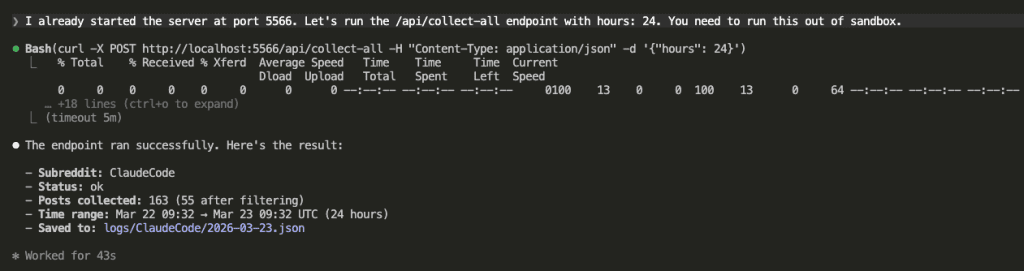
Token saved. Now I asked Claude to hit the /api/collect-all endpoint and pull data from both configured subreddits.
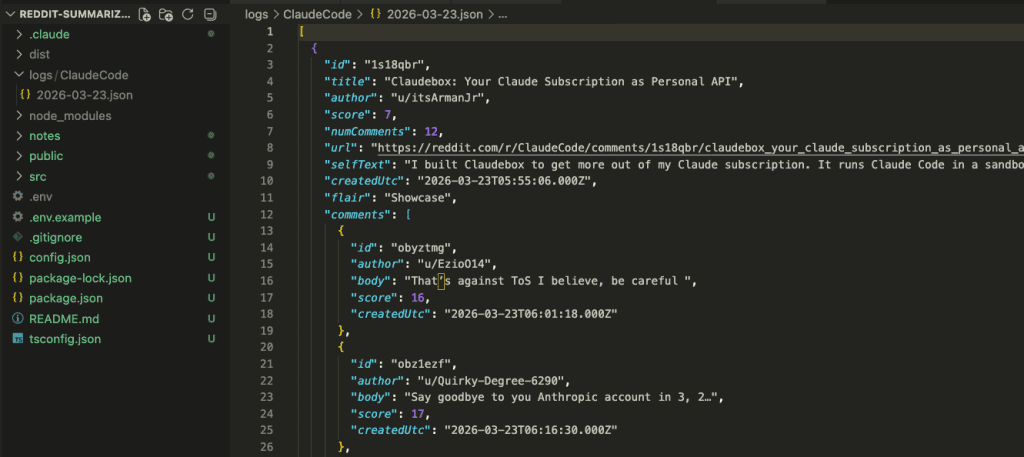
The data landed exactly where the specs said it would — JSON files organized by subreddit and date.
Now for the payoff.
I asked Claude to read the collected data and surface the latest Claude Code tips, workflows, and real-world case studies.

The collected data was large — 64k tokens. Claude spawned 6 sub-agents to process it in parallel, each analyzing a chunk.
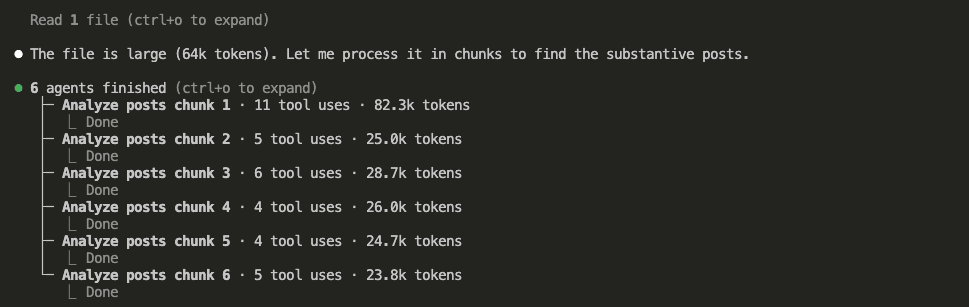
And here’s what came out — a synthesized summary of everything worth knowing from the last 24 hours across both subreddits:
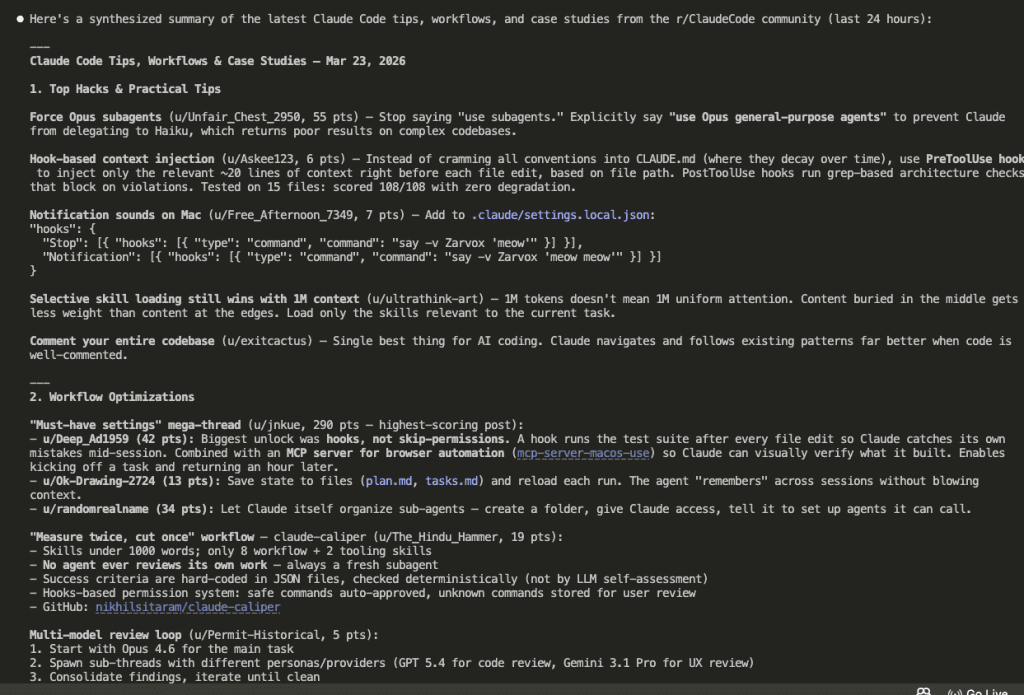
Two subreddits. Hundreds of posts and comments. Distilled into actionable insights in under a minute.
I would never consume that volume of data and extract insights that fast by scrolling Reddit manually. The app collects and organizes. Claude analyzes and summarizes. And because all of this runs through my Claude subscription, there’s no separate API cost for the summarization part.
My morning Reddit scroll just went from 45 minutes to about 2.
.
.
.
Why the Workflow Made This Possible
You might be thinking: “Okay, but couldn’t you have built this without all the workflow steps? It’s just an Express server with some API calls.”
Honestly? Probably. This project is small enough that a skilled developer could prompt their way through it in one session.
But here’s what would have been different.
1. The spec review caught 10 issues before any code existed.
Using GET for state-changing operations. Writing tokens to .env at runtime. Missing pagination limits. A path traversal vulnerability. Any one of these would have meant debugging sessions after implementation — or worse, shipping a security hole you never noticed.
2. The test plan gave implementation a concrete target.
33 test cases, defined before Claude wrote a single line of code. When every task maps to specific success criteria, you don’t end up with “it seems to work” confidence. You end up with full tests passed on the first attempt confidence. There’s a world of difference between those two.
3. Fresh sessions prevented context rot.
The brainstorm session accumulated context from two rounds of Q&A. The review session started clean — and immediately found problems the brainstorming agent was blind to. The implementation used sub-agents in waves, each with its own fresh context window. No degradation. No forgotten requirements.
4. The artifacts served as shared memory.
Every step read from the previous step’s output file. Specs fed the review. Reviewed specs fed the test plan. Test plan fed the implementation plan. Implementation plan fed the sub-agents. Nothing lived “in context.” Everything lived on disk, where any fresh session could pick it up.
And here’s the part I keep coming back to: the workflow scales.
This project happened to be small.
The next one might not be.
And the exact same six commands:
/spec_brainstorm/spec_review/write_test_plan/write_impl_plan/do_impl_plan/run_test_plan
…will work the same way regardless of what you’re building.
You design the process once. You refine it over time. Then you apply it to everything.
That’s the whole promise of Claude Code Workflow Engineering. And I think this little Reddit project makes a decent case for it.
.
.
.
Your Turn
The full source code is on GitHub: reddit-summarizer
If you want to use the same workflow for your own projects, grab the Workflow Engineering Starter Kit — all six command files, ready to drop into your .claude/commands/ folder.
Here’s what I’d suggest:
- Pick a project idea you’ve been sitting on
- Write it down in an
idea.mdfile — even a rough paragraph works - Run the six-step workflow end to end
- Pay attention to what the spec review catches — that’s usually where the biggest surprise shows up
What are you going to build with it?
Go engineer it.

Leave a Comment