Codex Reviews My Code Inside Claude Code — But I Don’t Trust It Blindly
I’ve been building something I can’t fully show you yet.
It’s a Chrome extension called PinFlow. The idea: you browse a page, click on any element, attach an instruction to it, and those instructions get routed straight into a local Claude Code session. No tab switching. No copy-pasting selectors. You pick, you describe, Claude edits your code.
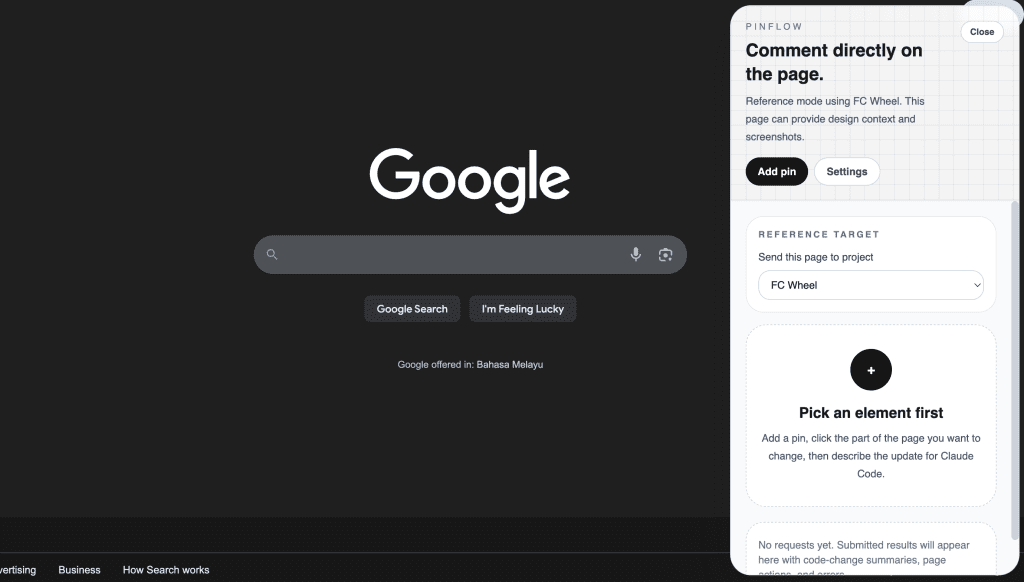
I’ll cover how PinFlow works in a dedicated post in the future. (Subscribe if you don’t want to miss that one.)
But today’s story starts after I finished a major UI redesign of that extension.
The code had gotten complex. Multi-step wizard flows, state management across views, permission handling, concurrent request logic. The kind of complexity where you know bugs are hiding somewhere — you just can’t see them yet.
I needed a second pair of eyes.
Normally, that meant switching over to Codex in a separate terminal, running a review there, then hauling the results back to Claude Code. I’ve done this workflow dozens of times — I even wrote about it back in October 2025.
This time, I didn’t have to switch at all.
There’s a plugin for that now.
.
.
.
What Is the Claude Code Codex Plugin?
On March 30, 2026, OpenAI shipped an official Claude Code Codex plugin (openai/codex-plugin-cc). It lets you run Codex code reviews, adversarial reviews, and delegate tasks to Codex — all from inside your Claude Code session.
A few things worth knowing:
- Free to use with any ChatGPT subscription, including the Free tier
- Uses your local Codex CLI — same auth, same config, same models
- Runs as a Claude Code plugin — the new plugin system, so it lives inside your session
- 2,500+ GitHub stars in one day — the community noticed fast
If you’ve been following along, you’ll recognize the workflow this replaces.
Back in September 2025, I wrote about using Claude Code and Codex as separate tools in separate terminal windows. In October, I refined that into a structured handoff: Codex plans → Claude builds → Codex reviews.
The plugin collapses all of that into slash commands. No window switching. No copy-pasting context between tools. The review happens right where the code was written.
Install and Setup
Four commands. Under 2 minutes. That’s it.
/plugin marketplace add openai/codex-plugin-cc
/plugin install codex@openai-codex
/reload-plugins
/codex:setup
If you don’t have Codex installed yet, /codex:setup handles that for you. If Codex isn’t logged in, run !codex login from within Claude Code — the ! prefix executes shell commands in your session.
After installation, you’ll see the new slash commands and the codex:codex-rescue subagent ready to go.
What Commands Do You Get?
The plugin ships with 7 commands:
| Command | What it does | Read-only? |
|---|---|---|
/codex:review | Standard code review of uncommitted changes or branch diff | Yes |
/codex:adversarial-review | Steerable challenge review — questions design, tradeoffs, assumptions | Yes |
/codex:rescue | Delegate a task to Codex (bug investigation, fixes, cheaper model pass) | No |
/codex:status | Check progress on background Codex jobs | — |
/codex:result | Show final output of a finished job | — |
/codex:cancel | Cancel an active background job | — |
/codex:setup | Check/install Codex, manage review gate | — |
The two I reach for most:
/codex:review — the bread and butter. Point it at your current changes and get a review. Supports --base main for branch diffs and --background for long-running reviews. Or --wait if you want to stay in the session until the review finishes.
/codex:adversarial-review — the pressure test. Unlike the standard review, you can steer it: “look for race conditions,” “challenge whether this caching approach is right.” I pull this one out before shipping anything risky.
There’s also /codex:rescue, which is the only command that can change code. It hands a task to Codex and supports different models (--model gpt-5.4-mini for quick passes). Think of it as delegating grunt work to a cheaper model while you stay focused.
.
.
.
The Demo: Reviewing a Real Redesign
Here’s where it gets concrete.
I was redesigning PinFlow’s sidebar UI — moving from a single-element component to a full multi-step wizard with Pick → Write → Review steps, multi-pin support, and shared/per-pin instruction modes. A big change.
I gave Claude Code the task with my redesign notes:

Claude explored the codebase, reviewed the wireframes, and came back with clarifying questions — architecture decisions, multi-pin picking strategy, scope for the reference mode, how far to go with the running and done states.
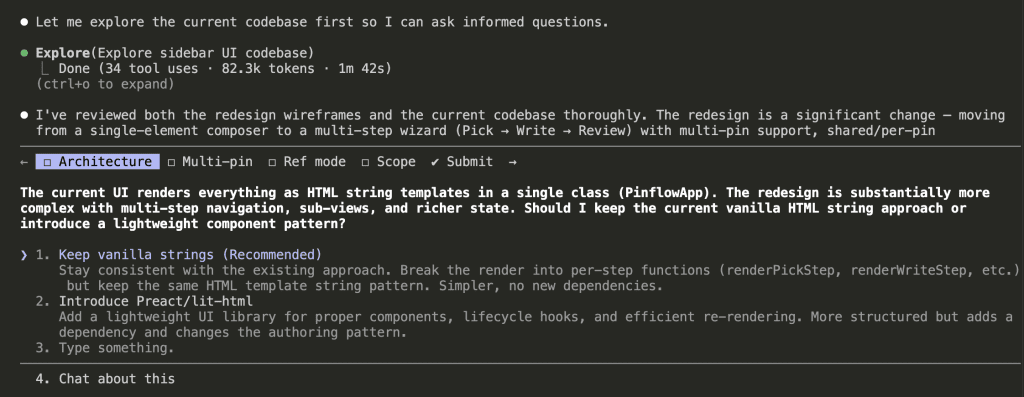
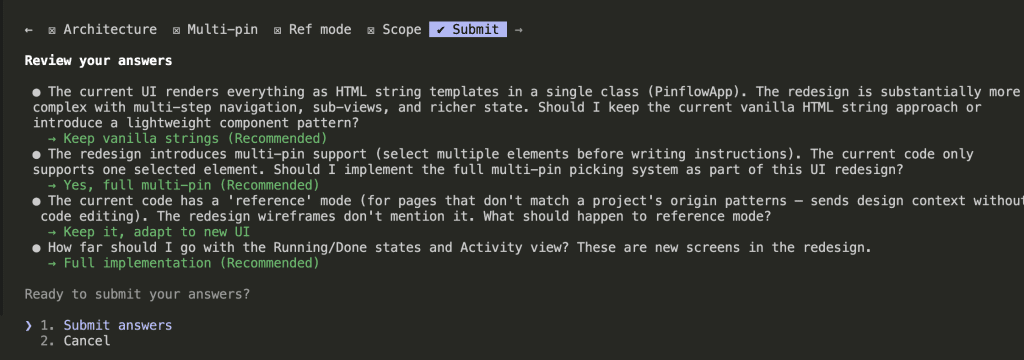
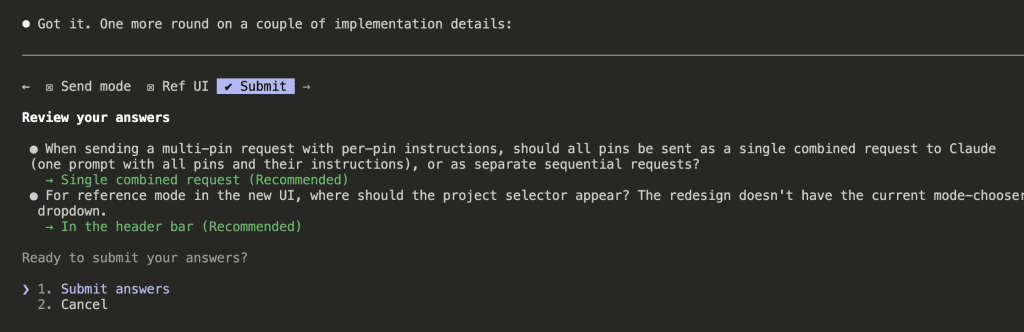
Two rounds of questions later, Claude had enough context to plan.
It created a task list — three-step wizard, multi-pin picking, write step with shared/per-pin modes, review step, running and done states, activity view, submit flow, and prompt builder.
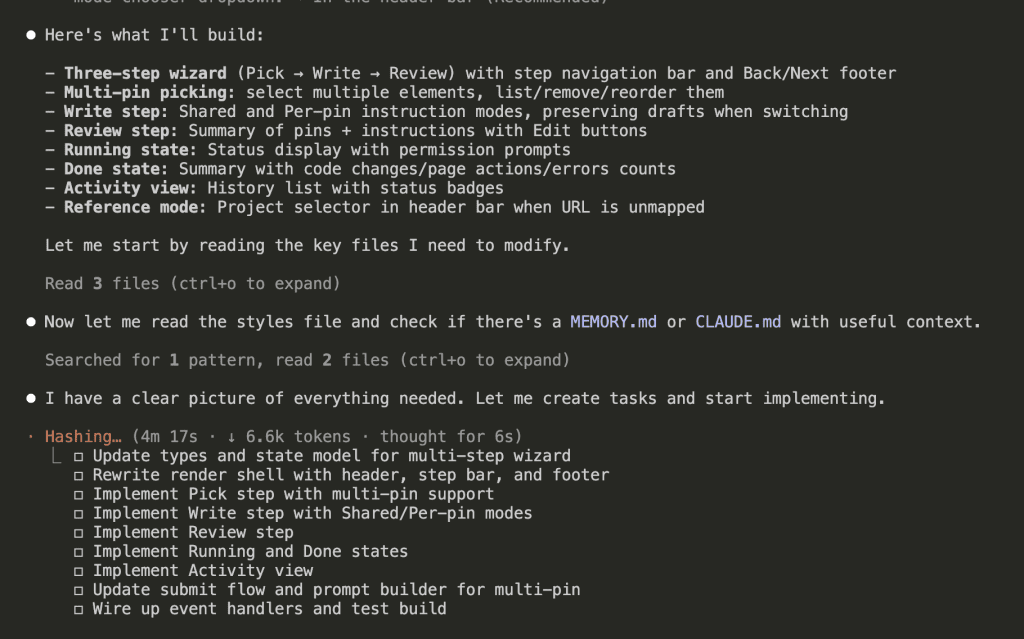
8 minutes and 45 seconds later, the redesign was complete.
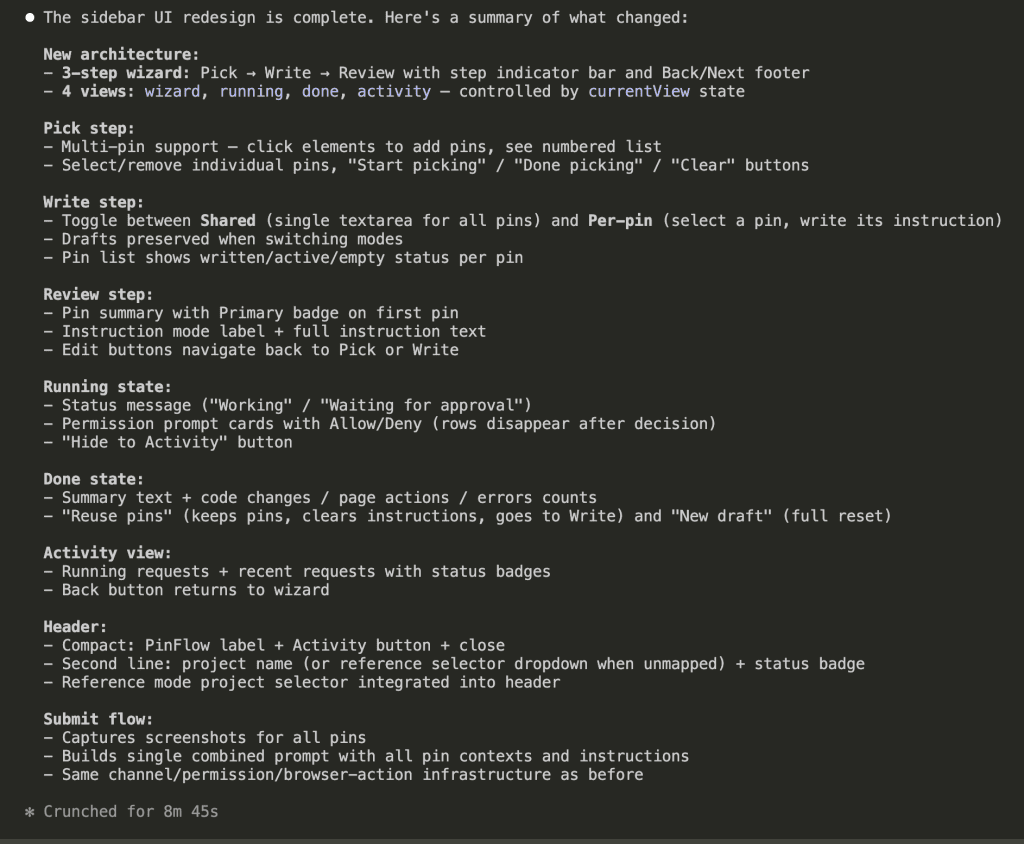
A full sidebar redesign. New wizard flow. New state management. New views. All from a single Claude Code session.
But here’s the thing — when that much code changes at once, edge cases don’t announce themselves. They hide in the seams between states, waiting for a user to stumble into them.
I could feel it. Time for Codex.
Triggering the Review
/codex:review --wait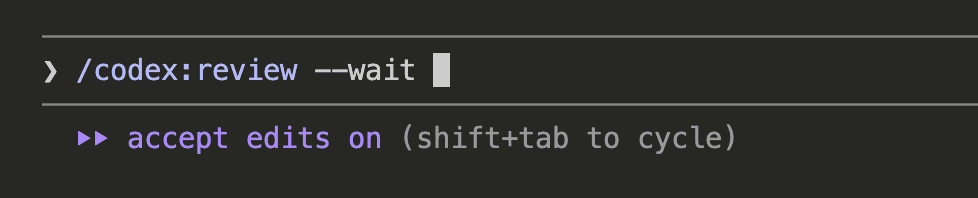
The --wait flag keeps the session active until the review finishes. Behind the scenes, the plugin spins up a Codex review thread against your uncommitted changes.

6 minutes 35 seconds later, the results came back.
The Review Results
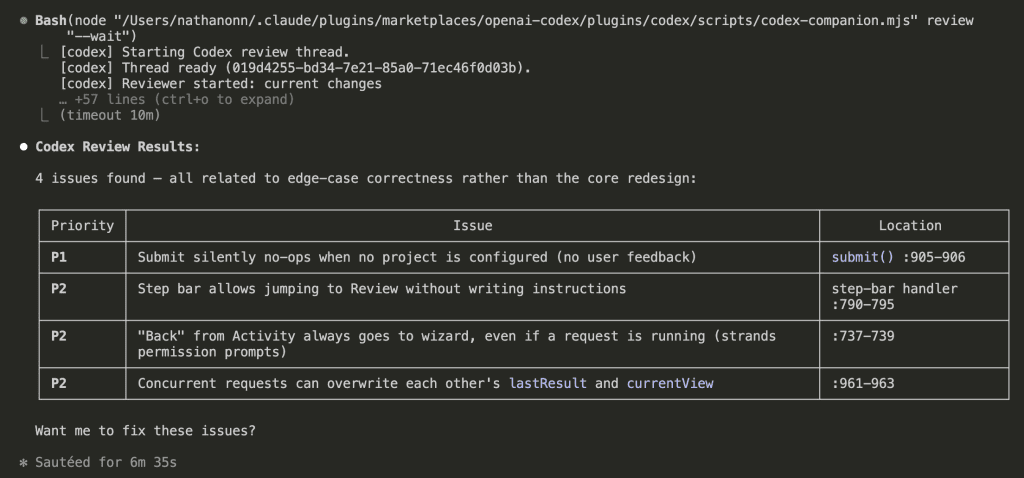
4 issues found. All related to edge-case correctness rather than the core redesign:
| Priority | Issue |
|---|---|
| P1 | Submit silently no-ops when no project is configured (no user feedback) |
| P2 | Step bar allows jumping to Review without writing instructions |
| P2 | “Back” from Activity always goes to wizard, even if a request is running |
| P2 | Concurrent requests can overwrite each other’s lastResult and currentView |
Every single one of these is the kind of bug that slips through during a big redesign. You’re focused on the main flow — the happy path — and the edge cases hide in the seams between states.
At the bottom of the review: “Want me to fix these issues?”
I could have said yes. Let Claude apply all 4 fixes and move on with my day.
I’ve been on the other side of that decision. Said “yes, fix everything” on a review once, walked away, came back to a diff full of renamed variables and reshuffled imports that had nothing to do with the actual bugs. Took longer to untangle than the original review would have.
So no. I didn’t say yes.
.
.
.
The Validation Prompt: Where the Real Value Lives
Here’s what I do instead — and honestly, this is the part I want you to steal.
After receiving Codex’s review comments, I paste this prompt:
let's address the code review comments provided.

Follow the steps below to effectively address the code review comments:

1/ First, you should analyze the code review comments carefully and understand the feedback given.
2/ Then, determine if the comments given are valid and we should make changes to the code based on the feedback.
3/ If the comments are valid, you should make the necessary changes to the code to address the comments. If you believe the comments are not valid, you should provide a clear explanation to justify why you think the comments are not valid.

Use the AskUserQuestion tool to ask me clarifying questions until you are 95% confident you can complete this task successfully. For each question, add your recommendation (with reason why) below the options. This would help me in making a better decision.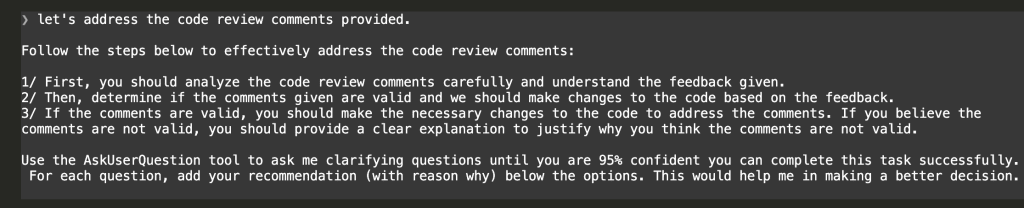
What happens next is the key insight.
Claude reads the Codex review. It analyzes each comment against the actual codebase — the code it just wrote, with full context of why things are structured that way. And instead of blindly applying everything, it comes back with a verdict and clarifying questions.
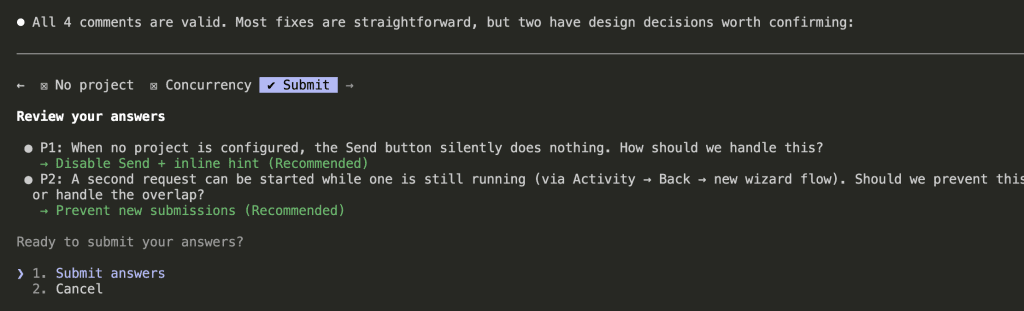
Look at what Claude did here:
“All 4 comments are valid. Most fixes are straightforward, but two have design decisions worth confirming.”
For the straightforward fixes, Claude proceeds. For the ones with judgment calls, it asks — with a recommendation and reasoning for each option:
- P1 — No project configured: When no project is set, the Send button silently does nothing. How should we handle this? Claude recommends: Disable Send + inline hint.
- P2 — Concurrent requests: A second request can start while one is already running. Should we prevent it or handle the overlap? Claude recommends: Prevent new submissions.
Each question comes with Claude’s recommendation and the reasoning behind it. I pick the recommended options for both.
This is the part that matters.
Claude becomes a filter between the review and your code. It validates each comment in context, surfaces the ones that need your judgment, and handles the rest. You stay in control without having to re-read every line yourself.
Watching the Fixes Go In
With the design decisions confirmed, Claude applies all 4 fixes.
Fix 1 (P1): Disable the Send button on the Review step when no project is configured. Show an inline hint: “No project configured — open Settings.”
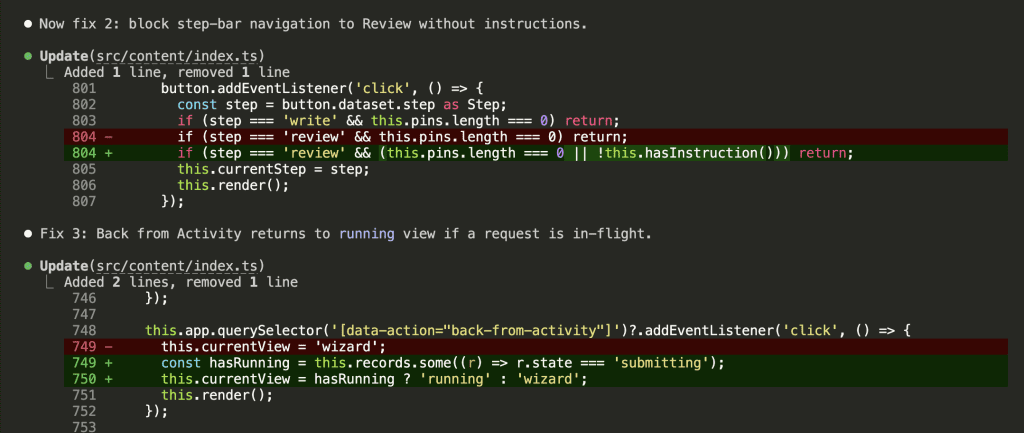
Fix 2 (P2): Block step-bar navigation to Review when no instructions have been written. Add a hasInstruction() guard to the click handler.
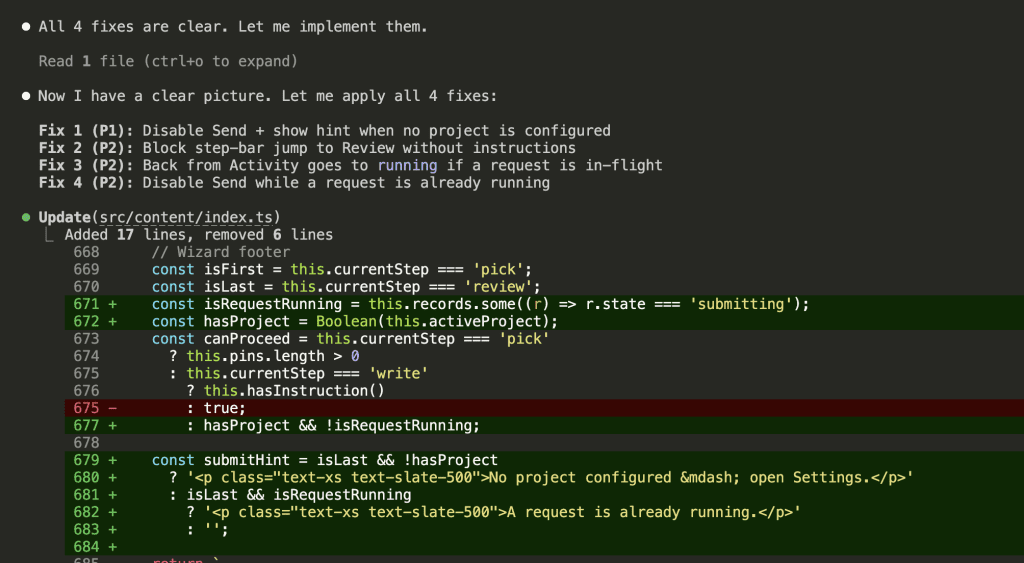
Fix 3 (P2): Back from Activity now checks if a request is currently running. If it is, the view returns to running instead of the wizard — preventing the user from stranding an in-flight request.
Fix 4 (P2): Scope lastResult and currentView updates so they only fire when the completing request matches the current one. Prevents a finishing background request from overwriting the state of a newer request.
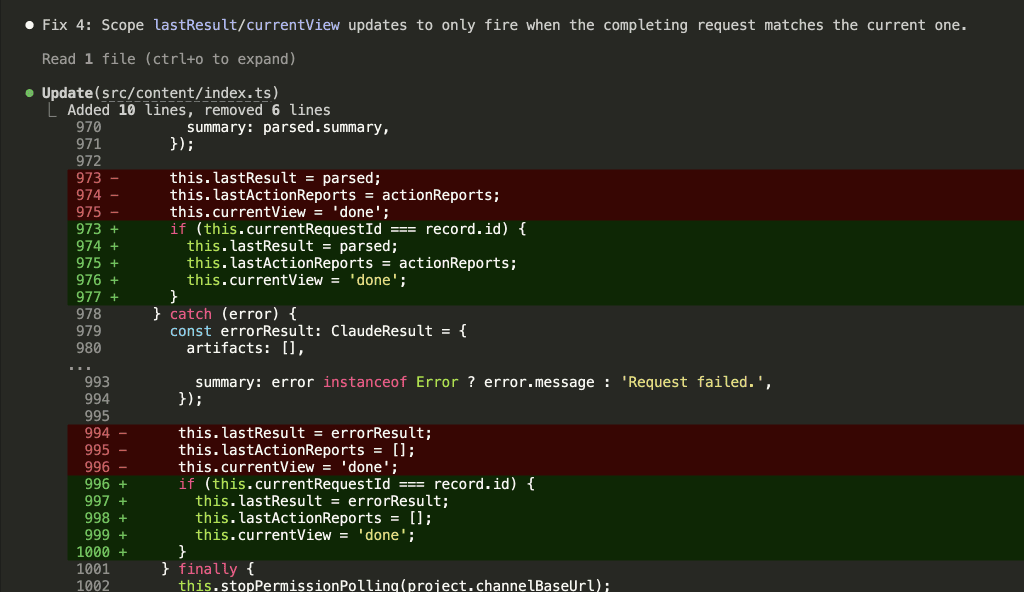
Then Claude verifies the build still compiles. All clean.
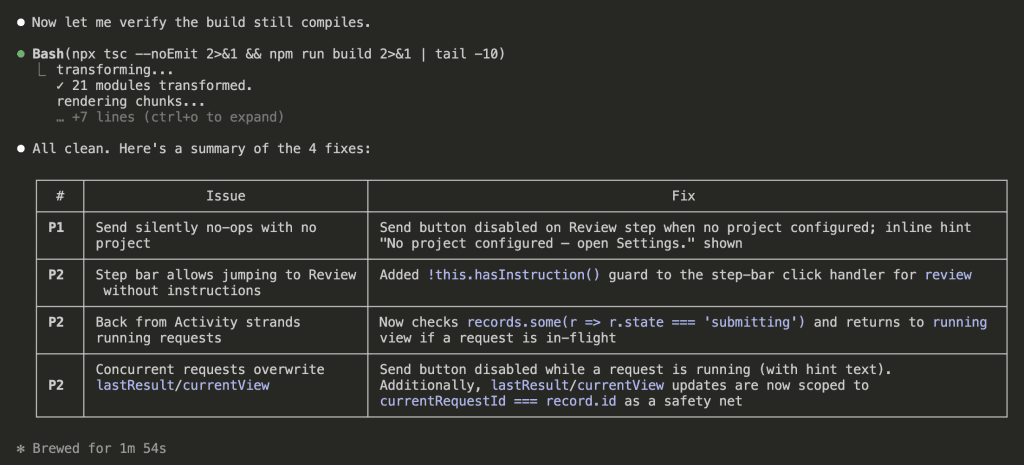
4 issues identified. 4 fixes applied. 2 design decisions confirmed. 1 minute 54 seconds.
And here’s the part worth sitting with: if any of those review comments had been a false positive — a stylistic preference that didn’t match the codebase, or a “problem” that was actually intentional — Claude would have flagged it. It would have said “this comment suggests X, but the current approach is correct because Y” and asked whether to skip it.
That filtering step is the difference between a code review you can act on and a code review that introduces churn.
The Before and After
Remember the original PinFlow UI from the top of this post? Here’s what it looks like after the redesign and the review fixes:
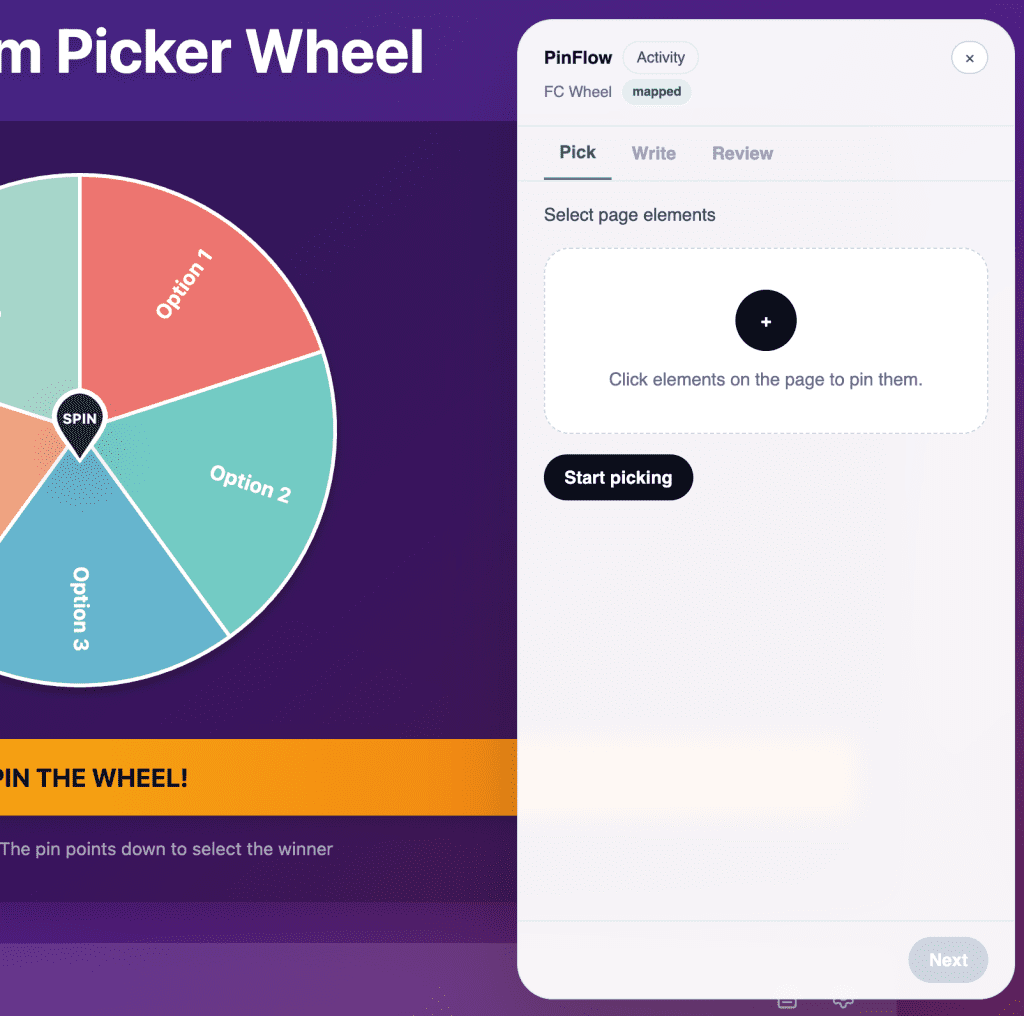
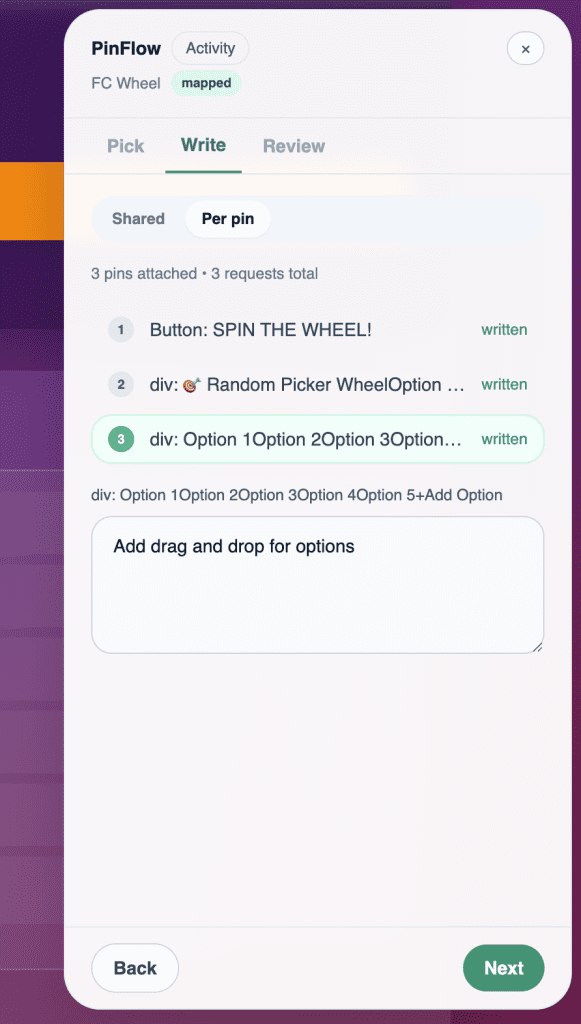
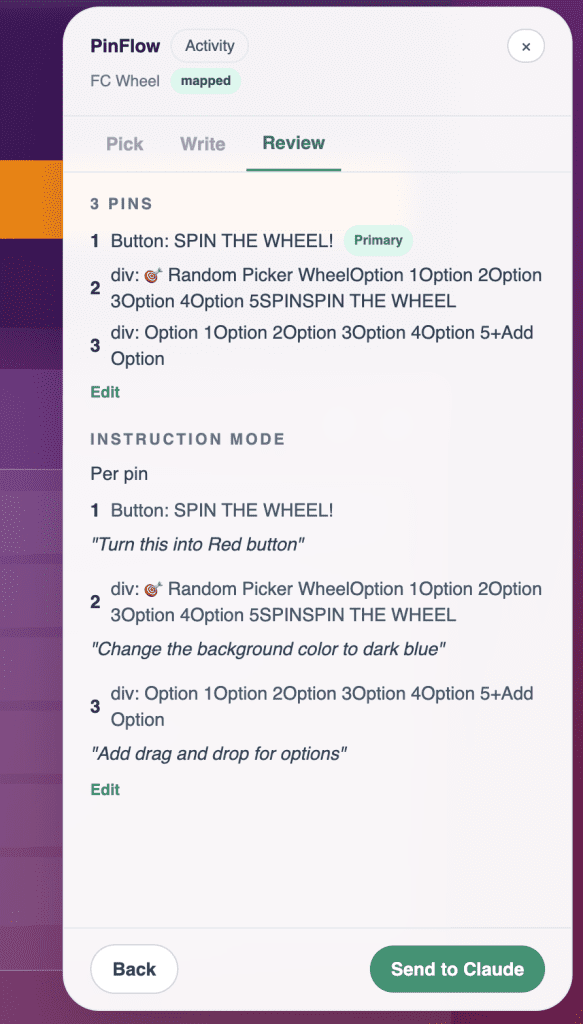
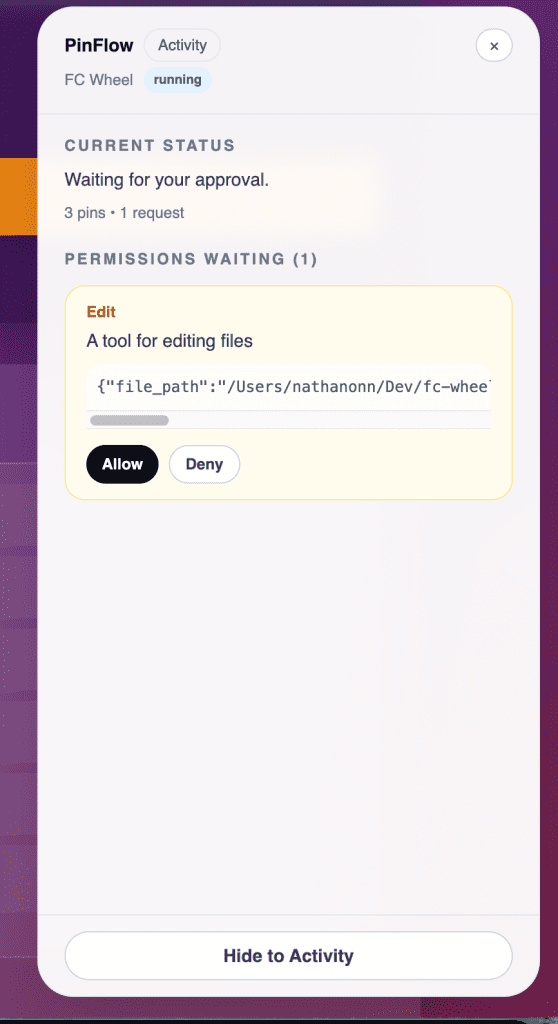
New wizard flow. Clean state management. And four edge-case bugs caught before they ever reached a user.
I’ll go deep on the extension itself in a future post.
(Stay tuned for that one.)
.
.
.
The Review Gate: The Automated Alternative
The plugin also includes a review gate — a built-in hook that automatically runs a Codex review before Claude finishes a task:
/codex:setup --enable-review-gateWhen enabled, every response Claude is about to complete gets intercepted for a Codex review first. If issues are found, the stop is blocked so Claude can address them.
I prefer the manual approach.
The review gate can create long-running Claude/Codex loops that drain usage limits, and it doesn’t give you the chance to filter false positives before they get fed back in. For long autonomous runs where you want a safety net, though, the gate has its place.
Think of the manual prompt as the scalpel and the review gate as the safety net — choose based on how much control you want.
.
.
.
The Bigger Picture: Claude and Codex, Integrated
Let me zoom out for a second. My Claude-Codex workflow has gone through three distinct phases:
1. Side by side (Sept 2025) — Separate tools, separate terminal windows, separate contexts. I used to keep two terminals open — Claude Code on the left, Codex on the right. Copy a file path from the review, switch windows, find the line, switch back. By the third comment I’d lost track of what I was even fixing.
2. Manual handoff (Oct 2025) — Structured workflow with Codex planning and reviewing, Claude building. Better. But still separate tools with separate contexts.
3. Integrated (now) — Codex commands running inside Claude Code. Shared context. No switching. The review happens where the code lives.
Each evolution removed friction. The Claude Code Codex plugin removes the last meaningful barrier: context loss between tools.
And when I pair that with the validation prompt — having Claude critically evaluate Codex’s feedback before acting on it — I get a review workflow that catches real bugs without drowning me in noise.
Between the Codex plugin and the Chrome extension I teased at the top, the direction feels clear. The tools are converging. The best workflow is the one where you never have to leave.
.
.
.
Your Next Steps
The plugin takes 2 minutes to install. The validation prompt is 6 lines you can copy-paste.
Together, they give you a code review workflow that catches real issues — and lets you skip the noise.
Here’s what to do:
- Install the plugin (4 commands above)
- Run
/codex:reviewon whatever you’re working on right now - Paste the validation prompt and let Claude filter the results
- Fix what matters. Skip what doesn’t.
Try it on your next session. You’ll be surprised how many review comments are noise — and how valuable the ones that survive the filter actually are.
Plugin repo: openai/codex-plugin-cc

Leave a Comment