I Gave Codex a Requirements Doc and Got a CodeCanyon-Grade Plugin Back
The first time I used Codex /goal, I sat at my desk for twenty-eight minutes pretending to do other work while an autologin plugin built itself from a one-paragraph spec.
That was How to Use Codex /goal to Build WordPress Plugins (My Spec-to-Ship Workflow). One feature. One goal. The kind of experiment where you peek at the terminal every 90 seconds and try to look casual about it.
This time, my input was a full requirements document and this single line:
./run-goals.shThen I walked away. For nearly five hours.
When I came back, a complete WooCommerce plugin was sitting in the repo — an admin grid for bulk-editing stock quantities across products, including per-variation stock for variable products. That’s the exact kind of WooCommerce complexity that breaks naive implementations. The genre of plugin that sells on CodeCanyon for $30–60.
All built while I made dinner, watched half a movie, and checked the terminal exactly once. (More on that later.)
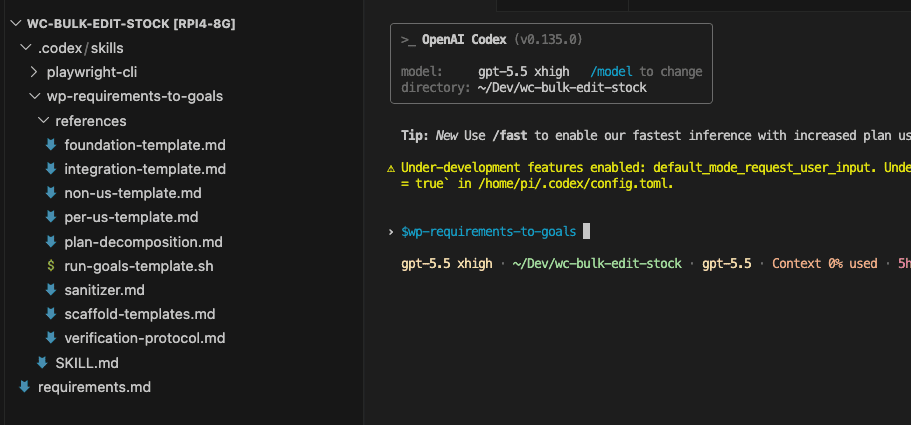
Everything I’ve built with the codex goal command up to this point has fit inside a demo. The autologin plugin took twenty-eight minutes. How I Chained Two Codex /goal Runs to Build a Complete CLI Tool scaled the pattern to two linked goals. How I Used 8 Codex /goal Runs to Build a Browser Game From Scratch pushed it to eight.
The question I’ve been carrying — and maybe you have too — is whether /goal survives contact with real software. Multi-feature. Edge cases. Settings pages. The kind of product someone would actually pay for.
This post is where I find out.
The honest caveat lands early, same as always: /goal produced the code, but the requirements produced the outcome. And this time the spec was a full requirements document, decomposed by a skill into a layered tree of goals — each with its own contract, its own verification, its own proof.
(If you’re new to the series, the autologin post covers what /goal is and how the goal trio works. Everything here builds on that foundation.)
.
.
.
The Requirements Are the Real Work
A paragraph was enough for an autologin plugin.
A full product needs a full brief.
I learned this the hard way on a previous build. The requirements were loose enough that the agent met every acceptance criterion — and still missed what I actually wanted. (If you’ve ever written a Jira ticket and gotten back something that was technically correct and completely wrong, you know the feeling.)
That gap is where I started treating the requirements doc as the real product.
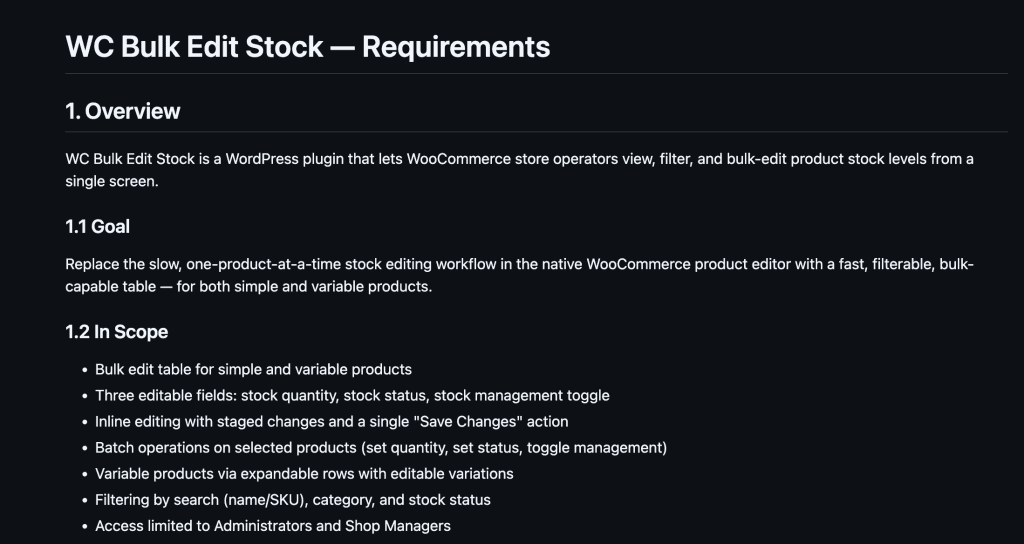
(Full requirements: https://github.com/nathanonn/wc-bulk-edit-stock/blob/main/requirements.md)
The requirements for this build carried tagged user stories with explicit acceptance criteria, edge cases around out-of-stock states and variable-product handling, and cross-cutting concerns like validation and save resilience:
- US-01: Quickly update a single product’s stock from a filterable admin grid
- US-02: Set a group of products to out-of-stock at once (bulk action)
- US-03: Edit per-variation stock for variable products inline
- Edge cases: WooCommerce inactive, concurrent edits, deleted staged products, 100+ variations
- Cross-cutting: Save/validation resilience, filtering/search, batch selection
That doc is the product brief, the architecture, and the test plan — all in one file. The better it is, the less you touch the build.
I wrote about the upstream discipline in How to Write Better Requirements with Claude (Stop Letting AI Assume). That post produces the input this post consumes. If you’re going to try this workflow, start there.
Here’s the thing: the codex goal command runs on evidence, and the requirements doc is where that evidence gets defined. Every acceptance criterion becomes a checkbox the machine has to satisfy before declaring a goal complete. Write the criteria well, and you’ve written the test plan. Write them vaguely, and the build reflects that vagueness right back at you.
The leverage point from the autologin post still holds — the autonomy /goal provides downstream is paid for upfront, in the spec. Here the spec is bigger, so the downstream autonomy stretches wider too.
.
.
.
Meet wp-requirements-to-goals — The Skill That Decomposes
The autologin post introduced a skill that turns a vague paragraph into one goal trio. One input, one output.
This post’s counterpart is wp-requirements-to-goals.
Same family, different scale. It takes a structured requirements doc and produces an entire project — a goals plan, a root scaffold, and a layered tree of goals ready to execute. When I first ran it against the bulk stock manager requirements, the decomposition it produced was almost exactly what I would have designed myself — except it took minutes instead of an afternoon of whiteboarding.
The layering follows a consistent pattern:
| Layer | What it builds |
|---|---|
00-foundation | Walking skeleton — plugin activates, settings register, one artifact renders |
| Per-US goals | One goal per user story, acceptance criteria copied verbatim from requirements |
| Non-US feature goals | Cross-cutting concerns that don’t map to a single story |
| Integration goal | Re-verifies every prior goal + cross-cutting edge cases |
Each goal carries its own GOAL.md, VERIFY.md, and PROGRESS.md — the same trio from the autologin post, repeated across the full tree. Acceptance criteria are copied verbatim from the requirements document. Never paraphrased. That’s what keeps the machine’s definition of “done” identical to yours.
The integration goal at the end re-runs every previous verification — the same QC checkpoint idea readers of Your Codex Skills Should Evolve With Your Project (Ion Viper Part 2) will recognize, now baked into the WordPress skill instead of manually authored.
And before asking any questions, the skill probes the repo. It checks for existing config files, reads the slug, namespace, WordPress version, and PHP target from whatever’s already on disk. The clarification rounds stay short because the filesystem already answered most of the questions.
(Smart enough to look before it asks — which, let’s be honest, puts it ahead of a lot of people I’ve worked with.)

.
.
.
One-Shot or Phased — and the Q&A That Sets the Plan
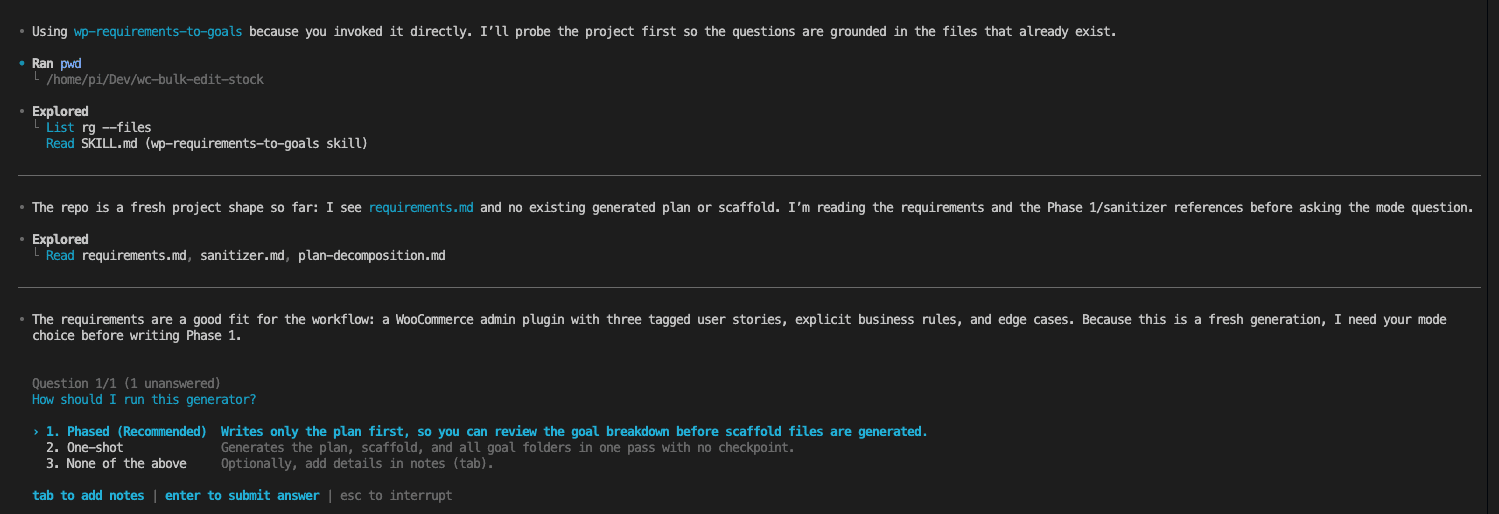
The skill’s first question is a mode decision: generate goals phased or one-shot?
Phased writes the plan first, pauses so you can review and edit, then generates the goal files and scaffold. Safer for a first run — because the plan decomposition is the highest-risk decision. If the skill slices the requirements poorly, every downstream goal inherits the mistake.
One-shot generates the plan, scaffold, and all goal folders in a single pass. Faster, and what I chose here. The requirements doc was clean enough that I trusted the decomposition, and I wanted to see how far the unattended pipeline could stretch.

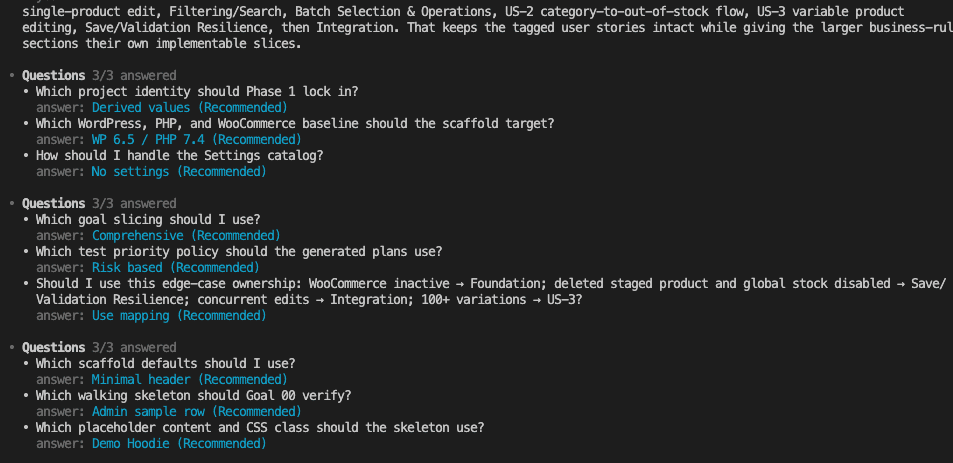
After the mode decision, the skill ran through a handful of clarification rounds. I went with the recommended option on every one — the repo probe had already answered the identity questions, so these were mostly confirming sensible defaults.
(The whole exchange felt like confirming a restaurant reservation. “Table for one? Near the window? 7 PM?” Yes, yes, yes.)
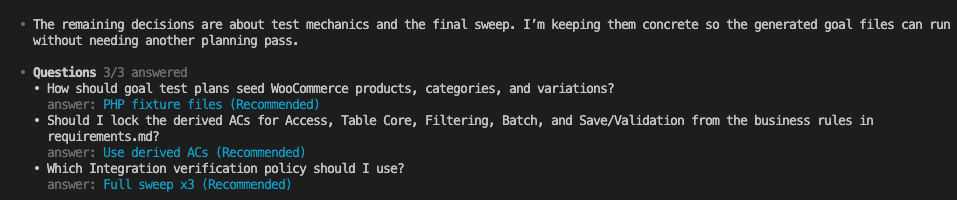
Then Codex laid out its five-step generation plan and started working.

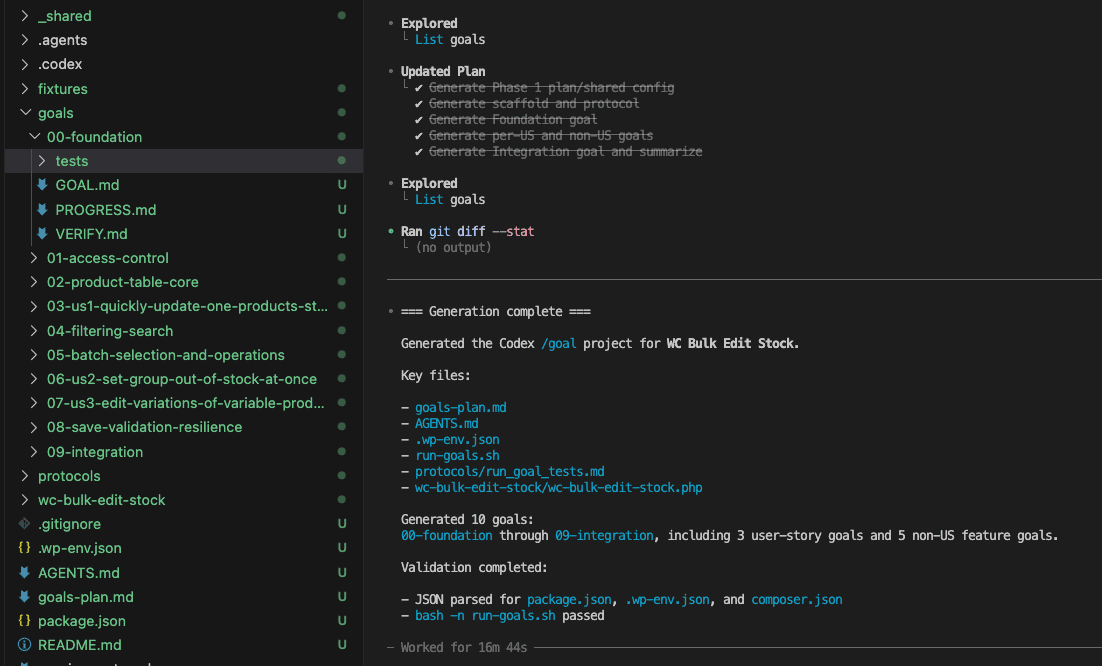
About 19 minutes later, the scaffold was done. Ten goal folders sitting in the goals directory. A root config, a plugin bootstrap folder, a verification protocol, and the bash script to run them all. Every contract written. Nothing implemented yet.
The project was runnable.
.
.
.
The Part That’s New: One Bash Command Runs Every Goal
Here’s what changed between this post and every previous one in the series.
In every prior build, I pasted each /goal command by hand. Copy the command, swap the folder name, press enter, wait, repeat. The build was autonomous within each goal, but the handoff between goals was manual. ME, copying and pasting. Every. Single. Time.
run-goals.sh removes that last handoff.
It chains every goal in order — starts the WordPress environment, runs the first goal, and when that one completes it auto-proceeds to the next, all the way through the integration goal at the end. One trigger, then leave.
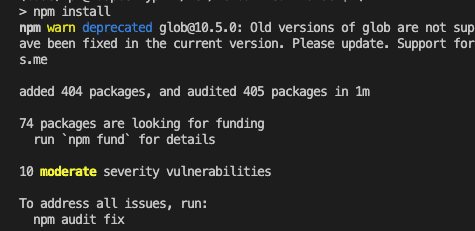
Two pre-flight steps first. Install the local WordPress tooling:
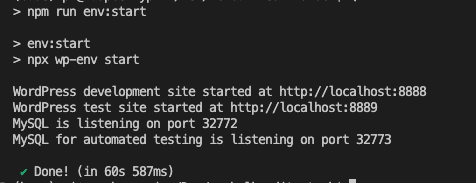
Start the local WordPress environment:
Then the trigger:
./run-goals.sh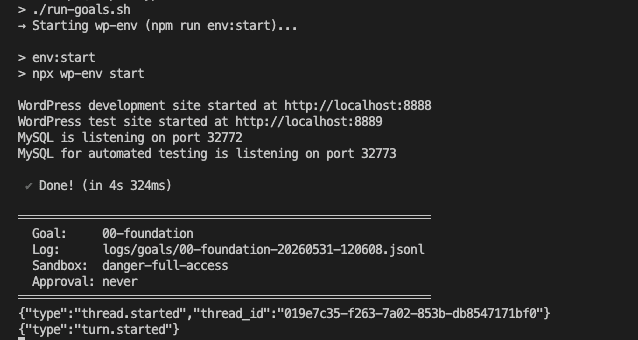
A practical note on plan tiers: on a ChatGPT Pro (x5) plan, the full unattended run fits inside usage limits. On a lower plan like Plus, you’d run goals in chunks to stay within limits — and the script supports exactly that:
./run-goals.sh --from 00 --to 02 # run goals 00, 01, 02./run-goals.sh --only 03 # run a single goalThe foundation goal finished in about 14 minutes. The script committed the result and moved straight to the next goal without pausing.
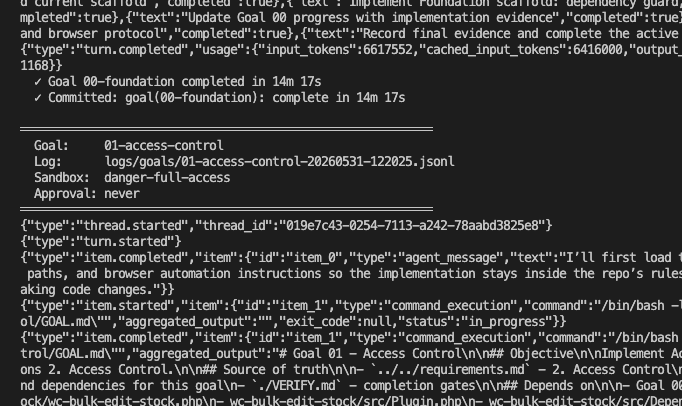
That auto-proceed is the whole point. The autologin post removed the per-step approvals. This one removes the per-goal handoffs. You are now outside the loop for the entire multi-goal build.
.
.
.
The Nearly-Five-Hour Black Box
The first time I left a single /goal run alone, the gap was 28 minutes. That felt long.
Nearly five hours is a different animal entirely. Ten goals. The entire implementation of a multi-feature WooCommerce plugin, start to finish, with nobody at the keyboard.
I won’t pretend the first time you let a run that long go feels comfortable. The trust window is ten times wider than the autologin post, and the stakes are proportionally bigger — more goals means more surface area for things to go wrong.
About two hours in, I opened the terminal tab. Just a glance — the kind where you tell yourself you’re checking “out of curiosity,” not because you’re nervous. Goal 05 was running. I closed the tab and made dinner.
Here’s what made the absence workable:
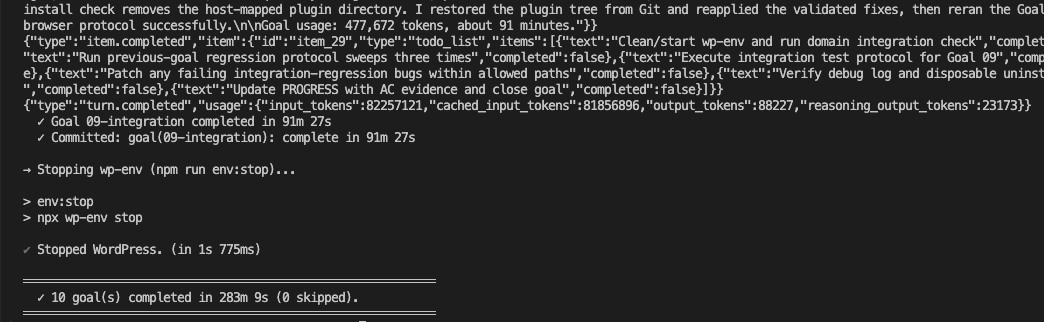
Each goal’s VERIFY.md defines what counts as proof. The continuation prompt refuses to declare a goal complete without mapping every acceptance criterion to evidence. Scope boundaries in each GOAL.md keep Codex from wandering into unrelated files. And the integration goal at the end — which alone took 91 minutes, about a third of the total runtime — ran a full regression sweep three times, re-verifying every prior goal’s work against the live WordPress environment.
Let me say that again. A third of the total build time was pure verification.
That regression discipline carries through the whole chain. Each goal re-checks the ones that came before it. A late goal breaking an early one would surface in that goal’s own verification pass, long before the integration sweep catches it again. The tests compound across the chain, and what you’re left with is a result you can audit from the artifacts alone.
283 minutes, 9 seconds. Ten goals completed, zero skipped.
.
.
.
What It Cost
I’ve been writing this series for months without ever putting a dollar figure on the autonomy.
This one does.
Before this experiment, I’d browsed CodeCanyon for bulk stock managers. The $40–60 listings had mixed reviews and half of them hadn’t been updated in a year. I wanted to know whether a clean spec and under five hours of machine time could land in the same category — so I built a bash script that totals input and output tokens across the full run and applies current GPT-5.5 API pricing.
Here’s what the 10-goal build cost:
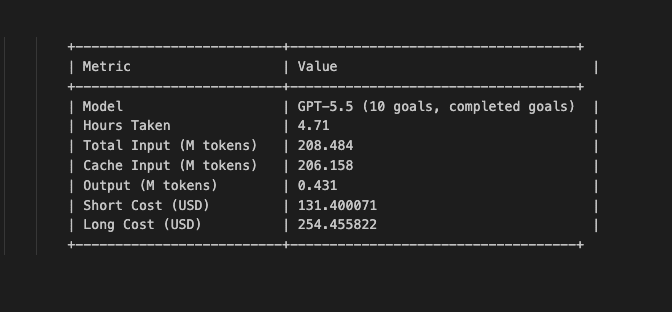
How to think about that number:
Hiring a freelance WordPress developer to build a multi-feature WooCommerce admin plugin from a requirements doc would cost anywhere from $500 to several thousand dollars, depending on the complexity and the developer’s rate. Buying an existing CodeCanyon plugin and customizing it runs $30–60 for the license, plus hours of adaptation time to make it fit your exact spec.
$131 for a working, tested, multi-feature plugin built from your exact requirements — with zero hands-on coding time — lands in a genuinely interesting spot.
.
.
.
Does It Actually Work? (And the UI Taste Caveat)
Closed the terminal. Opened the browser. Tested the plugin like a regular human would.
The honest caveat first: the generated admin UI is functional but plain. GPT-5.5 builds things that work, but its visual design sense is weaker than Claude models. The admin page has the right columns, the right filters, the right controls — everything the requirements specified. The layout and styling are just… adequate. Functional without any flair.
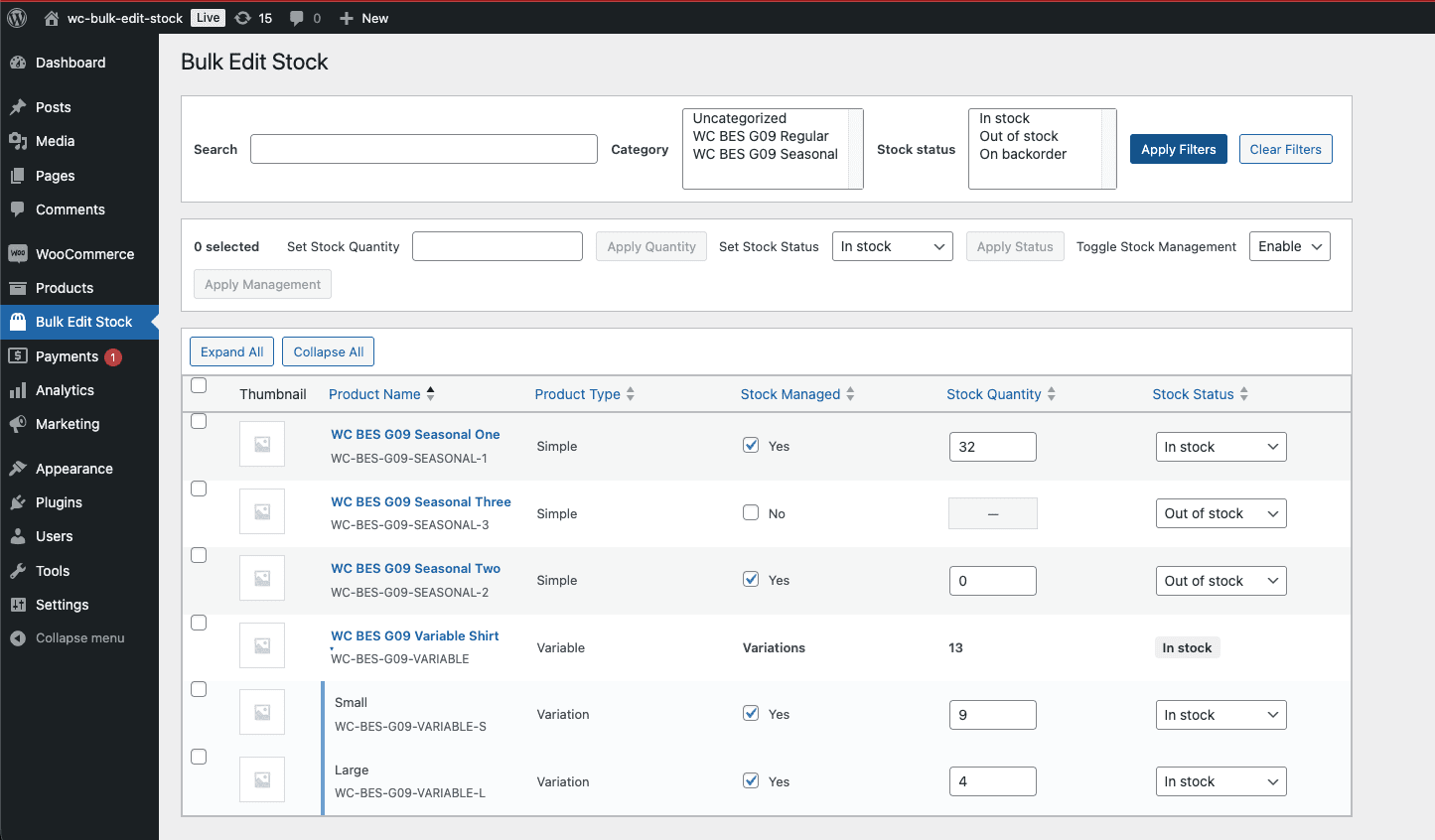
A day of CSS polish from a human — or a Claude session focused on UI — would bring it up to marketplace standard. The functionality, though, is the part the requirements controlled. And the functionality held up.
Here’s the test that matters most.
I edited stock for a simple product (set quantity to 20) and for a variable product’s “Small” variation (set quantity to 19), then hit Save Changes.
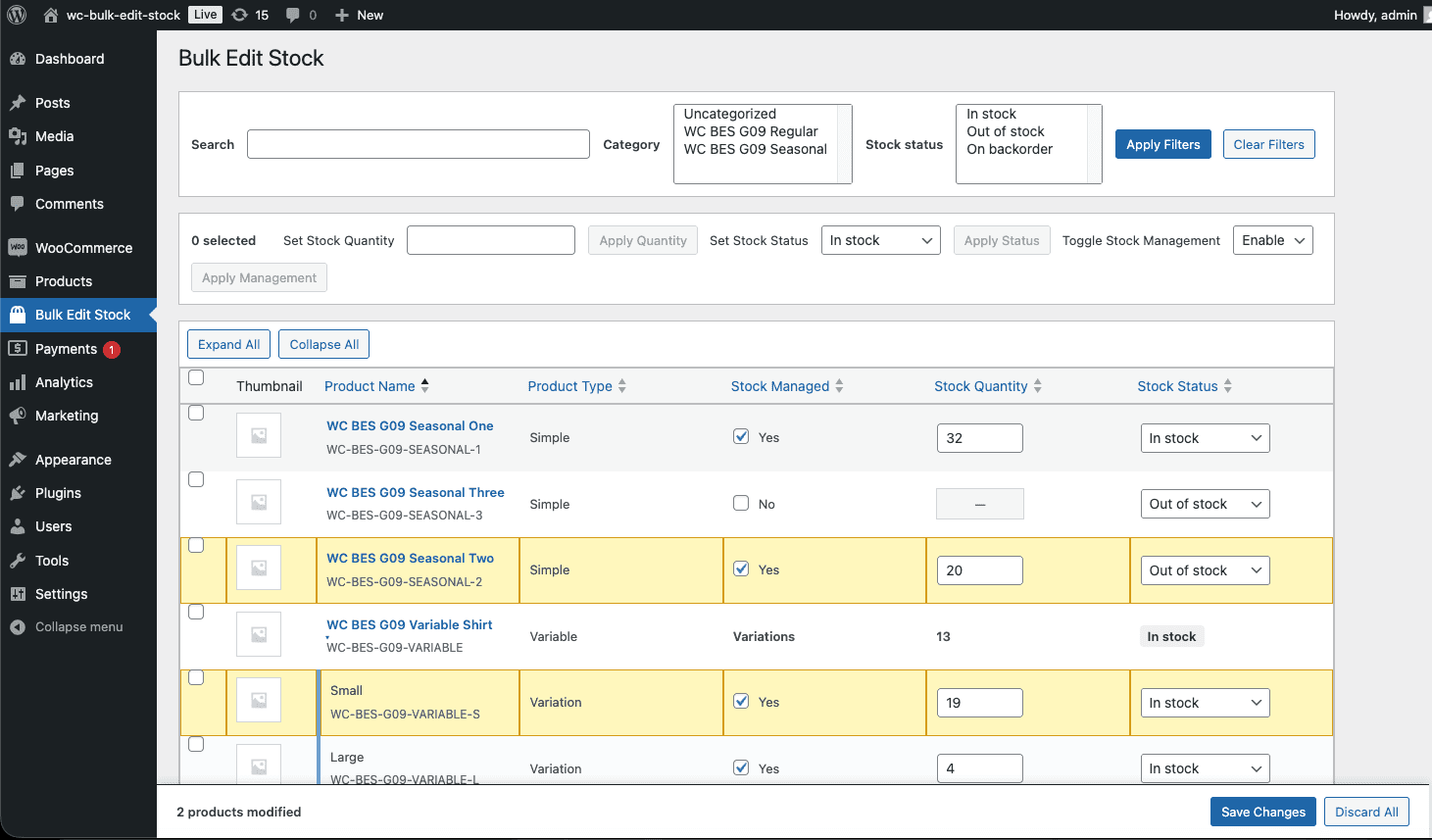
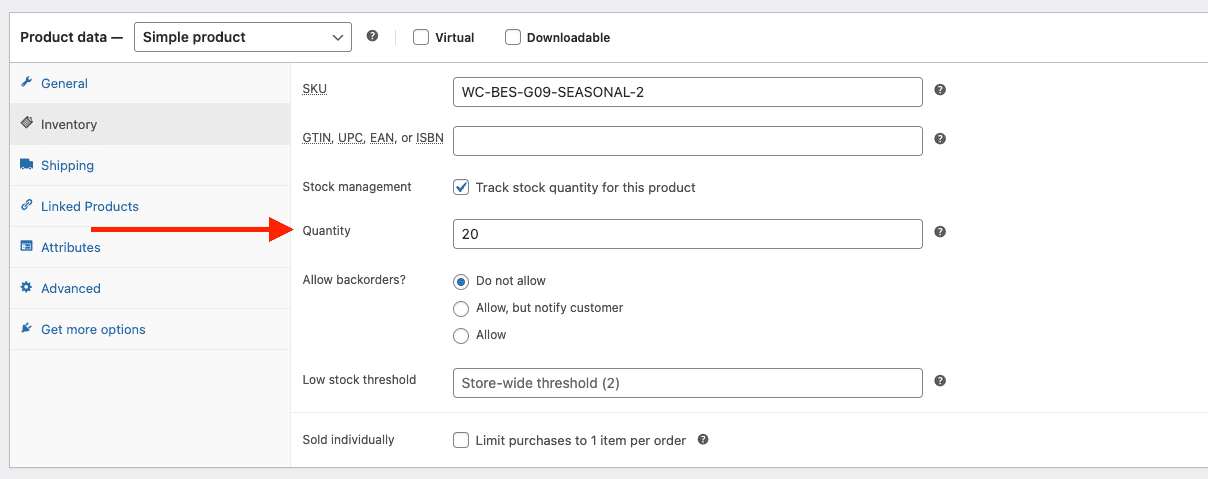
Then I opened the actual WooCommerce product edit screens to check whether the values persisted. The simple product showed 20.
The variation showed 19.
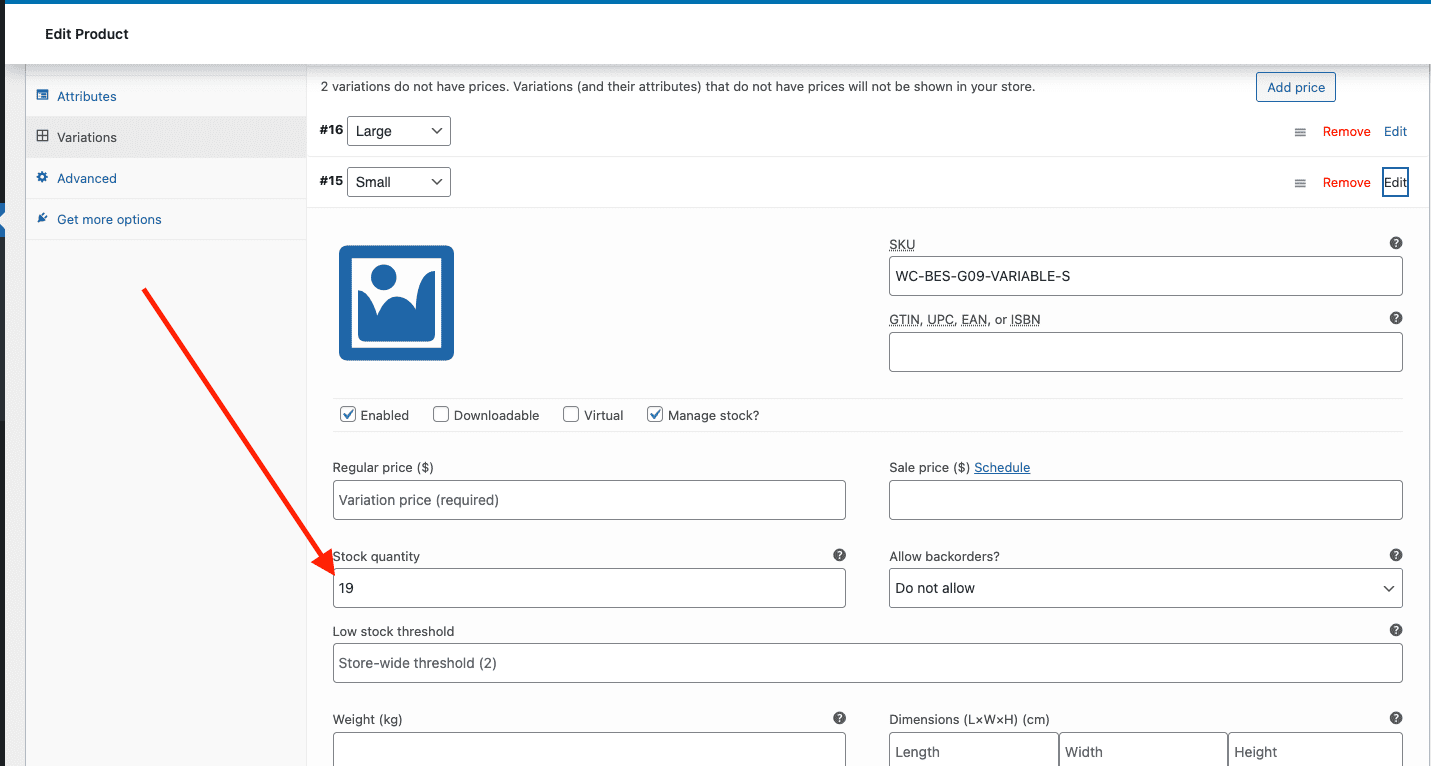
Per-variation stock on variable products is exactly where a lazy plugin implementation falls apart — WooCommerce stores variation stock separately from the parent product, and the save path requires hitting variation-specific meta fields.
That complexity is the reason I chose this plugin as the test case. And it held up.
👉 What this series keeps landing on: /goal offloads the implementation so you can spend your time being a good tester. Hours of machine work freed me to focus entirely on verification. Opening the browser, clicking through the plugin, checking that values persisted — that’s where my time belongs now.
.
.
.
Grab the Plugin
The full project is on GitHub: wc-bulk-edit-stock. Every goal folder, the bash script, the complete Codex run history — all of it. You can walk through the entire build, goal by goal, in the commit log. (It’s one of those repos where the journey is the documentation.)
If you just want the finished plugin, the releases page has a downloadable zip. Drop it into any WooCommerce site and you’ve got yourself a working bulk stock manager.
.
.
.
Use the Skill for Your Own Plugin
Install the skill:
npx skills add nathanonn/agent-skills --skill wp-requirements-to-goals --agent codexThe repo is at github.com/nathanonn/agent-skills.
One prerequisite to know about: the verification step in each goal uses playwright-cli for browser-based tests against the running WordPress environment. If you want the full workflow — including automated verification — you’ll need it installed. The playwright-cli README covers the setup.
Decomposition, scaffolding, and goal generation — that’s what the skill handles. Execution is on the bash script. But both are only as good as the requirements doc you feed in. Vague requirements produce vague goals, and the build reflects that.
The real prerequisite — ferpetesake — is learning to write requirements well. Start with How to Write Better Requirements with Claude if you haven’t already.
.
.
.
The Bigger Picture
Five entries in this series. One pattern. An input that keeps shrinking.
The autologin post started with a paragraph and a pasted command — one feature. This one started with a requirements doc and one bash command — a complete, multi-feature product.
The skill carries the domain knowledge. /goal runs the execution loop. PROGRESS.md proves the work. What changed is the ceiling — the scope of what you can build without writing code or babysitting the build.
The human’s job has compressed to two things: writing the requirements well and verifying the result. Everything between those two — decomposition, scaffolding, implementation, testing, regression — is now machine work you can trigger and walk away from. Like leaving a slow cooker on and coming back to a finished meal. (Except the meal is a WooCommerce plugin, and the slow cooker cost $131.)
The codex goal command reaches marketplace-grade complexity here, and that’s the claim this post earns. A bulk stock manager with per-variation editing, cross-cutting validation, and a full integration sweep is the kind of plugin people actually sell. The build handled it.
The honest forward edge: the UI taste gap is real, the $131 cost is real, and “marketplace-grade functionality” still needs a human’s polish and judgment before it’s ready for paying customers. Functional code and a shippable product are different things — the gap between them is taste, branding, documentation, and support. All human work.
But the part AI is getting genuinely good at — executing a well-specified plan, unattended, across an entire multi-feature build — just took another visible step.
Your job is to get good at writing the plan.
More workflows like this — AI-assisted development with Claude Code, Codex, and the tools between them — land in The Art of Vibe Coding newsletter every week. If this one was useful, the next one probably will be too.

One Comment
-

Jochen
•Very interesting insights, thank you for sharing Nathan !

Leave a Comment