I Built an AI-Powered Internal Links Plugin Using WordPress 6.9’s Abilities API and Claude Code
You know that thing where you’ve got 47 browser tabs open?
Not because you’re researching anything profound. No. You’re just trying to find that one post you wrote six months ago—the one about WooCommerce setup, or was it the product pages tutorial?—because you need to link to it from the article you’re publishing today.
Tab after tab after tab. Command+F. Scroll. Squint. Copy URL. Switch back. Find the right words to anchor. Paste. Format.
Thirty minutes later, you’ve added three internal links.
Three.
And honestly? They’re probably not even the best ones.
Here’s the thing: I’ve been that person. Staring at a perfectly good 2,000-word post with zero internal links, knowing full well that Google loves them, readers need them, and my inner SEO voice won’t shut up about it.
So I built something.
And what I discovered about WordPress 6.9’s new Abilities API might just change how you think about your entire site.
Stay with me.
.
.
.
The Problem Nobody’s Actually Solving
Let’s be honest about what’s out there right now.
- Manual linking eats 10-30 minutes per post. That’s not a workflow—that’s a hostage situation.
- Keyword-based plugins spray links everywhere like a toddler with a garden hose. “AI” gets linked to “AirAsia.” I wish I were joking.
- Regex matching sounds smart until it isn’t. It matches strings. It doesn’t understand meaning. Big difference.
- Context blindness is the real killer. These tools can’t tell the difference between your Gutenberg tutorial and your post about WordPress editor basics—even though they’re obviously related.
The existing solutions are solving the wrong problem.
They’re trying to match strings when they should be understanding meaning.
And then WordPress 6.9 launched on December 2nd, 2025.
Buried in the release notes was something called the Abilities API. Most developers scrolled right past it.
I didn’t.
.
.
.
The Discovery That Changed Everything
What happens when you combine WordPress’s new Abilities API with Claude Desktop and an MCP server?
Magic. Actual magic.
(Okay, not actual magic. But close enough that I did a little chair dance when it worked.)
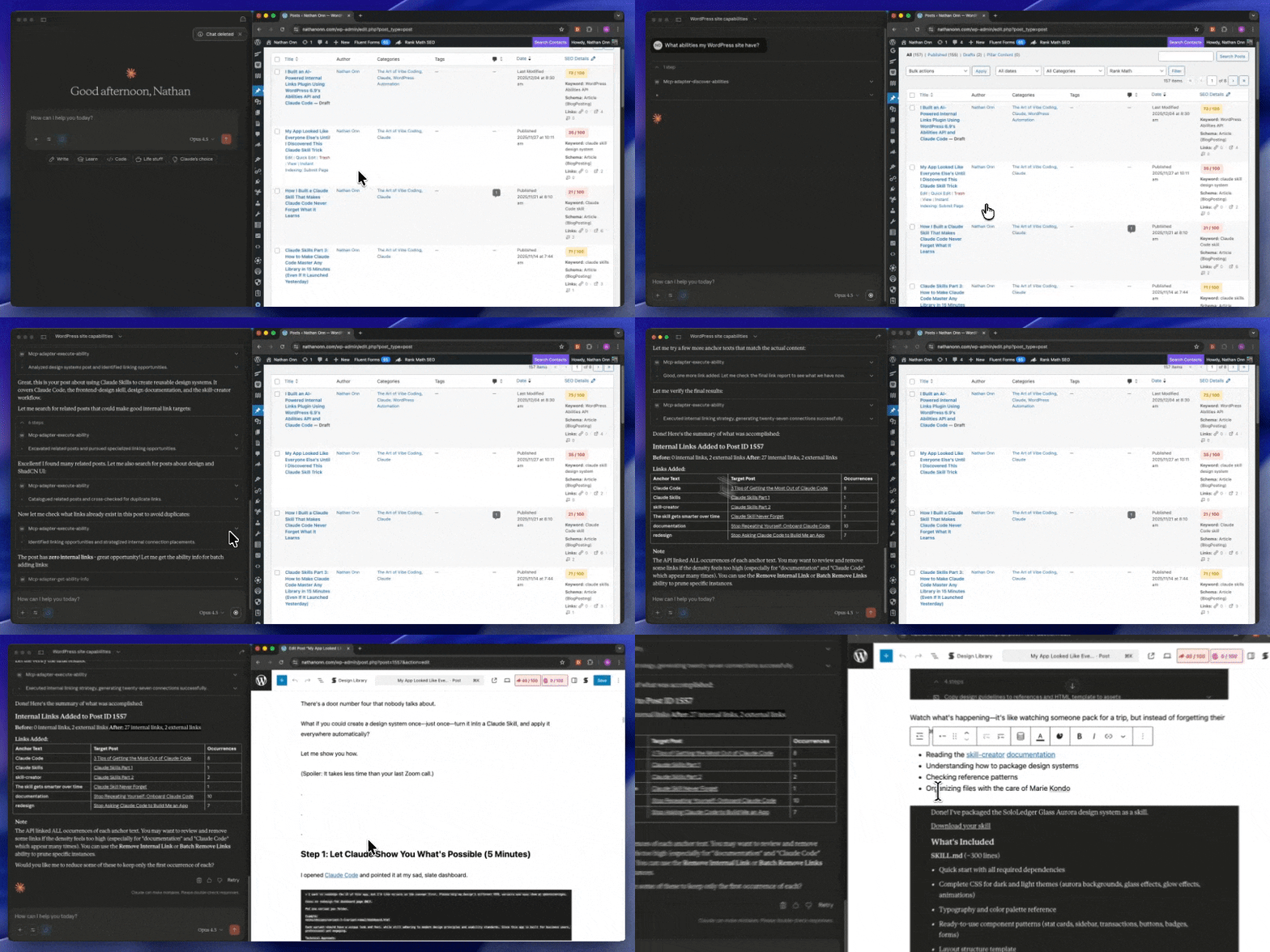
Instead of regex patterns hunting for keywords, I created abilities that do something radical—they think.
- Search posts semantically. When you write about “selling products online,” it finds your WooCommerce setup guide. Because it understands what you mean.
- Analyze content context. It knows your Gutenberg blocks tutorial relates to your WordPress editor basics post. Not because of keywords. Because of meaning.
- Add links intelligently. Places them where readers actually need them—not just where a keyword appears.
- Validate links automatically. Checks if targets still exist. No more embarrassing 404s hiding in your archive.
The kicker?
AI decides where to place links based on actual content understanding.
Not keywords. Not patterns. Understanding.
.
.
.
Building the Plugin: From Idea to Production
Here’s where it gets fun.
I’m going to walk you through exactly how I built this—from brainstorming to a working plugin with 9 abilities. The whole journey took about 3 hours.
(Three hours! To build something that would’ve taken weeks the traditional way. I’m still a little giddy about it.)
Phase 1: Getting Clear on What I Actually Wanted
I started in Claude Web with my wp-abilities-api skill loaded.
No documentation hunting. No API reference rabbit holes. Claude already knew the patterns.
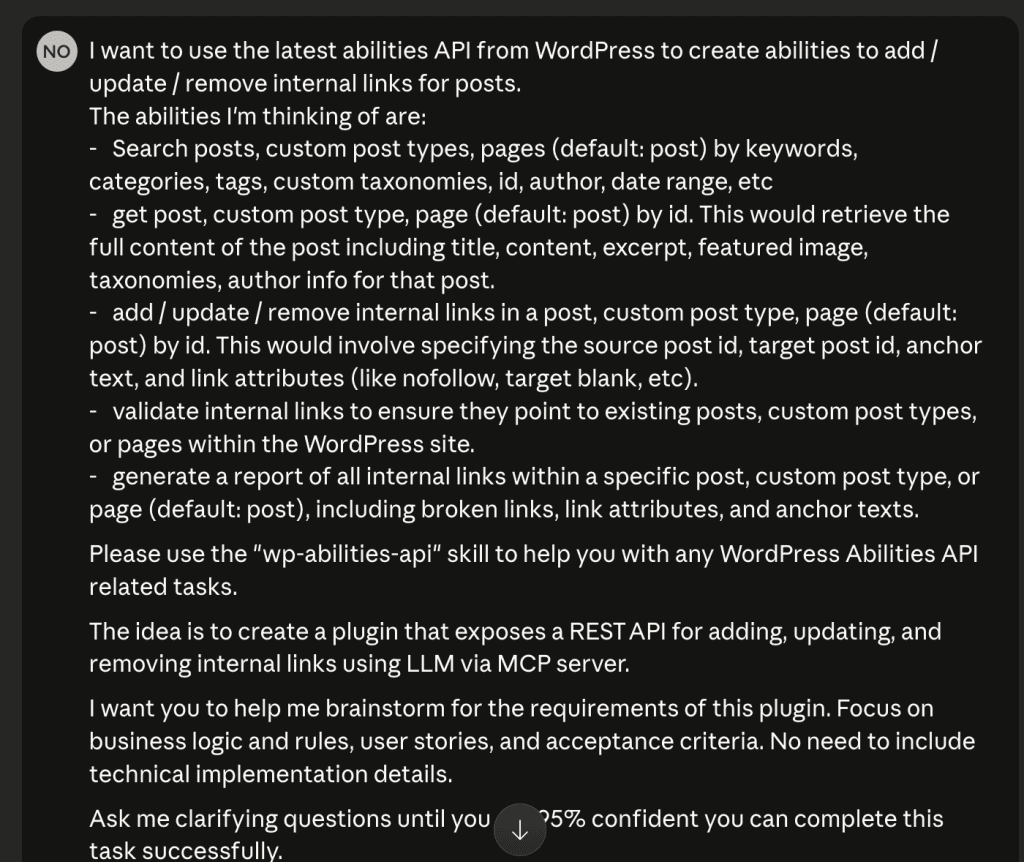
PROMPT: Abilities API requirements brainstorming
I want to use the latest abilities API from WordPress to create abilities to add / update / remove internal links for posts.

The abilities I'm thinking of are:

-   Search posts, custom post types, pages (default: post) by keywords, categories, tags, custom taxonomies, id, author, date range, etc
-   get post, custom post type, page (default: post) by id. This would retrieve the full content of the post including title, content, excerpt, featured image, taxonomies, author info for that post.
-   add / update / remove internal links in a post, custom post type, page (default: post) by id. This would involve specifying the source post id, target post id, anchor text, and link attributes (like nofollow, target blank, etc).
-   validate internal links to ensure they point to existing posts, custom post types, or pages within the WordPress site.
-   generate a report of all internal links within a specific post, custom post type, or page (default: post), including broken links, link attributes, and anchor texts.

Please use the "wp-abilities-api" skill to help you with any WordPress Abilities API related tasks.

The idea is to create a plugin that exposes a REST API for adding, updating, and removing internal links using LLM via MCP server.

I want you to help me brainstorm for the requirements of this plugin. Focus on business logic and rules, user stories, and acceptance criteria. No need to include technical implementation details.
I want to use the latest abilities API from WordPress to create abilities to add / update / remove internal links for posts.
The abilities I'm thinking of are:
- Search posts, custom post types, pages (default: post) by keywords, categories, tags, custom taxonomies, id, author, date range, etc
- get post, custom post type, page (default: post) by id. This would retrieve the full content of the post including title, content, excerpt, featured image, taxonomies, author info for that post.
- add / update / remove internal links in a post, custom post type, page (default: post) by id. This would involve specifying the source post id, target post id, anchor text, and link attributes (like nofollow, target blank, etc).
- validate internal links to ensure they point to existing posts, custom post types, or pages within the WordPress site.
- generate a report of all internal links within a specific post, custom post type, or page (default: post), including broken links, link attributes, and anchor texts.
Please use the "wp-abilities-api" skill to help you with any WordPress Abilities API related tasks.
The idea is to create a plugin that exposes a REST API for adding, updating, and removing internal links using LLM via MCP server.
I want you to help me brainstorm for the requirements of this plugin. Focus on business logic and rules, user stories, and acceptance criteria. No need to include technical implementation details.My initial prompt was simple: I want to create abilities for managing internal links.
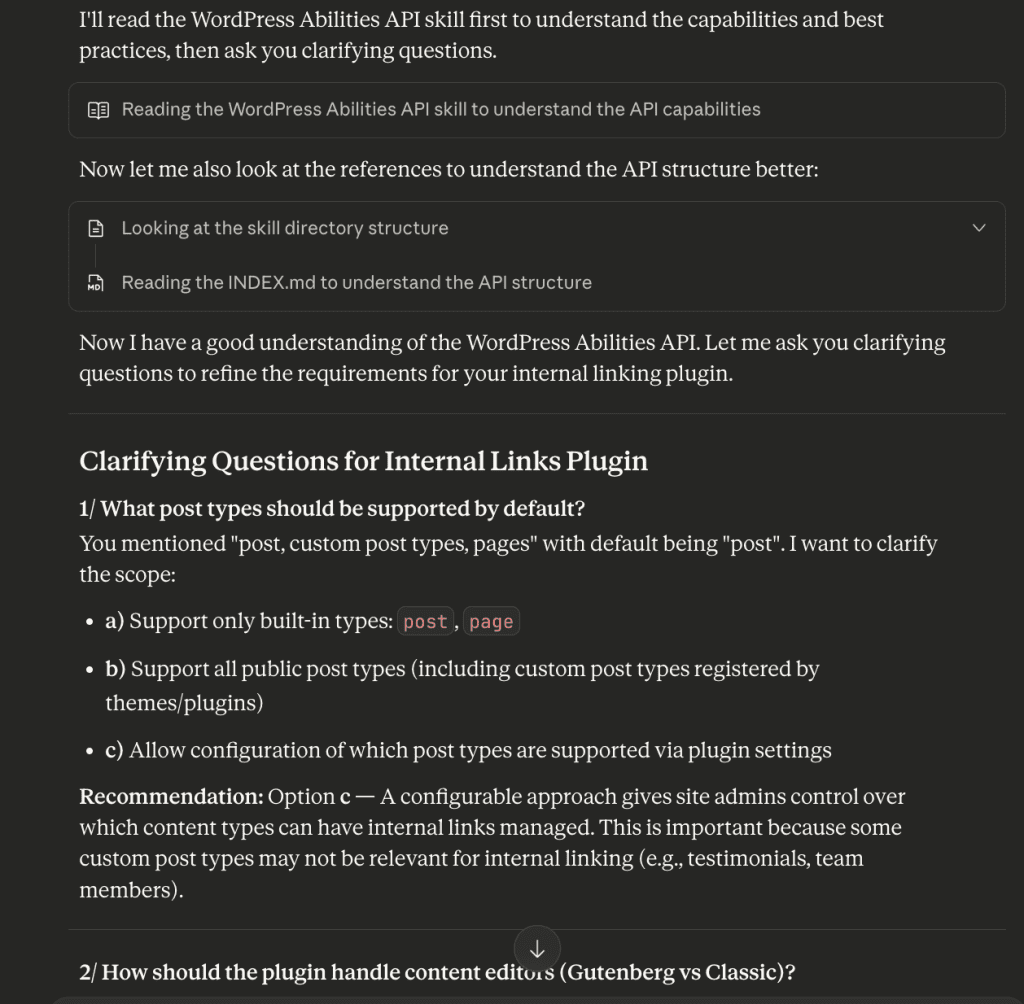
Claude came back with targeted questions. Not generic ones—targeted.
My answers to Claude’s questions:
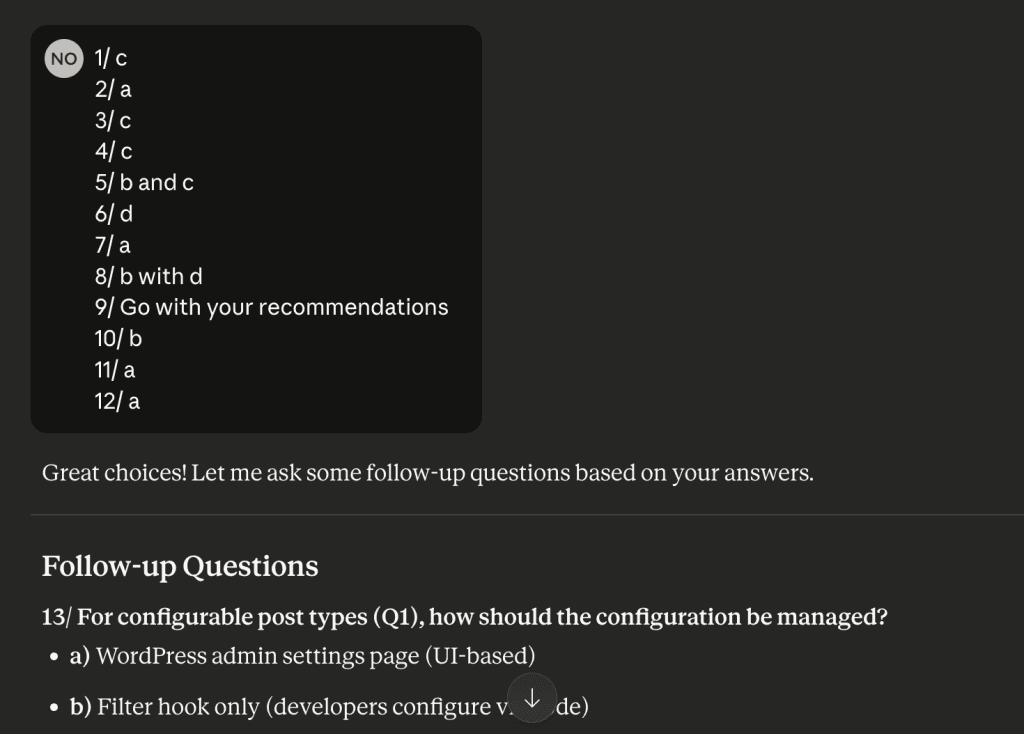
Notice what’s happening here. Each answer shaped the architecture. No guessing. No over-engineering. No building features I’d never use.
After a few rounds, Claude produced a comprehensive requirements document:
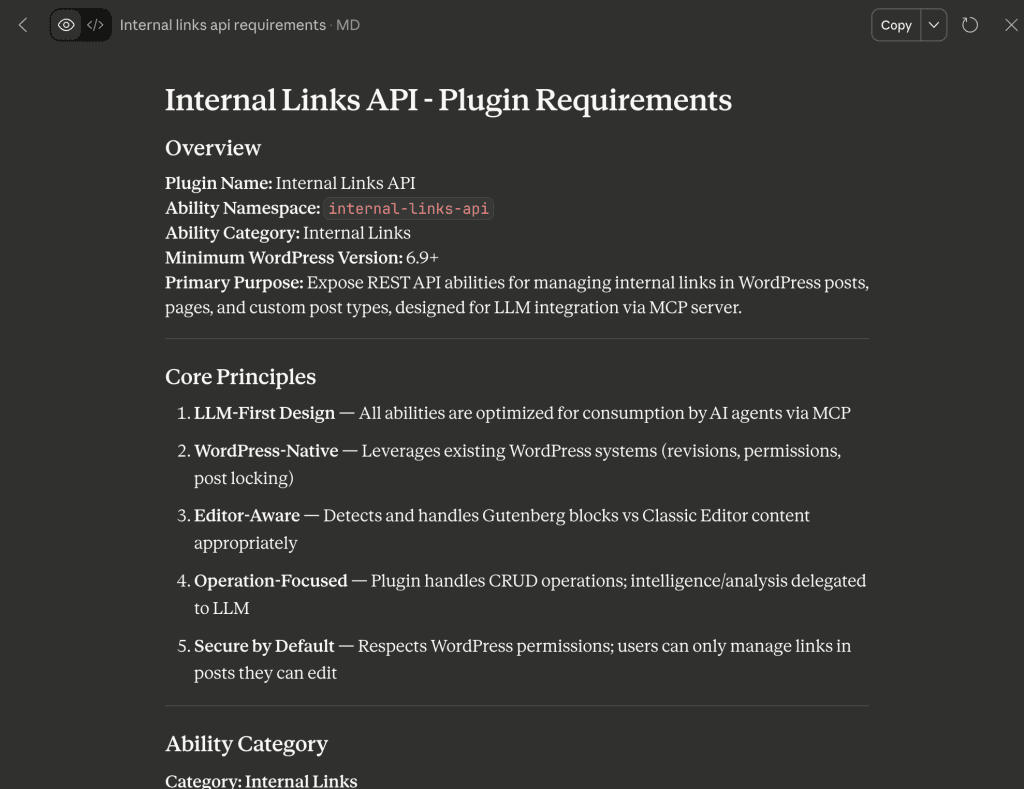
The key architectural decisions that emerged:
- LLM-First Design — All abilities optimized for AI consumption via MCP. Because that’s the whole point.
- Editor-Aware — Handles Gutenberg blocks vs Classic Editor automatically. No more “works in one, breaks in the other.”
- Permission-Based — Respects WordPress capabilities system. Because security isn’t optional.
- Operation-Focused — The plugin handles CRUD operations. AI handles the intelligence. Clean separation.
Phase 2: Letting Claude Code Do the Heavy Lifting
With requirements locked, I opened VS Code and set up my workspace:
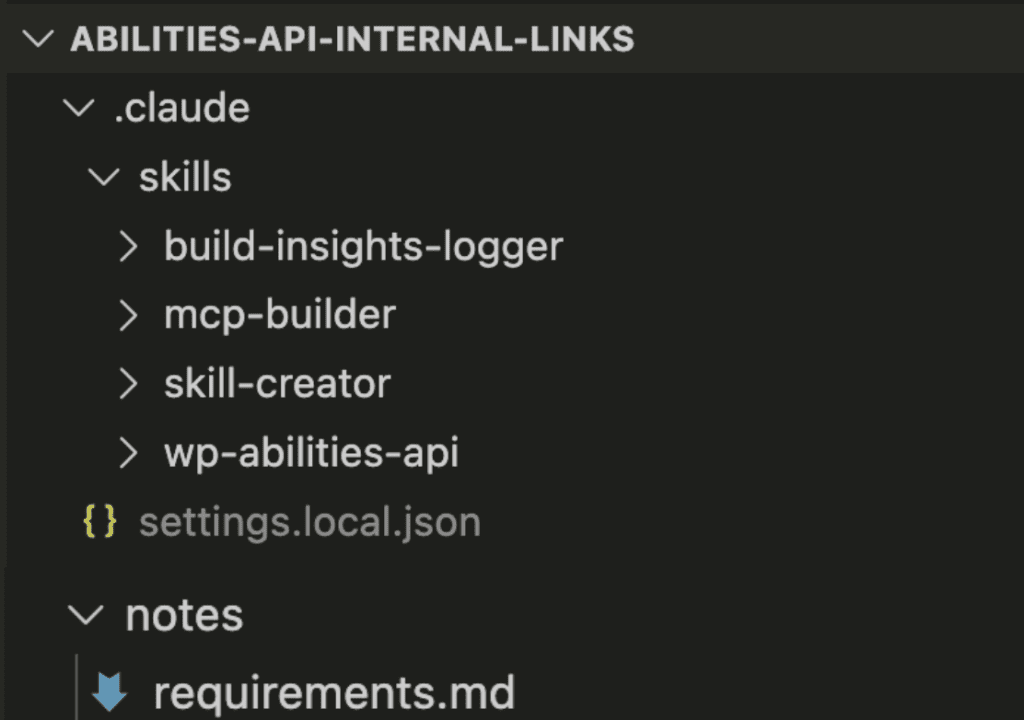
The setup was deliberate.
wp-abilities-api skill installed. Build-insights-logger to capture discoveries. Requirements document in the notes folder. Clean plugin directory ready to go.
Then I triggered Claude Code with plan mode:

PROMPT: Build Plugin From Scratch
Based on the requirements at @notes/requirements.md, please help me build the plugin from scratch.

Please use the "wp-abilities-api" skill to help you with any WordPress Abilities API related tasks.

Please use the "build-insights-logger" skill to automatically log meaningful insights, discoveries, and decisions during coding session.

You have access to WP-CLI commands to help you with the development.
Based on the requirements at @notes/requirements.md, please help me build the plugin from scratch.
Please use the "wp-abilities-api" skill to help you with any WordPress Abilities API related tasks.
Please use the "build-insights-logger" skill to automatically log meaningful insights, discoveries, and decisions during coding session.
You have access to WP-CLI commands to help you with the development.Watch what happened next.
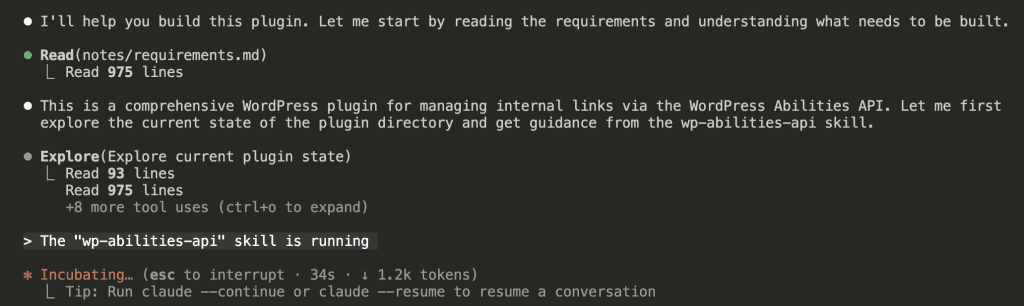
Claude Code immediately read the requirements document, explored the current plugin state, activated the wp-abilities-api skill automatically, and studied the API documentation patterns.
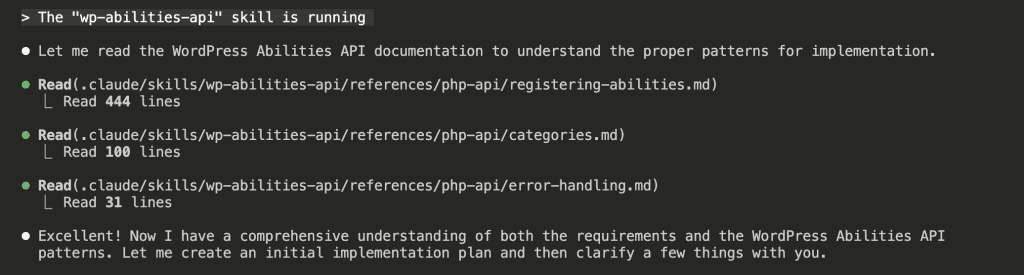
Then came clarifying questions.
Even Claude Code wanted to be sure:
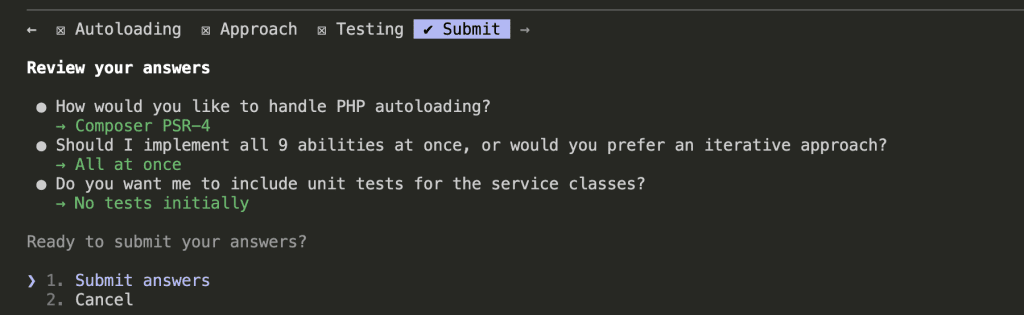
Three critical decisions:
- Autoloading: Composer PSR-4. The professional standard.
- Implementation: All 9 abilities at once. Comprehensive from the start.
- Testing: No unit tests initially. Faster iteration. (We can add tests later. Don’t @ me.)
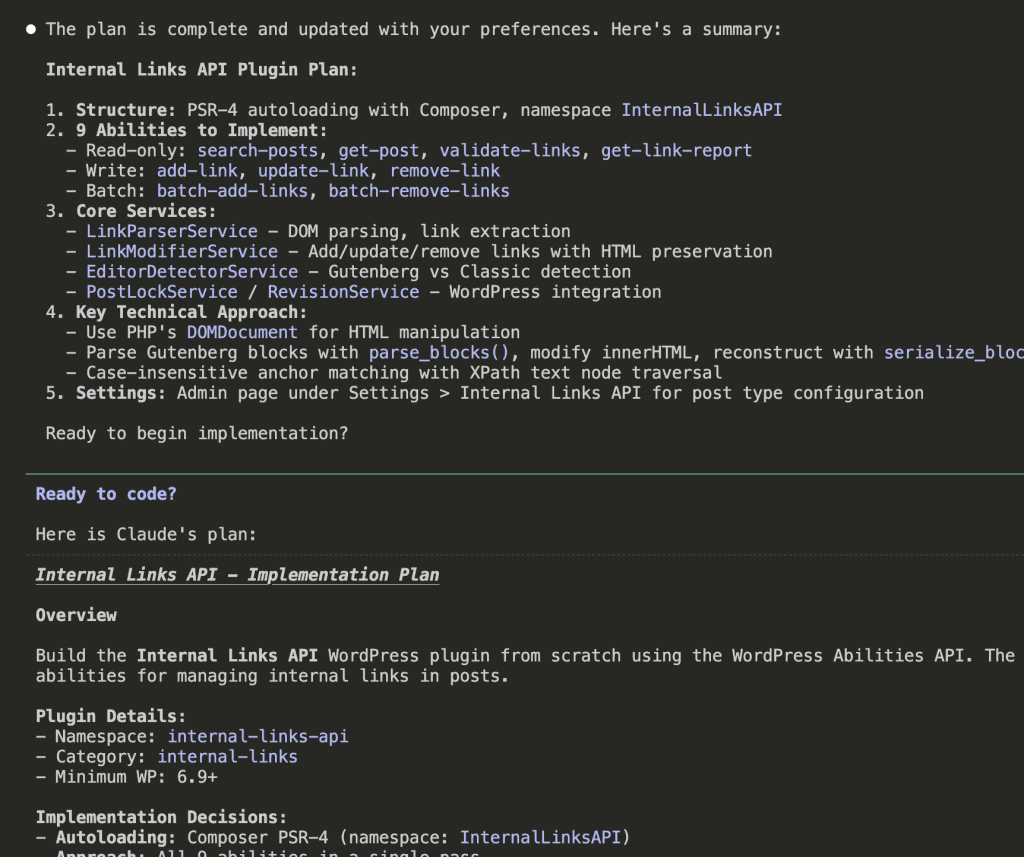
The plan was complete. Nine abilities. Core services. Professional architecture.
And I hadn’t written a single line of code yet.
Phase 3: Watching the Build Happen
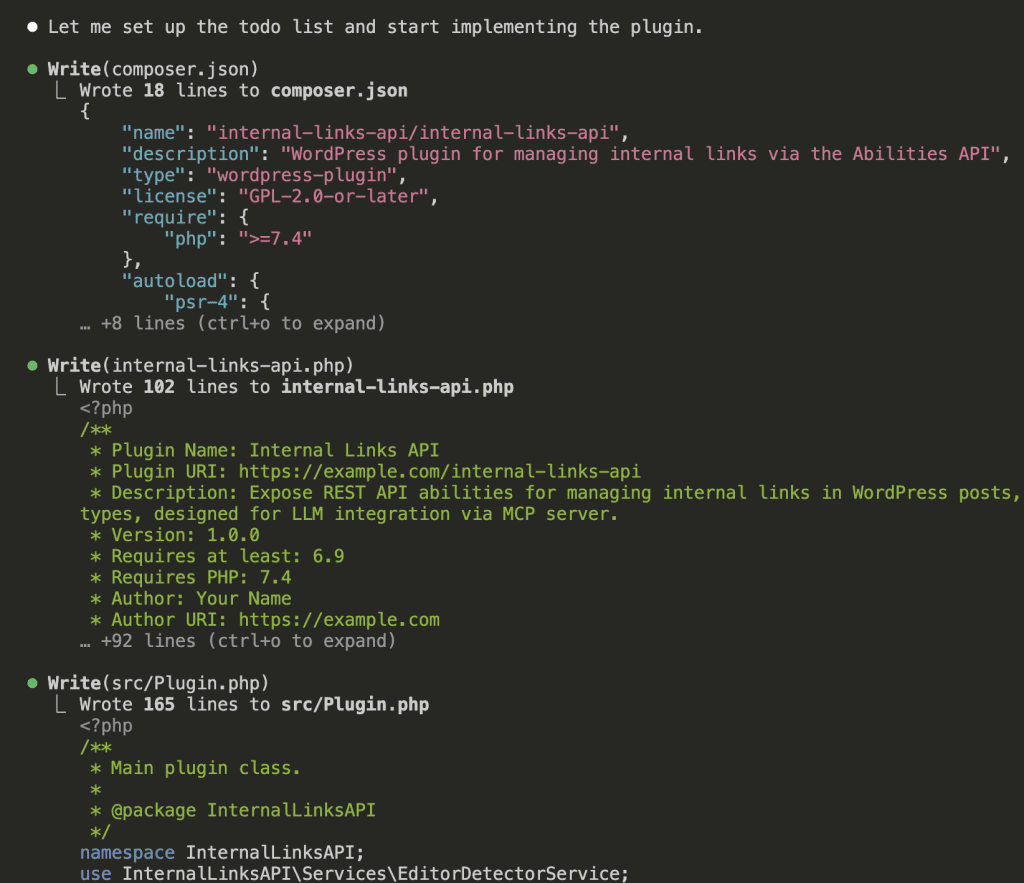
Here’s what fascinates me—Claude Code used WP-CLI to test in real-time:
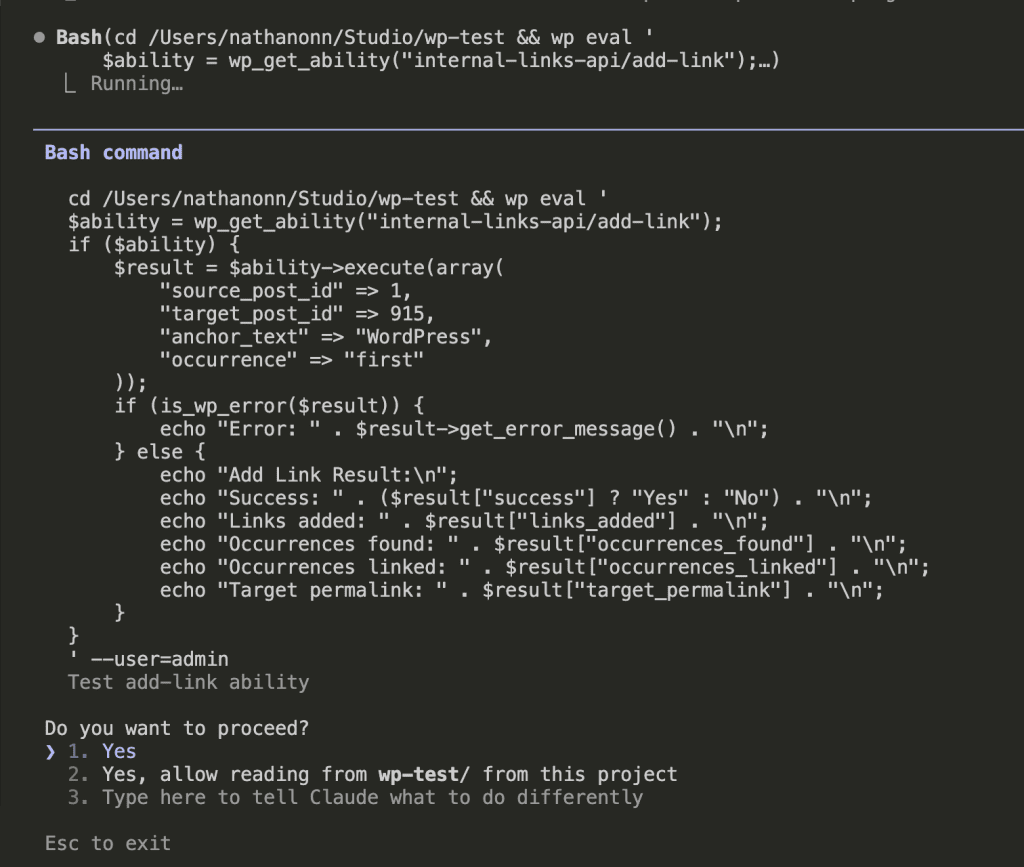
Real post IDs. Real execution. Real validation.
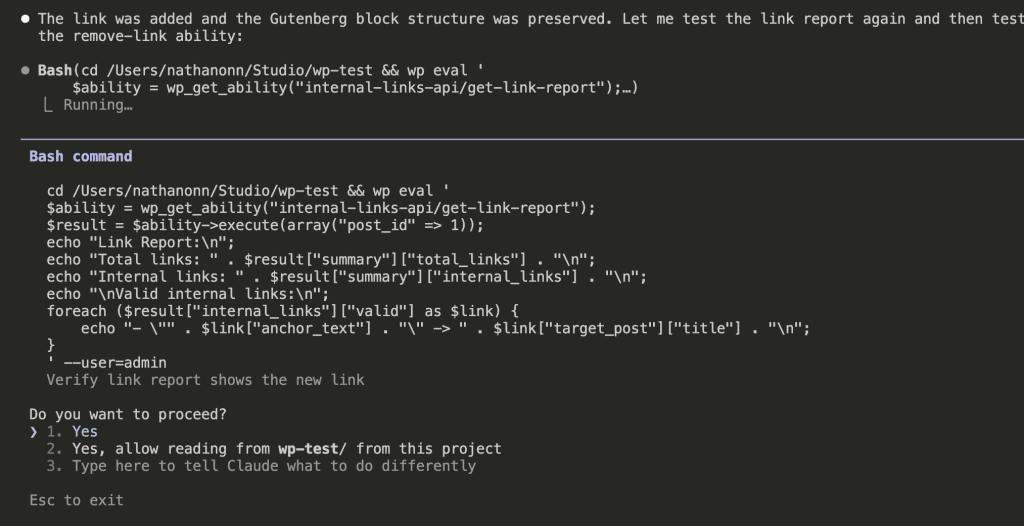
Every ability got tested. No assumptions. No “it should work” moments.
Just… working code.
.
.
.
The Final Result: 9 Abilities, One Plugin
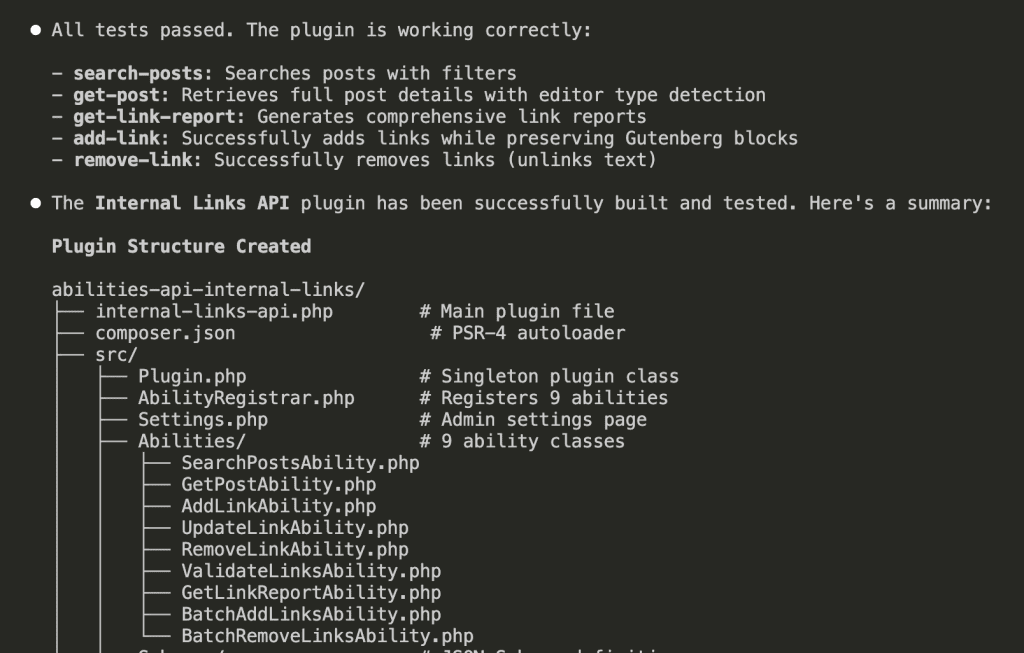
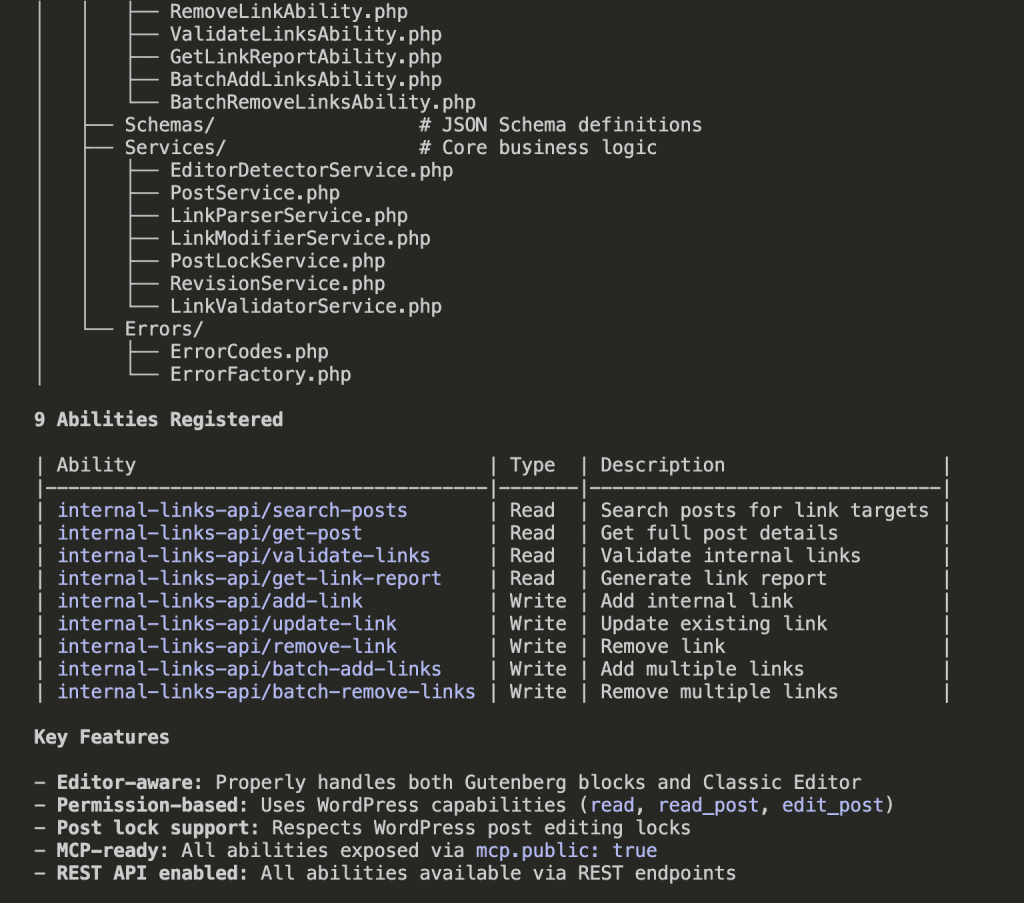
Here’s what we built:
9 Registered Abilities:
- Read operations: search-posts, get-post, validate-links, get-link-report
- Write operations: add-link, update-link, remove-link
- Batch operations: batch-add-links, batch-remove-links
The features that matter:
- Editor-aware — Properly handles Gutenberg blocks AND Classic Editor. Finally.
- Permission-based — Uses WordPress capabilities (read, read_post, edit_post). Your site stays secure.
- Post lock support — Respects WordPress post editing locks. No stepping on collaborators’ toes.
- MCP-ready — All abilities exposed via mcp.publicapi=true. AI can actually use them.
- REST API enabled — Available via REST endpoints for whatever else you dream up.
.
.
.
The Real Test: Can AI Actually Use This?
The plugin was built. The abilities were registered.
But could AI actually use them?
Time to find out.
Setting Up the Bridge
First, I installed the MCP Adapter plugin. This brilliant piece of engineering transforms WordPress abilities into MCP tools that AI can trigger.

The setup took 2 minutes. Two.
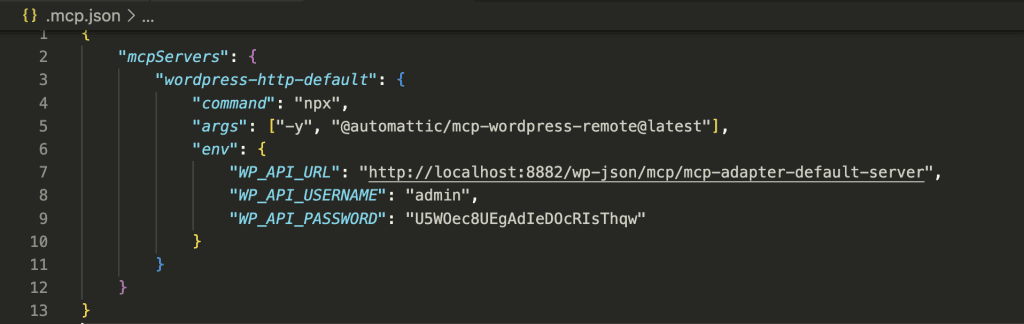
When I opened Claude Code, it immediately detected the MCP server:

The Moment of Truth
I started simple: “What kind of abilities does my WordPress site have?”
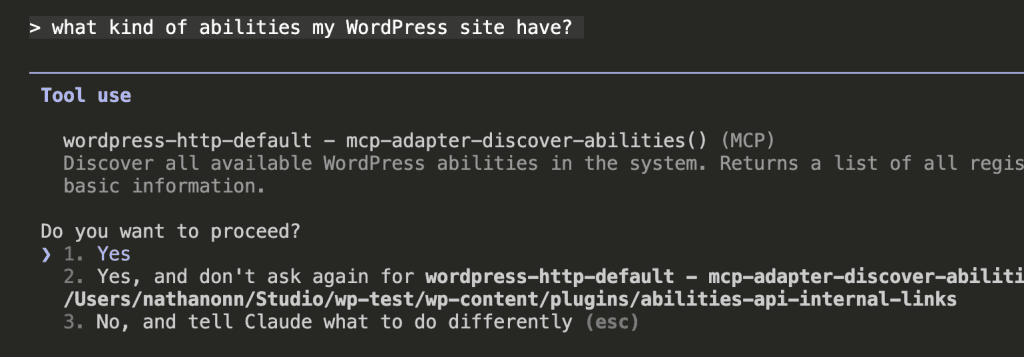
Claude Code triggered the discover-abilities tool:
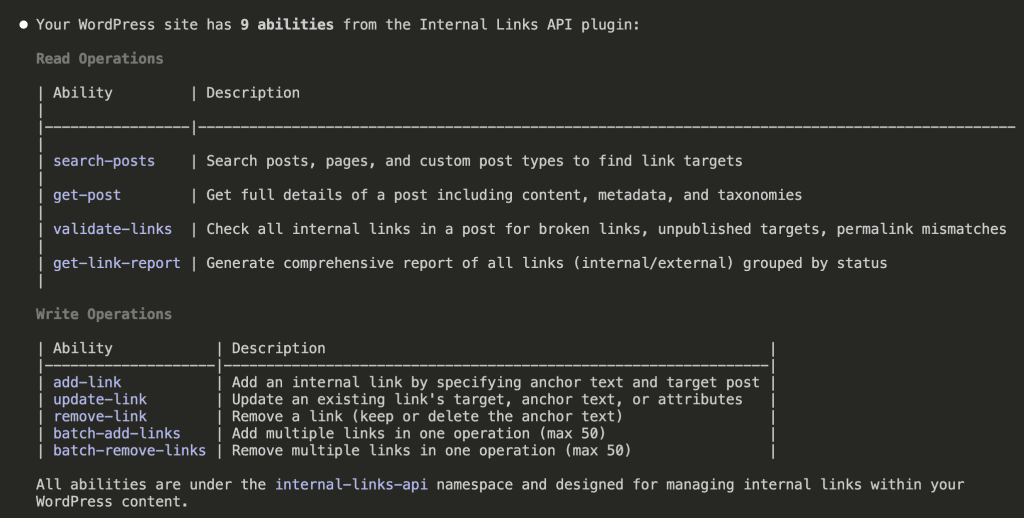
All 9 abilities. Ready. Waiting.
Autonomous Internal Linking in Action
I grabbed a post from my site—an article about Claude Skills with zero internal links.
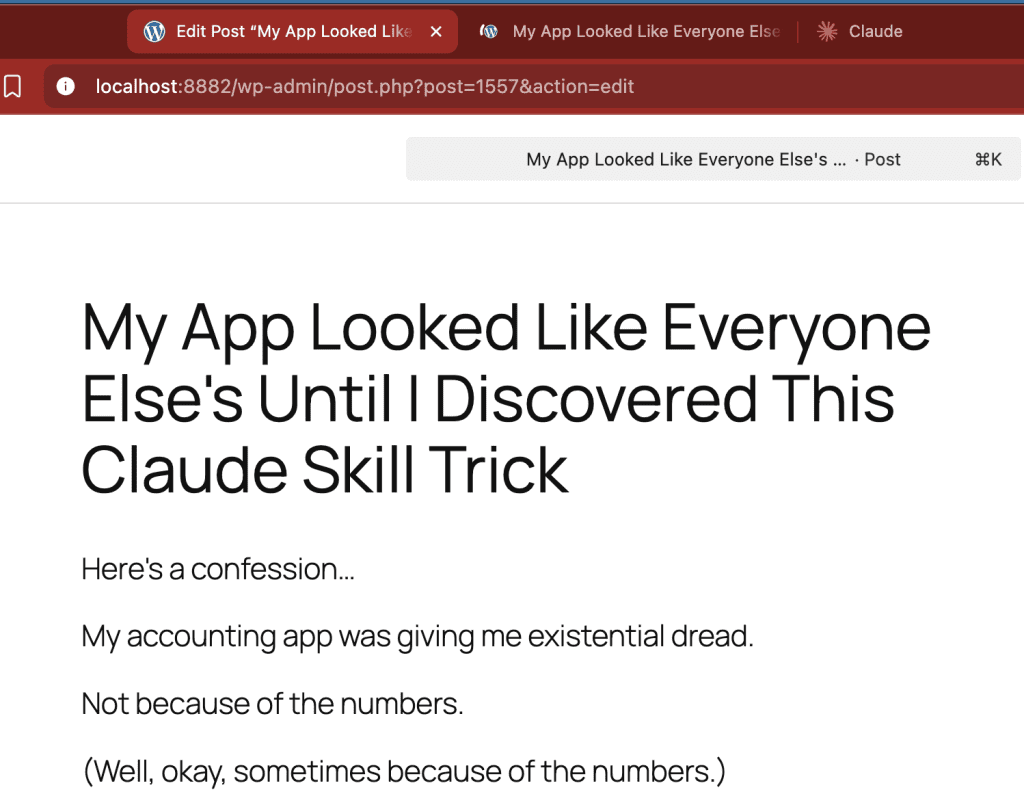
Post ID: 1557.
I asked Claude Code to scan the post, search for related content, and add internal links.

Here’s what happened.
Step 1: Reading the post
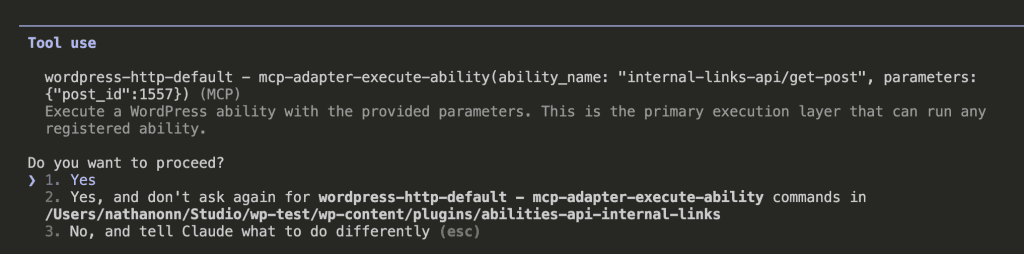
Claude read the entire post. Understood it was about Claude Skills, design systems, and creating reusable components.
Step 2: Searching for relevant content
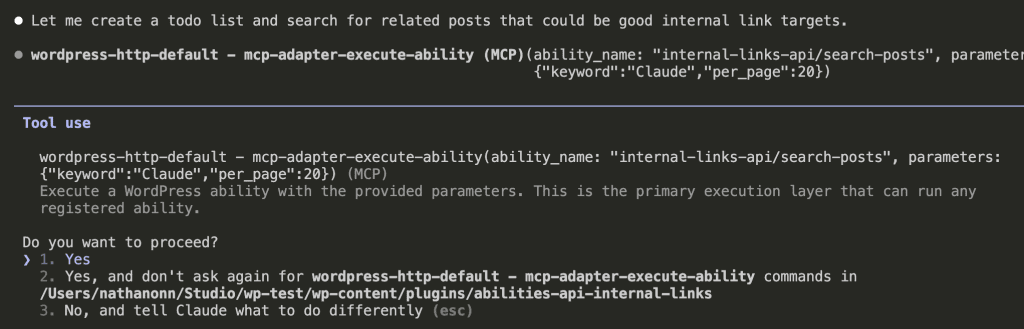
26 related posts found. But Claude didn’t just grab random matches.
Step 3: Intelligent link selection
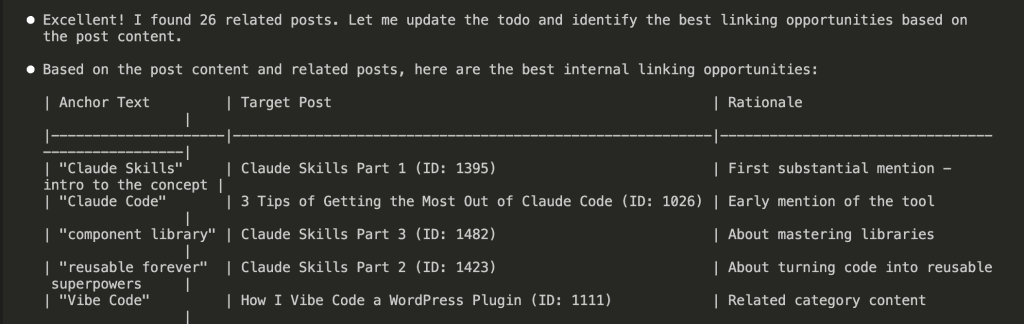
Look at those choices:
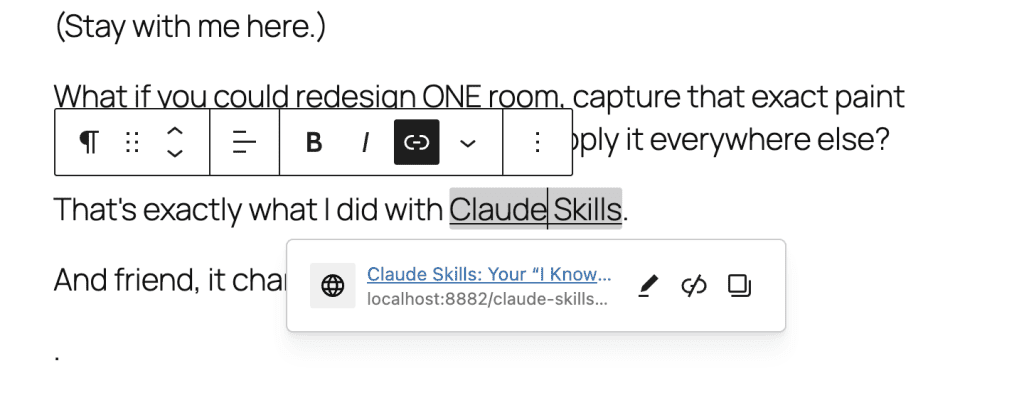
- “Claude Skills” → Links to Part 1 intro article
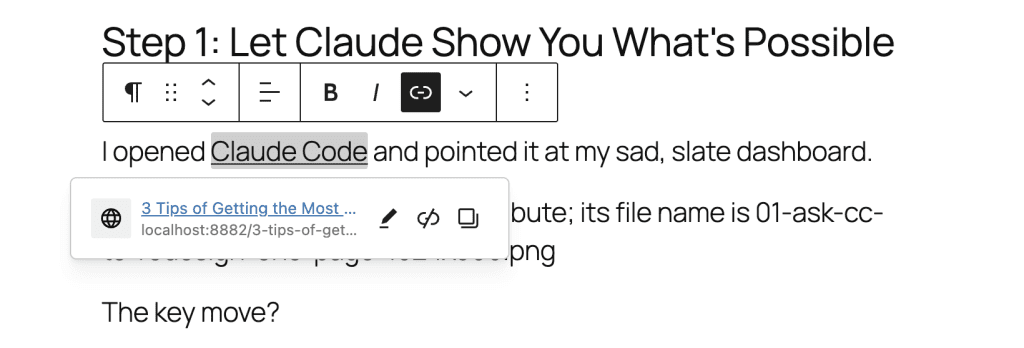
- “Claude Code” → Links to tips article for tool mastery
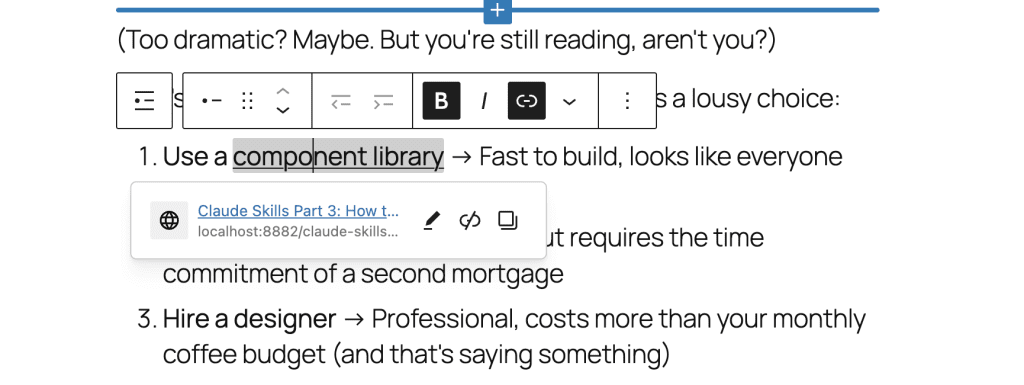
- “component library” → Connects to Part 3 about mastering libraries
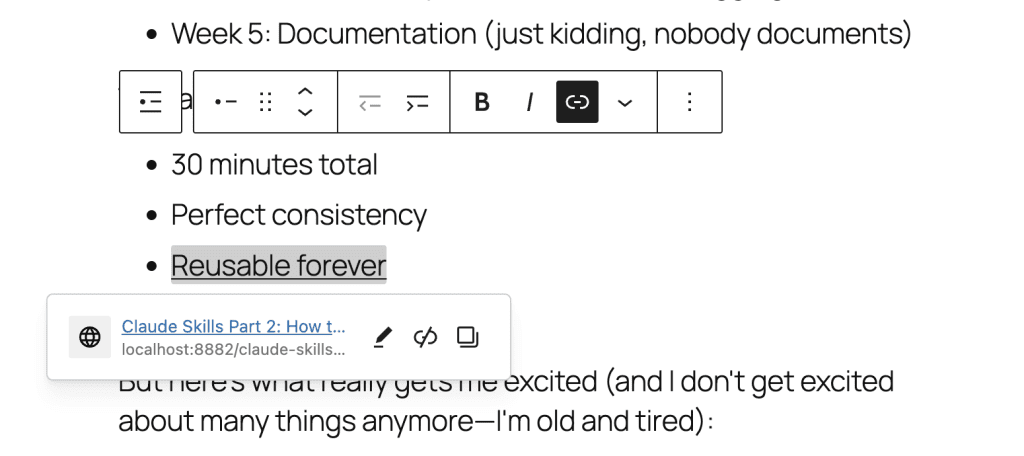
- “reusable forever” → Points to Part 2 about code reusability
Each link made semantic sense. No keyword stuffing. No forced matches. Just… relevance.
Step 4: Applying the links
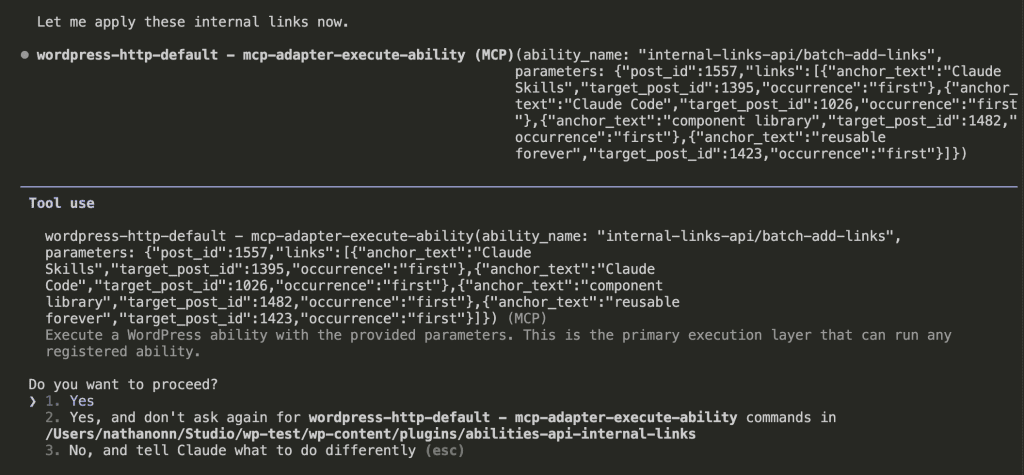
One API call. Four links inserted.
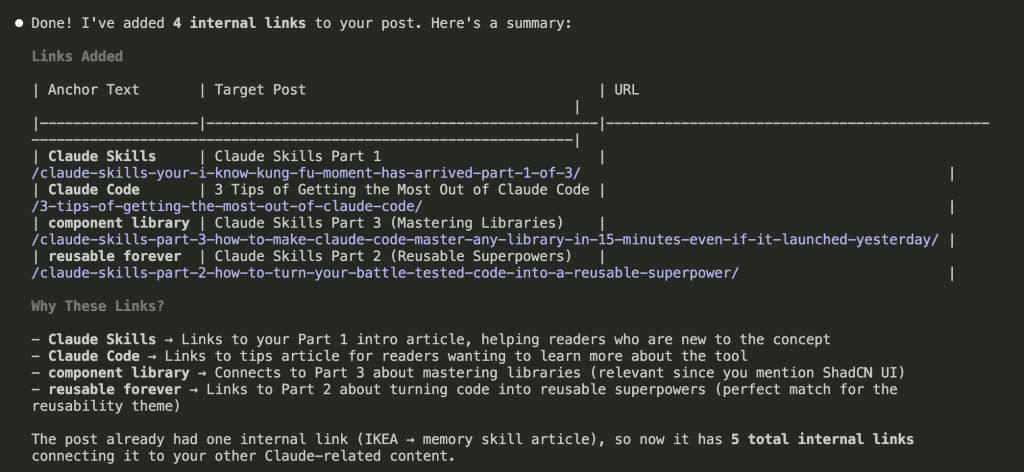
The Results
I opened my post in the WordPress editor.
There they were:
The transformation:
Before: 0 internal links, isolated content
After: 4 contextually perfect internal links
Time taken: Less than 2 minutes
Human effort: One prompt
But here’s what really got me.
Claude understood that when I mentioned “component library” in the context of ShadCN UI, it should link to my article about mastering libraries in Claude Skills.
When I wrote “reusable forever” about turning code into superpowers, it linked to Part 2 of my Claude Skills series—which is literally about that exact topic.
No regex could do this. No keyword matching could understand this context.
This is what the WordPress Abilities API makes possible.
.
.
.
What We Built (The Recap)
Let’s step back for a second:
- Brainstormed requirements with Claude using the wp-abilities-api skill
- Built the plugin with Claude Code in plan mode—9 abilities, full architecture
- Connected via MCP to enable AI-powered internal linking
- Tested with real content—AI understanding context and applying relevant links
The entire journey: 3 hours.
The result: A production-ready plugin that fundamentally changes how WordPress handles internal linking.
.
.
.
Why This Actually Matters
Remember the old way?
- Manual linking: 30 minutes to add 5-10 links
- Keyword plugins: Spam with irrelevant matches
- Zero context: No understanding of content meaning
Now?
- AI-powered linking: Less than 2 minutes for contextually perfect links
- Semantic understanding: Links based on actual meaning
- Full automation: One prompt, complete results
The WordPress Abilities API combined with AI doesn’t just save time.
It changes what’s possible.
.
.
.
Your Turn
Ready to try this yourself?
Get the Internal Links Plugin
Step 1: Install the MCP Adapter first
- Download from: https://github.com/WordPress/mcp-adapter
- Follow the setup instructions carefully
- Configure your .mcp.json file
Step 2: Grab the Internal Links API plugin
- Download from: https://github.com/nathanonn/abilities-api-internal-links
- Install and activate in WordPress
- Watch your 9 new abilities appear
Step 3: Connect Claude Code, Claude Desktop, Cursor, VS Code—or any platform that connects to MCP servers—and let AI handle your internal linking
Build Your Own Abilities Plugin
Want to create custom abilities for your WordPress site?
The wp-abilities-api skill is your secret weapon.
Get it from: https://github.com/nathanonn/claude-skills-wp-abilities-api
- For Claude Code users: Install directly from the Claude plugin marketplace. Search for “wp-abilities-api” and click install.
- For Claude Web users: Download the wp-abilities-api.skill file from the repo and upload it as a custom skill.
The skill contains complete API documentation, code patterns and examples, error handling guides, and best practices for MCP integration.
.
.
.
What’s Next
Here’s the thing about WordPress plugins…
Most have zero REST API. No endpoints. No abilities. No way for AI to communicate with them.
Next week, I’ll show you how to build WordPress Abilities API wrappers for other people’s plugins.
Imagine AI controlling:
- Your SEO plugin.
- Your forms plugin.
- Your membership system.
- Your page builder.
Any plugin. Any functionality. All accessible to AI.
The WordPress repository has 60,000+ plugins. Maybe 100 have proper APIs.
That’s 59,900 opportunities waiting.
What plugin will you make AI-compatible?
Go build.

Leave a Comment